
This page is not an official page of the app or its developer, but an independent editorial publication created for informational and commentary purposes. Unless expressly stated otherwise, neither the app nor its developer is affiliated with, endorsed by, sponsored by, authorized by, or otherwise officially connected with MWM, Apple, Google Play, the app publisher, or the app's developer, and nothing on this page implies that the app was developed using MWM's services. Any trademarks, logos, screenshots, and other content remain the property of their respective owners.


Smart Switch - Copy My Data
Phone upgrades usually mean data headaches. This app offers a clean slate for your new device, without leaving your digital life behind.
Downloads
250k+User Rating
Total Ratings
10.5KPublisher
Category
ProductivityLocales
13Latest Version
1.2.0Size
17.8 MBFirst Released
Mar 24, 2024An analytical overview of features designed for seamless and secure mobile data migration.
Core Capabilities of Smart Switch - Copy My Data
Enhanced Data Security & Privacy
The app ensures the security of user data during migration, explicitly stating it does not record user data and respects privacy, which is crucial for building trust.
One-Click Data Transfer
The app provides a streamlined, single-tap process for migrating data, eliminating complex steps and making data transfer accessible for all user levels.
Intuitive User Interface
It provides a simple and easy-to-operate interface, making the data transfer process accessible and understandable for both novice and experienced users.
Offline Data Transfer
This tool allows users to transfer data quickly without requiring an internet connection or consuming mobile data, which is beneficial in areas with poor connectivity or for users with limited data plans.
Comprehensive Data Support
It supports the migration of various data types, including contacts, messages, photos, videos, applications, music, schedules, and call records, ensuring a complete transfer of personal information.
Broad Device Compatibility
The app features extensive compatibility with various mobile phone models and operating systems, enabling seamless data migration between different devices and platforms.
Frequently Asked Questions
Everything you need to know about Smart Switch - Copy My Data
How does Smart Switch - Copy My Data facilitate phone data migration?
Smart Switch - Copy My Data ensures seamless data migration between mobile phones with a single click. It transfers data safely, quickly, and conveniently without consuming any network traffic.
Does Smart Switch - Copy My Data require a network connection for data transfer?
No, Smart Switch - Copy My Data does not require a network connection. All data migration processes complete without consuming traffic or needing an internet connection.
What types of data can Smart Switch - Copy My Data transfer?
Smart Switch - Copy My Data transfers contacts, messages, photos, videos, applications, music, schedules, and call records. It also supports chat history for apps like WhatsApp, WeChat, and Telegram.
Is Smart Switch - Copy My Data compatible with different phone models and operating systems?
Yes, Smart Switch - Copy My Data offers strong device compatibility. It supports various mobile phone models and performs data migration across different operating systems.
Is data secure when using Smart Switch - Copy My Data?
Yes, Smart Switch - Copy My Data ensures data security during migration. It does not record any user data and respects and protects user data privacy.
Can Smart Switch - Copy My Data transfer chat history?
Yes, Smart Switch - Copy My Data transfers chat history. It supports migrating content and chat history for applications such as WhatsApp, WeChat, and Telegram.
Does Smart Switch - Copy My Data provide a Wi-Fi speed test?
Yes, Smart Switch - Copy My Data includes a Wi-Fi speed test utility. Users can check their network's download and upload speeds directly within the app.
What is "One-click migration" in Smart Switch - Copy My Data?
One-click migration is a core feature of Smart Switch - Copy My Data. It allows users to easily transfer data from an old phone to a new one with a single action, simplifying the process.
The following screenshots and description are sourced directly from the app's official store listing and are the property of the app developer.
App Store
Screenshots
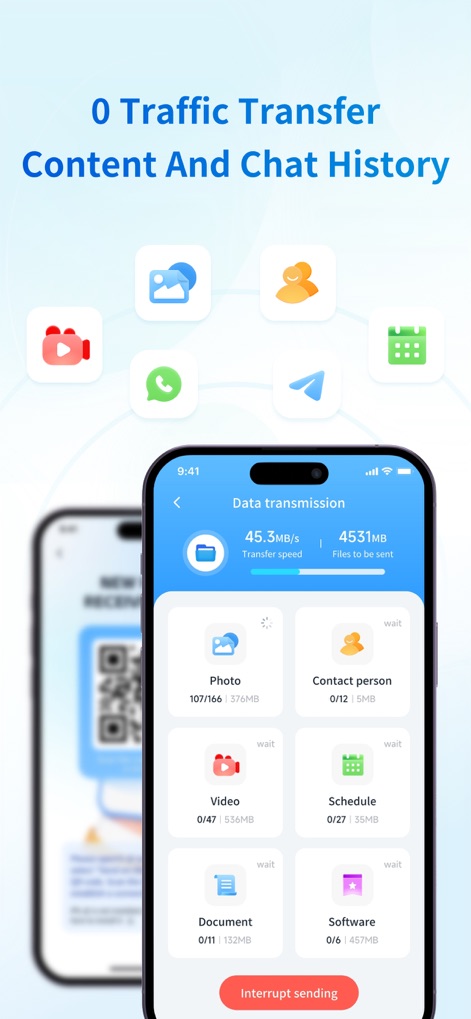
See how the app facilitates a "0 Traffic Transfer" of content and displays a clear "Data transmission" overview, listing specific categories like photos and contacts.
Data Migration Progress
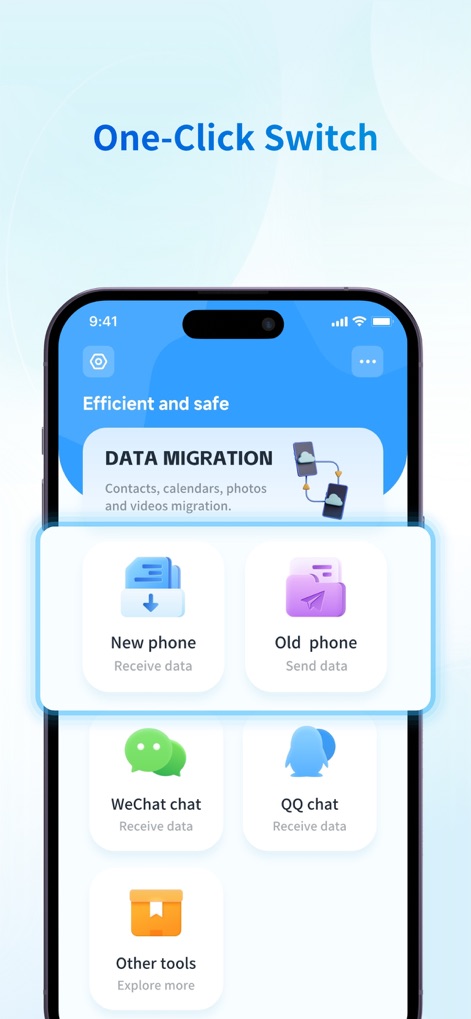
Discover the app's "One-Click Switch" functionality, providing intuitive options to "Receive data" on a new phone or "Send data" from an old device.
Simplified Data Transfer
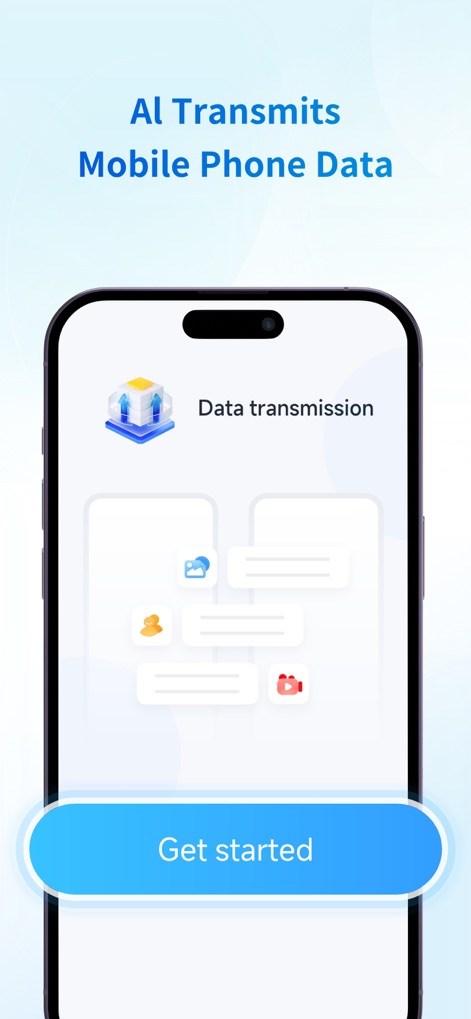
This tool initiates data transfers with "AI Transmits Mobile Phone Data" intelligence, guiding users to begin with a simple "Get started" button.
Intelligent Data Start
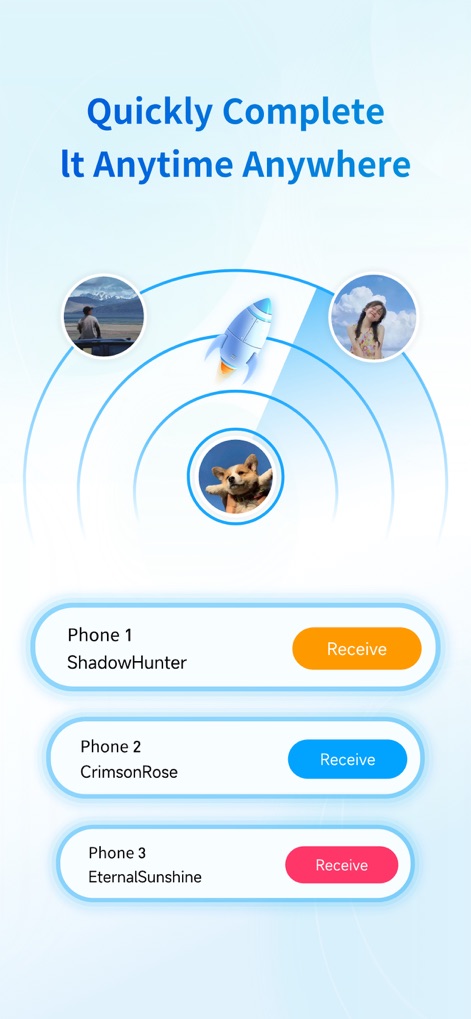
The app enables users to "Quickly Complete It Anytime Anywhere" by presenting multiple "phone connection options", each with a clear "Receive" action button for seamless transfers.
Multi-Device Connection
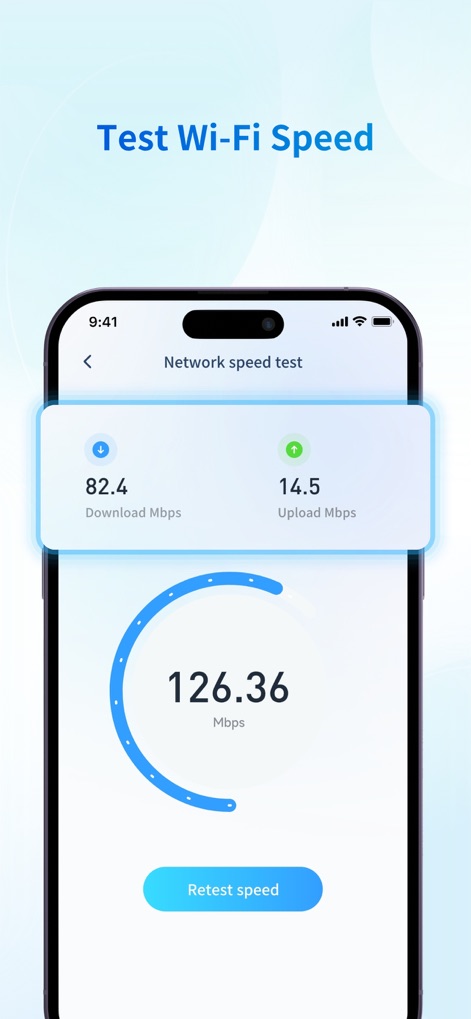
Users can proactively "Test Wi-Fi Speed" directly within the app, viewing comprehensive "Network speed test" results that detail both download and upload metrics.
Network Speed Check
Description
Download
More Like This
Apps with similar features and user experience

Data Transfer - Copy My Data
Simple Health Limited

互传 - 快速换机数据迁移智能助手
家呈 郭

Copy My Data - Smart Transfer
Red Sky Labs, SOCIEDAD LIMITADA
Copy My Data - Mobile Transfer
KHD Plaza LLC

Phone Clone - Smart Switch .
俊杰 刘

Smart Switch: Data Transfer
Zadore Tracy
Smart Switch: Copy & Move Data
JW Marketing group s.r.o.
手机同步传输-同步转移数据文件
冰 杜

Smart Switch - Phone Clone .
晓珍 胡
This page is not an official page of the app or its developer, but an independent editorial publication created for informational and commentary purposes. Unless expressly stated otherwise, neither the app nor its developer is affiliated with, endorsed by, sponsored by, authorized by, or otherwise officially connected with MWM, Apple, Google Play, the app publisher, or the app's developer, and nothing on this page implies that the app was developed using MWM's services. Any trademarks, logos, screenshots, and other content remain the property of their respective owners.