Aquarium Planner AR

Aquarium Planner AR

Download on App Store
Logo of Aquarium Planner AR

Aquarium Planner AR: Visualize Your Dream Tank in Your Space

Stop guessing and start designing. Use augmented reality to custom-build, place, and walk around your future reef or freshwater setup before you buy, ensuring the perfect fit for your home and your lifestyle.

Download on App Store

Publisher

John Ostler

Category

Utilities

Downloads

2K+

User Rating

1.8/5

Total Ratings

0

Locales

1

Your Future Reef, Rendered

Discover the interface used by 2K+ users.

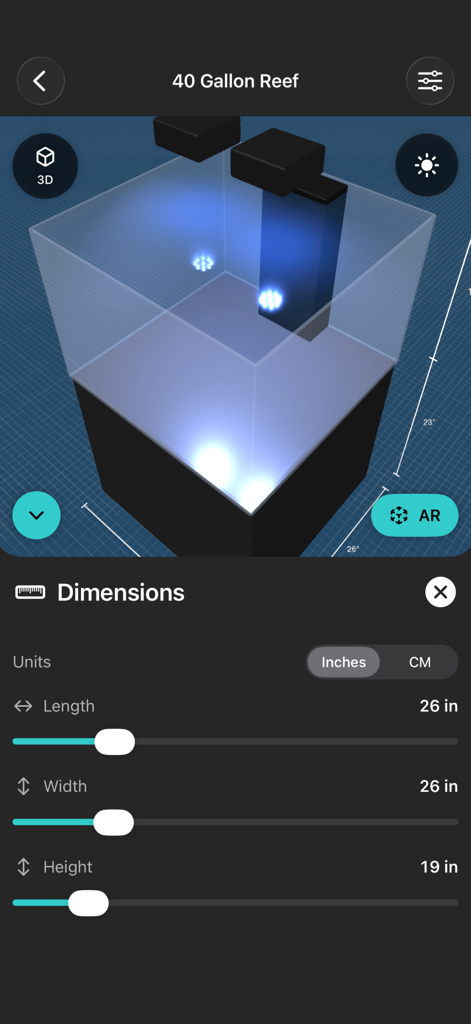
Aquarium Planner AR app interface showing a 3D reef tank model with adjustable sliders for length width and height dimensions
Aquarium Planner AR app interface showing a 3D reef tank model with adjustable sliders for length width and height dimensions

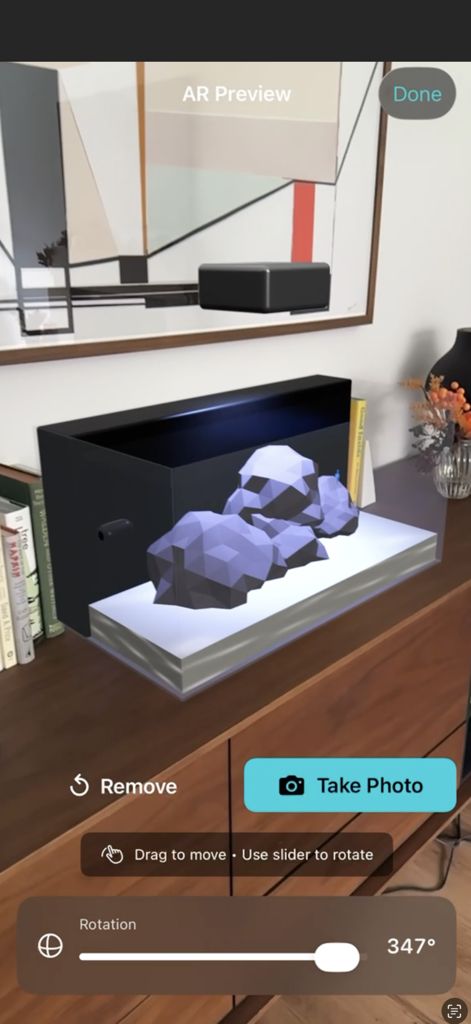
Augmented reality preview of a 3D aquarium model placed on a room dresser.
Augmented reality preview of a 3D aquarium model placed on a room dresser.

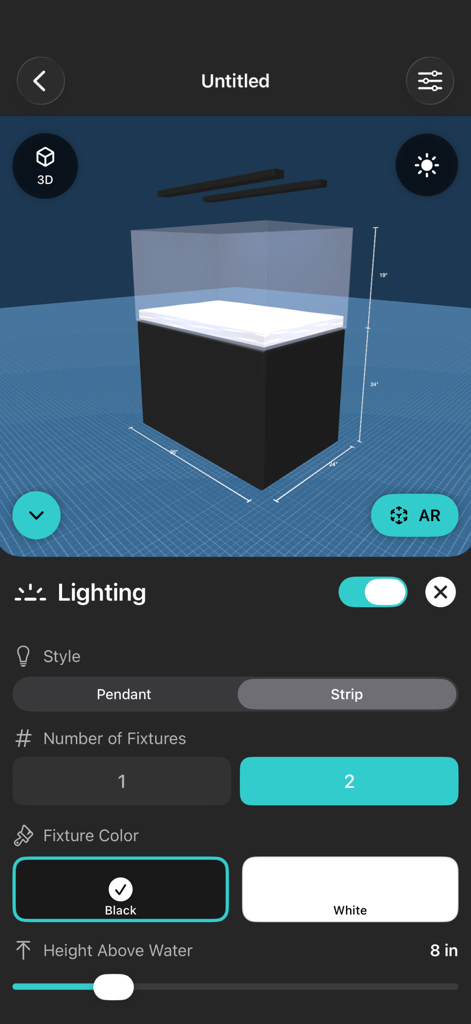
3D aquarium model design with lighting settings in Aquarium Planner AR app
3D aquarium model design with lighting settings in Aquarium Planner AR app

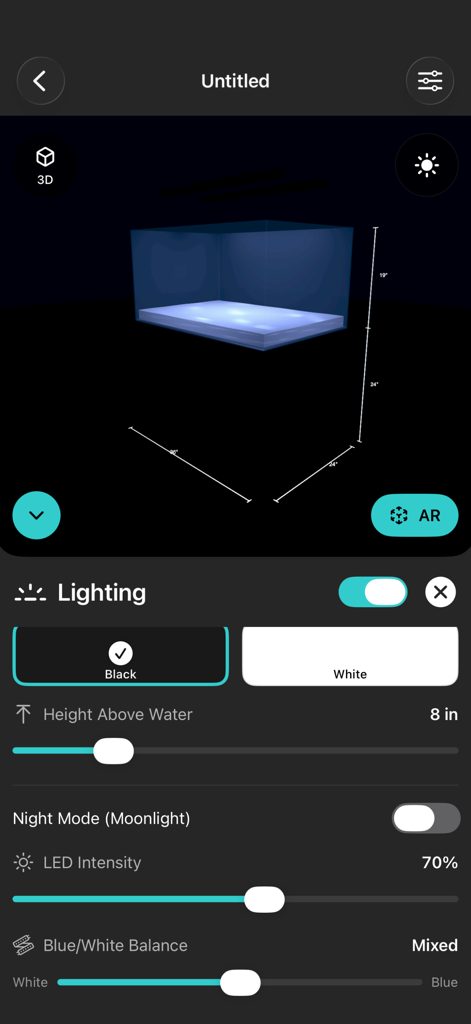
Lighting customization screen in the Aquarium Planner AR app showing 3D tank controls
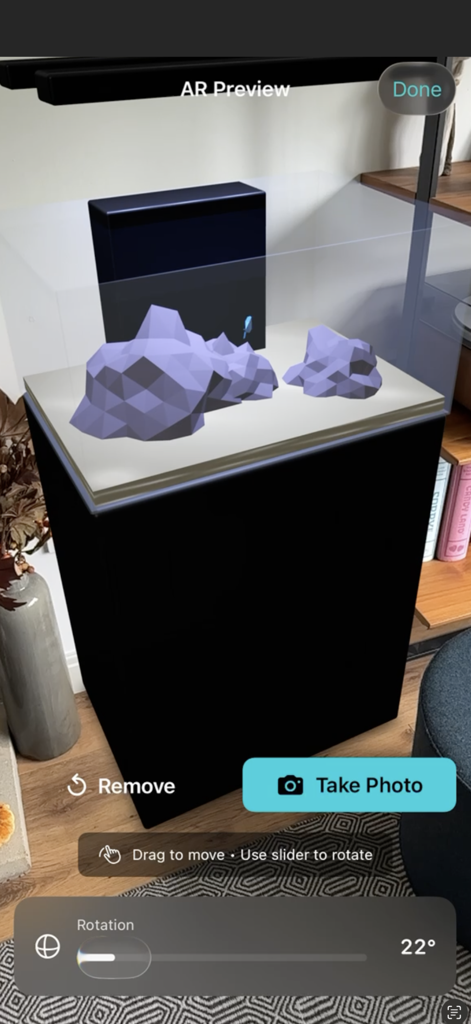
Lighting customization screen in the Aquarium Planner AR app showing 3D tank controls

Augmented reality preview of a custom aquarium with rockwork and a black stand in a home living room
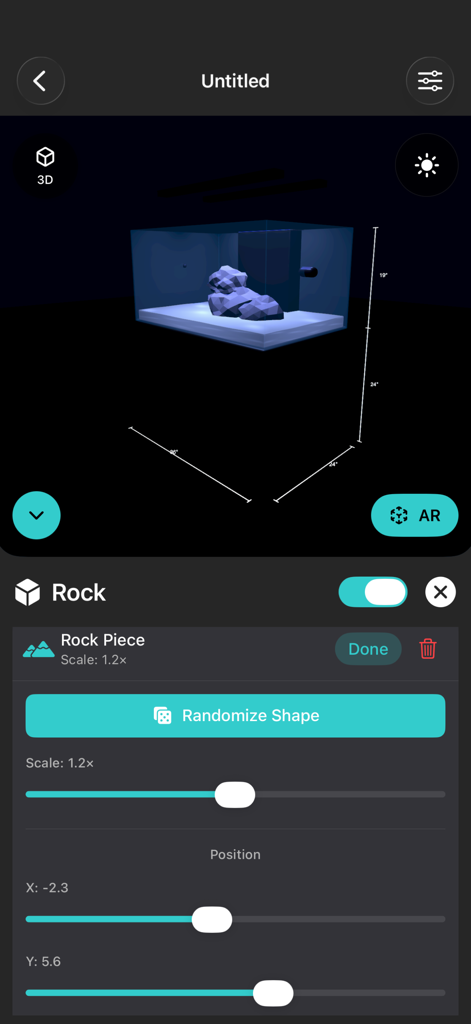
Augmented reality preview of a custom aquarium with rockwork and a black stand in a home living room

Mobile app interface showing 3D aquarium planning with rock customization controls and dimensions
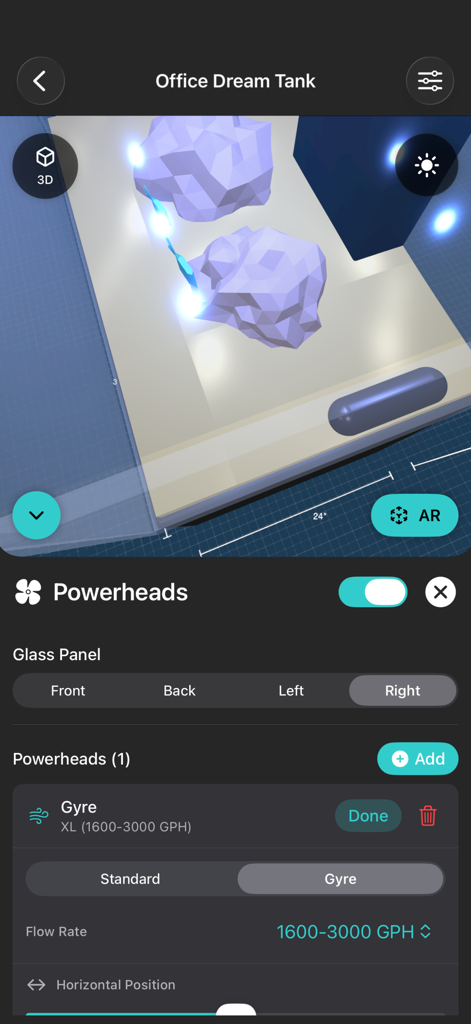
Mobile app interface showing 3D aquarium planning with rock customization controls and dimensions

A 3D view of an aquarium plan in the Aquarium Planner AR app showing powerhead equipment settings and rockwork visualization.
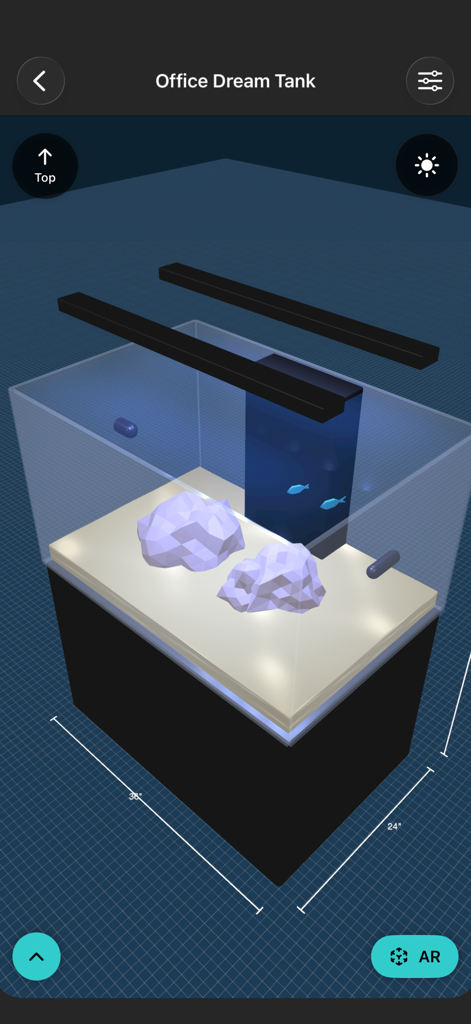
A 3D view of an aquarium plan in the Aquarium Planner AR app showing powerhead equipment settings and rockwork visualization.

3D visualization of a custom aquarium setup with dimensions and lighting
3D visualization of a custom aquarium setup with dimensions and lighting

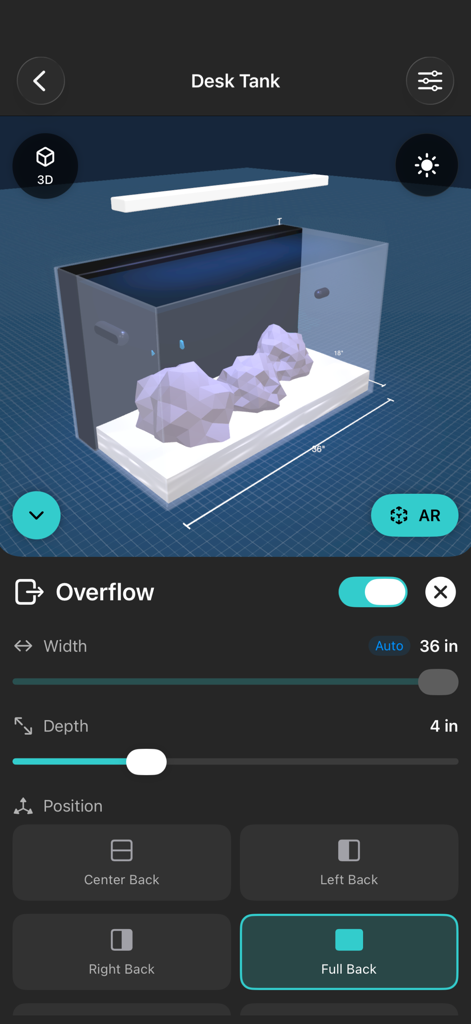
A smartphone interface showing the overflow customization settings for a 3D aquarium model in the Aquarium Planner AR app

A smartphone interface showing the overflow customization settings for a 3D aquarium model in the Aquarium Planner AR app

Plan Your Masterpiece, Risk-Free

The tools that make this app stand out, trusted by 2K+ users.

🏠

True-to-Scale AR Placement

Walk around your 3D design in your own home. Check clearances and ensure your new tank won't block the TV or the walkway before it arrives.

🔧

Precision Technical Design

Dial in exact dimensions, overflow box placements, and plumbing options. Design a setup that fits your equipment and your room perfectly.

🌊

Visualize Your Aquascape

Experiment with rockwork and lighting ratios. See how your substrate and blue/white LEDs will look in your room, even after dark.

About the app

Everything you need to know about Aquarium Planner AR.

Description

Stop guessing. Start planning. See your dream tank before you buy. Ever walked into a fish store, fallen in love with a 125-gallon reef setup, then realized you have no idea if it’ll actually fit between your couch and that lamp your partner insists on keeping? We’ve all been there. Time to end the “measure twice, buy once, return it anyway” cycle. Aquarium Plan lets you design custom aquariums and visualize them in your actual space using augmented reality, no water damage, no arguing with store return policies. DESIGN YOUR PERFECT TANK Build it your way with pro-level customization: • Custom Dimensions: Rimless perfection from nano cubes to room dividers (we support your poor life choices) • Overflow Boxes: Center back, corner, full ghost overflow—dial in that reef-ready plumbing like a boss • Substrate Colors: Natural sand, black sand, planted soil, or that coral sand you swore would raise pH “just a little” • Lighting: Pendant or strip LEDs with blue/white ratio control. Even has night mode for coral viewing after dark • Equipment: Place powerheads and gyres exactly where you want them (chaotic flow pattern not included) • Aquascaping: Procedurally generated rock formations with realistic caves and porous structure • Livestock: Watch chromis damsels school around your rockwork (more fish coming soon, maybe corals too?) SEE IT IN YOUR SPACE (THE MAGIC PART) Use AR to place your design in your living room, bedroom, or that weird corner of the office your boss doesn’t know about yet. Walk around it. Check clearances. Make sure it doesn’t block the TV during football season (critical). See if your stand actually fits under that low ceiling. Confirm the overflow won’t smack into the wall. Visualize whether “just a little bigger” is actually going to work, or if your partner will stage an intervention. SAVE YOUR DESIGNS Create multiple designs and name them things like “The One I Can Actually Afford” and “The One I’ll Buy When My Tax Return Comes In.” Compare them side-by-side in 3D carousel cards. Show your family. Get buy-in before you’re knee-deep in silicone and regret. BUILT BY A FELLOW AQUARIST I’ve been in the hobby for over 20 years, and before this app, I used cardboard, tape, and Photoshop mockups to plan my dream tanks. It worked… eventually. But it took hours, never felt true-to-scale, and didn’t stop me from buying tanks that barely fit. So I built Aquarium Plan AR, because I needed it as much as you do. REALISTIC EXPECTATIONS AR is powerful, but not magic. Aquarium Plan AR works best in rooms with good lighting and clear textures—avoid glare or shiny floors. Move your camera around slowly to let it find surfaces and scale accurately. You might need to try a couple placements to get it perfect (kind of like aquascaping itself). CONTINUOUSLY IMPROVING Like your reef, this app keeps growing. Every update adds new realism, customization, and smoother AR performance based on user feedback. You build better aquariums; I build a better app. WHO THIS IS FOR • First-time aquarists trying to figure out what “display tank dimensions” actually means • Seasoned reefers planning their next upgrade (we see you eyeing that 300-gallon peninsula) • Anyone who’s ever bought furniture online and had it arrive three sizes larger than the photos suggested • People with spatial reasoning skills equivalent to a blind cave fish Look, we get it. Buying an aquarium is expensive. Moving an aquarium is more expensive. Realizing it doesn’t fit after you’ve already filled it? That’s a story you’ll be telling at club meetings for years. Try before you buy. Design before you regret. Plan before you panic. Download Aquarium Plan AR and see your future tank in stunning augmented reality. Your back, your wallet, and your relationships will thank you. For details regarding your privacy, see our privacy policy: http://aquariumapps.com/apps/aquarium-planner-ar/privacy-policy.html

Latest Version

2.0.1

Size

1.5 MB

First Released

Aug 3, 2018

Your Dream Tank, Rendered in Reality

Stop guessing and start planning. Join over 2,000 hobbyists using AR to visualize their next setup, secure the 'Spouse Approval Factor,' and design with precision before spending a dime.

Download on App Store

App information, icons, screenshots, and descriptions displayed on this page are sourced from the Apple App Store and are the property of their respective developers. Download estimates and rankings are based on MWM's proprietary models and may not reflect actual figures. This page is provided for informational and analytical purposes only.

Believe this page infringes your intellectual property? File a dispute