
This page is not an official page of the app or its developer, but an independent editorial publication created for informational and commentary purposes. Unless expressly stated otherwise, neither the app nor its developer is affiliated with, endorsed by, sponsored by, authorized by, or otherwise officially connected with MWM, Apple, Google Play, the app publisher, or the app's developer, and nothing on this page implies that the app was developed using MWM's services. Any trademarks, logos, screenshots, and other content remain the property of their respective owners.

AR Drawing - Trace Drawing
Turn your phone into a powerful AR projector to trace, sketch, and paint like a pro. Start your creative journey today with step-by-step lessons and viral-ready replay videos.
Downloads
48K+User Rating
Total Ratings
100Publisher
Category
Graphics & DesignLocales
1Latest Version
1.0.6Size
158.8 MBFirst Released
Jul 4, 2025Sketch Like a Pro with AR Magic
The all-in-one drawing tool designed for the next generation of creators. Trace, sketch, and share your masterpieces with ease using augmented reality.
Precision AR Projection
Project any reference image directly onto your paper. Lock your screen, adjust opacity, and trace with ultimate accuracy on any surface.
Master Anime & Manga
Level up your fan art instantly. Use specialized tools to nail proportions and intricate details for your favorite characters every time.
Frequently Asked Questions
Everything you need to know about AR Drawing - Trace Drawing
What is Drawo: AR Trace & Draw?
Drawo: AR Trace & Draw is an all-in-one drawing app. It combines augmented reality and digital art tools. Users can create pictures, trace images, and master drawing techniques with ease.
Can I trace images using Drawo: AR Trace & Draw?
Yes, Drawo: AR Trace & Draw allows users to upload images for tracing. It features a built-in tracing projector and image projector for precise sketching on paper.
Does Drawo: AR Trace & Draw support augmented reality features?
Yes, Drawo: AR Trace & Draw offers an AR Art Experience. It transforms the drawing surface into a virtual drawing desk, allowing users to trace and paint overlays with adjustable colors and opacity.
Can Drawo: AR Trace & Draw help me learn how to draw?
Yes, Drawo: AR Trace & Draw provides a Drawing Journey with dozens of sketch paint lessons. These lessons improve drawing technique, allowing users to create sketches, paintings, and digital artworks.
What drawing modes are available in Drawo: AR Trace & Draw?
Drawo: AR Trace & Draw includes Sketch Mode with adjustable opacity, flip, and lock tools. It also features Trace Mode, offering grid view, image tracing, and fill options for precision.
Does Drawo: AR Trace & Draw track drawing progress?
Yes, Drawo: AR Trace & Draw includes a Personal Creative Dashboard. This dashboard tracks total time spent and completed artworks, monitoring user growth in drawing.
Does Drawo: AR Trace & Draw have a privacy policy?
Yes, Drawo: AR Trace & Draw provides a Privacy URL. Users can access the full privacy policy at https://tnd-space.pages.dev/privacy for detailed information.
Can I draw anime characters using Drawo: AR Trace & Draw?
Yes, Drawo: AR Trace & Draw supports drawing anime, cartoons, or realistic pencil sketches. The app is user-friendly for creating anime characters and offers easy anime drawing options.
Are there replay features in Drawo: AR Trace & Draw?
Yes, Drawo: AR Trace & Draw offers replay videos. Users can watch these replays to review their drawing technique, improve sketch tracing, and continue creating beautiful artworks.
Do I need drawing skills to use Drawo: AR Trace & Draw?
No, users do not need prior drawing skills. Drawo: AR Trace & Draw helps beginners start sketching and tracing easily with projected pictures and sketch paint tools.
The following screenshots and description are sourced directly from the app's official store listing and are the property of the app developer.
App Store
Screenshots
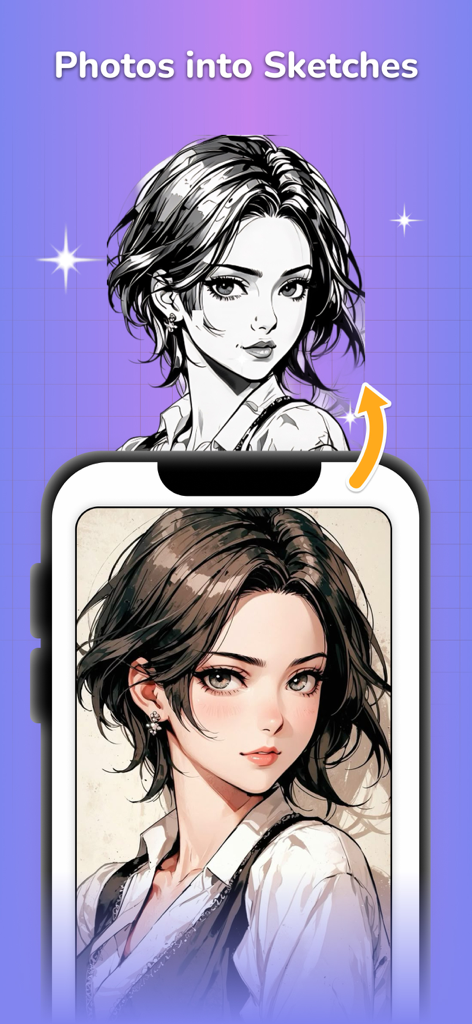
A smartphone app interface converting a colorful anime portrait into a black and white line art sketch.
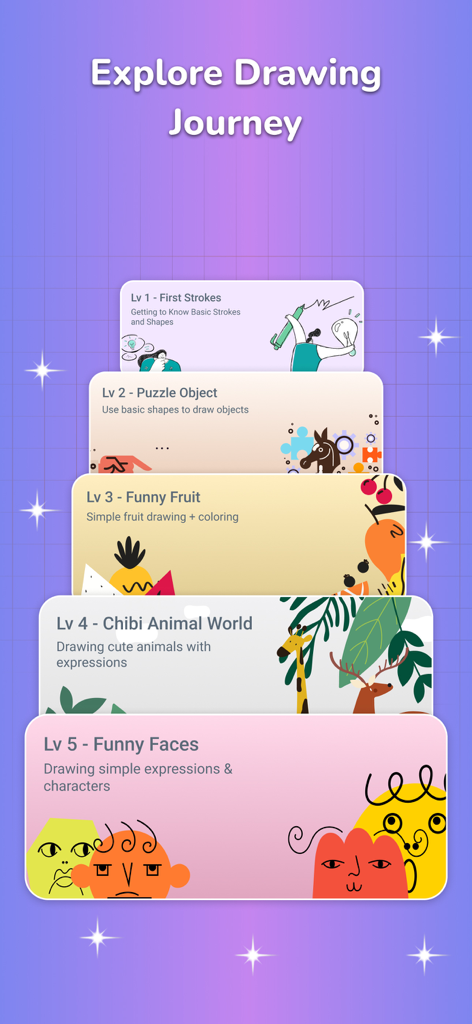
Mobile app screen showing a gamified Drawing Journey with five progressive sketch lesson levels from basic strokes to funny faces.
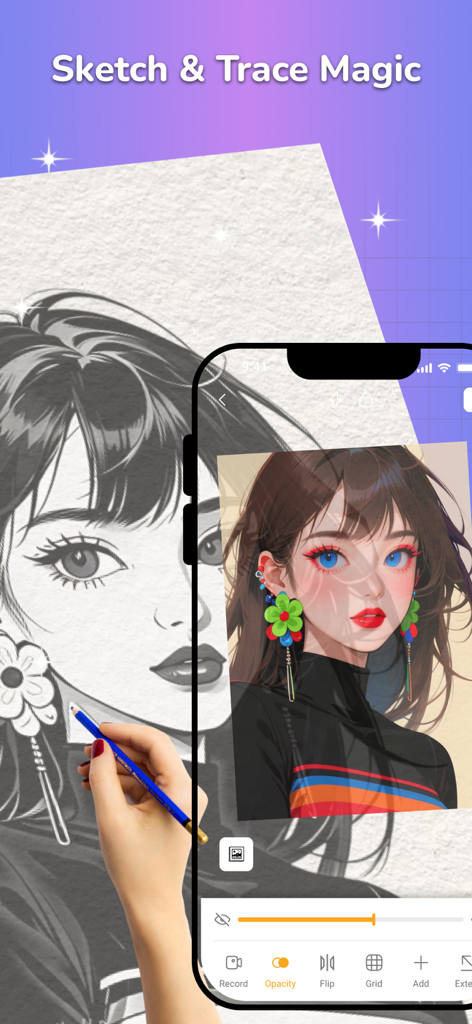
A person using a smartphone to trace an anime character onto paper with a pencil
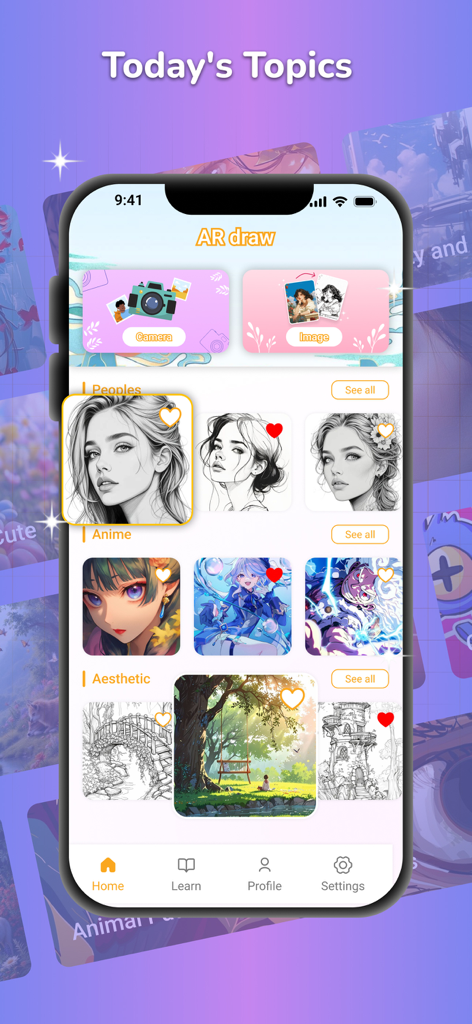
Interface of the AR Drawing app showing categories for tracing anime and portrait sketches.
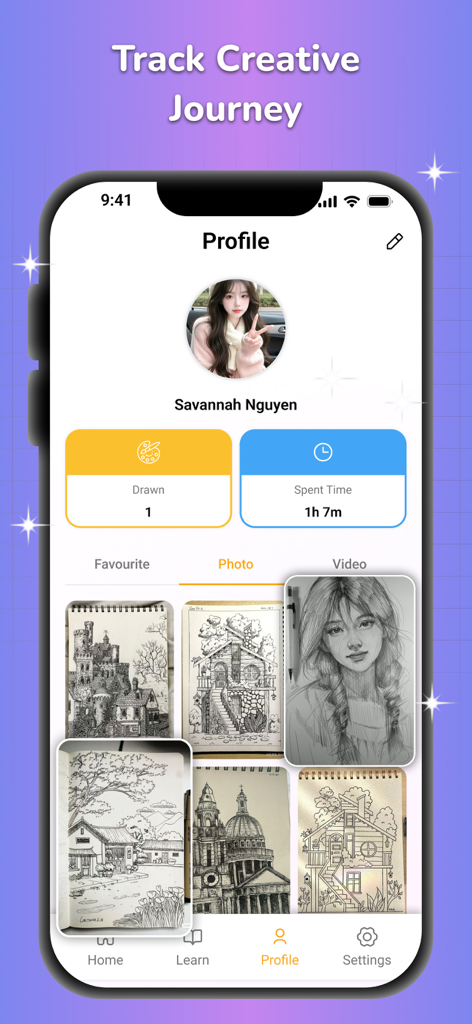
User profile screen in the AR Drawing app showing drawing statistics and a gallery of completed sketches.
Description
Download
More Like This
Apps with similar features and user experience

AR Drawing Paint Sketch Trace
DROIDFUN LIMITED

Camera Lucida™: AR Drawing
Big Idea Design LLC

AR Drawing Sketch App: ArtEasy
SMDA GROUP SP Z O O SP KOMANDYTOWA

PicTrace: AR Drawing & Sketch
ANDROID VIETNAM TECHNOLOGY CORPORATION

AR Draw: Sketching & Painting
EIGEN SOFTWARE LIMITED

AR Drawing How to Draw Sketch
Magomed Dzhamalov

Da Vinci Eye: AR Trace & Draw
Da Vinci Eye LLC

AR Drawing - AR Sketch
Ketanbhai Khokhani

HEY CLAY®
HEY CLAY LTD
This page is not an official page of the app or its developer, but an independent editorial publication created for informational and commentary purposes. Unless expressly stated otherwise, neither the app nor its developer is affiliated with, endorsed by, sponsored by, authorized by, or otherwise officially connected with MWM, Apple, Google Play, the app publisher, or the app's developer, and nothing on this page implies that the app was developed using MWM's services. Any trademarks, logos, screenshots, and other content remain the property of their respective owners.