
This page is not an official page of the app or its developer, but an independent editorial publication created for informational and commentary purposes. Unless expressly stated otherwise, neither the app nor its developer is affiliated with, endorsed by, sponsored by, authorized by, or otherwise officially connected with MWM, Apple, Google Play, the app publisher, or the app's developer, and nothing on this page implies that the app was developed using MWM's services. Any trademarks, logos, screenshots, and other content remain the property of their respective owners.


AR Drawing – Tracing Projector
Finally, everyone draws. The app transforms digital images into tangible art, making mastery attainable.
Downloads
250k+User Rating
Total Ratings
3.0KPublisher
Category
Graphics & DesignLocales
1Latest Version
2.0.7Size
219.8 MBFirst Released
Oct 7, 2023An in-depth look at the functionalities that empower artists of all levels through augmented reality.
Core Features Analysis of AR Drawing – Tracing Projector
Augmented Reality Drawing
The app provides advanced augmented reality technology, projecting digital images onto real surfaces through the device's camera. This allows users to easily trace outlines, improving accuracy and turning any surface into a dynamic canvas for learning proportions and artistic development.
Extensive Drawing Library and Custom Image Import
This tool features a vast collection of thousands of ready-to-draw images across various categories and difficulty levels. It also allows users to upload their own photos or sketches, providing limitless creative possibilities and personalized practice material.
Vibrant Global Art Community
It allows users to join a supportive global community where they can share their artwork, receive likes, and create a personal portfolio. This feature promotes inspiration, connection, and social learning among artists worldwide.
Guided Step-by-Step Drawing Lessons
The app offers guided drawing tutorials designed to enhance artistic skills. This feature is perfect for beginners learning fundamental techniques and for experienced artists seeking to master advanced methods, fostering continuous skill improvement.
Stable Tripod Drawing Mode
This tool features a dedicated tripod mode that offers enhanced stability for traditional drawing sessions. It allows users to achieve greater precision and focus on detailed artwork without the need to hold the device.
Private Art Portfolio & Progress Tracking
The app provides a personal drawing journal where users can save their artworks in a private gallery. This feature allows users to track their artistic progress over time and revisit favorite creations, serving as a valuable record of their development.
Frequently Asked Questions
Everything you need to know about AR Drawing – Tracing Projector
What is AR Drawing - Tracing Projector?
AR Drawing - Tracing Projector is an app that allows users to learn and create art using augmented reality. It projects images onto real surfaces for tracing and offers tools for practicing techniques and sharing artwork.
How does AR Drawing utilize augmented reality?
AR Drawing uses augmented reality by projecting images onto real surfaces through your phone's camera. This feature allows users to trace outlines with ease, improving accuracy and turning any surface into a canvas.
Can I learn to draw with the AR Drawing app?
Yes, AR Drawing helps users learn to draw through guided step-by-step tutorials and provides a vast library of ready-to-draw images. It supports all difficulty levels for skill improvement.
Does AR Drawing offer drawing templates?
Yes, AR Drawing offers a huge drawing library with thousands of ready-to-draw images across various categories and difficulty levels. New content is added regularly to this template collection.
Can I upload my own photos to trace in AR Drawing?
Yes, AR Drawing allows users to upload their own photos or sketches. They can then draw over these personal images, enabling custom art projects and personalized tracing experiences.
What is the subscription price for AR Drawing?
AR Drawing offers subscriptions starting from $4.99 for 1-week, $12.99 for 1-month, and $29.99 for 12-months. These prices may vary depending on your country.
How do I cancel my AR Drawing subscription?
Users can cancel their AR Drawing subscription by changing their account settings to turn off the auto-renewal feature. This must be done at least 24 hours before the end of the current billing period.
Does AR Drawing have a community feature for artists?
Yes, AR Drawing includes a Global Drawing Gallery & Community. Users can share their artwork, receive likes, create personal accounts, and explore art from other users worldwide.
Does AR Drawing have a privacy policy?
Yes, AR Drawing has a privacy policy. The complete policy details are available at the provided link: https://appliks.com/privacy-policy.
What is Tripod Drawing Mode in AR Drawing?
Tripod Drawing Mode in AR Drawing provides enhanced stability for traditional drawing sessions. This feature is ideal for users who require precision and a steady setup for detailed art creation.
The following screenshots and description are sourced directly from the app's official store listing and are the property of the app developer.
App Store
Screenshots
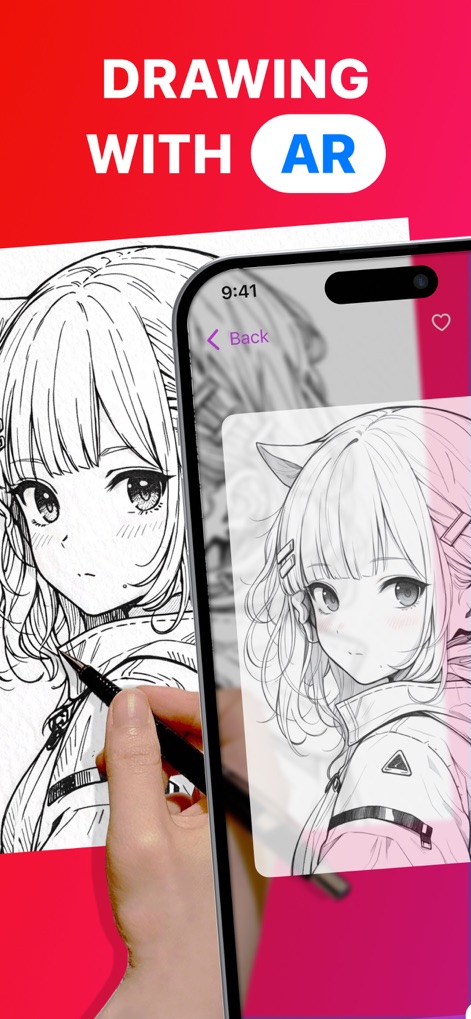
Experience augmented reality drawing, projecting digital images onto real surfaces for precise tracing and creative exploration.
AR Tracing Magic

Discover guided drawing tutorials, illustrating the progression from basic shapes to intricate details for skill development.
Master New Skills
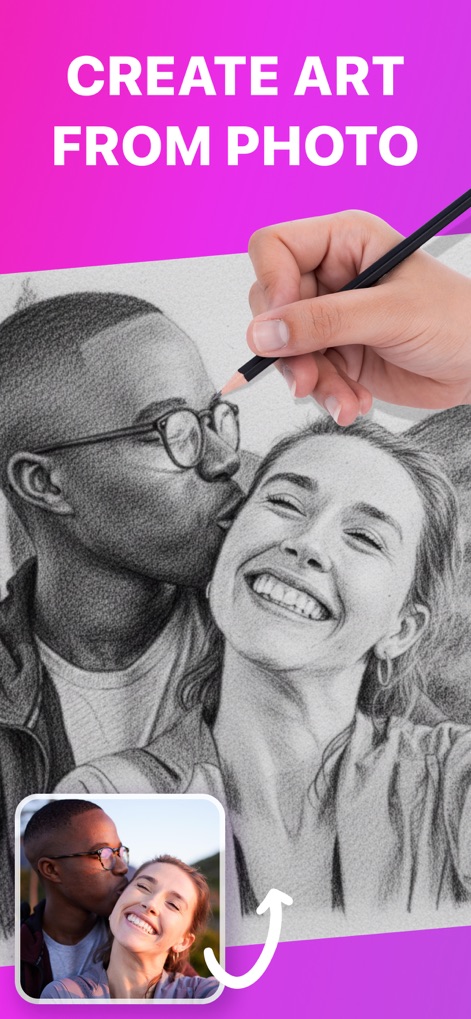
Transform personal photos into traceable outlines, allowing users to convert cherished memories into unique hand-drawn artwork.
Personal Photo Art

Explore a diverse collection of ready-to-draw images, spanning categories from anime to realistic portraits for endless inspiration.
Vast Art Library
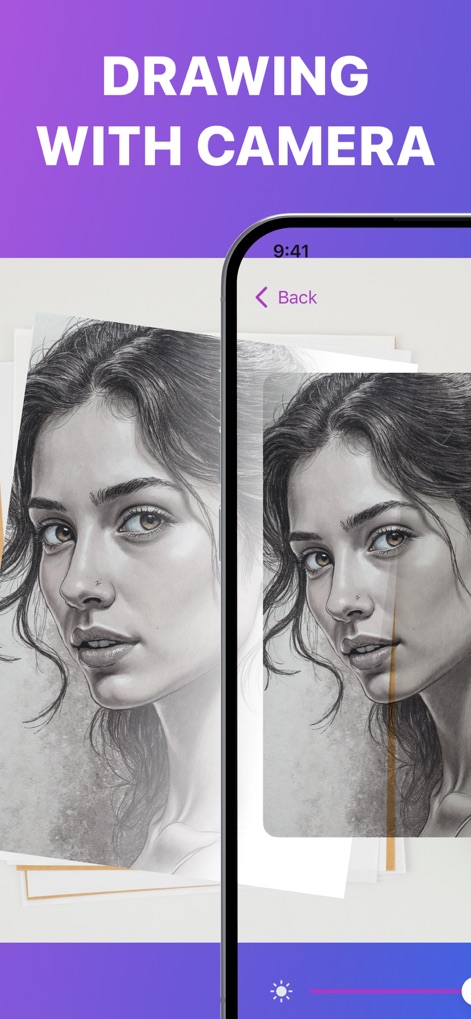
Utilize the camera for direct drawing projection, featuring an adjustable transparency slider to refine tracing accuracy.
Camera-Assisted Creation
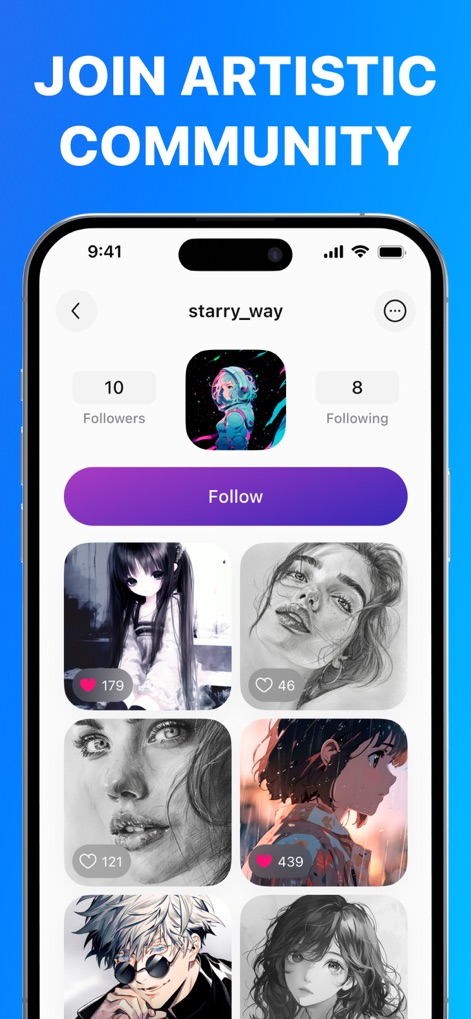
Engage with a vibrant artistic community, where users can share their creations and explore art from fellow enthusiasts.
Connect & Share
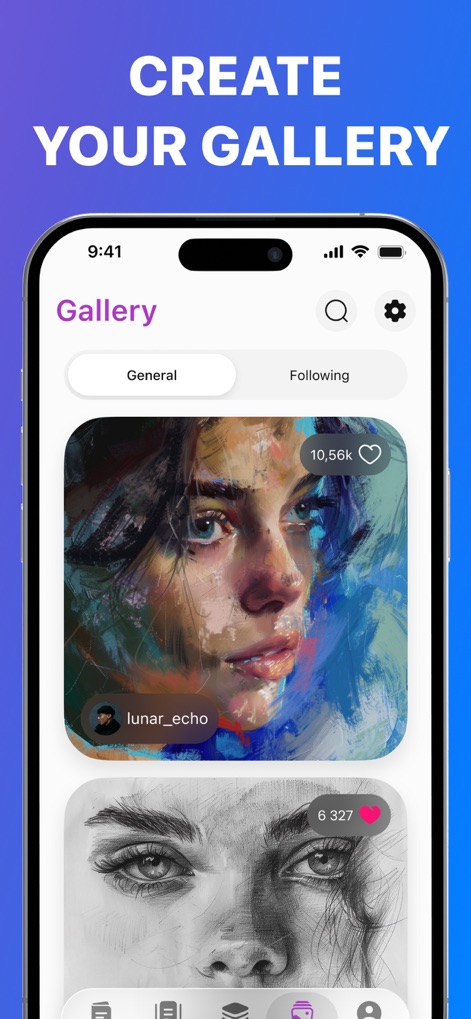
Build a personal drawing journal, saving artworks and tracking progress with visible like counts for encouragement.
Showcase Your Progress
Description
Download
More Like This
Apps with similar features and user experience

AR Drawing Paint Sketch Trace
DROIDFUN LIMITED

Camera Lucida™: AR Drawing
Big Idea Design LLC

AR Drawing Sketch App: ArtEasy
SMDA GROUP SP Z O O SP KOMANDYTOWA

PicTrace: AR Drawing & Sketch
ANDROID VIETNAM TECHNOLOGY CORPORATION

AR Draw: Sketching & Painting
EIGEN SOFTWARE LIMITED

AR Drawing How to Draw Sketch
Magomed Dzhamalov

Da Vinci Eye: AR Trace & Draw
Da Vinci Eye LLC

AR Drawing - AR Sketch
Ketanbhai Khokhani

HEY CLAY®
HEY CLAY LTD
This page is not an official page of the app or its developer, but an independent editorial publication created for informational and commentary purposes. Unless expressly stated otherwise, neither the app nor its developer is affiliated with, endorsed by, sponsored by, authorized by, or otherwise officially connected with MWM, Apple, Google Play, the app publisher, or the app's developer, and nothing on this page implies that the app was developed using MWM's services. Any trademarks, logos, screenshots, and other content remain the property of their respective owners.