
This page is not an official page of the app or its developer, but an independent editorial publication created for informational and commentary purposes. Unless expressly stated otherwise, neither the app nor its developer is affiliated with, endorsed by, sponsored by, authorized by, or otherwise officially connected with MWM, Apple, Google Play, the app publisher, or the app's developer, and nothing on this page implies that the app was developed using MWM's services. Any trademarks, logos, screenshots, and other content remain the property of their respective owners.


Arrow Keys Mail Keyboard
Stop struggling with touch gestures. Write longer emails with ease using dedicated arrow keys and a simple one-tap copy button for a familiar, computer-like experience.
Downloads
12K+User Rating
Total Ratings
0Publisher
Category
UtilitiesLocales
1Latest Version
1.9.5Size
4.7 MBFirst Released
Jun 26, 2010Master Your Messages with Precision Control
Experience the comfort of a traditional desktop keyboard on your iPad. Say goodbye to frustrating touch gestures and hello to faster, more accurate email writing designed for your workflow.
Intuitive Arrow Keys
Navigate your text with pinpoint accuracy. Move the cursor line-by-line or character-by-character just like on a standard PC keyboard, avoiding the hassle of 'fat-fingering' the screen.
Instant Copy Button
Forget complicated long-presses and dragging handles. Our dedicated one-tap Copy key lets you grab your text instantly to use in any other application.
Frequently Asked Questions
Everything you need to know about Arrow Keys Mail Keyboard
What is Arrow Keys Mail Keyboard?
Arrow Keys Mail Keyboard is a mail writer application featuring original extended keys, including arrow keys. It helps users type and edit emails more easily within the app.
How does Arrow Keys Mail Keyboard simplify email typing?
Arrow Keys Mail Keyboard simplifies email typing by providing original extended keys, including dedicated arrow keys. These features enable users to type and edit emails with greater ease and speed.
Can I launch the Mail application directly from Arrow Keys Mail Keyboard?
Yes, users can launch the Mail application directly from Arrow Keys Mail Keyboard. Tapping the "Go to Mail" button within the app sends the composed text to the default Mail application.
Does Arrow Keys Mail Keyboard include a copy function?
Yes, Arrow Keys Mail Keyboard includes a "Copy" key. This feature allows users to easily copy text typed within the app, facilitating pasting into other applications.
Can Arrow Keys Mail Keyboard's original extended keys be used in other applications?
No, Arrow Keys Mail Keyboard's original extended keys work only within this application. Users must type text in this app, then use the "Copy" button for use in other applications.
Does Arrow Keys Mail Keyboard support international keyboards?
Yes, Arrow Keys Mail Keyboard supports international keyboards. Users add Apple's JAPANESE, CHINESE, or RUSSIAN keyboards, among others, from iPad Settings to use them within the app.
The following screenshots and description are sourced directly from the app's official store listing and are the property of the app developer.
App Store
Screenshots
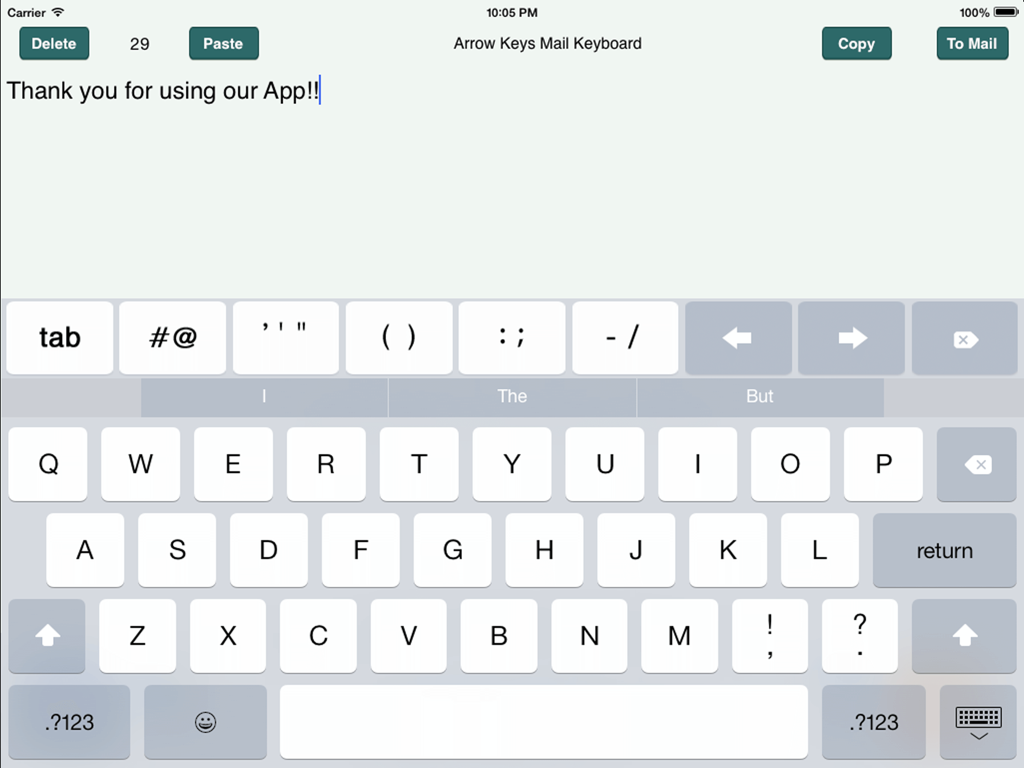
iPad app interface showing a custom keyboard with directional arrow keys and copy paste buttons for email editing
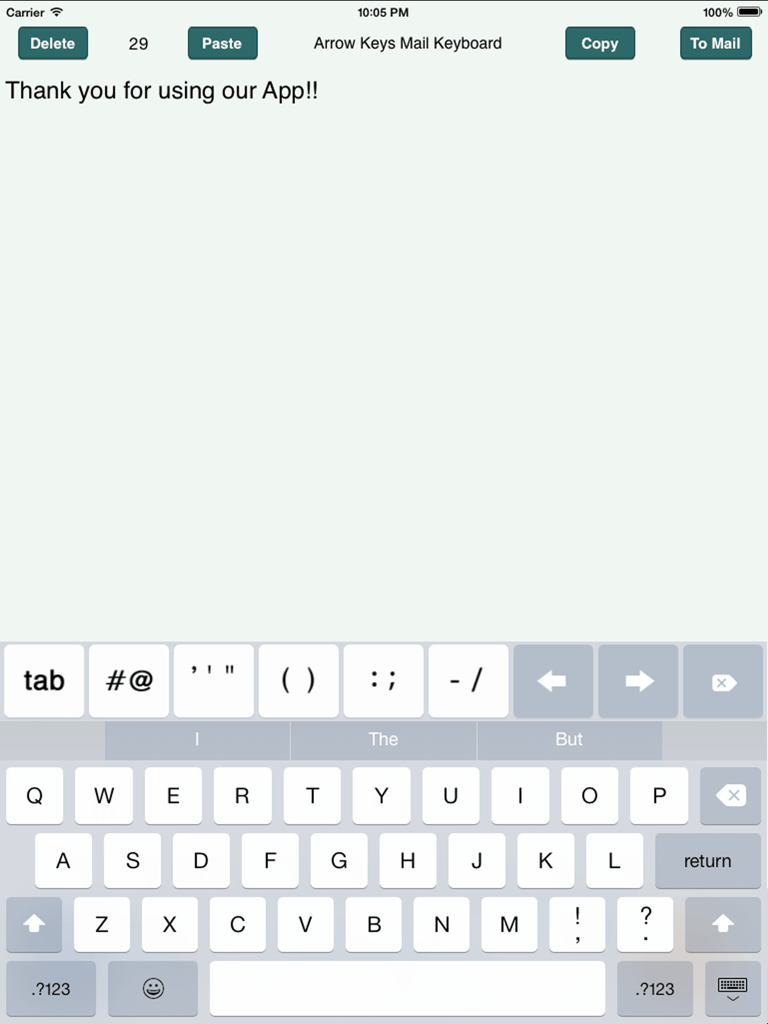
iPad screen showing the Arrow Keys Mail Keyboard app with a custom keyboard layout including directional arrows and editing buttons
Description
Download
More Like This
Top-ranked apps in the same category

Google LLC

Google Chrome
Google LLC

中国移动(手机营业厅)
China Mobile Online Services Co., Ltd.

Google Authenticator
Google LLC

CNH do Brasil
Servicos e Informacoes do Brasil

Cleanup: Phone Storage Cleaner
DEEP FLOW SOFTWARE SERVICES - FZCO

gov.br
Servicos e Informacoes do Brasil

中国电信-全国统一官方服务平台
CHINA TELECOM Corporation Ltd.

Microsoft Edge: AI Browser
Microsoft Corporation
This page is not an official page of the app or its developer, but an independent editorial publication created for informational and commentary purposes. Unless expressly stated otherwise, neither the app nor its developer is affiliated with, endorsed by, sponsored by, authorized by, or otherwise officially connected with MWM, Apple, Google Play, the app publisher, or the app's developer, and nothing on this page implies that the app was developed using MWM's services. Any trademarks, logos, screenshots, and other content remain the property of their respective owners.