Art Model - Pose & morph tool
Download on App Store

This page is not an official page of the app or its developer, but an independent editorial publication created for informational and commentary purposes. Unless expressly stated otherwise, neither the app nor its developer is affiliated with, endorsed by, sponsored by, authorized by, or otherwise officially connected with MWM, Apple, Google Play, the app publisher, or the app's developer, and nothing on this page implies that the app was developed using MWM's services. Any trademarks, logos, screenshots, and other content remain the property of their respective owners.

Logo of Art Model - Pose & morph tool
Download on App Store

Art Model - Pose & morph tool

Bring your imagination to life with a powerful morphing system and intuitive drag-and-drop posing—the essential 3D reference companion for your digital art workflow.

Key Figures

Downloads

121K+

User Rating

3.4/5

Total Ratings

100

Publisher

Tomi Nevalainen

Category

Utilities

Locales

1

Latest Version

2.55

Size

312.6 MB

First Released

Sep 4, 2017
Features

Master Your Anatomy & Composition

The ultimate 3D reference tool designed for digital artists. Create, morph, and pose realistic characters to fuel your Procreate or Photoshop workflow.

Intuitive Magic Posing

Stop struggling with clunky joint rotations. Simply tap and drag any limb to its destination for instant, natural results.

Infinite Character Morphing

Go beyond generic models. Customize body types, age, and muscularity to create unique characters that reflect real-world diversity.

The following screenshots and description are sourced directly from the app's official store listing and are the property of the app developer.

App Store

Screenshots
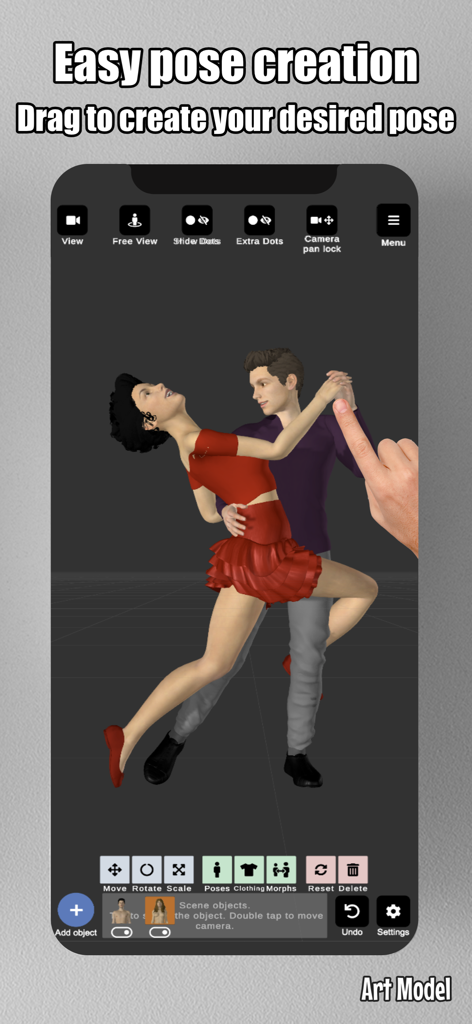
Art Model - Pose & morph tool - A screenshot of the Art Model app interface showing a hand dragging a 3D model to create a custom dancing pose
A screenshot of the Art Model app interface showing a hand dragging a 3D model to create a custom dancing pose

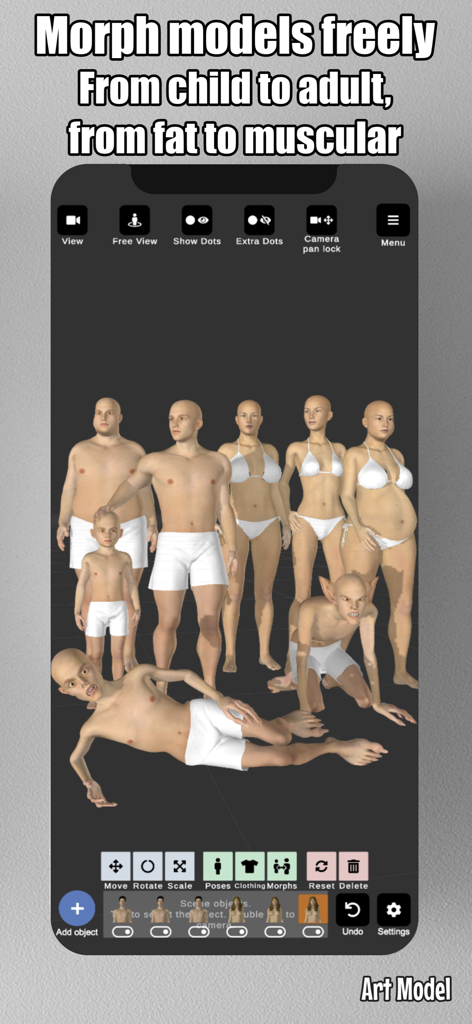
Art Model - Pose & morph tool - Screenshot of Art Model app showing diverse 3D character models with different body shapes and ages
Screenshot of Art Model app showing diverse 3D character models with different body shapes and ages

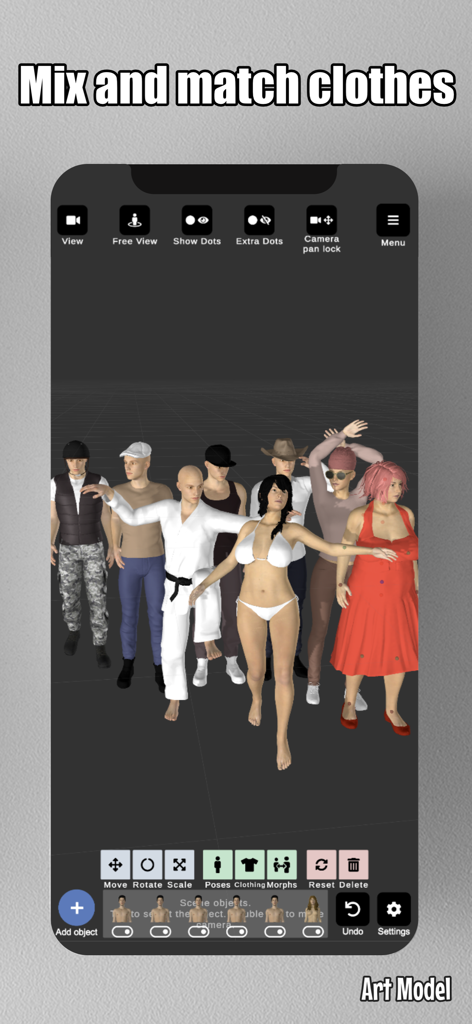
Art Model - Pose & morph tool - Interface of the Art Model app showing diverse 3D characters in various outfits and body types
Interface of the Art Model app showing diverse 3D characters in various outfits and body types

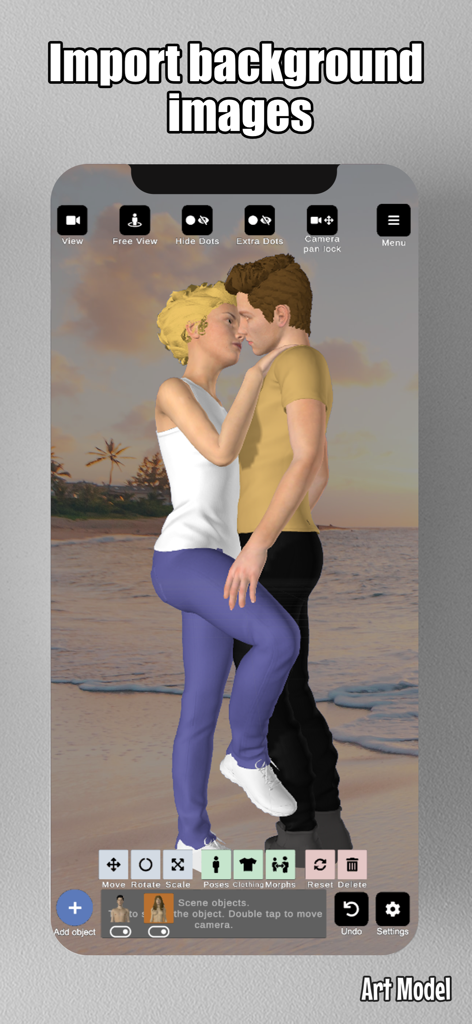
Art Model - Pose & morph tool - Two 3D models posed in front of an imported beach background within the Art Model app
Two 3D models posed in front of an imported beach background within the Art Model app

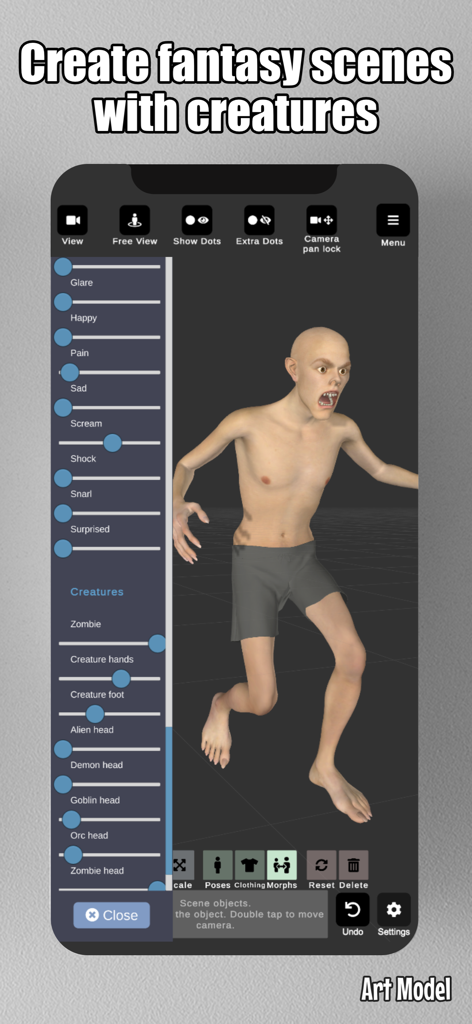
Art Model - Pose & morph tool - Interface of Art Model app showing a 3D creature and sliders to customize facial expressions and creature types for fantasy art reference
Interface of Art Model app showing a 3D creature and sliders to customize facial expressions and creature types for fantasy art reference

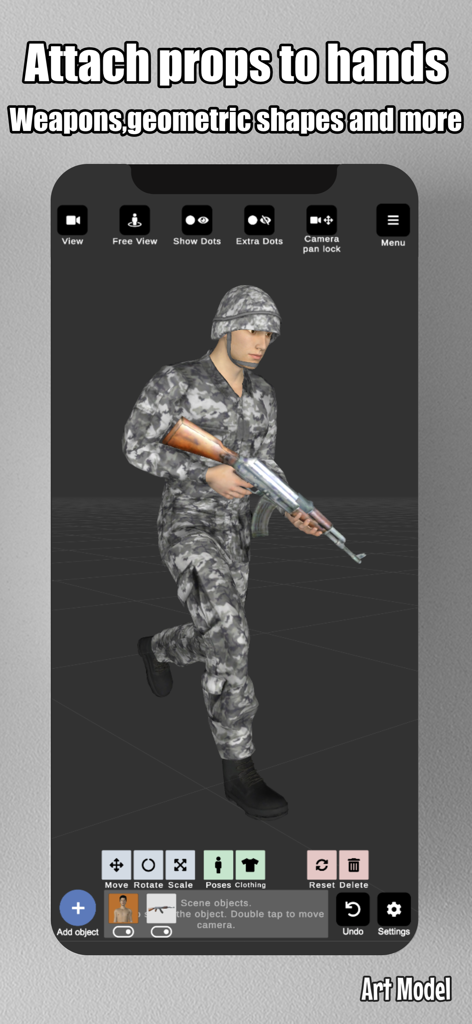
Art Model - Pose & morph tool - A 3D character model of a soldier holding a rifle prop in the Art Model app interface.
A 3D character model of a soldier holding a rifle prop in the Art Model app interface.

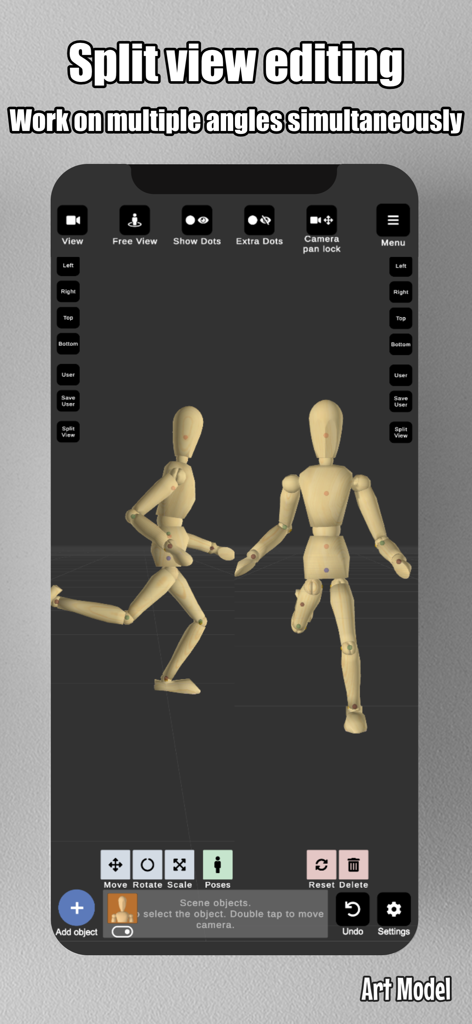
Art Model - Pose & morph tool - Art Model app screenshot showing split view editing of a wooden mannequin from two angles simultaneously
Art Model app screenshot showing split view editing of a wooden mannequin from two angles simultaneously

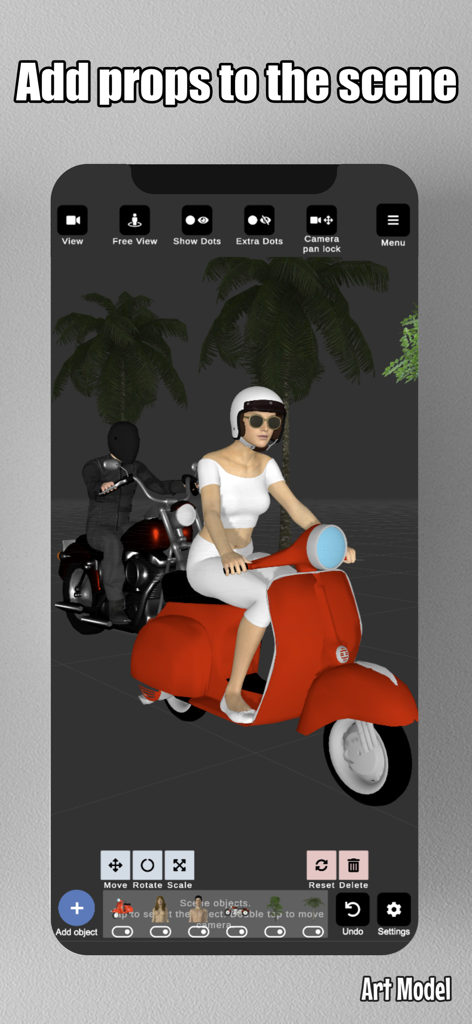
Art Model - Pose & morph tool - Art Model app interface showing 3D characters on a red scooter and a motorcycle used as props for drawing reference
Art Model app interface showing 3D characters on a red scooter and a motorcycle used as props for drawing reference

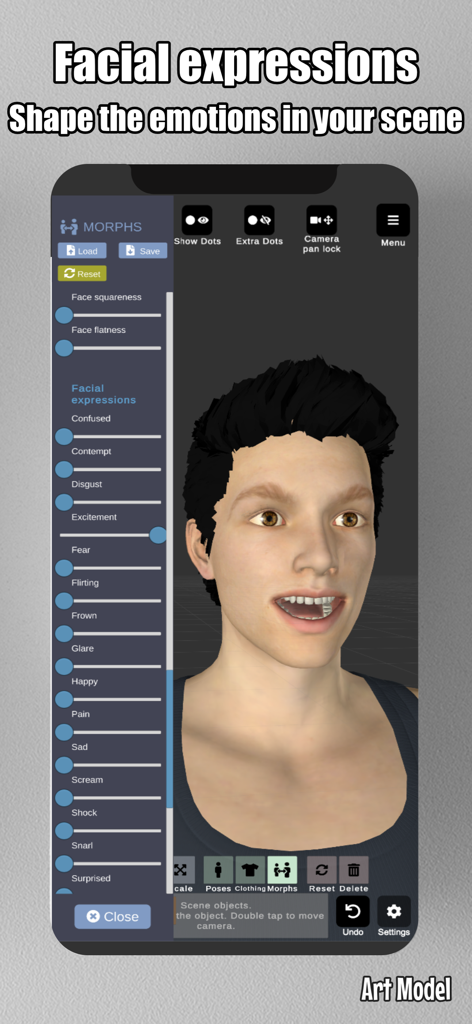
Art Model - Pose & morph tool - Screenshot of Art Model app showing sliders to customize facial expressions and emotions on a 3D character

Screenshot of Art Model app showing sliders to customize facial expressions and emotions on a 3D character

Description

Pose and morph an unlimited number of human models simultaneously in the scene with this feature-rich and powerful posing app! Creating poses is super simple—just tap a control point and drag the target limb to the desired position! No more painstaking joint rotations. It works like magic! The Poser app includes realistic-looking 3D male and female models, as well as a wooden mannequin model for traditional artists who prefer the classic drawing reference. Art Model is also a powerful morph tool. The morphing system allows you to create an unlimited range of unique models. You can transform your model from a child to an adult, from skinny to muscular, or make it fat, pregnant, a creature, etc. In addition to full-body morphs, you can create individual morphs for specific body parts like the chest/breast, arms, legs, and more. Enhance your scene by importing background images to use as reference or as part of the environment, making it easier to visualize your characters in real-world settings. The app includes a split view editing feature, allowing you to view your models from two different camera angles simultaneously. This makes it easier to adjust poses and fine-tune details without constantly rotating the scene. Enrich the scene with props! Add chairs, tables, weapons, vehicles, trees, and geometric shapes to the scene. You can even attach props directly to the model’s hands, and the props will follow hand movements. This is the ideal poser app for character design, as a human drawing guide, for illustrations or storyboarding, or for anyone looking to improve their drawing skills. Features: • Pose realistic male and female models in the scene. • Fast pose creation: drag limbs to the desired position. • Morph system allows you to create unique models. • Full-body morphs and individual morphs for specific body parts. • Wooden mannequin model for artists seeking a traditional reference. • Clothing for both models. • Add props to the scene, including chairs, tables, weapons, and geometric shapes. • Import background images to enhance your scene or use as drawing references. • Split view editing: View and edit models from two different angles simultaneously for precise adjustments. • Preset poses. • Basic hair. • Lots of headgear options (hats and helmets) • Advanced lighting options. • Save and load poses and morphs. • Zoom in and out with a two-finger pinch. • Rotate the camera with a two-finger drag. • Pan the camera with a one-finger drag. This is the ideal software for character design, as a human drawing guide, for illustrations or storyboarding. Compatible with iPhone, best experience on iPad.

Download

Download on App Store

This page is not an official page of the app or its developer, but an independent editorial publication created for informational and commentary purposes. Unless expressly stated otherwise, neither the app nor its developer is affiliated with, endorsed by, sponsored by, authorized by, or otherwise officially connected with MWM, Apple, Google Play, the app publisher, or the app's developer, and nothing on this page implies that the app was developed using MWM's services. Any trademarks, logos, screenshots, and other content remain the property of their respective owners.








