
This page is not an official page of the app or its developer, but an independent editorial publication created for informational and commentary purposes. Unless expressly stated otherwise, neither the app nor its developer is affiliated with, endorsed by, sponsored by, authorized by, or otherwise officially connected with MWM, Apple, Google Play, the app publisher, or the app's developer, and nothing on this page implies that the app was developed using MWM's services. Any trademarks, logos, screenshots, and other content remain the property of their respective owners.

Ask AI Anything - Aido
Unlock instant insights, effortless writing, and expert coding with GPT-4o and DeepSeek. The ultimate companion for your iPhone, iPad, and Vision Pro.
Downloads
81K+User Rating
Total Ratings
1K+Publisher
Category
ProductivityLocales
7Latest Version
1.9.4Size
157.3 MBFirst Released
Mar 22, 2023Unleash Your Potential with Advanced AI
Aido combines the world's most powerful AI models into one seamless experience, designed to boost your productivity and spark your creativity across all your Apple devices.
Multi-Model Intelligence
Access elite models like GPT-4o and DeepSeek in one place. Choose the perfect AI for any task, from solving complex code to deep scientific research.
Instant Creative Spark
Never face a blank page again. Draft emails, write lyrics, or plan entire travel itineraries in seconds with AI that understands your unique style.
Frequently Asked Questions
Everything you need to know about Ask AI Anything - Aido
What is Aido: AI Photo Editor?
Aido: AI Photo Editor is a powerful AI assistant app. It generates images and videos, facilitates AI conversations, and offers specialized tools for creative, business, and social media content creation.
Can Aido generate images from text prompts?
Yes, Aido generates unique images from text prompts using over 12 AI models. It also transforms existing photos with AI editing and supports various aspect ratios and styles.
Does Aido support video creation from text or images?
Yes, Aido allows users to create professional videos from text descriptions or images. It provides customization options for duration, resolution, and aspect ratios, suitable for various projects.
Which AI models does Aido use for image generation?
Aido utilizes premium AI models like Flux-2 Pro, Seedream 4.5, and Grok Imagine for image generation. It also features Nano Banana Pro for realistic AI images.
Can Aido engage in conversations with different AI models?
Yes, Aido supports conversations with multiple AI models, including GPT-5 and Pro models. It delivers real-time streaming responses and accepts voice input for interactions.
Does Aido offer specialized AI tools for specific tasks?
Yes, Aido provides 14 powerful AI tools designed for social media, business, and content creation. Each tool offers customizable tones, styles, and word counts.
How does the Aido AI Keyboard Extension function?
The Aido AI Keyboard Extension provides AI assistance directly within any app. It offers quick translations, autocomplete features, and smart suggestions seamlessly across iOS.
Is Aido: AI Photo Editor a free application?
No, Aido operates on a subscription basis. Payment is charged to your iTunes account monthly. Subscriptions automatically renew unless cancelled 24-hours prior to the period end.
Where can I find the official terms of use for Aido?
The official terms of use for Aido are available online. Users can access them directly via the link: https://gptalkapp.com/terms-of-use.html.
Does Aido integrate real-time web search capabilities?
Yes, Aido integrates web search capabilities to provide up-to-date information. This feature allows users to access current search results directly during conversations.
Can Aido assist with homework problems?
Yes, Aido includes a "Homework Solver" as one of its specialized AI agents. It can process images of academic problems, such as equations, and provide solutions.
Does Aido offer a PDF summarization feature?
Yes, Aido provides a "PDF Summarizer" feature. It condenses PDF documents into key points or summaries, designed to save users time.
What is Aido's "Studio" feature for?
Aido's "Studio" feature is a creation hub. It manages all AI-generated content, tracks processing jobs, enables direct sharing to social media, and records creation history.
Does Aido support voice input for chatting?
Yes, Aido supports voice input for hands-free conversations with its AI models. This functionality enhances the user experience by allowing natural language interaction.
The following screenshots and description are sourced directly from the app's official store listing and are the property of the app developer.
App Store
Screenshots
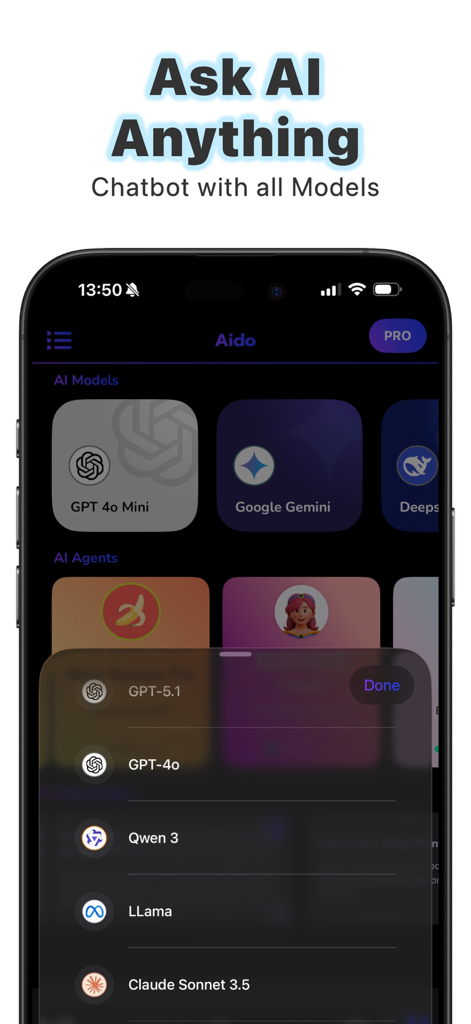
Screenshot of Aido app showing a menu to choose from various AI models like GPT-4o, Google Gemini, and Claude Sonnet 3.5.
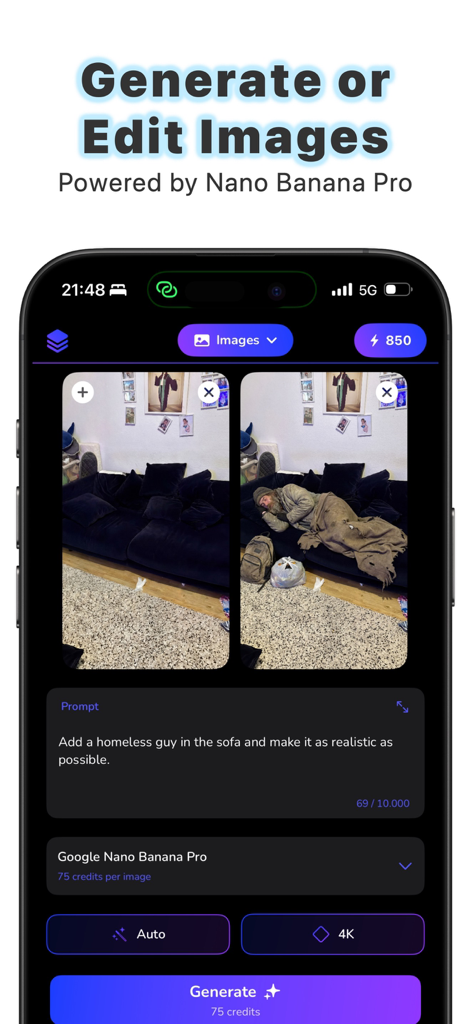
Aido app interface showing AI image generation and editing from a text prompt.
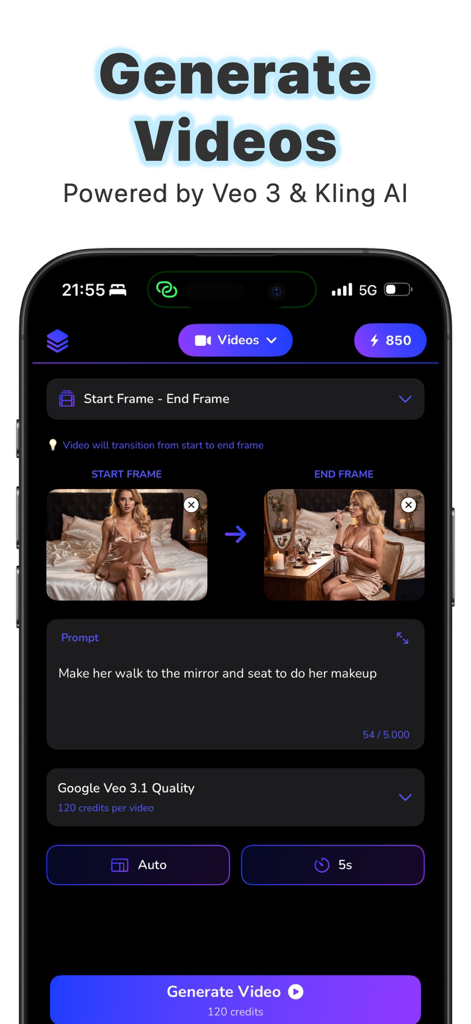
Aido app interface showing AI video generation from start and end frames with text prompts
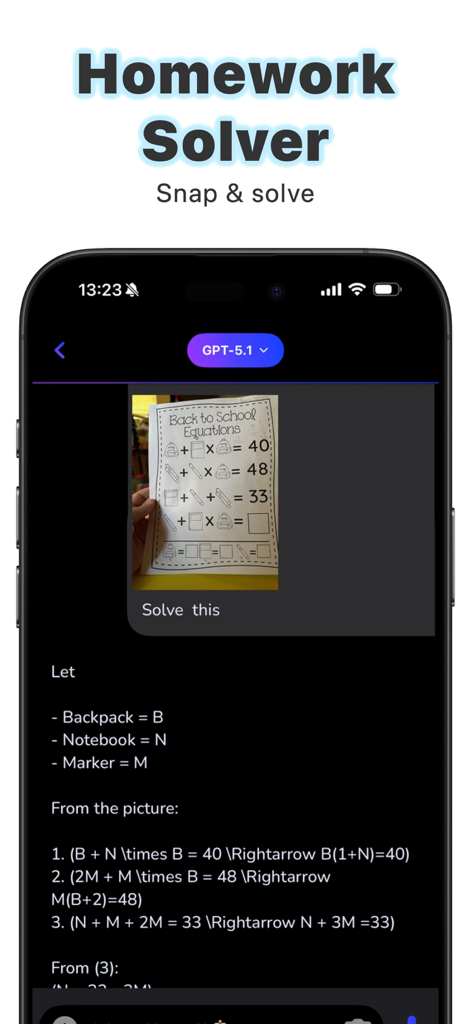
Aido AI app interface showing a math homework solver feature with step-by-step equation analysis from a photo.
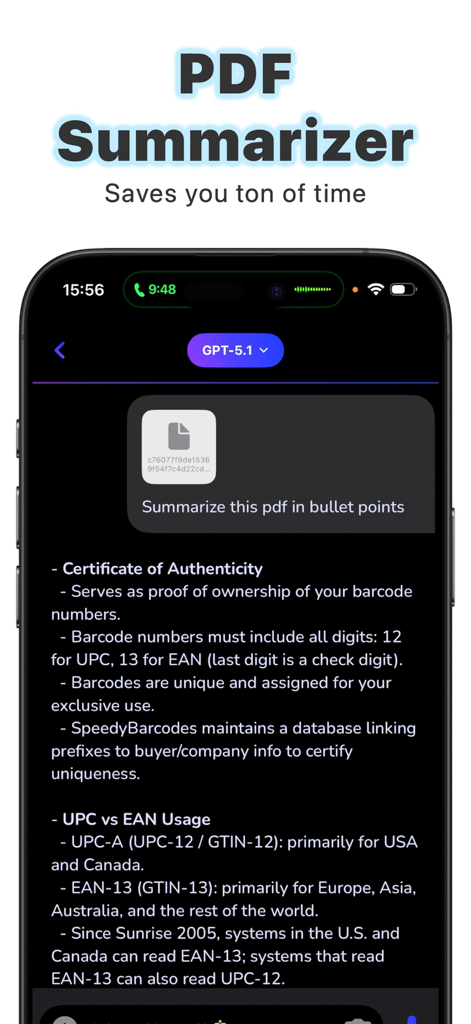
Aido AI mobile app interface showing a PDF document summarized into bullet points for quick reading.
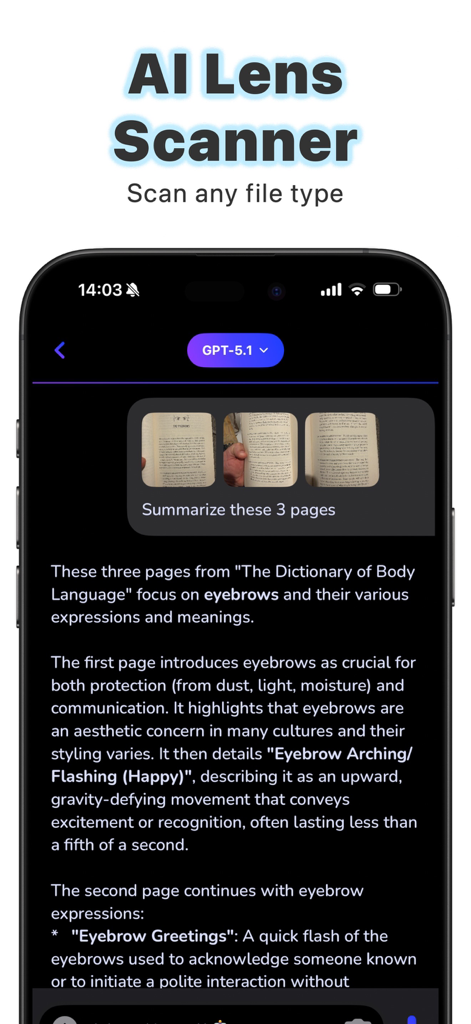
Interface of the Aido app showing the AI Lens Scanner feature summarizing text from three scanned book pages using GPT technology.
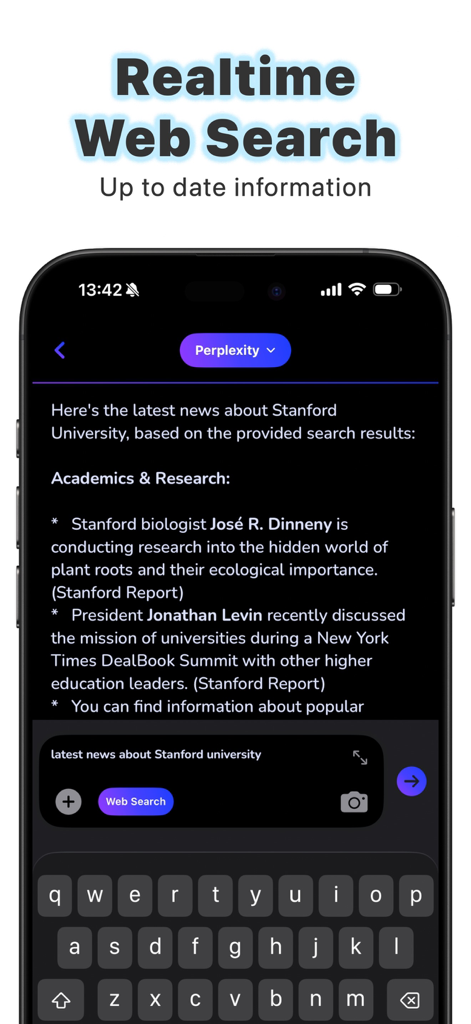
Smartphone displaying real time web search results in the Aido AI app chat interface
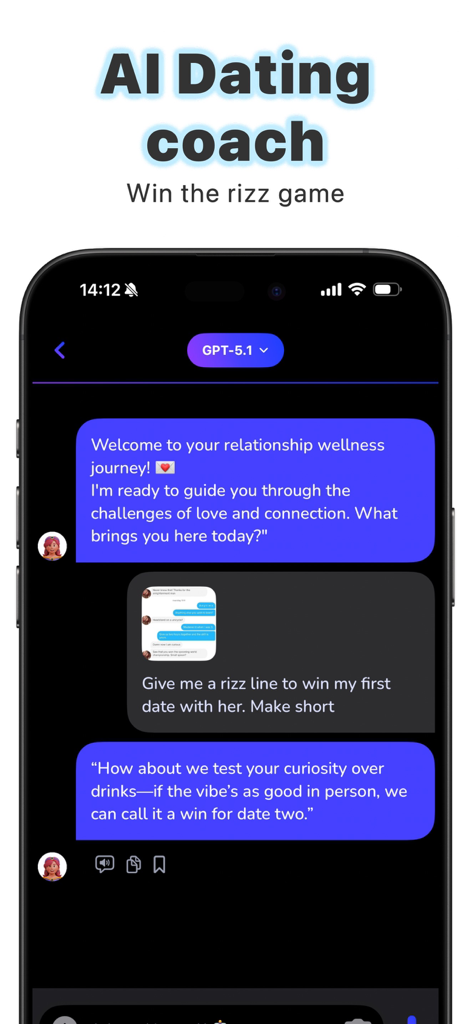
Aido app screenshot showing the AI Dating coach feature providing dating tips and rizz lines for relationships.
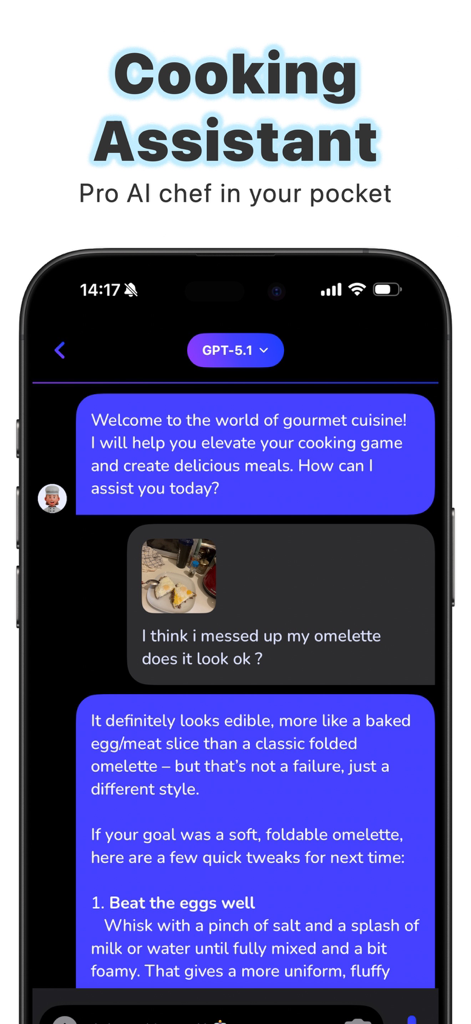
Aido app interface showing an AI cooking assistant giving feedback on a user's omelette photo
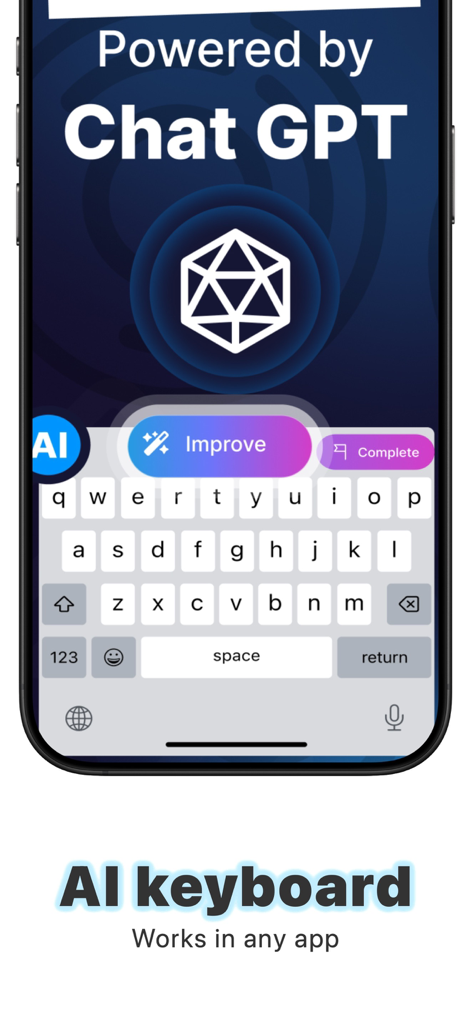
Aido app interface showing an AI-powered keyboard extension with text improvement and completion features
Description
Download
More Like This
Top-ranked apps in the same category

ChatGPT
OpenAI OpCo, LLC

Google Gemini
Google LLC

Grok
X.AI Corporation

Gmail - Email by Google
Google LLC

千问 - 阿里最强大模型官方AI助手
Shanghai Zhixin Puhui Technology Co., Ltd.

Google Drive
Google LLC

Microsoft Authenticator
Microsoft Corporation

Google Sheets
Google LLC

Google Docs
Google LLC
This page is not an official page of the app or its developer, but an independent editorial publication created for informational and commentary purposes. Unless expressly stated otherwise, neither the app nor its developer is affiliated with, endorsed by, sponsored by, authorized by, or otherwise officially connected with MWM, Apple, Google Play, the app publisher, or the app's developer, and nothing on this page implies that the app was developed using MWM's services. Any trademarks, logos, screenshots, and other content remain the property of their respective owners.