
This page is not an official page of the app or its developer, but an independent editorial publication created for informational and commentary purposes. Unless expressly stated otherwise, neither the app nor its developer is affiliated with, endorsed by, sponsored by, authorized by, or otherwise officially connected with MWM, Apple, Google Play, the app publisher, or the app's developer, and nothing on this page implies that the app was developed using MWM's services. Any trademarks, logos, screenshots, and other content remain the property of their respective owners.


Audio Editor - Music Mixer
Join 10M+ creators to mix tracks, remove noise, and craft the perfect sound. From viral social media mashups to custom ringtones, professional audio is just a tap away.
Downloads
10M+User Rating
Total Ratings
177K+Publisher
Category
MusicLocales
33Latest Version
5.71Size
154.9 MBFirst Released
Apr 7, 2018A Professional Studio in Your Pocket
Join over 10 million creators using the ultimate mobile toolbox to cut, mix, and master audio for TikTok, podcasts, and personal projects.
Pro-Level Mixing & Splicing
Seamlessly merge, stitch, or mash up your favorite tracks with precision tools designed for viral social media content and high-energy DJ sets.
Smart Audio Enhancement
Instantly remove vocals, isolate instruments, or cancel background noise using advanced tools that turn any phone recording into a studio-quality masterpiece.
Frequently Asked Questions
Everything you need to know about Audio Editor - Music Mixer
What is Audio Editor - Music Mixer used for?
Audio Editor - Music Mixer is an easy-to-use tool for cutting, mixing, and stitching music. It allows users to create custom ringtones and apply various audio effects.
Can I create ringtones with the Audio Editor - Music Mixer app?
Yes, Audio Editor - Music Mixer allows you to create cool ringtones. It supports computer settings for ringtones and direct phone ringtone settings.
What audio effects does Audio Editor - Music Mixer offer?
Audio Editor - Music Mixer offers various audio effects, including normalizer, EQ, tempo, reverb, and pitch. It also provides an audio toolbox with vocal enhancement, noise cancellation, and bass boost.
Does Audio Editor - Music Mixer have a vocal removal feature?
Yes, Audio Editor - Music Mixer includes an AI Vocal Remover feature that separates vocals and accompaniment. It is also available within the Audio Toolbox.
How does the noise reduction work in Audio Editor - Music Mixer?
Audio Editor - Music Mixer provides both automatic and manual denoise functions. Users can select noise samples for precise manual reduction or choose an automatic noise reduction model.
What are the benefits of an Audio Editor Pro Unlimited Subscription?
An Audio Editor Pro Unlimited Subscription provides access to all features, including higher sound quality, unlimited mixing modes, richer import/export options, and automatic ad removal.
How is the Audio Editor Pro Unlimited subscription billed?
The Audio Editor Pro Unlimited subscription is billed monthly or annually, corresponding to the chosen plan. Payment is charged to the iTunes Account upon purchase confirmation.
Does Audio Editor - Music Mixer support multi-track audio editing?
Yes, Audio Editor - Music Mixer supports multi-track audio editing. Users can manage multiple audio tracks, apply effects, and adjust parameters like cut, fade, speed, and volume.
What audio formats can Audio Editor - Music Mixer export?
Audio Editor - Music Mixer supports exporting to multiple formats, including MP3, M4A, WAV, M4R, CAF, AIFF, AIFC, AAC, FLAC, WMA, OGG, and ADX.
How can I import audio files into Audio Editor - Music Mixer?
Audio Editor - Music Mixer offers powerful import methods, including Wi-Fi import/export, direct import from other applications, and direct use of album videos and the mobile music library.
The following screenshots and description are sourced directly from the app's official store listing and are the property of the app developer.
App Store
Screenshots
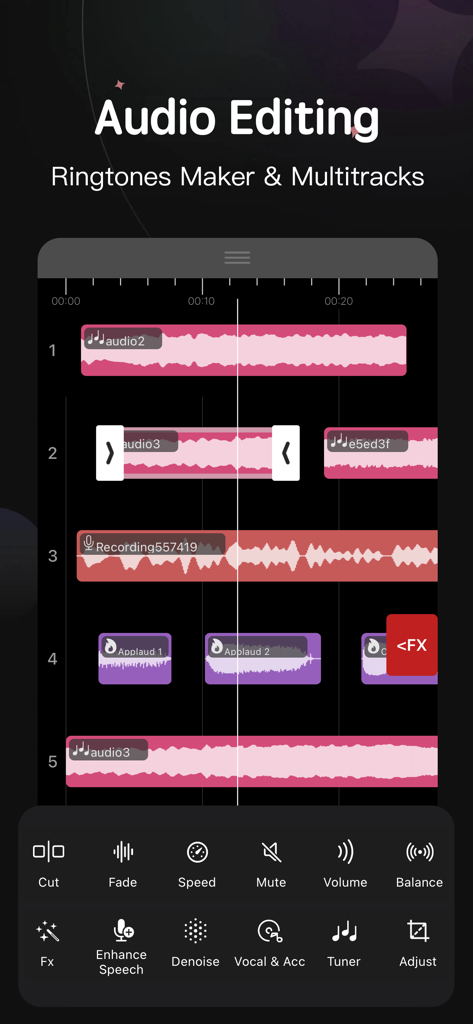
Mobile audio editor interface showing a multitrack timeline with waveforms and music editing tools
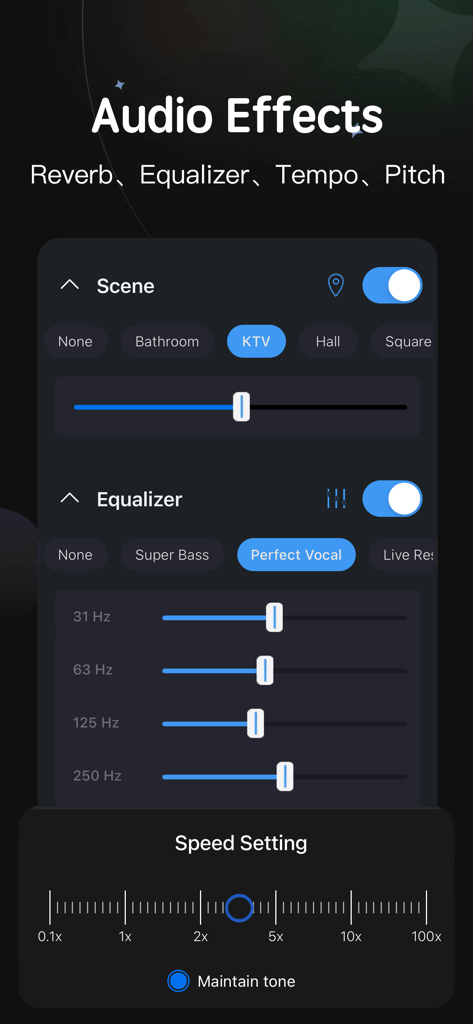
Mobile interface showing audio effects including scene selection equalizer sliders and speed settings
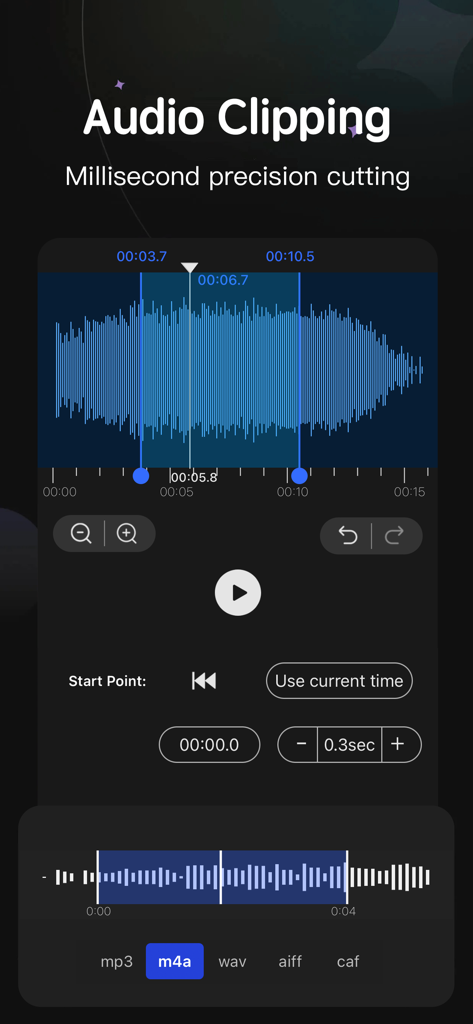
Audio editor interface showing millisecond precision waveform clipping for music editing
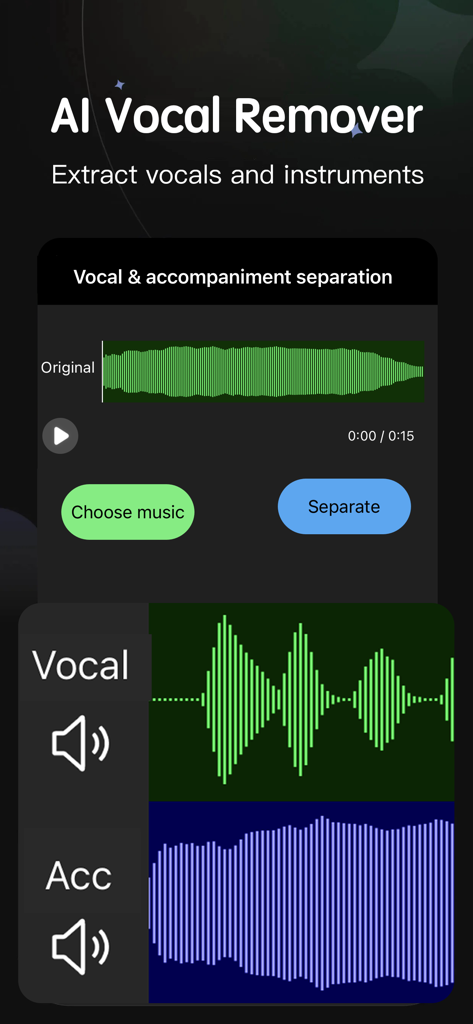
AI Vocal Remover interface for extracting vocals and instruments from a song
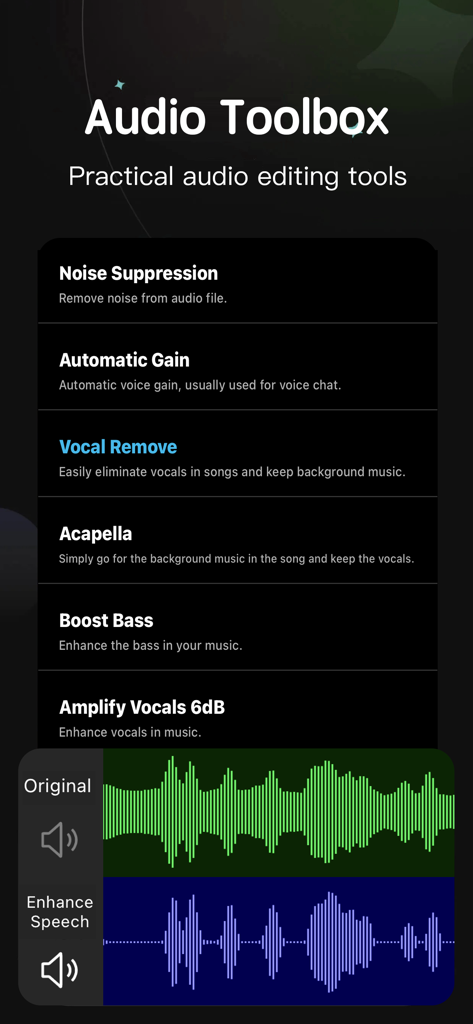
Audio Toolbox screen showcasing features like noise suppression vocal removal and waveform editing for mobile music production
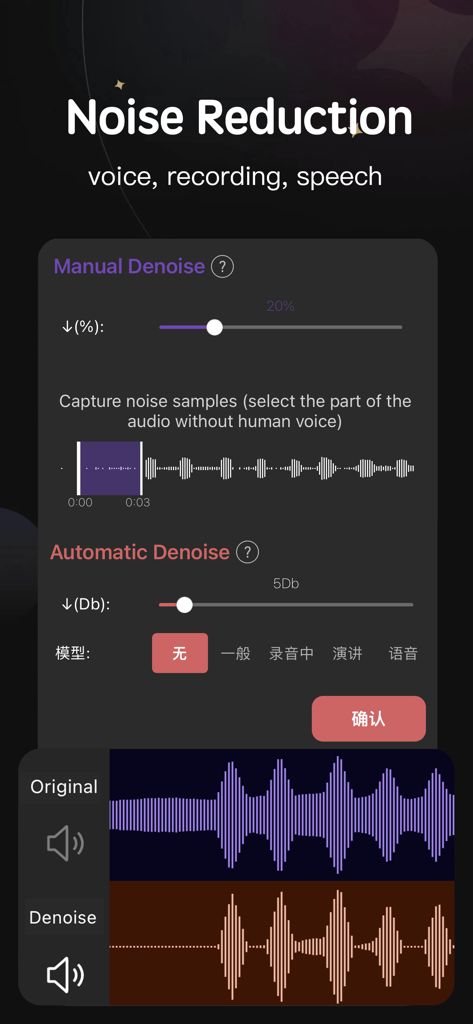
Interface of the Audio Editor app showing manual and automatic noise reduction tools with waveform visualizations
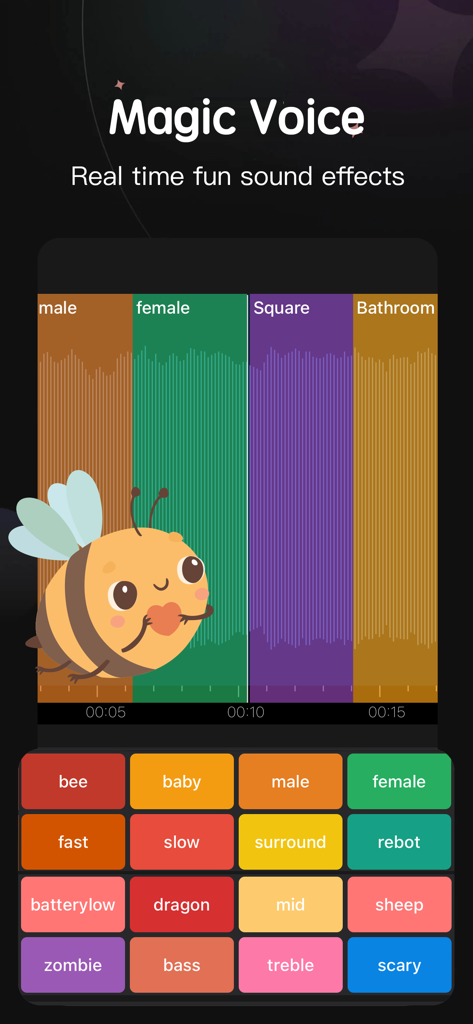
Interface of the Audio Editor app showing the Magic Voice feature with various real time sound effects like bee baby and robot
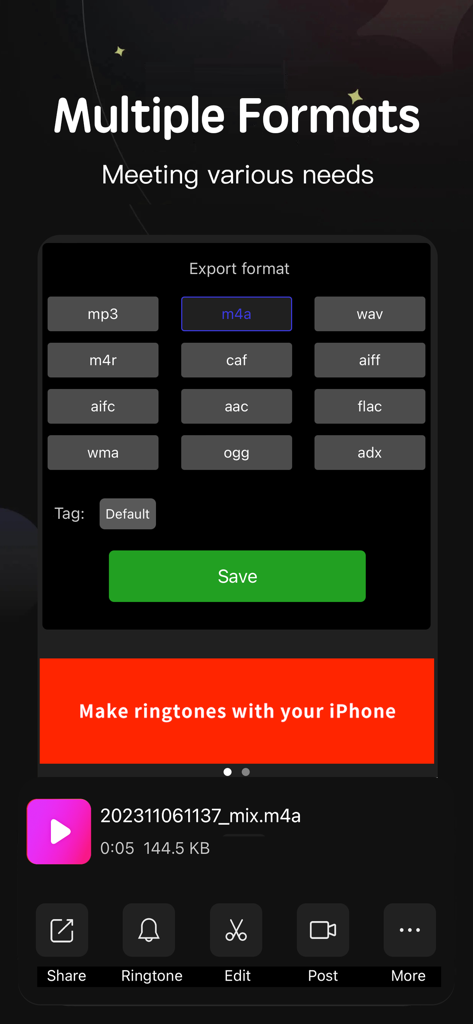
Audio Editor app interface showing multiple export formats including mp3 wav and m4a for music and ringtones
Description
Download
More Like This
Apps with similar features and user experience

MP3 Converter -Audio Extractor
妍 岳

MP3 Converter: Video to Audio
Fitness Labs SRL

Audio Editor: MP3 Converter
ZHN Co., Ltd.

MP3 Converter - video2mp3
ZHN Co., Ltd.

EZAudioCut - Audio Editor Lite
龙刚 李

Audio Extractor-Audio Editing
正军 刘

Audio Editor & Music Mixer
Wuhan Net Power Technology Co., Ltd

Audio Converter&Ringtone Maker
俊鹏 位

Audio Converter & Video to MP3
昱江 郭
This page is not an official page of the app or its developer, but an independent editorial publication created for informational and commentary purposes. Unless expressly stated otherwise, neither the app nor its developer is affiliated with, endorsed by, sponsored by, authorized by, or otherwise officially connected with MWM, Apple, Google Play, the app publisher, or the app's developer, and nothing on this page implies that the app was developed using MWM's services. Any trademarks, logos, screenshots, and other content remain the property of their respective owners.