
This page is not an official page of the app or its developer, but an independent editorial publication created for informational and commentary purposes. Unless expressly stated otherwise, neither the app nor its developer is affiliated with, endorsed by, sponsored by, authorized by, or otherwise officially connected with MWM, Apple, Google Play, the app publisher, or the app's developer, and nothing on this page implies that the app was developed using MWM's services. Any trademarks, logos, screenshots, and other content remain the property of their respective owners.

EZAudioCut - Audio Editor Lite
Transform your iPhone or Apple Watch into a high-precision studio. Clean background noise with AI, apply professional effects, and export your next viral sound in seconds.
Downloads
1M+User Rating
Total Ratings
37K+Publisher
Category
MusicLocales
13Latest Version
3.4.1Size
58.7 MBFirst Released
Nov 28, 2017Professional Audio Editing Made Portable
EZAudioCut Lite delivers studio-grade tools for creators, students, and musicians who need high-quality results without being tied to a desk.
Surgical Precision Editing
Zoom deep into waveforms to cut, trim, and merge with frame-perfect accuracy. Every edit is non-destructive with unlimited undo and redo capabilities.
AI Neural Noise Reduction
Record anywhere from cafes to classrooms. Our Recurrent Neural Network technology identifies and removes background noise automatically for crystal clear results.
Frequently Asked Questions
Everything you need to know about EZAudioCut - Audio Editor Lite
Does EZAudioCut provide high-precision audio editing?
Yes, EZAudioCut supports ultra-high precision editing, including zooming to clip audio. It offers 20ms level precision for detailed adjustments.
What audio formats does EZAudioCut support for import and export?
EZAudioCut supports multiple formats for import and export, including m4a, aac, mp2, mp3, wav, aif, mov, mp4, aiff, and ALAC.
Can EZAudioCut record audio for unlimited durations?
Yes, EZAudioCut allows unlimited recordings in terms of duration and quantity, provided sufficient storage is available on your device. It also supports recording automatically after calls.
What audio effects are available in EZAudioCut?
EZAudioCut provides various audio effects like Reverb, Chorus, Gain, Time Stretch, and Pitch. It also includes Noise Reduction using Recurrent Neural Network technology.
Does EZAudioCut support recording with Bluetooth devices like AirPods?
Yes, EZAudioCut supports Bluetooth devices, including AirPods, for both playing and recording audio.
How can users share audio files from EZAudioCut?
Users can share audio or video files from EZAudioCut via Email, Messages, WiFi, YouTube, Instagram, Snapchat, SMS, and third-party apps like Twitter and WeChat, including AirDrop.
Can EZAudioCut be used to create custom ringtones?
Yes, EZAudioCut helps users accurately clip music to create unique personality ringtones. You simply import the music to your phone.
What kind of equalizer features does EZAudioCut offer?
EZAudioCut offers a 10-band equalizer to perfectly enhance vocals and other audio. It includes various presets like Popular, Dance, and Blues.
Can EZAudioCut import audio from iCloud?
Yes, EZAudioCut supports importing audio files from iCloud Drive. It also allows exporting edited audio directly to iCloud.
Does EZAudioCut support real-time preview of audio effects?
Yes, EZAudioCut supports real-time preview of audio effects. Users can dynamically adjust effect parameters during the pre-listening process.
Can EZAudioCut change the speed and pitch of audio?
Yes, EZAudioCut supports variable-speed playback and export (0.5x to 3x) and pitch-shift playback. It allows for infinitely variable speed and pitch adjustments.
What are the Apple Watch features for EZAudioCut?
EZAudioCut for Apple Watch allows offline recording and audio import clips even when disconnected from the phone. It also supports background recording.
Does EZAudioCut offer batch export capabilities?
Yes, EZAudioCut allows for batch exporting of audio clips. Users can export multiple segments through defined cut points.
Can EZAudioCut perform noise reduction on recordings?
Yes, EZAudioCut includes Recurrent Neural Network Noise Reduction technology to clean up audio recordings.
Can users perform undo and redo actions in EZAudioCut?
Yes, EZAudioCut supports undo and redo operations at any time during the editing process, including clipping audio.
The following screenshots and description are sourced directly from the app's official store listing and are the property of the app developer.
App Store
Screenshots
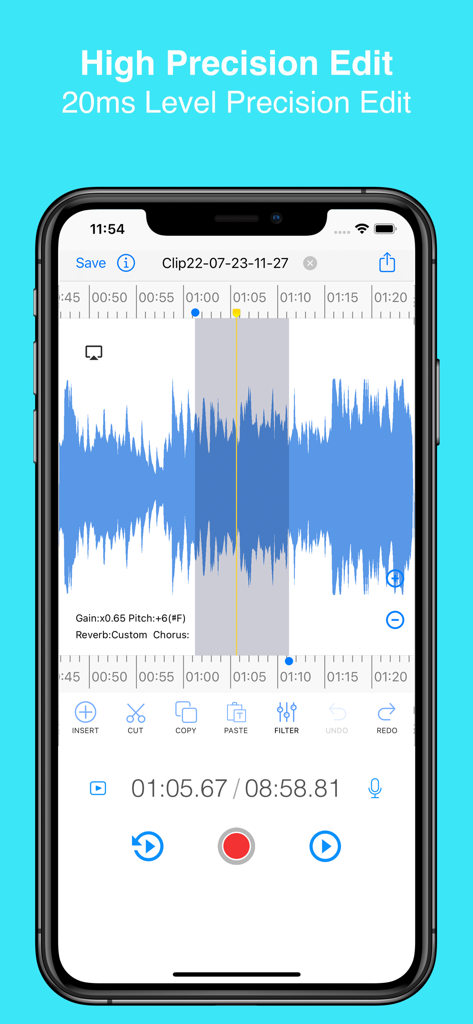
EZAudioCut mobile app interface showing high precision waveform editing with tools for cutting and filtering audio.
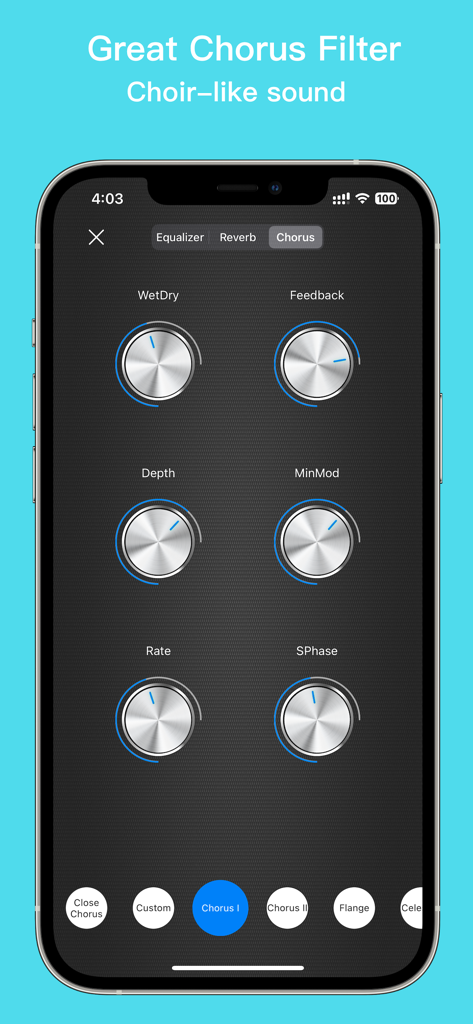
Chorus filter interface in the EZAudioCut app showing adjustable knobs for depth rate and feedback for choir-like audio effects
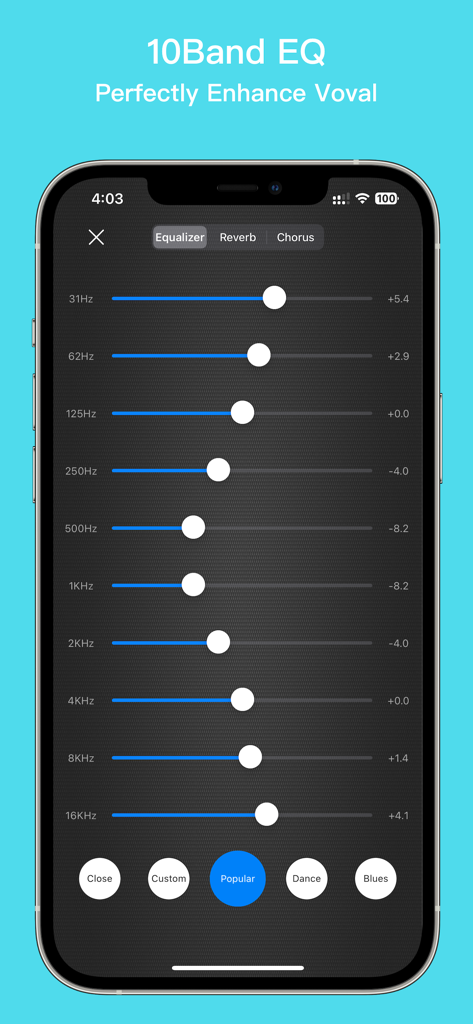
A 10-band equalizer interface in the EZAudioCut Lite app for professional vocal and audio enhancement
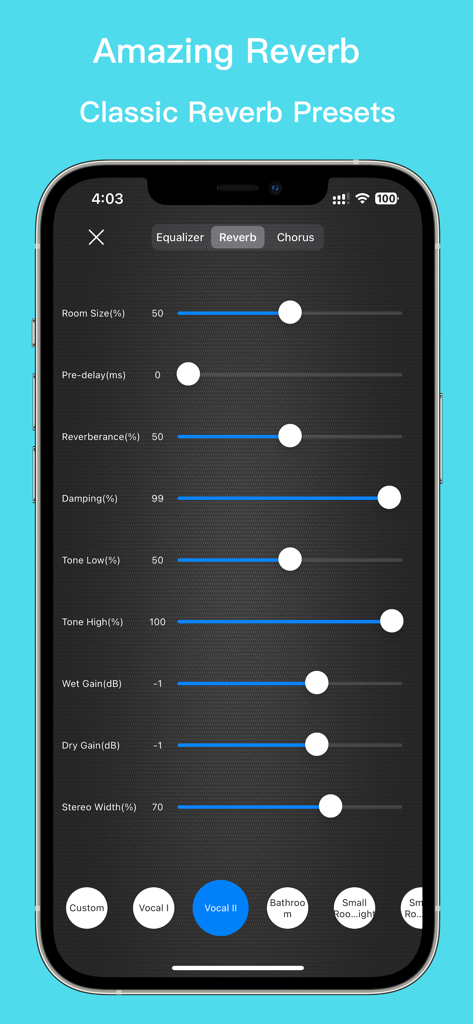
EZAudioCut app interface showing adjustable reverb settings including room size damping and presets for vocal and room effects
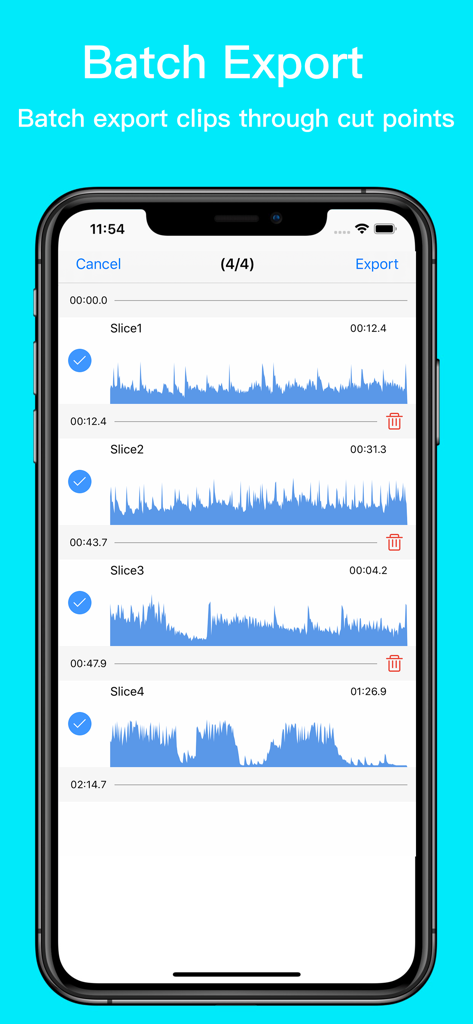
Interface of EZAudioCut showing multiple audio clips selected for batch export
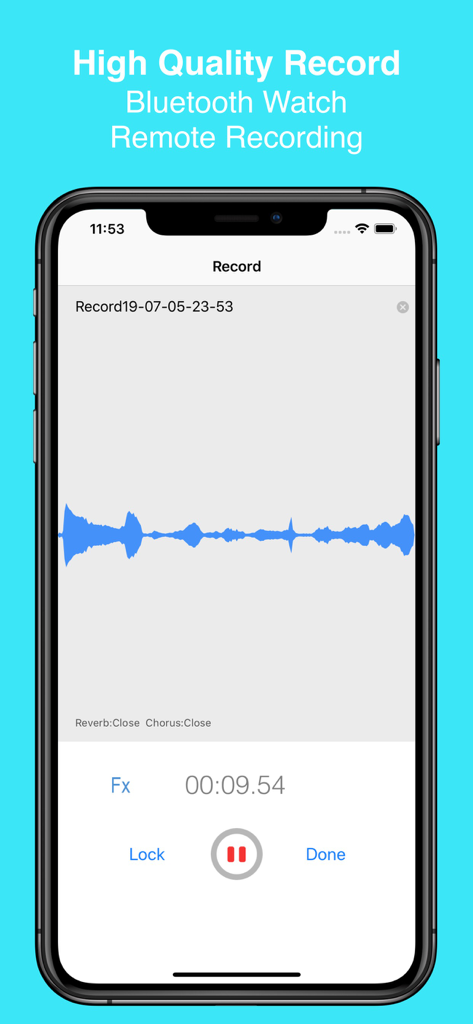
EZAudioCut app interface on iPhone showing a high quality audio recording session with a blue waveform
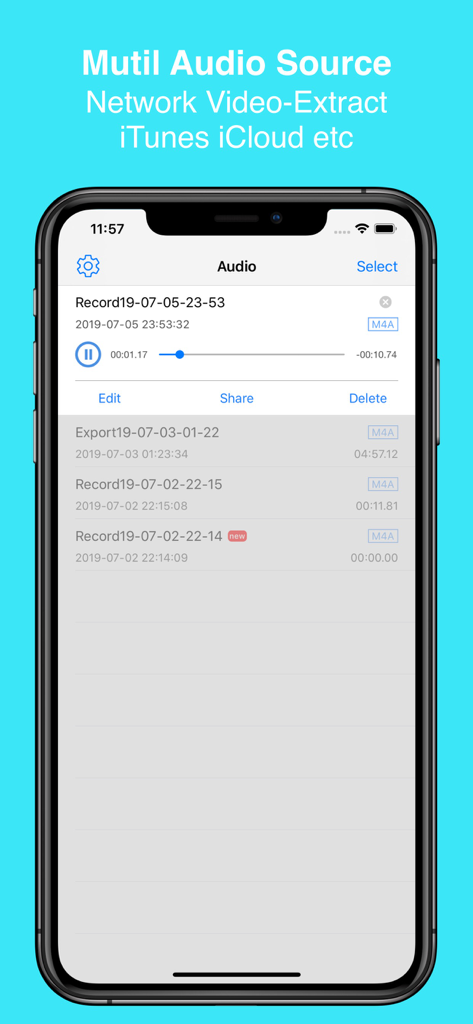
EZAudioCut app interface showing a list of recordings and options for importing audio from iTunes and iCloud.
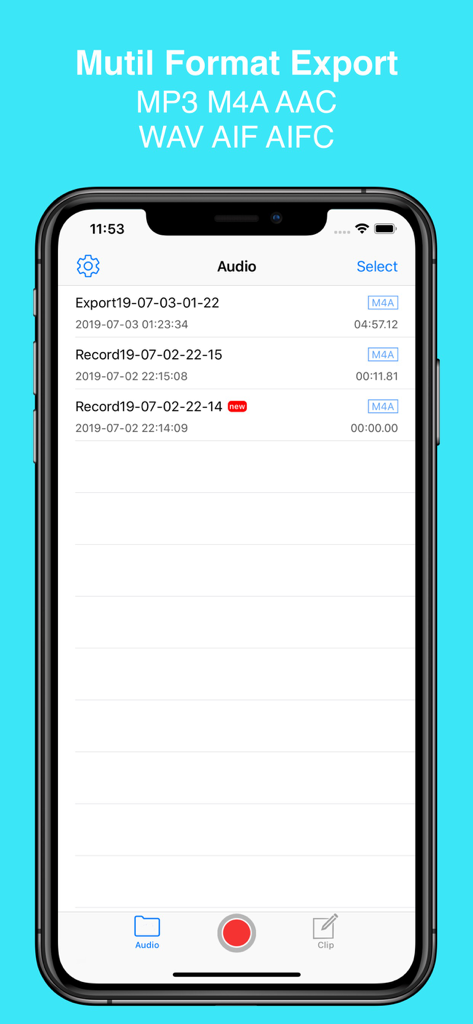
EZAudioCut app interface showing the audio file library with multiple export format options like MP3 and M4A
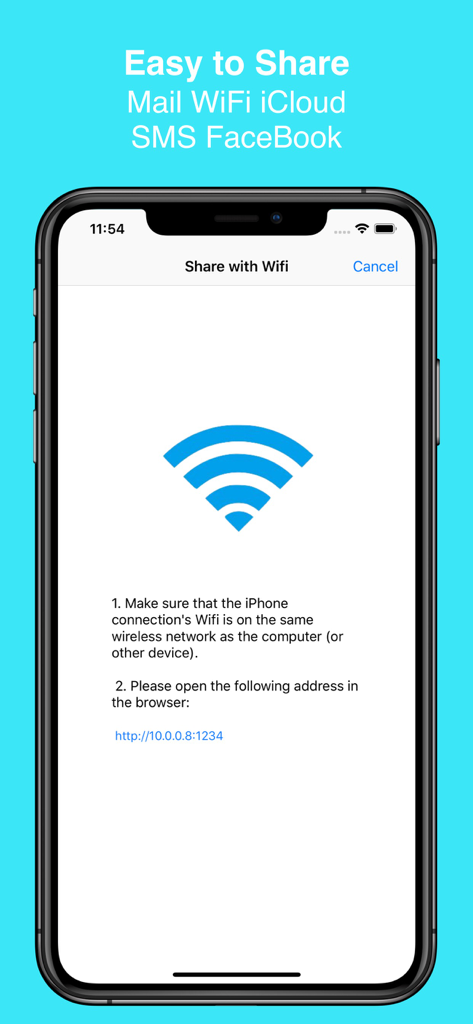
EZAudioCut app interface showing how to share audio files over a local WiFi network
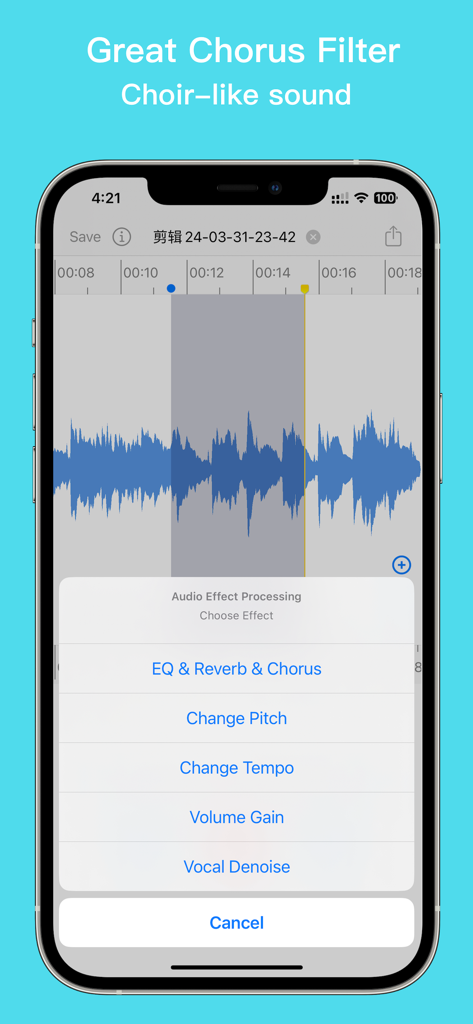
EZAudioCut app interface displaying the audio effect processing menu with chorus and reverb options
Description
Download
More Like This
Apps with similar features and user experience

MP3 Converter -Audio Extractor
妍 岳

Audio Editor - Music Mixer
妍 岳

MP3 Converter: Video to Audio
Fitness Labs SRL

Audio Editor: MP3 Converter
ZHN Co., Ltd.

MP3 Converter - video2mp3
ZHN Co., Ltd.

Audio Extractor-Audio Editing
正军 刘

Audio Editor & Music Mixer
Wuhan Net Power Technology Co., Ltd

Audio Converter&Ringtone Maker
俊鹏 位
Audio Converter & Video to MP3
昱江 郭
This page is not an official page of the app or its developer, but an independent editorial publication created for informational and commentary purposes. Unless expressly stated otherwise, neither the app nor its developer is affiliated with, endorsed by, sponsored by, authorized by, or otherwise officially connected with MWM, Apple, Google Play, the app publisher, or the app's developer, and nothing on this page implies that the app was developed using MWM's services. Any trademarks, logos, screenshots, and other content remain the property of their respective owners.