
This page is not an official page of the app or its developer, but an independent editorial publication created for informational and commentary purposes. Unless expressly stated otherwise, neither the app nor its developer is affiliated with, endorsed by, sponsored by, authorized by, or otherwise officially connected with MWM, Apple, Google Play, the app publisher, or the app's developer, and nothing on this page implies that the app was developed using MWM's services. Any trademarks, logos, screenshots, and other content remain the property of their respective owners.


Audio Extractor-Audio Editing
Instantly turn any video into high-quality audio. Extract trending sounds, create custom ringtones, and edit like a pro to fuel your social media creativity.
Downloads
54K+User Rating
Total Ratings
1K+Publisher
Category
MusicLocales
2Latest Version
1.8.0Size
37.1 MBFirst Released
May 23, 2024Your Mobile Audio Powerhouse
From viral social media clips to professional-grade voiceovers, our all-in-one studio lets you extract, edit, and master audio with total precision directly on your iPhone.
Instant Video-to-Audio
Grab that trending sound or background music from any video in your camera roll. Save it as a high-fidelity MP3 with zero quality loss—perfect for custom ringtones.
Precision Studio Editing
Trim, merge, and mix tracks with 0.1-second accuracy. Add fade-ins, adjust playback speed, or layer background music to create content that stands out.
Frequently Asked Questions
Everything you need to know about Audio Extractor-Audio Editing
How can I extract audio from a video using Audio Extractor-Audio Editing?
Yes, Audio Extractor-Audio Editing allows users to quickly extract sound from videos. It supports defining and extracting specific audio segments and saves the extracted audio to the phone with original sound quality.
What audio formats does Audio Extractor-Audio Editing support for conversion?
Audio Extractor-Audio Editing supports mutual conversion between various audio formats including mp3, flac, aac, wav.m4a, and wma. Users can also customize parameters like bit rate, sampling rate, and channel.
Can Audio Extractor-Audio Editing merge multiple audio files?
Yes, Audio Extractor-Audio Editing merges multiple audio files into a single MP3 format file. Users can manually drag and sort the list of audio files before splicing them together.
Does the Audio Extractor-Audio Editing app have a recorder function?
Yes, the Audio Extractor-Audio Editing app includes a recorder function. Users can record voice anytime during meetings, classes, or business negotiations directly within the application.
How much does a subscription for Audio Extractor-Audio Editing cost?
Audio Extractor-Audio Editing offers an automatic renewal subscription for ¥15 per month or ¥69 per year. Non-automatic renewal options are ¥9 weekly, ¥19 monthly, and ¥99 annually.
Can I set custom audio parameters in Audio Extractor-Audio Editing during format conversion?
Yes, Audio Extractor-Audio Editing allows custom parameter settings for audio format conversion. Users can adjust bit rate, sampling rate, and channel to meet specific audio format needs.
Can I adjust audio playback speed with Audio Extractor-Audio Editing?
Yes, Audio Extractor-Audio Editing allows users to adjust the playback speed of audio files. The speed adjustment range is between 0.5 and 2.0, enabling faster or slower audio playback.
Does Audio Extractor-Audio Editing support trimming audio files?
Yes, Audio Extractor-Audio Editing provides an audio cropping function. Users can extract selected segments, split, or delete middle sections of audio with 0.1-second accuracy, even for long audio files.
Where can I find the privacy policy for Audio Extractor-Audio Editing?
The privacy policy for Audio Extractor-Audio Editing is available at http://appmanager.cn/privacy/app/ios/privacy/audio_editor_privatestatement_ios.html.
How do I cancel the automatic renewal for Audio Extractor-Audio Editing?
To cancel automatic renewal for Audio Extractor-Audio Editing, disable it manually in your Apple ID account settings at least 24 hours before the subscription period expires.
The following screenshots and description are sourced directly from the app's official store listing and are the property of the app developer.
App Store
Screenshots
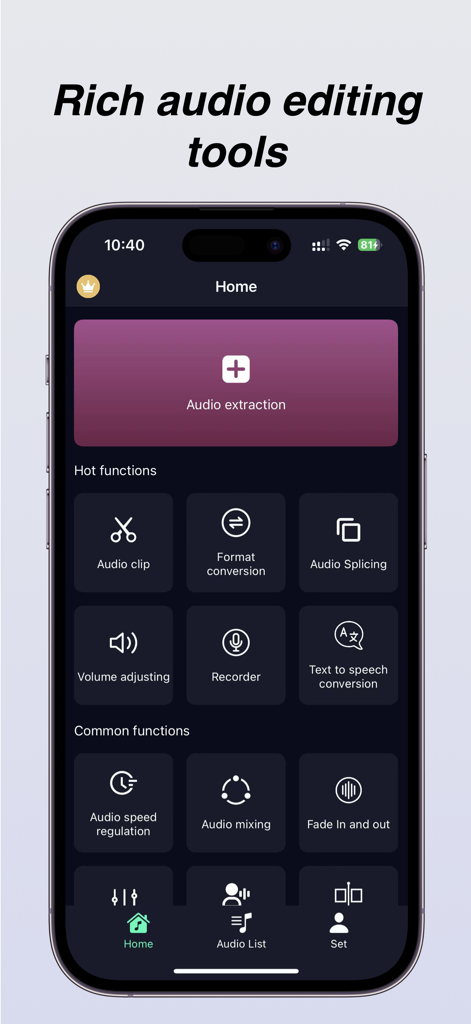
Home screen of the Audio Extractor app showcasing tools for audio extraction, clipping, and format conversion.
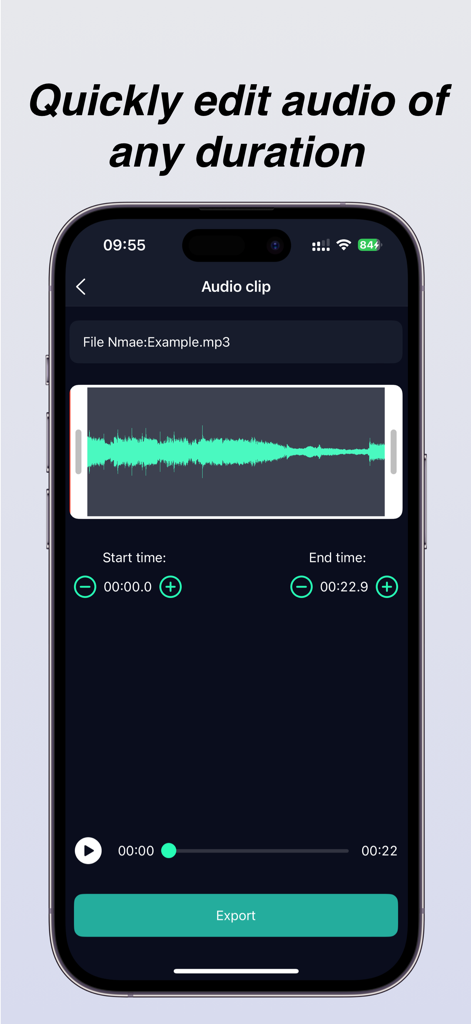
Audio clip editing screen with waveform display and export button
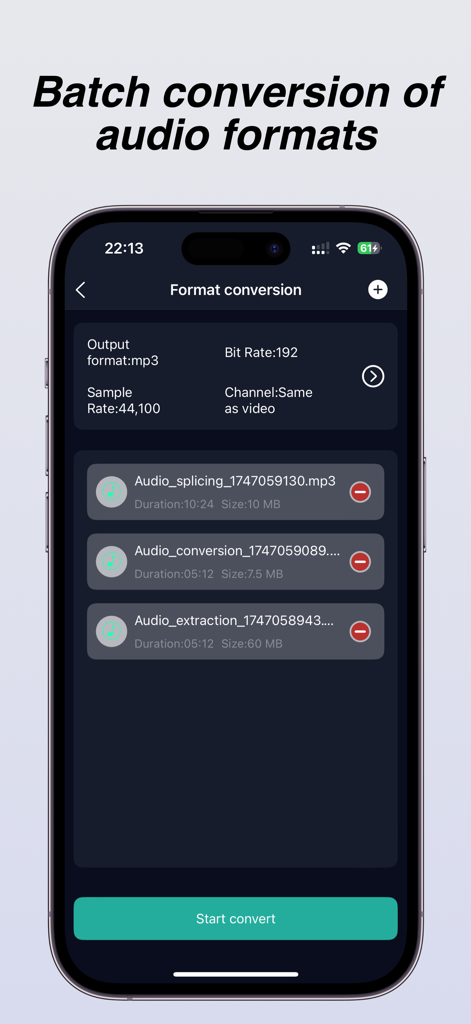
Interface of the Audio Extractor app showing the batch audio format conversion feature with settings for bitrate and sample rate.
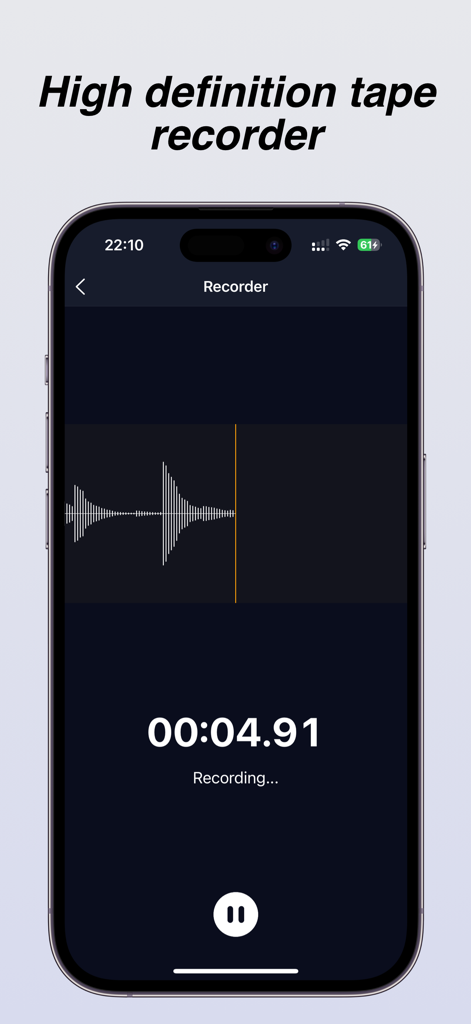
A high definition tape recorder interface with a live waveform and timer display
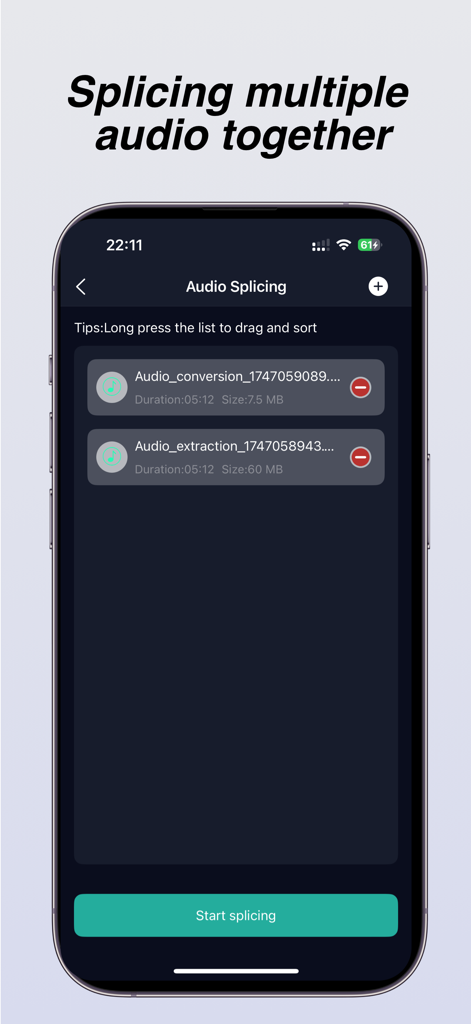
iPhone app screen showing the audio splicing feature used to merge multiple audio files together
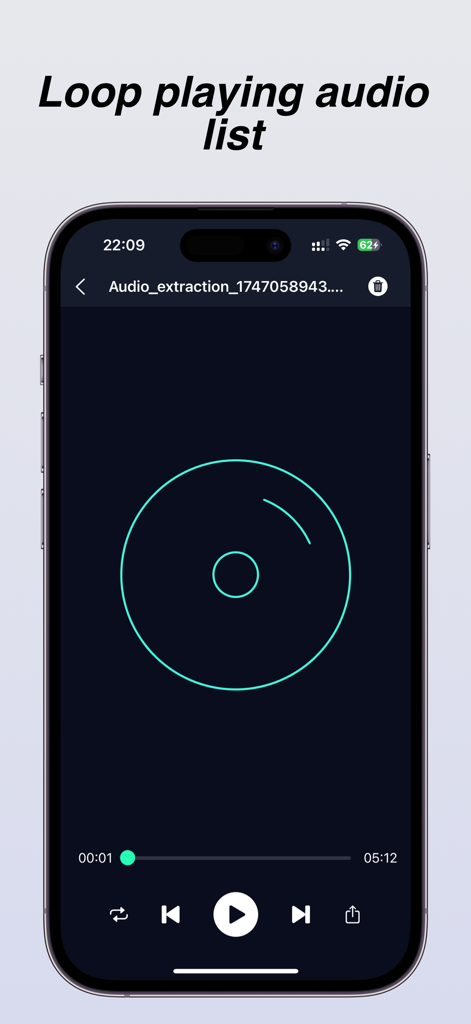
A smartphone display showing the audio player interface of the app with a loop playback feature and standard playback controls
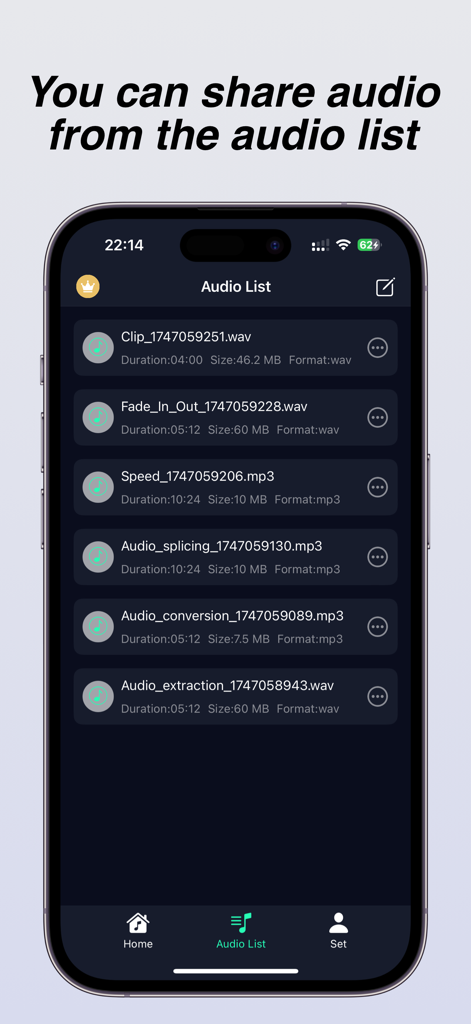
Mobile app interface showing a list of processed audio files like extraction and splicing for sharing
Description
Download
More Like This
Apps with similar features and user experience

MP3 Converter -Audio Extractor
妍 岳

Audio Editor - Music Mixer
妍 岳

MP3 Converter: Video to Audio
Fitness Labs SRL

Audio Editor: MP3 Converter
ZHN Co., Ltd.

MP3 Converter - video2mp3
ZHN Co., Ltd.

EZAudioCut - Audio Editor Lite
龙刚 李

Audio Editor & Music Mixer
Wuhan Net Power Technology Co., Ltd

Audio Converter-Video to Audio
俊鹏 位
Audio Converter & Video to MP3
昱江 郭
This page is not an official page of the app or its developer, but an independent editorial publication created for informational and commentary purposes. Unless expressly stated otherwise, neither the app nor its developer is affiliated with, endorsed by, sponsored by, authorized by, or otherwise officially connected with MWM, Apple, Google Play, the app publisher, or the app's developer, and nothing on this page implies that the app was developed using MWM's services. Any trademarks, logos, screenshots, and other content remain the property of their respective owners.