AudioFix: Video Volume Booster
Download on App Store

This page is not an official page of the app or its developer, but an independent editorial publication created for informational and commentary purposes. Unless expressly stated otherwise, neither the app nor its developer is affiliated with, endorsed by, sponsored by, authorized by, or otherwise officially connected with MWM, Apple, Google Play, the app publisher, or the app's developer, and nothing on this page implies that the app was developed using MWM's services. Any trademarks, logos, screenshots, and other content remain the property of their respective owners.


Logo of AudioFix: Video Volume Booster
Download on App Store

AudioFix: Video Volume Booster

Instantly boost volume and remove background noise with 12 pro filters. Give your Reels, TikToks, and YouTube videos the professional sound they deserve with one tap.

Key Figures

Downloads

599K+

User Rating

4.1/5

Total Ratings

5K+

Publisher

Future Moments LLC

Category

Photo & Video

Locales

22

Latest Version

3.8

Size

55.9 MB

First Released

Feb 11, 2016
Features

Professional Audio, Simplified

Stop letting bad sound ruin your best shots. Instantly clean, boost, and polish your video audio for a professional edge on social media.

Instant Noise Removal

Choose from 12 intelligent filters to silence wind, hiss, and background noise in a single tap.

Powerful Volume Boost

Automatically maximize your sound levels to ensure your message is heard loud and clear on every device.

The following screenshots and description are sourced directly from the app's official store listing and are the property of the app developer.

App Store

Screenshots
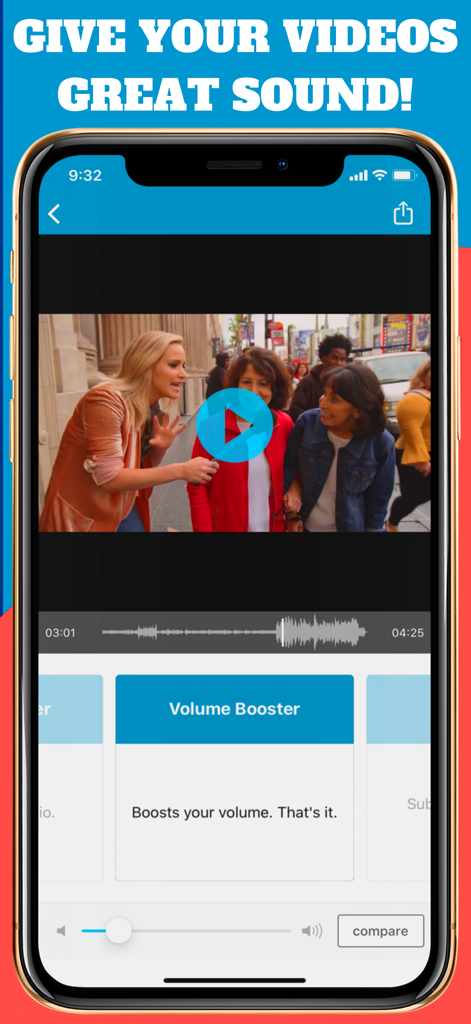
AudioFix: Video Volume Booster - AudioFix app interface showing the volume booster tool for a video interview
AudioFix app interface showing the volume booster tool for a video interview

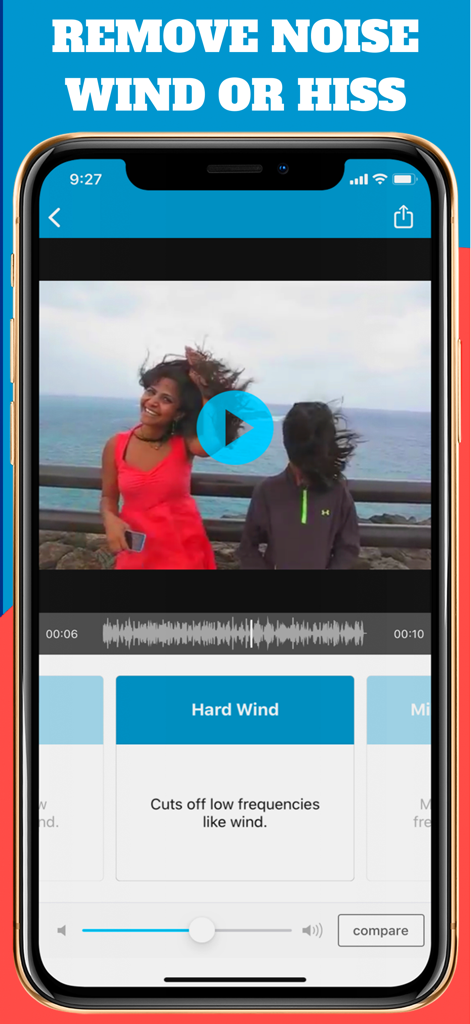
AudioFix: Video Volume Booster - Smartphone screen showing AudioFix app interface with the Hard Wind removal filter selected to clean audio from a windy outdoor video
Smartphone screen showing AudioFix app interface with the Hard Wind removal filter selected to clean audio from a windy outdoor video

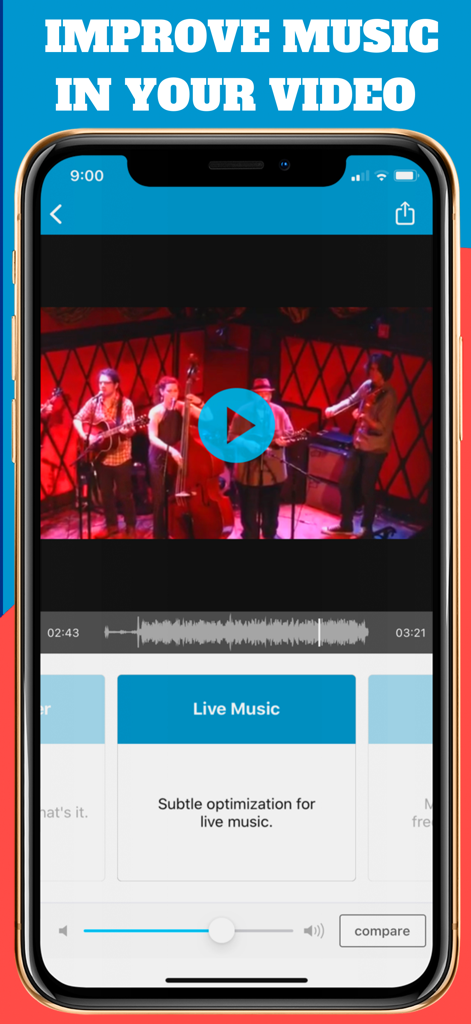
AudioFix: Video Volume Booster - Smartphone screen showing AudioFix app applying a live music filter to a video of a band performance
Smartphone screen showing AudioFix app applying a live music filter to a video of a band performance

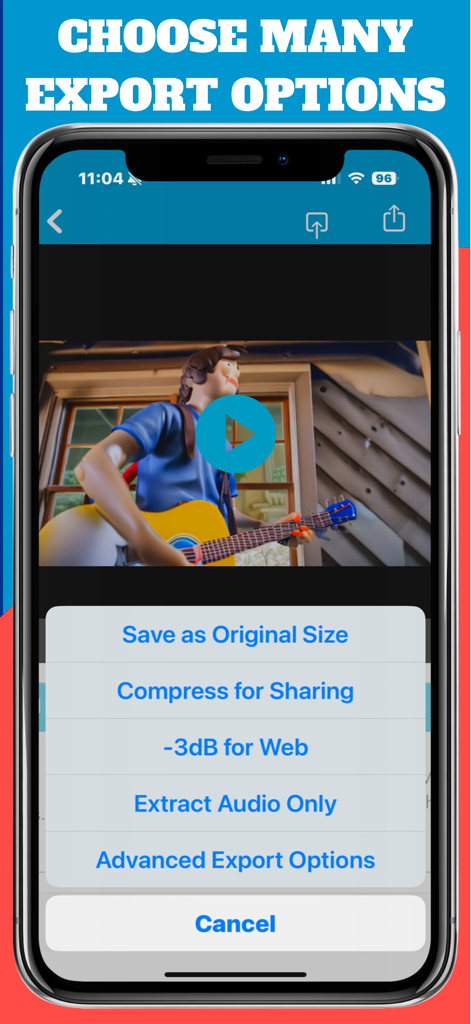
AudioFix: Video Volume Booster - A smartphone screen showing the export menu of the AudioFix app with options to save as original size, compress for sharing, and extract audio.
A smartphone screen showing the export menu of the AudioFix app with options to save as original size, compress for sharing, and extract audio.

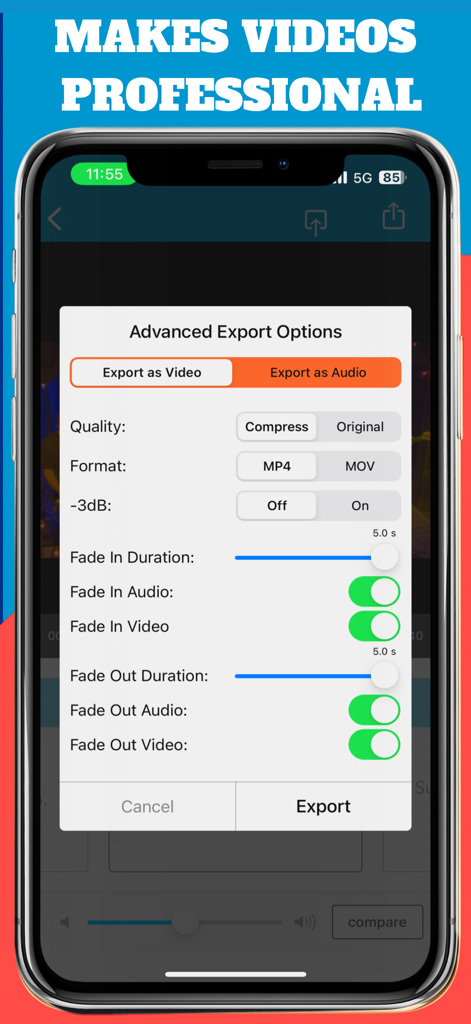
AudioFix: Video Volume Booster - Advanced export options in the AudioFix app showing video quality format and audio fade settings

Advanced export options in the AudioFix app showing video quality format and audio fade settings

Description

Get great sounding videos quickly! Instantly improve, boost, extract or mute the audio in your videos. Import a video and AudioFix immediately cleans its sound and maximizes its volume. Add audio and video fades too! Free to download and try so you can hear the quality of our App. An important and necessary tool for filmmakers, YouTubers, or anybody that wants to give their videos a better, more professional sound quality. FEATURES ▪ Automatically boosts the audio in your video ▪ Manually boosts the volume and increases the sound ▪ Choose from 12 noise reduction filters ▪ Extract the audio from your video ▪ Mute the sound of your video ▪ Save as new or shrink the file size for sharing ▪ Export for Instagram ▪ Compare to your original video ▪ Doesn't overwrite your original file ▪ Press a filter to bypass it FILTER CHOICES ▪ Silence ▪ Live Music ▪ Audio Smoother ▪ Volume Booster ▪ Mild Wind Removal ▪ Hard Wind Removal ▪ Mild Hiss Removal ▪ Strong Hiss Removal ▪ Audio Fix Mild ▪ Audio Fix Medium ▪ Audio Fix Strong ▪ Audio Fix Ultra Press and hold 'compare' to hear the difference from your original. Press and hold on a filter to bypass it and so you only hear the volume change. ALSO BY FUTURE MOMENTS: Video Audio Splitter MS Remix Remix the Audio of Your Video MicSwap Remix AI Audio Stem Separator Crystal Audio AI Audio Cleanup Magic MAIVE Ai Video Generator VideoVerb Add Reverb to Your Videos Hear Boost Get Super Hearing & Recording MicSwap Mic Modeler & Recorder MicSwap MultiTrack Multitrack Mic Modeler & Recorder MicSwap Video Edit Video Audio with Mic Models & FX MicSwap Camera The Best Sounding Video Camera AudioFix Denoise & Clean the Sound of Your Video VideoMaster Instant Audio Post-Production for Videos AudioVerb Add Reverb & Delay to Your Audio AudioMaster Audio Mastering for Podcasts & Music Volume Booster Easily Boost the Sound of Your Audio or Video We never overwrite your original. Save as a new video in the same resolution. You can also use Audio Fix to reduce the file size of your video for easier sharing with our compress video option. Use Audio Fix to remove all sound from your video. Lots of options! For Youtubers, Instavideos, Vimeo, Youtube, Instagram etc.. Buy on iPhone, own it on iPad too AudioFix: For Videos is free to download. We offer 3 subscription plans: *Prices are equal to the value that "Apple's App Store Matrix" determines is the equivalent of the subscription price in $USD. If you choose to subscribe, your subscriptions will automatically renew at the end of the selected time and will charge your credit card through your iTunes account. You can turn off auto-renew at any time from your iTunes account settings. Future Moments LLC privacy policy: http://future-moments.com/faq Future Moments LLC terms of use: http://future-moments.com/faq

Download

Download on App Store

This page is not an official page of the app or its developer, but an independent editorial publication created for informational and commentary purposes. Unless expressly stated otherwise, neither the app nor its developer is affiliated with, endorsed by, sponsored by, authorized by, or otherwise officially connected with MWM, Apple, Google Play, the app publisher, or the app's developer, and nothing on this page implies that the app was developed using MWM's services. Any trademarks, logos, screenshots, and other content remain the property of their respective owners.








