
This page is not an official page of the app or its developer, but an independent editorial publication created for informational and commentary purposes. Unless expressly stated otherwise, neither the app nor its developer is affiliated with, endorsed by, sponsored by, authorized by, or otherwise officially connected with MWM, Apple, Google Play, the app publisher, or the app's developer, and nothing on this page implies that the app was developed using MWM's services. Any trademarks, logos, screenshots, and other content remain the property of their respective owners.


Authenticator App - 2FA MFA
Online security feels like a battle. This app hands you the master key to your digital fortress, making every login bulletproof.
Downloads
250k+User Rating
Total Ratings
853Publisher
Category
ProductivityLocales
7Latest Version
1.1.31Size
216.3 MBFirst Released
Jul 10, 2024An in-depth evaluation of functionalities designed for digitally active users prioritizing online security and convenience.
Key Features Analysis: Authenticator App - 2FA MFA
Secure 2FA/MFA Code Generation
The app provides robust time-based one-time passwords (TOTP) and OTP codes for secure, fast, and reliable logins, significantly enhancing account security beyond traditional passwords.
Encrypted Backup & Cross-Device Sync
It ensures all user data is encrypted locally and in iCloud, providing end-to-end protection for authentication codes and passwords, with seamless syncing across multiple devices.
Integrated Password Manager
This tool features a built-in password manager to securely store and manage all login credentials alongside 2FA codes, simplifying overall security management in one place.
Advanced App Lock Security
The app protects itself with PIN, Face ID, or Touch ID, along with an auto-lock feature, adding an essential layer of security for the stored 2FA codes and passwords.
Broad Service Compatibility
It works with all major platforms and services, including Google, Microsoft, Instagram, Facebook, Amazon, and PayPal, ensuring wide applicability for 2FA, MFA, and OTP authentication.
Easy Migration from Other Authenticators
The app facilitates easy migration from other authenticator tools via QR code, CSV upload, or manual entry, streamlining the consolidation of multiple accounts into one secure platform.
Offline Access for Codes
It allows users to generate and access authentication codes anytime, even without an internet connection, ensuring uninterrupted multi-factor authentication.
Account Organization with Folders
This tool enables users to organize authentication accounts and passwords into custom folders using drag-and-drop functionality, enhancing management for users with numerous online accounts.
Home Screen Widget for Quick Access
The app provides a Home Screen widget for instant access to OTP, 2FA, and authentication tokens, significantly speeding up the login process and enhancing user convenience.
Data Export Options
It allows users to export all authentication codes and accounts via QR code or CSV, ensuring they maintain full control and ownership over their digital security data.
Frequently Asked Questions
Everything you need to know about Authenticator App - 2FA MFA
What is Authenticator App ℗?
Authenticator App ℗ protects accounts with two-factor and multi-factor authentication. It securely manages 2FA codes, passwords, and login credentials using a user-friendly, encrypted system focused on privacy.
Is Authenticator App ℗ secure and private?
Yes, Authenticator App ℗ encrypts all data locally and in iCloud using end-to-end encryption. This ensures only you can access your codes and passwords, guaranteeing complete privacy and security.
Does Authenticator App ℗ include a password manager?
Yes, Authenticator App ℗ features a built-in password manager. It stores and manages all your passwords, provides alerts for leaked credentials, and offers password health reports for enhanced account safety.
Can Authenticator App ℗ back up 2FA codes?
Yes, Authenticator App ℗ automatically backs up 2FA codes, secret keys, and passwords to iCloud with secure encryption. This allows for easy restoration and seamless access across multiple devices.
Does Authenticator App ℗ sync across devices?
Yes, Authenticator App ℗ synchronizes authentication codes and passwords across all your devices. Data is securely shared across iPhone, iPad, and other supported devices once online accounts are linked.
How can I import 2FA codes into Authenticator App ℗?
Users can import 2FA codes into Authenticator App ℗ from other apps like Microsoft or Google Authenticator. This is accomplished easily via QR code scanning or CSV file upload in one tap.
Can I export my 2FA codes from Authenticator App ℗?
Yes, Authenticator App ℗ allows users to export all 2FA codes and accounts. This can be done via QR code or CSV file, providing full data control and backup capabilities.
Does Authenticator App ℗ have a Home Screen Widget?
Yes, Authenticator App ℗ provides a Home Screen Widget. It allows instant viewing and copying of 2FA codes directly from your device's Home Screen for faster, one-tap authentication without opening the app.
Is Authenticator App ℗ compatible with Apple Watch?
Yes, Authenticator App ℗ supports Apple Watch. Users can access their 2FA codes directly on their watch, providing instant authentication access without needing to retrieve another device.
How can I organize accounts in Authenticator App ℗?
Authenticator App ℗ allows users to organize 2FA accounts and passwords into folders. It features a simple drag-and-drop interface for managing, moving, and sorting data efficiently.
Does Authenticator App ℗ support custom icons for accounts?
Yes, Authenticator App ℗ supports custom icons and automatically fetches service icons. This feature aids quick recognition of accounts for streamlined management within the app.
How does Authenticator App ℗ secure the application itself?
Authenticator App ℗ secures access with a 4-digit PIN, Face ID, or Touch ID. It also includes auto-lock after inactivity, ensuring only authorized users can access codes and the password manager.
What services does Authenticator App ℗ support for 2FA?
Authenticator App ℗ supports thousands of platforms for 2FA. These include major services such as Google, Facebook, Instagram, Amazon, Microsoft, Twitter, Dropbox, Reddit, PayPal, Zoom, and Uber.
The following screenshots and description are sourced directly from the app's official store listing and are the property of the app developer.
App Store
Screenshots
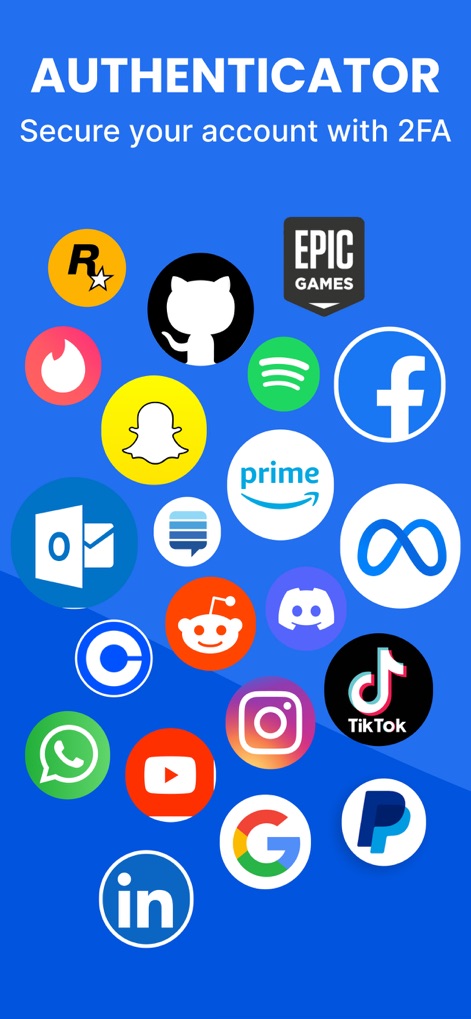
See how the app showcases extensive platform compatibility with a vibrant display of popular service logos and the clear "AUTHENTICATOR" header.
Universal 2FA Support

Discover the secure, real-time generation of 6-digit TOTP codes for multiple accounts, each with a visual countdown timer indicating code validity.
Dynamic Code Generation

Observe the seamless password management interface, where users can view saved login credentials and easily copy account URLs for quick access.
Integrated Password Vault

This view highlights the streamlined QR code scanning functionality for rapid account setup, complemented by the option to "Enter Manually" for alternative configuration.
Effortless Setup Process

Witness the integration of advanced biometric security, featuring a clear Face ID prompt and a prominent "Enable Face ID" button for enhanced app protection.
Biometric Security Layer

Explore how the app facilitates organization with customizable folders, as demonstrated by the "Social Media" folder displaying grouped 2FA codes for various platforms.
Organized Account Management
Description
Download
More Like This
Apps with similar features and user experience

Proton Pass - Password Manager
Proton AG

Dashlane Password Manager
Dashlane

Password Manager - mSecure
mSeven Software, LLC

Kepttor Password Manager
MACREL SRL SEMPLIFICATA

DataVault Manager - Encrypted
MIKHAIL SHERSHNEV

Authenticator ·
SMM service, s.r.o.

Bitwarden Password Manager
Bitwarden Inc

Authenticator App ⁸
AGILE CODE LIMITED

NordPass: Password Manager
Nordvpn S.A.
This page is not an official page of the app or its developer, but an independent editorial publication created for informational and commentary purposes. Unless expressly stated otherwise, neither the app nor its developer is affiliated with, endorsed by, sponsored by, authorized by, or otherwise officially connected with MWM, Apple, Google Play, the app publisher, or the app's developer, and nothing on this page implies that the app was developed using MWM's services. Any trademarks, logos, screenshots, and other content remain the property of their respective owners.