
This page is not an official page of the app or its developer, but an independent editorial publication created for informational and commentary purposes. Unless expressly stated otherwise, neither the app nor its developer is affiliated with, endorsed by, sponsored by, authorized by, or otherwise officially connected with MWM, Apple, Google Play, the app publisher, or the app's developer, and nothing on this page implies that the app was developed using MWM's services. Any trademarks, logos, screenshots, and other content remain the property of their respective owners.


Auto Clicker,Click Assistant
Fatigue melts away. This app grants users the ultimate digital bypass, automating the grind.
Downloads
75k+User Rating
Total Ratings
288Publisher
Category
UtilitiesLocales
1Latest Version
1.2.5Size
28.9 MBFirst Released
Nov 20, 2024An evaluation of 'Auto Clicker,Click Assistant's' key functionalities and their resonance with mobile users.
Core Automation & Utility Toolkit Analysis
Automated Click Customization
The app provides advanced automated clicking capabilities, allowing users to precisely customize speed, cycles, and positions for both single and multiple taps, significantly streamlining repetitive digital tasks.
Seamless Swipe Automation
This tool features automated swipe-up actions, enabling users to scroll through web pages or social media feeds effortlessly without manual intervention, perfect for hands-free content consumption.
Versatile Task Counter
The app provides a versatile counter feature, enabling users to efficiently track counts for various activities such as workouts, tasks, or habits, enhancing personal organization and progress monitoring.
Actions Per Minute (APM) Tester
It allows users to test their Actions Per Minute, offering a challenging way to measure and improve precision and reaction speed, particularly appealing to gamers and competitive users.
Clicks Per Second (CPS) Tester
The app features a Clicks Per Second test, providing a fun and engaging way for users to measure and enhance their rapid tapping speed, beneficial for gaming or simple competitive entertainment.
Digital Dice Roller
This tool features a digital dice roller, allowing users to simulate dice throws for board games, role-playing, or decision-making, offering a convenient alternative to physical dice.
Random Number Generator
It allows users to generate random numbers for various applications, including draws, games, or making impartial decisions, serving as a quick and reliable utility.
Mini Shooting Game
The app includes a mini-shooting game, offering a quick and fun distraction designed to help users improve their aim and accuracy in an engaging digital environment.
Frequently Asked Questions
Everything you need to know about Auto Clicker,Click Assistant
What is Auto Click - Pro?
Auto Click - Pro is an app that streamlines web browsing by automating clicks and swipe-up actions on web pages. It includes features for single, multiple, and swipe automation.
How does Auto Click - Pro automate clicks?
Auto Click - Pro automates clicks on web pages using single-tap or multi-tap modes. Users customize speed, cycles, and position for each tap.
Can Auto Click - Pro automate scrolling?
Yes, Auto Click - Pro automates scrolling through web pages using its Swipe Up Automation feature. This allows for seamless, hands-free browsing.
What additional tools are included in Auto Click - Pro?
Auto Click - Pro includes additional tools like CPS Test, APM Test, LED, Shooting Game, Counter, Electronic Wood Fish, Random Number Generator, and Dice Roller.
How much does Pro Access for Auto Click - Pro cost?
Pro Access for Auto Click - Pro costs $9.99 for a weekly subscription. This subscription auto-renews unless canceled 24 hours before the period ends.
Does Auto Click - Pro offer customization for automated clicks?
Yes, Auto Click - Pro allows users to customize click duration, delay, and intervals. Pro Access unlocks advanced customization options.
Is Auto Click - Pro useful for gaming?
Yes, Auto Click - Pro can make gaming easier by automating clicks. It supports multiple click points, as demonstrated in a gaming context.
Where can I find the privacy policy for Auto Click - Pro?
The privacy policy for Auto Click - Pro is available at https://autoclickerpro.net/privacy.html.
What is the LED feature in Auto Click - Pro?
The LED feature in Auto Click - Pro allows users to create customizable scrolling text with adjustable colors and speed.
The following screenshots and description are sourced directly from the app's official store listing and are the property of the app developer.
App Store
Screenshots
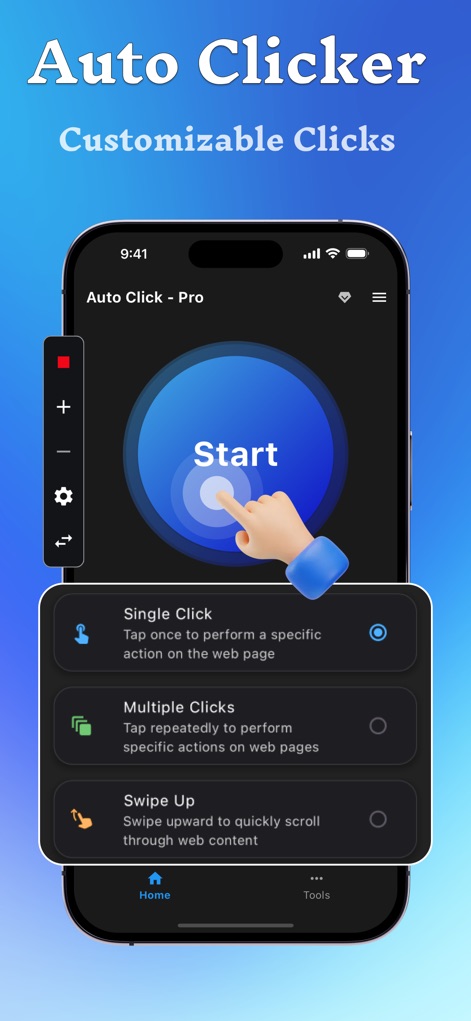
The app showcases its intuitive main interface, allowing users to configure 'Single Click' and 'Multiple Clicks' automation modes.
Precision Click Setup
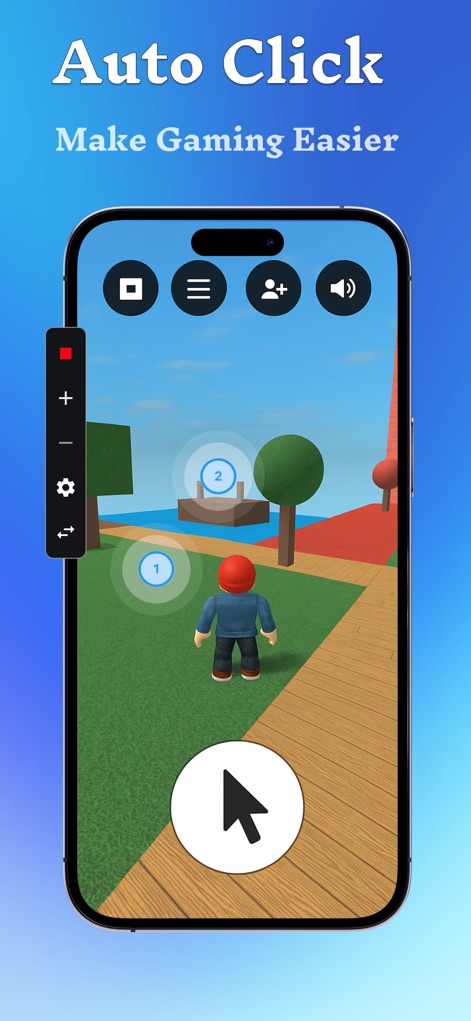
This tool empowers users with an automated edge in games, displaying custom auto-click targets and a discreet floating control bar.
Gaming Automation
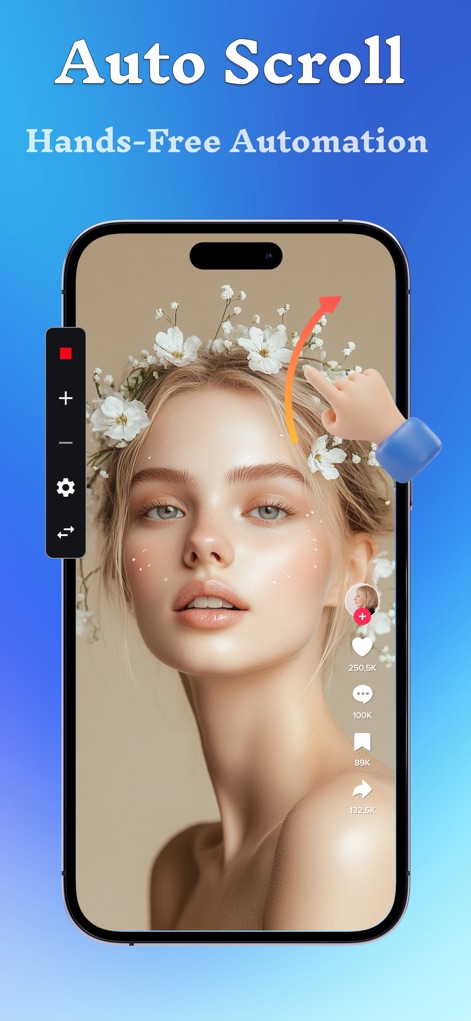
Experience seamless content navigation with the app's 'Swipe Up Automation' feature, clearly demonstrated through an animated gesture and the comprehensive control panel.
Effortless Scrolling
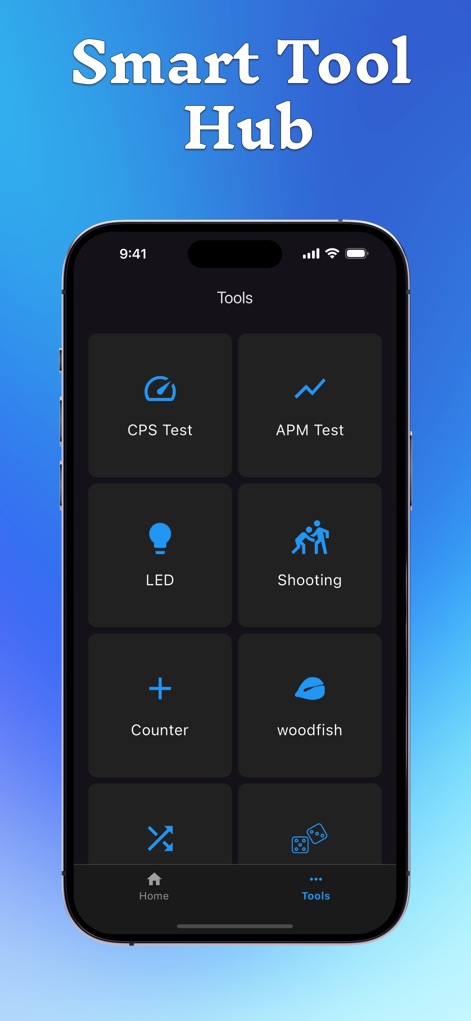
Explore the app's 'Tools' section, featuring a versatile collection of utilities from the 'CPS Test' to the engaging 'Shooting Game'.
Integrated Tool Hub

The 'LED Scrolling Text' functionality allows for creative expression, presenting options like a text input field and a diverse color selection for display customization.
Custom LED Messaging
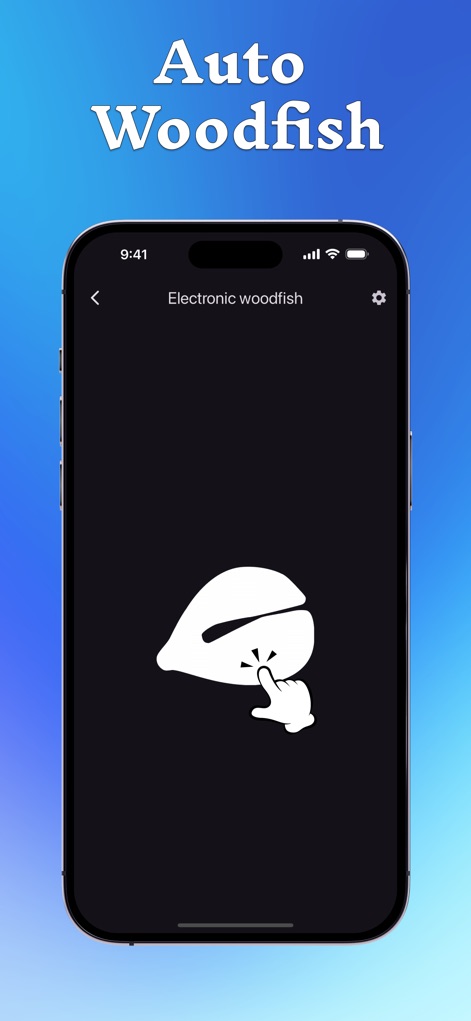
Discover the 'Electronic woodfish' tool, designed to offer a calming experience through its simple tapping mechanic and clean, minimalist interface.
Mindful Tapping
Description
Download
More Like This
Top-ranked apps in the same category

Google LLC

Google Chrome
Google LLC

中国移动(手机营业厅)
China Mobile Online Services Co., Ltd.

Google Authenticator
Google LLC

CNH do Brasil
Servicos e Informacoes do Brasil

Cleanup: Phone Storage Cleaner
DEEP FLOW SOFTWARE SERVICES - FZCO

gov.br
Servicos e Informacoes do Brasil

中国电信-全国统一官方服务平台
CHINA TELECOM Corporation Ltd.

Microsoft Edge: AI Browser
Microsoft Corporation
This page is not an official page of the app or its developer, but an independent editorial publication created for informational and commentary purposes. Unless expressly stated otherwise, neither the app nor its developer is affiliated with, endorsed by, sponsored by, authorized by, or otherwise officially connected with MWM, Apple, Google Play, the app publisher, or the app's developer, and nothing on this page implies that the app was developed using MWM's services. Any trademarks, logos, screenshots, and other content remain the property of their respective owners.