
This page is not an official page of the app or its developer, but an independent editorial publication created for informational and commentary purposes. Unless expressly stated otherwise, neither the app nor its developer is affiliated with, endorsed by, sponsored by, authorized by, or otherwise officially connected with MWM, Apple, Google Play, the app publisher, or the app's developer, and nothing on this page implies that the app was developed using MWM's services. Any trademarks, logos, screenshots, and other content remain the property of their respective owners.


Autodesk Fusion
Access your 3D designs, review 100+ file formats, and share real-time feedback with your team directly from your mobile device.
Downloads
1M+User Rating
Total Ratings
5K+Publisher
Category
ProductivityLocales
12Latest Version
2.9.3Size
134.8 MBFirst Released
May 16, 2015Engineered for Mobility
Bring your 3D workspace to life on the go. Stay synced with your team and review complex assemblies with professional-grade precision from your iPhone or iPad.
Universal CAD Compatibility
Review over 100 file formats including STEP, STL, and DWG. Access your entire project library without needing multiple desktop licenses.
Seamless Team Collaboration
Bridge the gap between the office and the field. Post comments, upload status photos, and share marked-up screenshots instantly with stakeholders.
Frequently Asked Questions
Everything you need to know about Autodesk Fusion
What is Autodesk Fusion?
Autodesk Fusion is a free mobile application for iPhone and iPad. It allows users to view and collaborate on 3D CAD models, working in conjunction with its companion cloud-based desktop product, Autodesk Fusion.
What file formats does Autodesk Fusion support?
Autodesk Fusion supports over 100 file formats. These include DWG, SLDPRT, IPT, IAM, CATPART, IGES, STEP, STL, OBJ, F3D, SMT, and DFX. This extensive support facilitates sharing designs.
Can I collaborate on 3D designs using Autodesk Fusion?
Yes, Autodesk Fusion for iPhone and iPad allows collaboration on 3D designs with individuals both inside and outside your company. You can comment on project activities and share screenshots with markups.
Is the Autodesk Fusion mobile app free to use?
Yes, the Autodesk Fusion app for iPhone and iPad is free. It works as a companion to the cloud-based desktop product, Autodesk Fusion, for viewing and collaborating on designs.
What are the main features of the Autodesk Fusion app?
The Autodesk Fusion app features include viewing over 100 data formats, reviewing 3D designs, isolating components, commenting on project activities, sharing designs, and searching for parts within models.
Does Autodesk Fusion require an account to use?
Yes, to use Autodesk Fusion for iPhone and iPad, users must sign in with their existing Fusion account information. This enables access to its functionalities for 3D design collaboration.
How can users view 3D models in the Autodesk Fusion app?
Users can view 3D models in Autodesk Fusion by uploading supported data formats. The app allows reviewing designs, isolating and hiding components, accessing design properties, and navigating via touch gestures like zoom, pan, and rotate.
Can I share designs directly from the Autodesk Fusion app?
Yes, the Autodesk Fusion app allows users to share designs. You can share with stakeholders inside and outside your company and also share screenshots with markups directly from the app.
Does Autodesk Fusion offer offline data storage?
Yes, Autodesk Fusion offers optional access to storage for offline data. This feature allows users to view their data anytime, anywhere, even without an internet connection.
The following screenshots and description are sourced directly from the app's official store listing and are the property of the app developer.
App Store
Screenshots
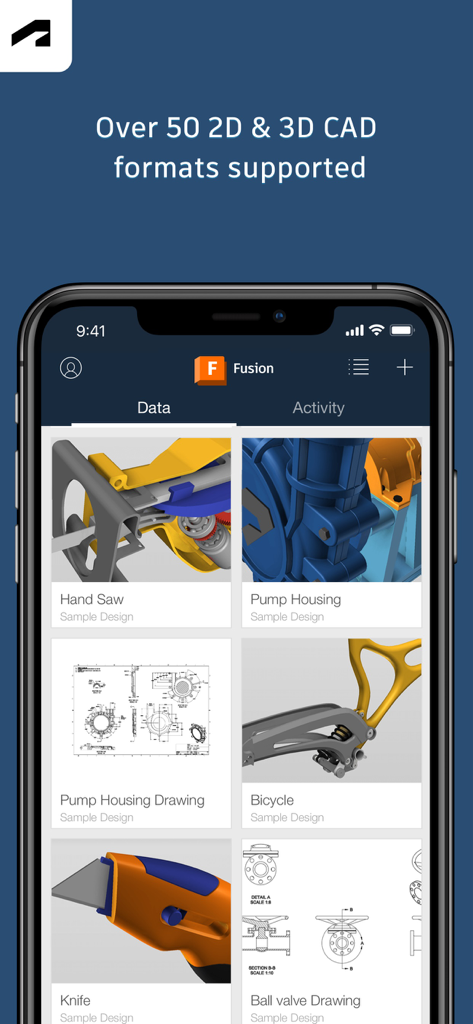
Autodesk Fusion mobile app interface showing a gallery of 2D and 3D CAD design projects
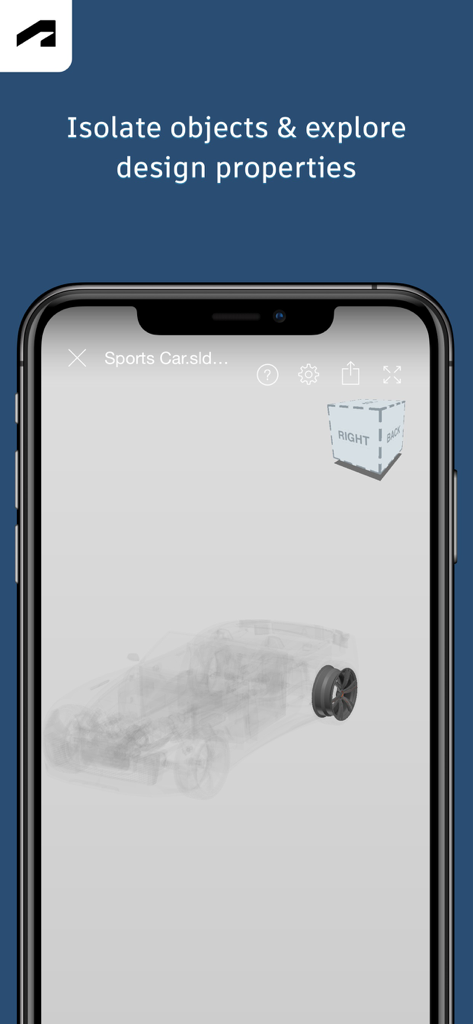
Autodesk Fusion mobile app interface showing an isolated 3D wheel component on a sports car design model
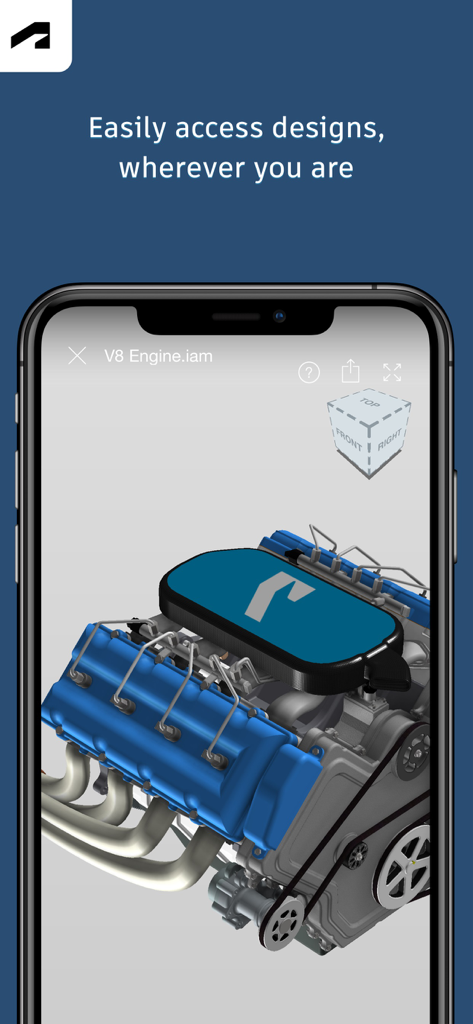
Autodesk Fusion mobile app on iPhone displaying a 3D V8 engine design for engineering review
Description
Download
More Like This
Apps with similar features and user experience

Figma
Figma, Inc.

CAD快速看图-专业DWG快速看图
永龙 王

Cadmio - CAD visualization
CADMIO Korlatolt Felelossegu Tarsasag

BIMx
Graphisoft SE

VSD Viewer for Visio Drawings
Nektony LLC

图纸通-CAD快速看图,手机看图神器
Wuhan New Dimension Systems Co. Ltd.

Draw Maps: Map Notes
Bluefield GIS, Inc.

eDrawings
Dassault Systemes SolidWorks Corporation

eDrawings Pro
Dassault Systemes SolidWorks Corporation
This page is not an official page of the app or its developer, but an independent editorial publication created for informational and commentary purposes. Unless expressly stated otherwise, neither the app nor its developer is affiliated with, endorsed by, sponsored by, authorized by, or otherwise officially connected with MWM, Apple, Google Play, the app publisher, or the app's developer, and nothing on this page implies that the app was developed using MWM's services. Any trademarks, logos, screenshots, and other content remain the property of their respective owners.