
This page is not an official page of the app or its developer, but an independent editorial publication created for informational and commentary purposes. Unless expressly stated otherwise, neither the app nor its developer is affiliated with, endorsed by, sponsored by, authorized by, or otherwise officially connected with MWM, Apple, Google Play, the app publisher, or the app's developer, and nothing on this page implies that the app was developed using MWM's services. Any trademarks, logos, screenshots, and other content remain the property of their respective owners.


BIMx
Empower your AEC workflow with an immersive 3D experience that links 2D documentation to BIM models, enabling seamless collaboration and stunning client presentations on any device.
Downloads
1M+User Rating
Total Ratings
100Publisher
Category
ProductivityLocales
19Latest Version
2025.6899Size
174.5 MBFirst Released
Sep 20, 2011Master Your Projects from Studio to Site
BIMx bridges the communication gap in the AEC industry by putting powerful 3D visualization and detailed technical documentation in the palm of your hand.
Seamless 2D-3D Integration
Navigate hyperlinked blueprints and 3D models in one interface, ensuring your team understands design intent perfectly without flipping through paper rolls.
Precision On-Site Coordination
Identify clashes and eliminate rework with real-time 3D cutaways and in-context measuring tools designed specifically for the demands of active job sites.
Frequently Asked Questions
Everything you need to know about BIMx
What is BIMx?
BIMx is an interactive app from Graphisoft for exploring BIM projects and linked documentation sets created in Archicad and DDScad. It enables visualization and collaboration on architectural design projects on mobile devices.
Does BIMx support different 3D model views?
Yes, BIMx supports different 3D model views. Users can switch between "Architectural 3D", "Structural 3D", and "MEP 3D" views to analyze various aspects of a project.
Can users control layer visibility in BIMx?
Yes, BIMx allows users to control layer visibility. BIMx Pro features include the ability to hide 3D elements and control Layer visibility in the virtual model.
Does BIMx link 3D models with 2D documentation?
Yes, BIMx links the 3D model with relevant 2D documentation layouts. This provides a seamless way to view the 3D cutaway model in the context of a 2D layout and vice versa.
Can I measure distances within a BIMx project?
Yes, BIMx allows users to measure in 3D models and on 2D layouts. This feature enables accurate distance assessments within the architectural project visualization.
How does BIMx assist with on-site collaboration?
BIMx connects the construction site with the architect’s office for streamlined collaboration. It offers real-time model cut-throughs, in-context measuring, and project markups, making it an on-site BIM companion.
Does BIMx support sun positioning and shadow casting?
Yes, BIMx supports sun positioning by date and time, along with shadow casting and shading options. These features help visualize environmental lighting conditions for architectural projects.
Are there Pro features available in BIMx?
Yes, BIMx offers Pro features with Graphisoft account-based licensing. These include issue creation for documentation revisioning, hiding 3D elements, and controlling layer visibility in the virtual model.
Can users create and manage issues in BIMx?
Yes, BIMx Pro features include issue creation, supporting BCF-based documentation revisioning. Users can attach information to issues, as demonstrated by the "Edit Issue" panel.
Does BIMx allow saving favorite views or sections?
Yes, BIMx allows users to save Favorites. This feature lets users quickly revisit specific views or sections within their 3D models, as shown with a "D Section vertical cut" favorite.
What kind of navigation does BIMx offer for 3D models?
BIMx offers game-like 3D navigation for exploring architectural projects. It also features Gravity & Egress recognition, providing an intuitive and immersive experience for users.
Can BIMx access element-level BIM data?
Yes, BIMx allows users to access element-level BIM data. The app's "BIMx hyper-model" enables non-design professionals to explore architectural design intent and access specific building component information.
Is there a demo model available for BIMx Pro features?
Yes, users can explore BIMx Pro features with the built-in demo model. This allows for hands-on experience before committing to a Graphisoft account-based licensing.
How does BIMx handle large 3D models?
BIMx explores 3D models of any size thanks to its streaming 3D engine. This technology ensures smooth performance and visualization even with extensive architectural projects.
The following screenshots and description are sourced directly from the app's official store listing and are the property of the app developer.
App Store
Screenshots
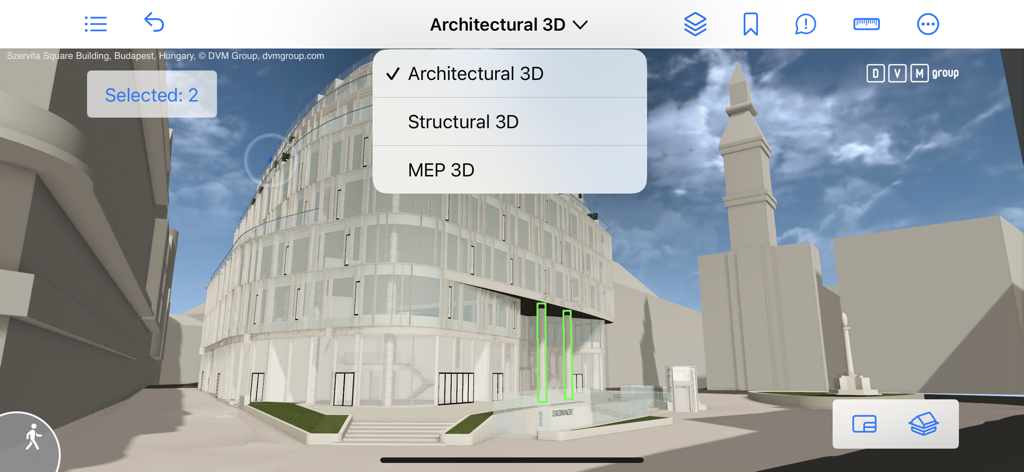
A 3D architectural model in the BIMx app showing a dropdown menu for selecting between architectural structural and MEP views
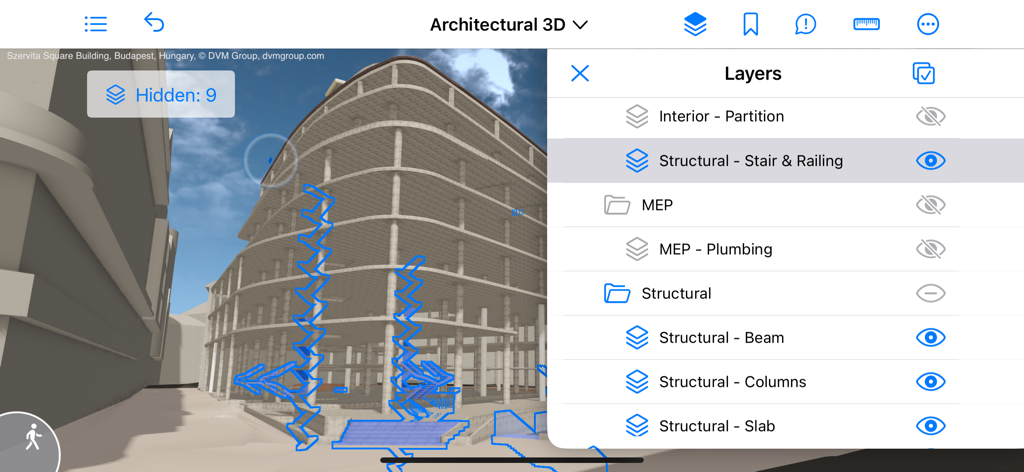
BIMx app interface showing a 3D building model with a side menu to manage architectural layer visibility
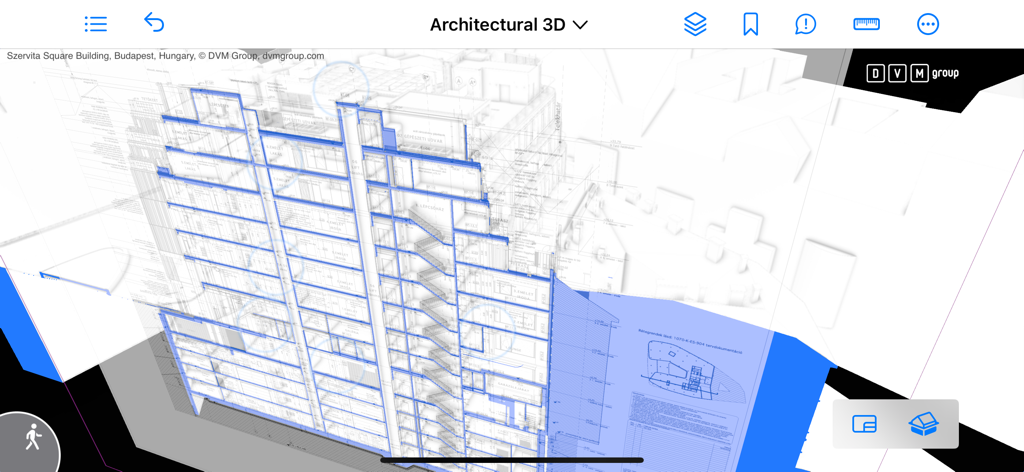
BIMx app interface showing a 3D building model with a 2D technical drawing overlay for architectural visualization
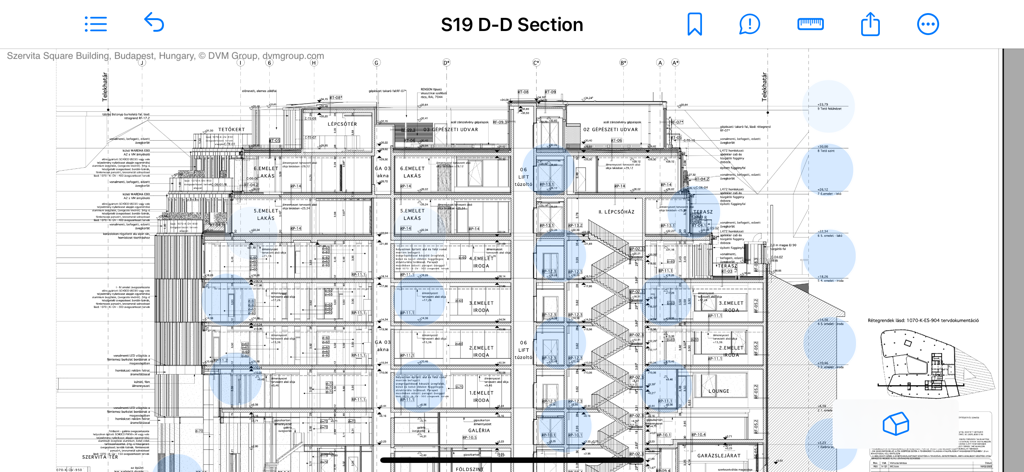
A detailed 2D architectural section drawing within the BIMx app interface
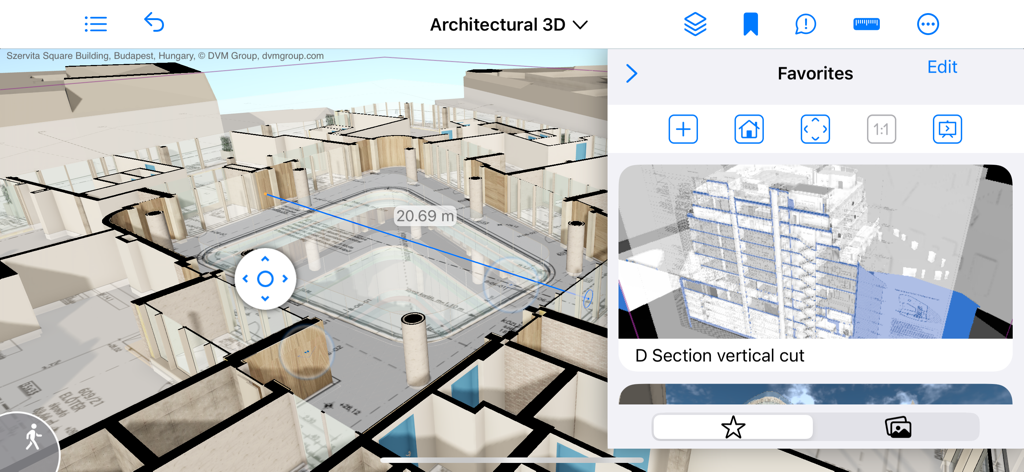
BIMx app interface showing a 3D architectural model with an active measurement tool
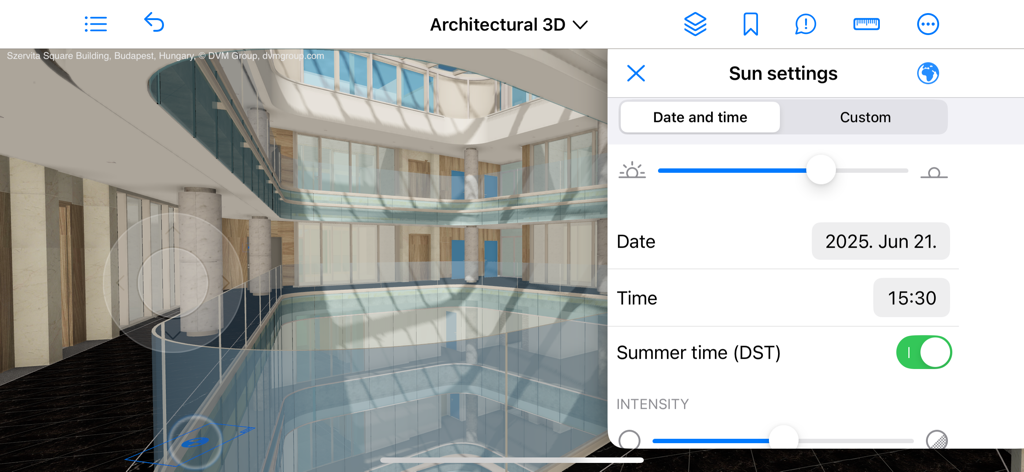
BIMx mobile app interface showing sun settings and shadow simulation on an architectural 3D model.
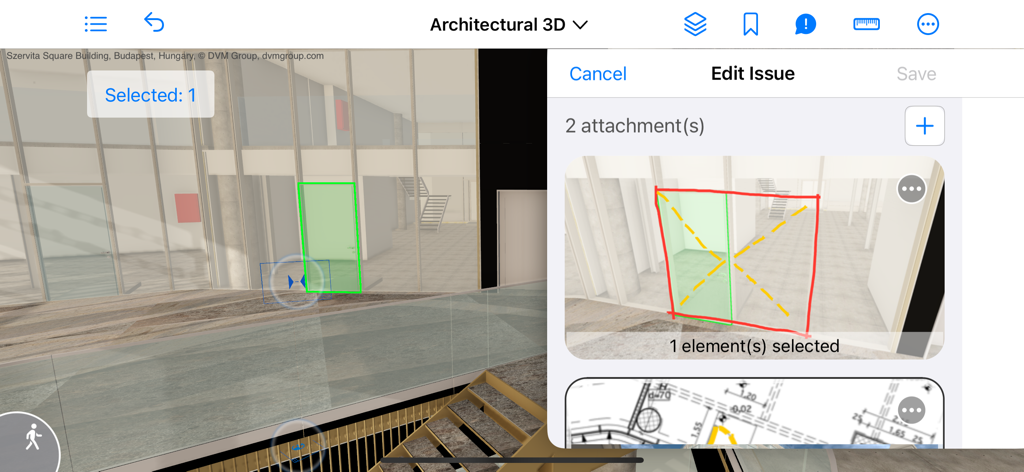
BIMx app interface showing 3D architectural model with issue creation markups and 2D drawing attachments
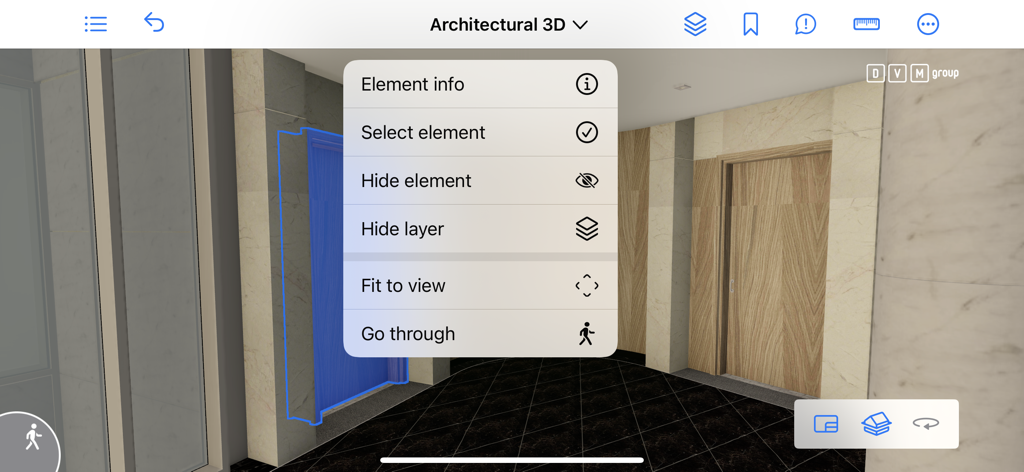
BIMx mobile app interface showing a 3D architectural model with an open element interaction menu
Description
Download
More Like This
Apps with similar features and user experience

Figma
Figma, Inc.

Autodesk Fusion
Autodesk

CAD快速看图-专业DWG快速看图
永龙 王

Cadmio - CAD visualization
CADMIO Korlatolt Felelossegu Tarsasag

VSD Viewer for Visio Drawings
Nektony LLC

图纸通-CAD快速看图,手机看图神器
Wuhan New Dimension Systems Co. Ltd.

Draw Maps: Map Notes
Bluefield GIS, Inc.

eDrawings
Dassault Systemes SolidWorks Corporation

eDrawings Pro
Dassault Systemes SolidWorks Corporation
This page is not an official page of the app or its developer, but an independent editorial publication created for informational and commentary purposes. Unless expressly stated otherwise, neither the app nor its developer is affiliated with, endorsed by, sponsored by, authorized by, or otherwise officially connected with MWM, Apple, Google Play, the app publisher, or the app's developer, and nothing on this page implies that the app was developed using MWM's services. Any trademarks, logos, screenshots, and other content remain the property of their respective owners.