
This page is not an official page of the app or its developer, but an independent editorial publication created for informational and commentary purposes. Unless expressly stated otherwise, neither the app nor its developer is affiliated with, endorsed by, sponsored by, authorized by, or otherwise officially connected with MWM, Apple, Google Play, the app publisher, or the app's developer, and nothing on this page implies that the app was developed using MWM's services. Any trademarks, logos, screenshots, and other content remain the property of their respective owners.


Downloads
3M+User Rating
Total Ratings
25K+Publisher
Category
EducationLocales
1Latest Version
3.6.5Size
191.4 MBFirst Released
Sep 1, 2020Elevate Your Home-School Communication
From real-time homework tracking to secure grade reporting, Class Little Steward provides the ultimate digital toolkit for high-achieving families and educators focused on academic excellence.
Smart Homework Hub
Digitize the assignment lifecycle with instant submission and grading. Eliminate lost paperwork and ensure your child never misses a deadline.
Daily Habit Building
Drive academic consistency through automated daily check-ins for reading, music, and practice, fostering discipline and measurable progress.
Frequently Asked Questions
Everything you need to know about 班级小管家
What is 班级小管家?
班级小管家 is an efficient home-school communication tool. It offers features like homework management, online grading, daily check-ins, surveys, and private report cards to streamline educational interactions.
Who can use the 班级小管家 app?
The 班级小管家 app supports simultaneous use by multiple parents and multiple users. It facilitates communication between teachers and parents for class management.
What features does 班级小管家 offer teachers?
Teachers can assign and collect homework, grade online, conduct daily check-ins, create surveys, send private report cards, and upload learning materials to a class network drive. They can also view task completion details.
Can parents track their child's academic progress using 班级小管家?
Yes, parents can use 班级小管家 to monitor their child's homework completion quality and classroom performance at any time. Private report cards are also available.
How does the 班级小管家 app improve home-school communication?
班级小管家 significantly enhances home-school information exchange efficiency and elevates class information management. It provides tools like notices, assignments, and performance updates.
Does the 班级小管家 app support daily check-ins for students?
Yes, 班级小管家 includes a daily check-in feature. Teachers can set up tasks like "亲子阅读打卡" (Parent-child Reading Check-in), and parents/students can complete them.
Can students submit voice assignments through the 班级小管家 app?
Yes, 班级小管家 allows students to submit homework via voice recordings. Options include direct recording, selecting from a recording list, or choosing from a file.
How do parents confirm receipt of notifications in 班级小管家?
Parents confirm notifications by clicking the "确认收到通知" (Confirm receipt of notice) button located at the bottom of the notification detail page. This ensures teachers track acknowledgment.
What types of tasks can teachers assign using 班级小管家?
Teachers can assign various tasks including parent meeting notices, midterm exam score releases, parent-child reading check-ins, after-school service registrations, and general homework.
The following screenshots and description are sourced directly from the app's official store listing and are the property of the app developer.
App Store
Screenshots
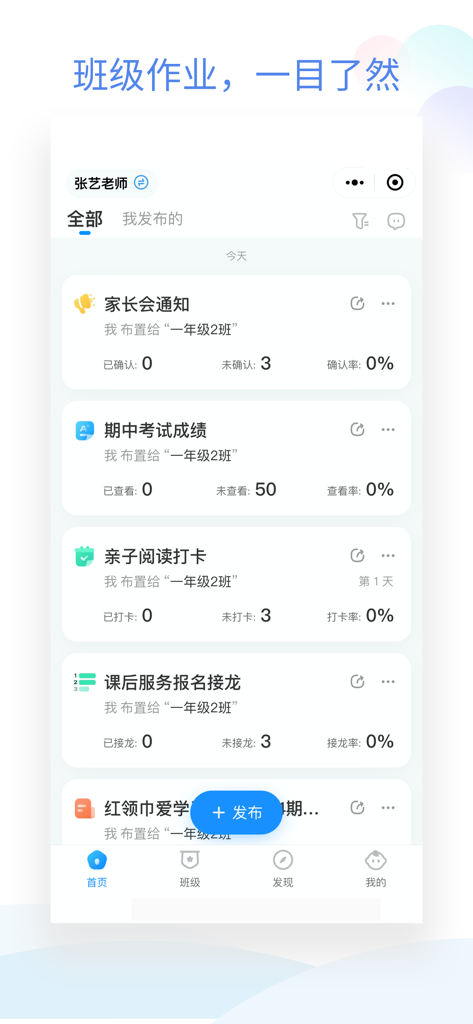
Dashboard of Class Little Steward app showing homework assignments and class notices
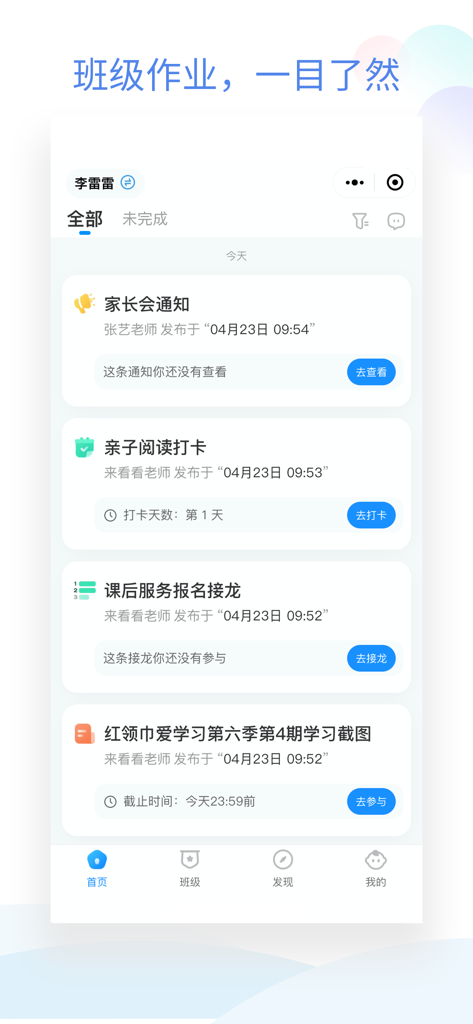
Mobile app interface of Class Little Steward showing a list of school assignments and parent-teacher notifications
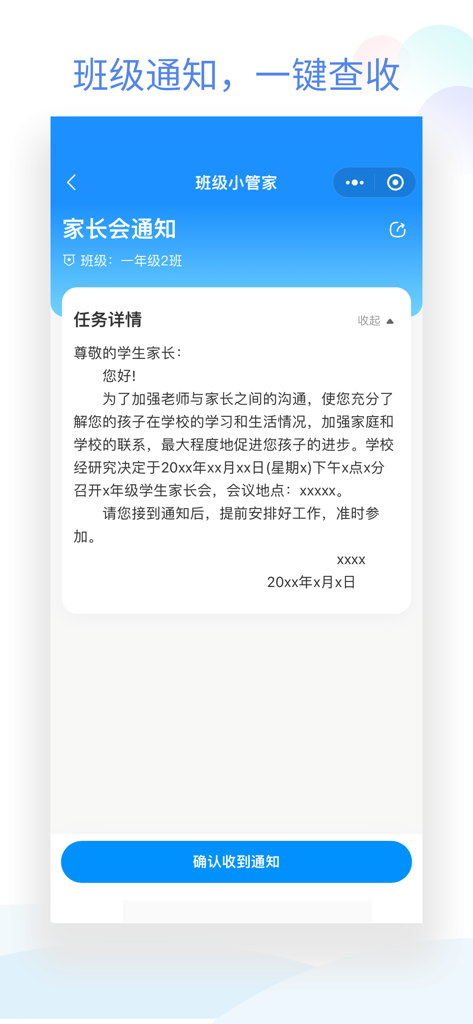
Mobile app interface of Class Little Steward showing a school notification for a parent teacher meeting with a blue confirm receipt button.
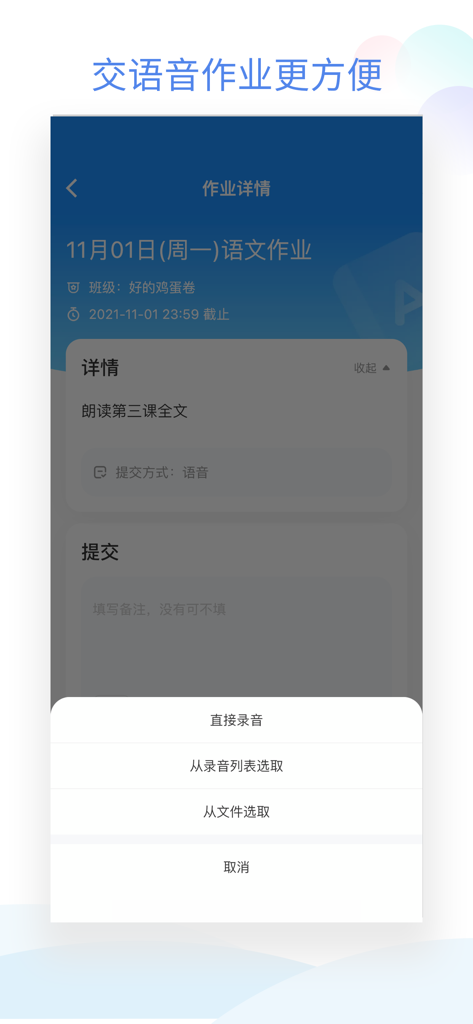
Interface of the Class Little Steward app showing options to record or upload voice homework for a Chinese language assignment.
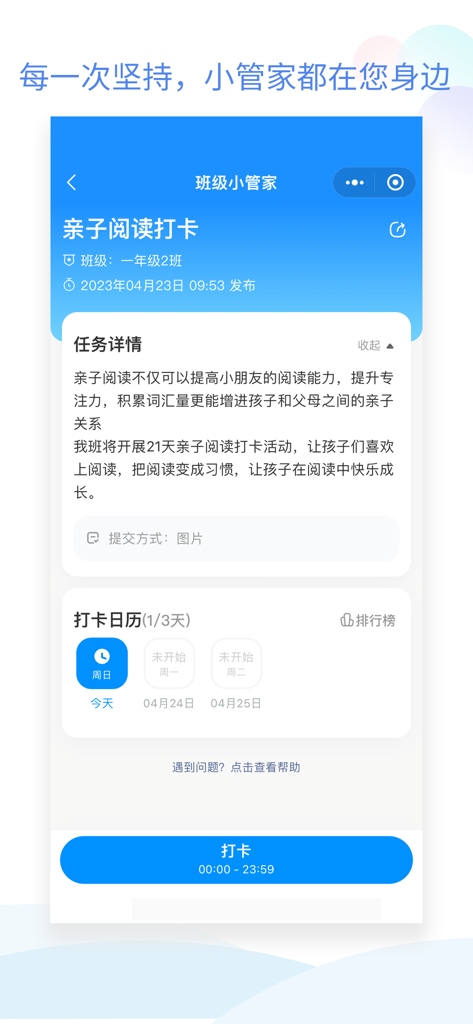
Interface of Class Little Steward app displaying a parent child reading check in task with a progress calendar
Description
Download
More Like This
Apps with similar features and user experience

ClassDojo
ClassDojo, Inc.

Госуслуги Моя школа
MINKOMSVYAZ ROSSII, FKU

Remind: School Communication
PARENTSQUARE LLC

Agenda Edu SuperApp
Agenda Kids Ltda ME

FAMILIES | TalkingPoints
TalkingPoints Corp

Canvas by Instructure
Instructure, Inc.

ParentSquare
PARENTSQUARE LLC

Brightspace Pulse
D2L Corporation

PowerSchool Mobile
PowerSchool Group LLC
This page is not an official page of the app or its developer, but an independent editorial publication created for informational and commentary purposes. Unless expressly stated otherwise, neither the app nor its developer is affiliated with, endorsed by, sponsored by, authorized by, or otherwise officially connected with MWM, Apple, Google Play, the app publisher, or the app's developer, and nothing on this page implies that the app was developed using MWM's services. Any trademarks, logos, screenshots, and other content remain the property of their respective owners.