
This page is not an official page of the app or its developer, but an independent editorial publication created for informational and commentary purposes. Unless expressly stated otherwise, neither the app nor its developer is affiliated with, endorsed by, sponsored by, authorized by, or otherwise officially connected with MWM, Apple, Google Play, the app publisher, or the app's developer, and nothing on this page implies that the app was developed using MWM's services. Any trademarks, logos, screenshots, and other content remain the property of their respective owners.


BestTracker - 百事AA记账
The ultimate collaborative finance hub for roommates, couples, and friends. Track bills with AI voice recording, snap receipt photos, and split costs precisely—keeping your group finances transparent and stress-free.
Downloads
235K+User Rating
Total Ratings
5K+Publisher
Category
FinanceLocales
2Latest Version
3.12.65Size
129.7 MBFirst Released
Mar 26, 2021Master Your Shared Finances Together
The ultimate tool for modern couples and roommates to track budgets, split bills fairly, and gain total financial transparency without the awkward conversations.
Seamless Collaborative Ledgers
Manage household bills, group trips, or shared rent with dedicated books. Invite partners or roommates to track expenses and settle debts in real-time.
Frictionless AI Logging
Stop wasting time on manual data entry. Use AI voice commands or snap a photo of your receipt to instantly categorize and record expenses on the go.
Frequently Asked Questions
Everything you need to know about BestTracker - 百事AA记账
What is BestTracker - 百事AA记账?
BestTracker is an expense management app for shared finances. It enables creating and sharing multiple ledgers, splitting expenses, tracking budgets, and generating reports with various smart features.
How can BestTracker help manage shared expenses?
BestTracker allows users to create multiple ledgers and share them with others like partners or housemates. It supports various splitting options including equal sharing, proportions, shares, and exact amounts.
Does BestTracker support voice input for adding bills?
Yes, BestTracker features AI Voice Recording. Users add bills by speaking a sentence, which the app automatically processes to classify the amount, currency, time, and description.
Can I add bills to BestTracker by taking a photo?
Yes, BestTracker enables users to add bills by taking a photo or screenshot of the receipt. This quick method saves the bill when speaking is inconvenient.
How does BestTracker protect user privacy and data?
BestTracker protects personal privacy through device encryption. Access methods include face recognition, fingerprint recognition, and password protection to secure user data effectively.
Does BestTracker support recurring transactions?
Yes, BestTracker supports revolving income and payments. Users set up fixed incomes and expenditures, and the system automatically records bills for periodical occurrences like salary or rent.
Can I set budgets in the BestTracker app?
Yes, BestTracker includes a multi-member budget center. It supports multi-user and multi-book budgets, settable by day, month, year, and across different categories.
What reporting features are available in BestTracker?
BestTracker provides multi-function statistical reports, including team, individual, and other members' reports. It also displays spending trends and member expense ratios.
Does BestTracker allow exporting transaction data?
Yes, BestTracker supports exporting transactions. Data is exportable in various formats, including HTML and Excel, with Excel exports optionally including receipts.
What are the subscription options for BestTracker VIP?
BestTracker VIP subscriptions offer 1-month, 3-month, or 12-month periods. These plans feature continuous monthly, quarterly, or annual auto-renewal options, respectively.
How do I cancel a BestTracker VIP subscription auto-renewal?
To cancel BestTracker VIP auto-renewal, users must manually terminate it in their iTunes/Apple ID settings management at least 24 hours before the current subscription period expires.
Does BestTracker support multiple currencies?
Yes, BestTracker is multi-currency ready, supporting over 100 currencies with live exchange rates. Users can customize exchange rates anytime within the app.
Can members have different permissions in a BestTracker ledger?
Yes, BestTracker offers flexible member permissions. Each account can be shared with different authorities, allowing roles like viewer, editor, or admin to be assigned.
The following screenshots and description are sourced directly from the app's official store listing and are the property of the app developer.
App Store
Screenshots
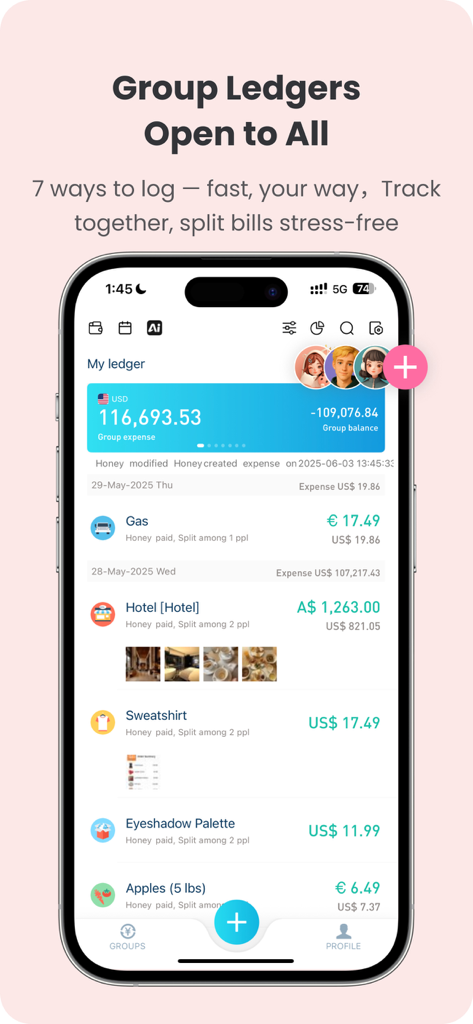
BestTracker app interface showing shared group ledgers and bill splitting for friends and roommates
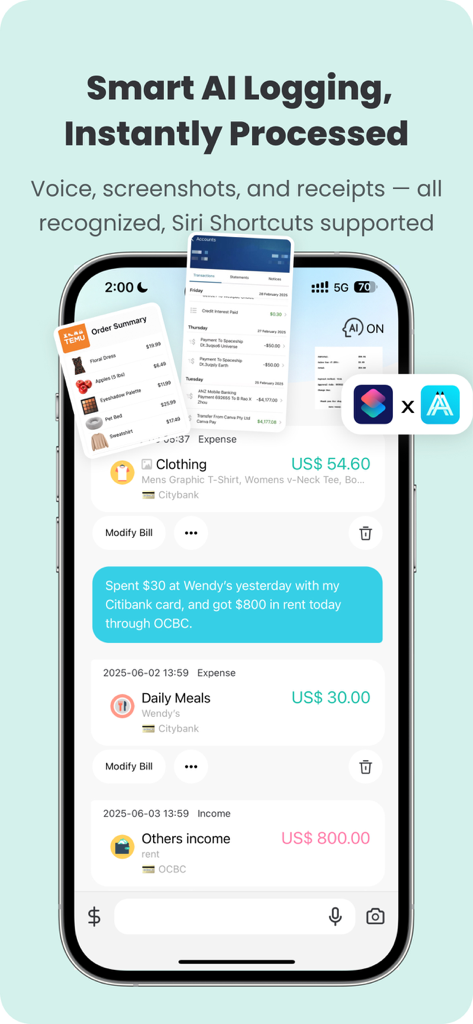
BestTracker app interface showing AI voice and screenshot expense logging with Siri Shortcuts integration
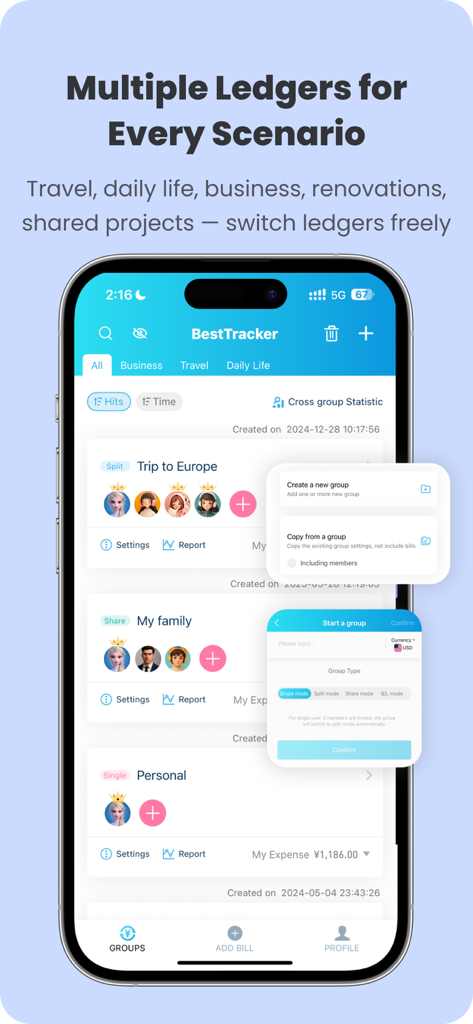
BestTracker app screen displaying multiple shared ledgers for travel and personal expense tracking
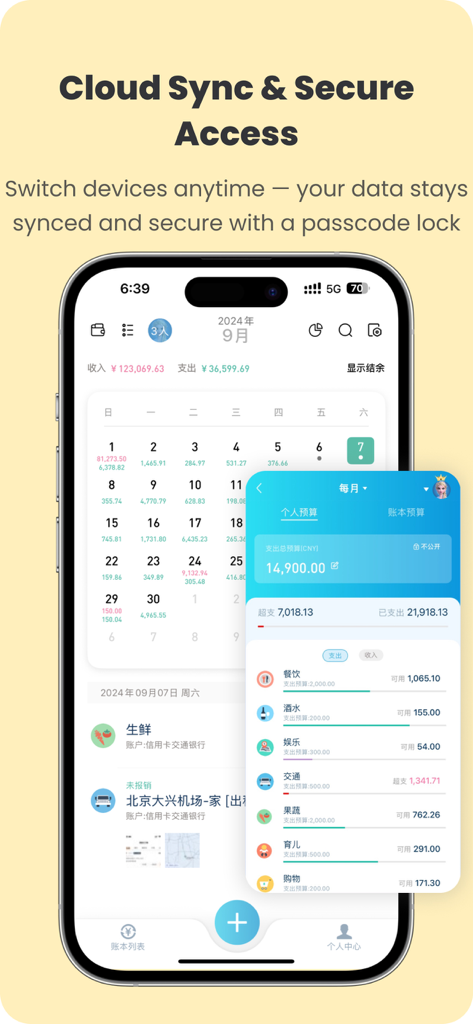
BestTracker mobile app interface showing cloud synchronization and secure passcode features
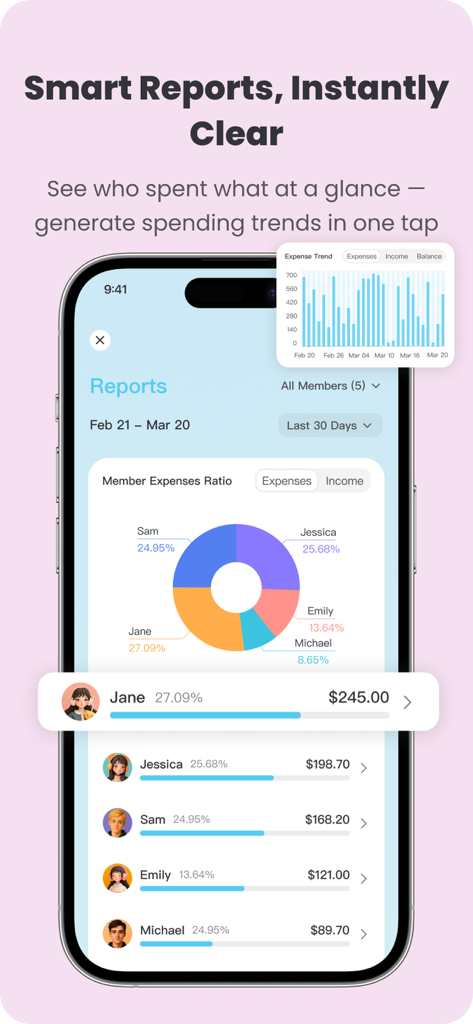
BestTracker app interface showing member expense ratio pie chart and monthly spending trends
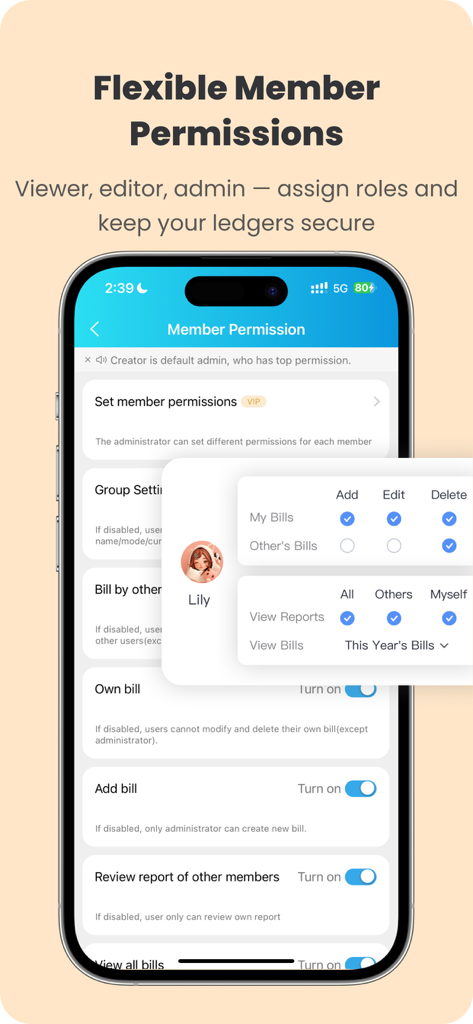
A mobile app screen showing flexible member permission settings for shared ledgers in BestTracker.
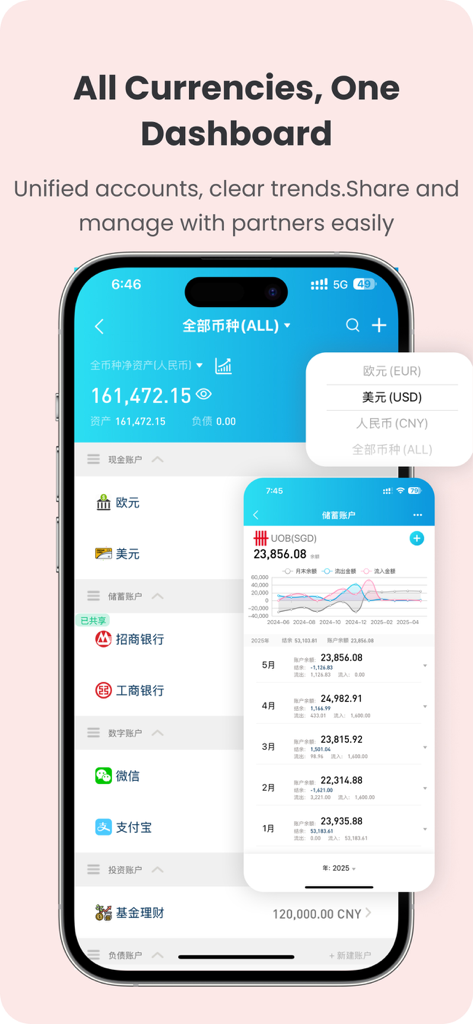
BestTracker mobile app interface showing multi-currency accounts and a visual dashboard of financial trends.
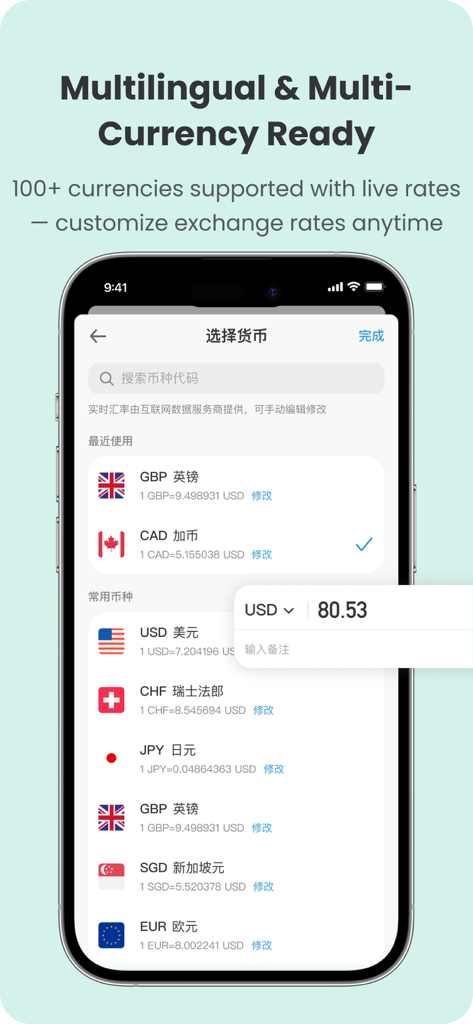
BestTracker app interface showing a list of over 100 supported currencies with live exchange rates.
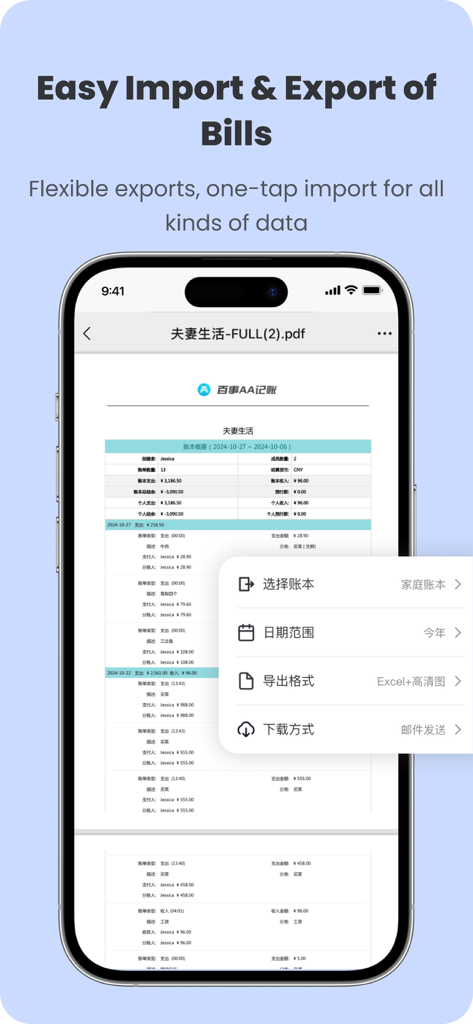
BestTracker app interface showing bill export settings for Excel and PDF formats on a smartphone screen
Description
Download
More Like This
Apps with similar features and user experience

tricount: Split & Settle Bills
Tricount SA

Splid – Split group bills
Nicolas Jersch

Settle Up - Group Expenses
Step Up Labs, Inc.

Splitser - WieBetaaltWat
Splitser BV

Bill Bear
XING YU SU

Splittr - Expense Splitting
RWichmann GmbH

割り勘 レコペイ- 共有家計簿・旅行計画・レシート読み取り
Ryo Iida

Cost Split
Jacob Ivstam

Who Owes Me - IOU Tracker
Roman Voglhuber
This page is not an official page of the app or its developer, but an independent editorial publication created for informational and commentary purposes. Unless expressly stated otherwise, neither the app nor its developer is affiliated with, endorsed by, sponsored by, authorized by, or otherwise officially connected with MWM, Apple, Google Play, the app publisher, or the app's developer, and nothing on this page implies that the app was developed using MWM's services. Any trademarks, logos, screenshots, and other content remain the property of their respective owners.