
This page is not an official page of the app or its developer, but an independent editorial publication created for informational and commentary purposes. Unless expressly stated otherwise, neither the app nor its developer is affiliated with, endorsed by, sponsored by, authorized by, or otherwise officially connected with MWM, Apple, Google Play, the app publisher, or the app's developer, and nothing on this page implies that the app was developed using MWM's services. Any trademarks, logos, screenshots, and other content remain the property of their respective owners.


Splitser - WieBetaaltWat
Stop the awkward money dance; it's time to dictate financial fairness. MWM's creation ensures every cent is tracked, every debt settled, and every friendship saved.
Downloads
1M+User Rating
Total Ratings
57.8KPublisher
Category
FinanceLocales
28Latest Version
4.0.43Size
63.6 MBFirst Released
Oct 5, 2016An in-depth analysis of key functionalities within the Splitser application.
Core Features of Splitser - WieBetaaltWat
Intuitive Group Expense Tracking
The app provides a transparent and fair way for all members to add, edit, and view transactions, ensuring accurate tracking and distribution of group expenses, tailored to individual contributions.
Robust Multi-Currency Management
This tool features support for over 150 currencies, allowing users to create lists and add expenses in different currencies simultaneously, which is essential for international travel and diverse groups.
Streamlined Debt Settlement & Payments
It allows users to quickly settle outstanding debts with integrated payment options like iDEAL and Bancontact, and send payment requests via popular messaging platforms, greatly simplifying the final settlement process.
Seamless Group Invitation
The app allows users to invite participants to a list directly through popular communication channels such as WhatsApp, Messenger, SMS, or email, facilitating quick and easy group setup.
Enhanced Transaction Details
It allows users to attach images of receipts or bills to transactions and categorize expenses, enhancing clarity, accountability, and making it easier to track specific spending areas.
Detailed Financial Insights & Export
The app provides advanced insights into spending patterns by category and member, and allows users to export transaction data to CSV or PDF, enabling thorough financial analysis and record-keeping.
Automated Recurring Expenses
This tool features the ability to set up recurring expenses, automatically adding regular costs like subscriptions or rent to the list, which simplifies management for long-term shared arrangements.
Offline Expense Entry
It allows users to enter expenses even when offline, ensuring that no transaction is missed, particularly useful for travelers in areas with limited or no internet connectivity.
Frequently Asked Questions
Everything you need to know about Splitser - WieBetaaltWat
What is the Splitser - WieBetaaltWat app?
Splitser is the number one app designed for splitting, settling, and paying group expenses. It facilitates managing shared costs among friends, families, travelers, and various other groups efficiently.
How does Splitser - WieBetaaltWat work to manage group expenses?
Splitser allows users to create lists, invite participants, and add transactions. It tracks balances and facilitates settlement by indicating who owes what, enabling direct payments or payment requests.
Can I invite participants to an expense list in Splitser?
Yes, Splitser users can invite others to an expense list. This invitation process occurs through various communication channels, including Whatsapp, Messenger, SMS, or Email.
What payment methods does Splitser support for settling group debts?
Splitser supports direct debt payments via iDEAL and Bancontact. It also allows users to send payment requests through Whatsapp, Messenger, SMS, or Email for settlement.
Does Splitser - WieBetaaltWat support multiple currencies?
Yes, Splitser supports over 150 different currencies for new lists. Users can also add expenses in multiple currencies on the same list, which is ideal for international travel.
How do I check outstanding balances and settlements in Splitser?
Splitser provides a 'Balance' tab within each list, detailing individual and overall spending. The 'Settle' function identifies specific debts and credits among all group members.
Can I add receipts to expenses in Splitser - WieBetaaltWat?
Yes, Splitser allows users to attach an image, such as a receipt or bill, to an expense. This feature helps maintain clear and verifiable records for each transaction.
Does the Splitser app have a dark mode?
Yes, the Splitser app offers a dark mode option. This feature enhances viewing comfort and can contribute to reduced battery consumption on compatible devices.
Can I use Splitser offline to enter expenses?
Yes, Splitser includes an offline mode. This functionality enables users to continue entering expenses even in remote locations without requiring an active internet connection.
How can I export my transaction data from Splitser?
Users can export transaction data from Splitser to CSV or PDF formats. This export functionality is available as a feature within the Splitser Premium subscription.
Is Splitser - WieBetaaltWat a free app to use?
Yes, creating an account and using the core functionalities of the Splitser app is free. Users can log in or create a free Splitser account to manage group expenses.
The following screenshots and description are sourced directly from the app's official store listing and are the property of the app developer.
App Store
Screenshots
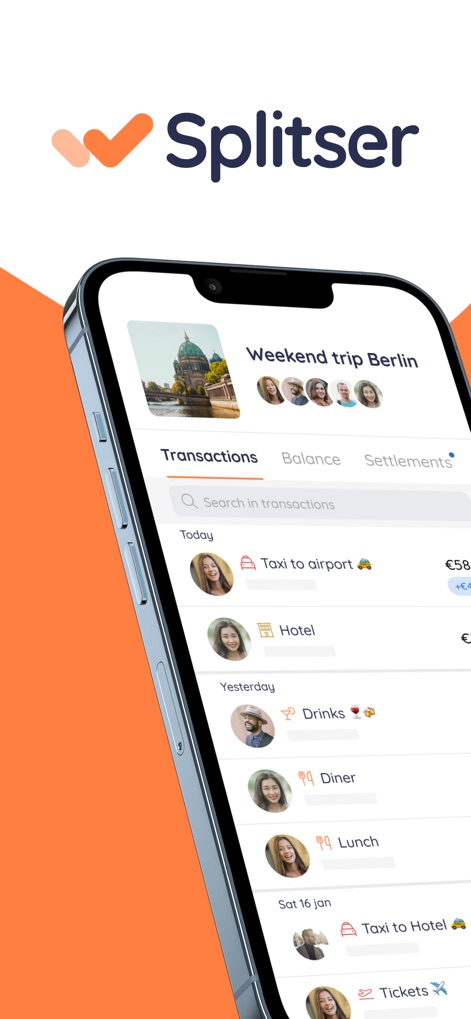
This tool provides a clear transaction list for group expenses and visually displays user profiles involved in each transaction, ensuring transparency.
Effortless Expense Tracking
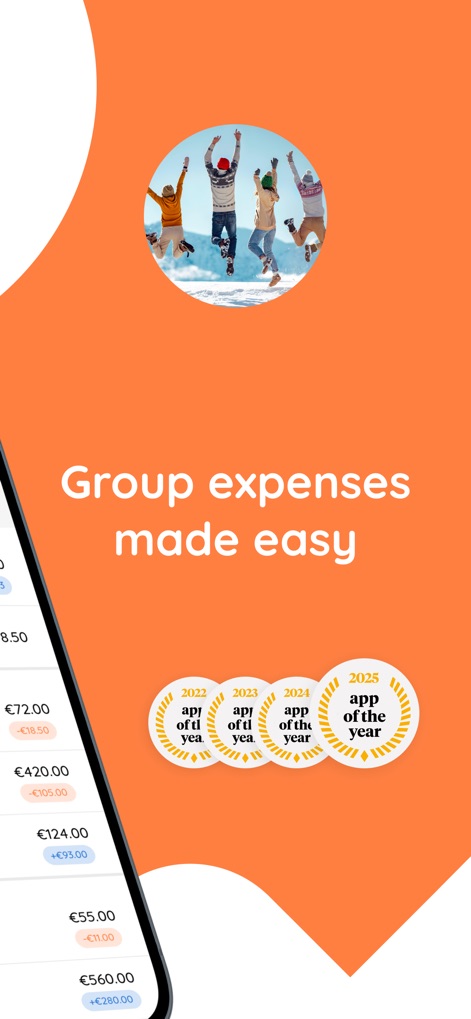
The app streamlines expense management with a clear, intuitive interface and showcases its multiple 'App of the Year' awards.
Simplified Group Spending
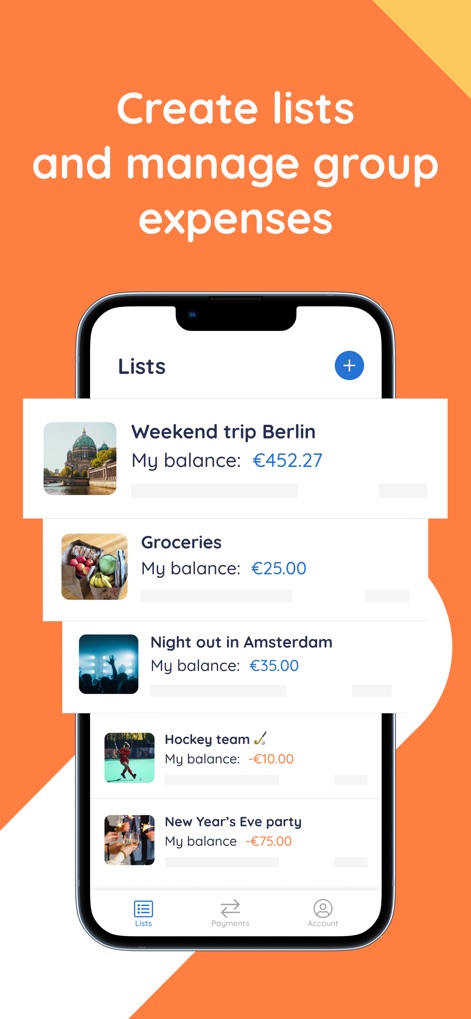
Users can easily create and navigate distinct expense lists for various activities, each displaying an individual balance for quick oversight.
Manage Shared Lists
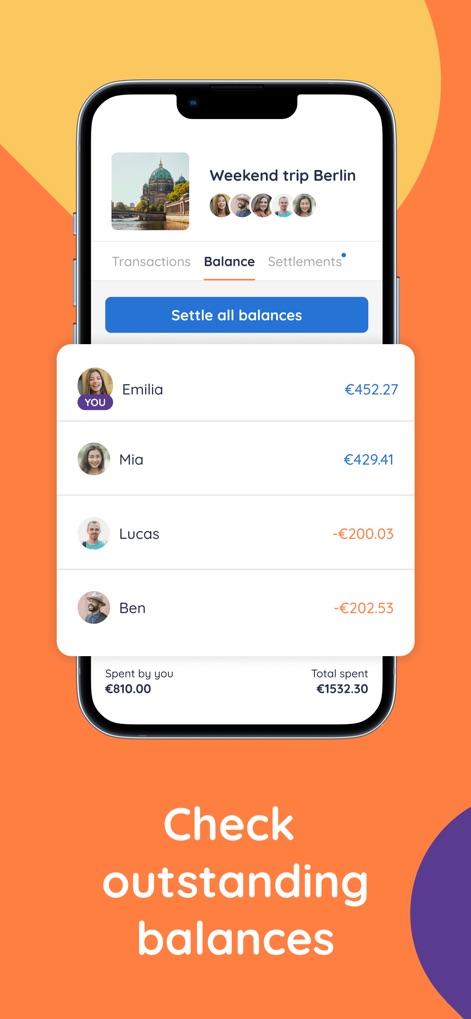
This screen clearly presents individual member balances and a comprehensive overview of total group spending, alongside a 'Settle all balances' option.
Real-Time Balance Check

The app simplifies debt resolution by detailing who owes whom and integrating convenient 'Request' buttons for seamless payment collection.
Effortless Debt Resolution
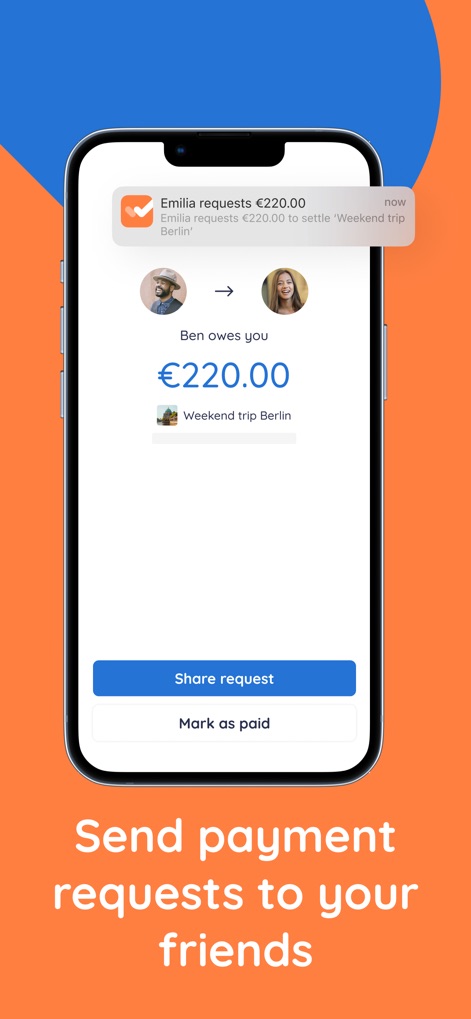
Users can generate and send personalized payment requests, featuring clear debt amounts and options to 'Share request' or 'Mark as paid' directly.
Streamlined Payment Requests

This screen confirms payment details, including the specific account holder and payment ID, and highlights seamless integration with local payment methods like iDEAL and Bancontact.
Integrated Payment Options
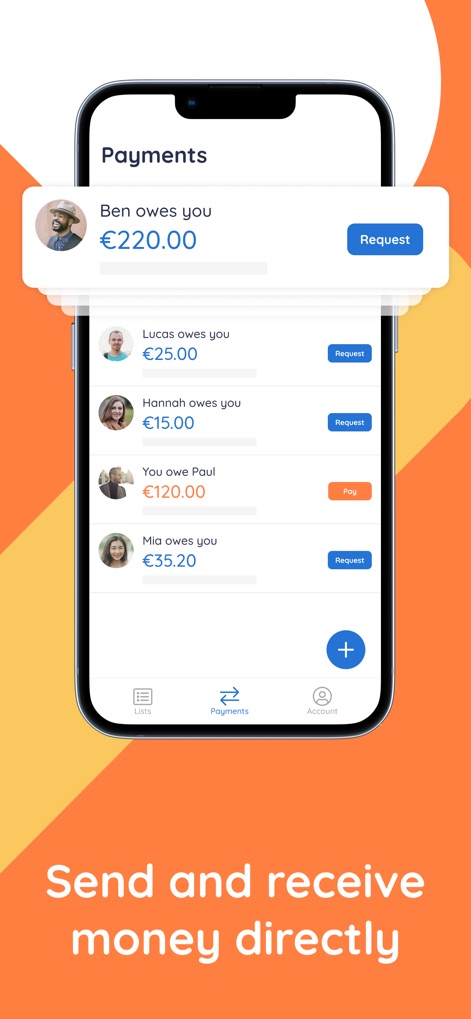
The Payments section provides a centralized hub to view outstanding requests and offers direct 'Request' and 'Pay' actions for streamlined financial interactions.
Dynamic Payment Hub
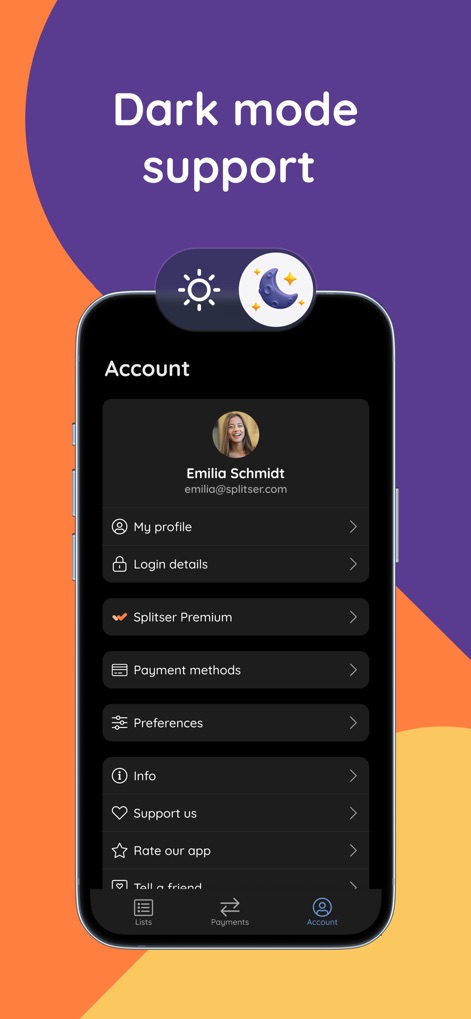
The app offers a sleek dark mode interface for improved readability and includes comprehensive account settings for customizable user preferences.
Personalized App Experience
Description
Download
More Like This
Apps with similar features and user experience

tricount: Split & Settle Bills
Tricount SA

Splid – Split group bills
Nicolas Jersch

Settle Up - Group Expenses
Step Up Labs, Inc.

BestTracker - 百事AA记账
Beijing BaiShiChuangYi Technology Co., Ltd.

Bill Bear
XING YU SU

Splittr - Expense Splitting
RWichmann GmbH

割り勘 レコペイ- 共有家計簿・旅行計画・レシート読み取り
Ryo Iida

Cost Split
Jacob Ivstam

Who Owes Me - IOU Tracker
Roman Voglhuber
This page is not an official page of the app or its developer, but an independent editorial publication created for informational and commentary purposes. Unless expressly stated otherwise, neither the app nor its developer is affiliated with, endorsed by, sponsored by, authorized by, or otherwise officially connected with MWM, Apple, Google Play, the app publisher, or the app's developer, and nothing on this page implies that the app was developed using MWM's services. Any trademarks, logos, screenshots, and other content remain the property of their respective owners.