
This page is not an official page of the app or its developer, but an independent editorial publication created for informational and commentary purposes. Unless expressly stated otherwise, neither the app nor its developer is affiliated with, endorsed by, sponsored by, authorized by, or otherwise officially connected with MWM, Apple, Google Play, the app publisher, or the app's developer, and nothing on this page implies that the app was developed using MWM's services. Any trademarks, logos, screenshots, and other content remain the property of their respective owners.


Bill Bear
Effortlessly manage group expenses, trips, and shared households with real-time sync and total privacy. The smartest way to settle up without sharing your personal data.
Downloads
209K+User Rating
Total Ratings
1K+Publisher
Category
LifestyleLocales
3Latest Version
1.34.6Size
57.5 MBFirst Released
Dec 7, 2020Share Expenses Without the Stress
The ultimate tool for roommates, travelers, and friends. Manage group spending with a focus on privacy, speed, and fairness.
Privacy-First Experience
No registration, no emails, and no tracking. Start a group and invite friends in seconds without ever compromising your personal data.
Real-Time Group Sync
Keep everyone in the loop effortlessly. Shared expenses update across all devices instantly, making awkward mental math a thing of the past.
Frequently Asked Questions
Everything you need to know about Bill Bear
What is Bill Bear?
Bill Bear is an app designed to simplify sharing expenses with friends, family, or groups. It helps users effortlessly split costs for group bills, households, or trips.
Can Bill Bear be used to collaborate on expenses with multiple users?
Yes, Bill Bear allows multiple users to collaborate within a group, making expense sharing straightforward. Data syncs in real-time for all participants.
Does Bill Bear work offline?
Yes, Bill Bear functions offline. It also syncs data in real-time once an internet connection is re-established.
Is registration required to use Bill Bear?
No, registration is not necessary to use Bill Bear. The app also states that it does not collect any personal data.
What are the benefits of the Bill Bear Pro version?
The Bill Bear Pro version offers an ad-free experience and allows for unlimited groups. Upgrading to Pro also supports further app development.
How do I manage my Bill Bear Pro subscription?
You can manage your Bill Bear Pro subscription and turn off auto-renewal by visiting your Apple Account Settings after purchase.
Does Bill Bear support different currencies for expense tracking?
Yes, Bill Bear supports all global currencies for tracking and splitting expenses. Users can input costs in their local currency.
How does Bill Bear handle splitting expenses?
Bill Bear offers flexible options to split expenses, including equally, by percentage, or by adjustment for individual contributions.
Can users customize categories in Bill Bear?
Yes, Bill Bear allows users to customize categories for their expenses. The app provides a default list, and users can add new categories as needed.
Does Bill Bear provide an overview of who owes whom?
Yes, Bill Bear provides a clear overview of net balances and debt relations, showing exactly who needs to pay whom within a group.
The following screenshots and description are sourced directly from the app's official store listing and are the property of the app developer.
App Store
Screenshots
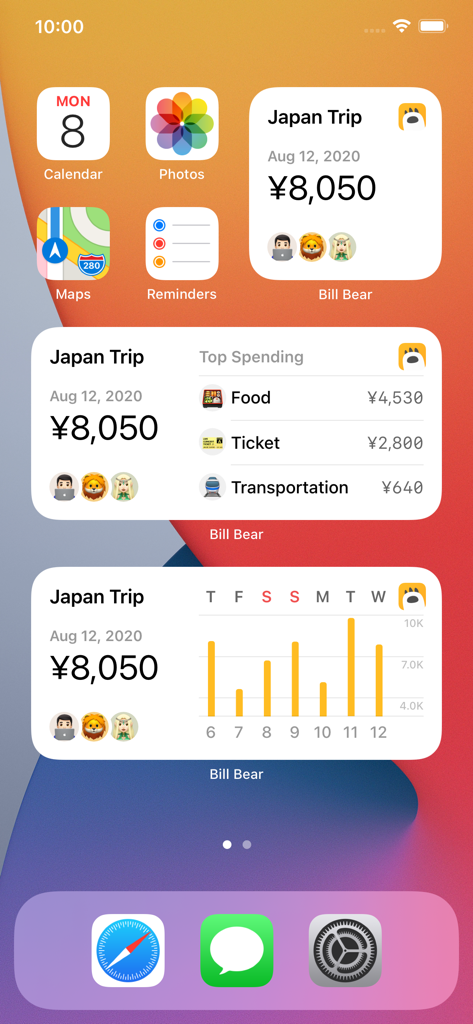
Bill Bear iOS home screen widgets showing travel expenses and spending analysis for a Japan trip.
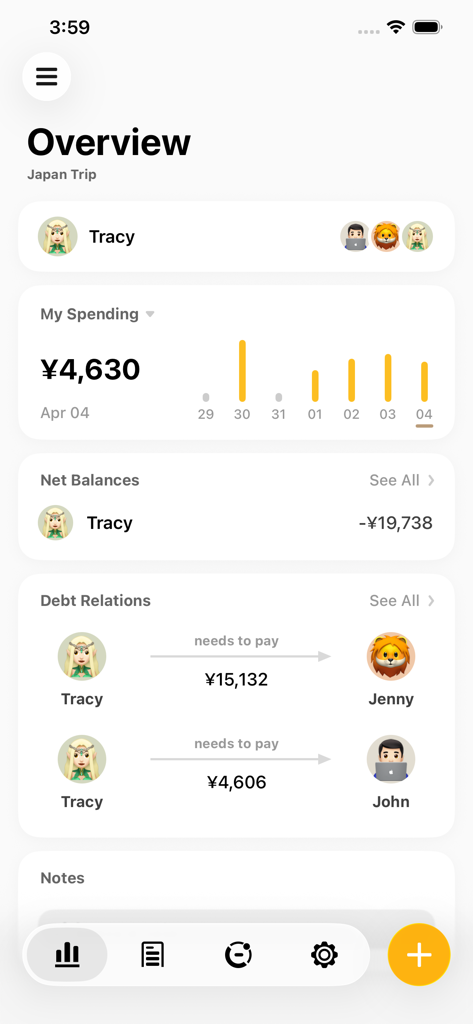
Mobile app overview screen showing shared group expenses and member debt relations in Yen for a Japan trip
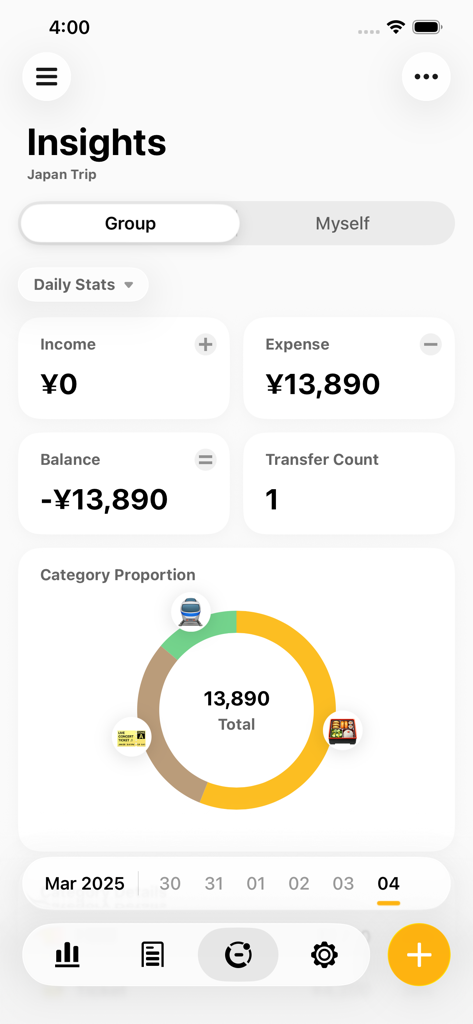
Bill Bear app insights screen showing group expenses and category breakdown for a Japan trip in Yen
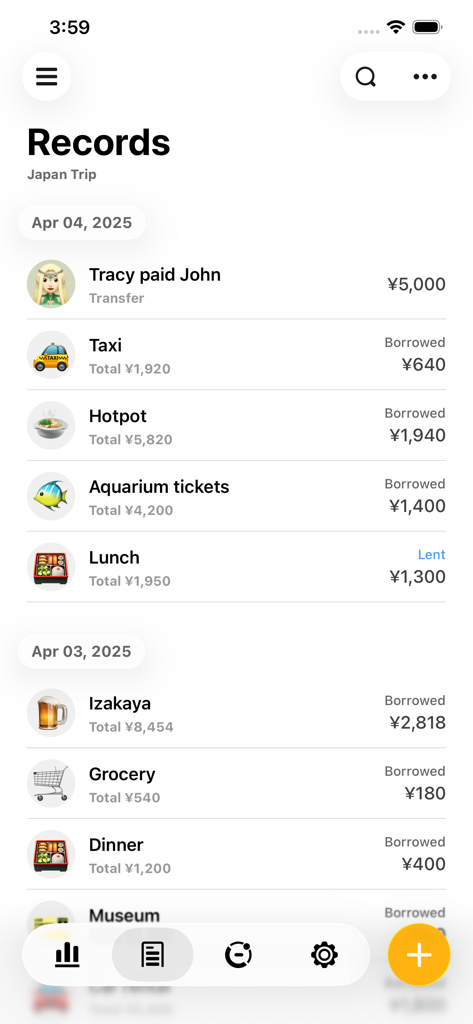
Bill Bear app screen showing a list of shared expenses for a trip to Japan with total amounts in yen
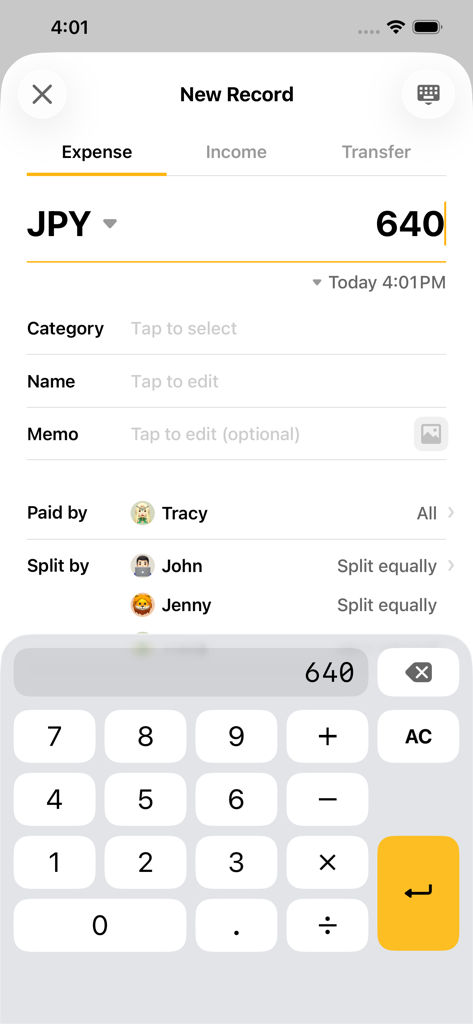
A screenshot of the Bill Bear app showing a new expense entry in Japanese Yen to be split equally between friends
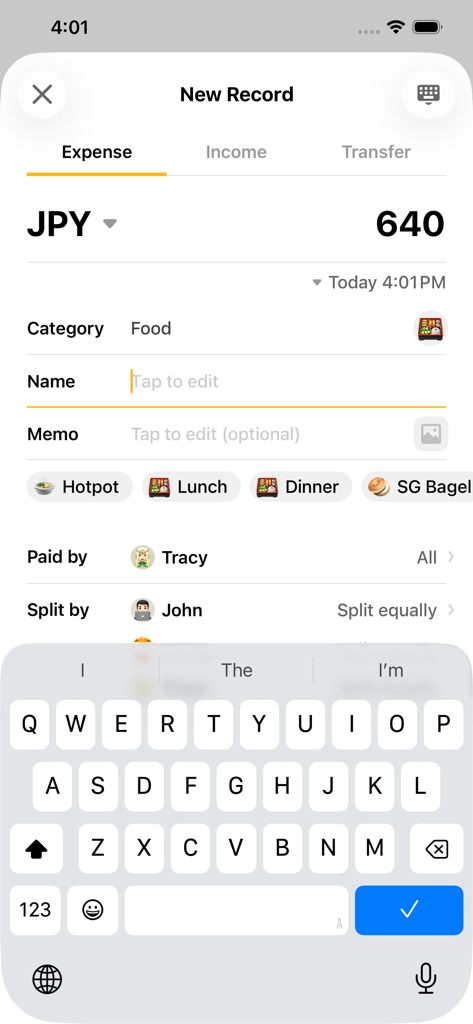
Bill Bear app interface for recording a new shared expense in Japanese Yen
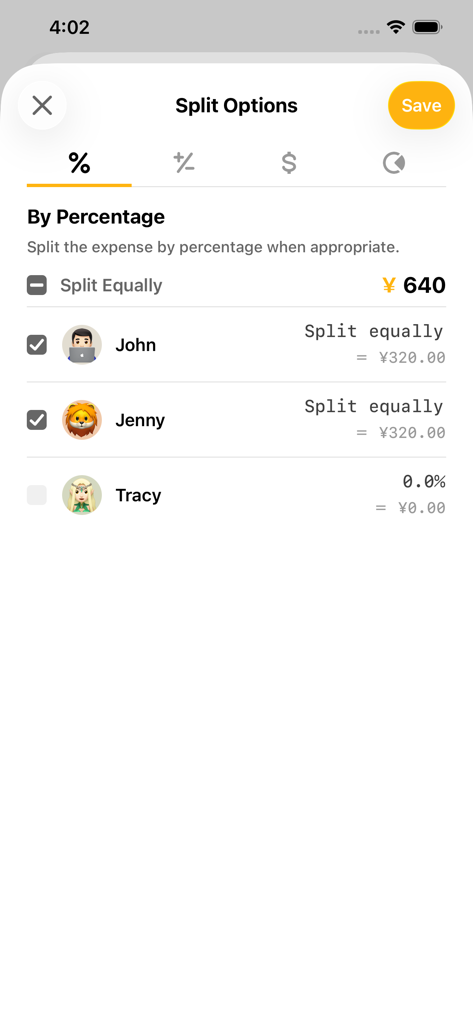
Interface of the Bill Bear app showing options to split an expense by percentage between friends.
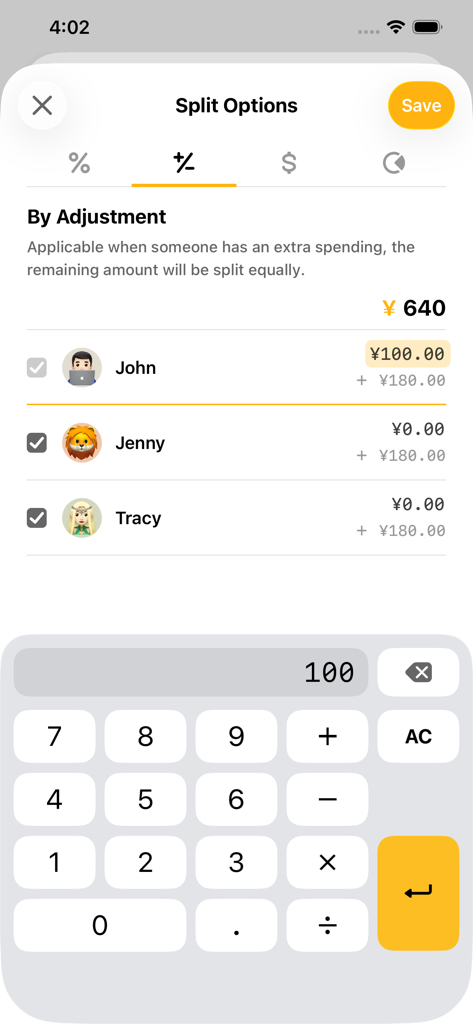
Bill Bear app interface showing expense splitting by individual adjustment with a built-in calculator
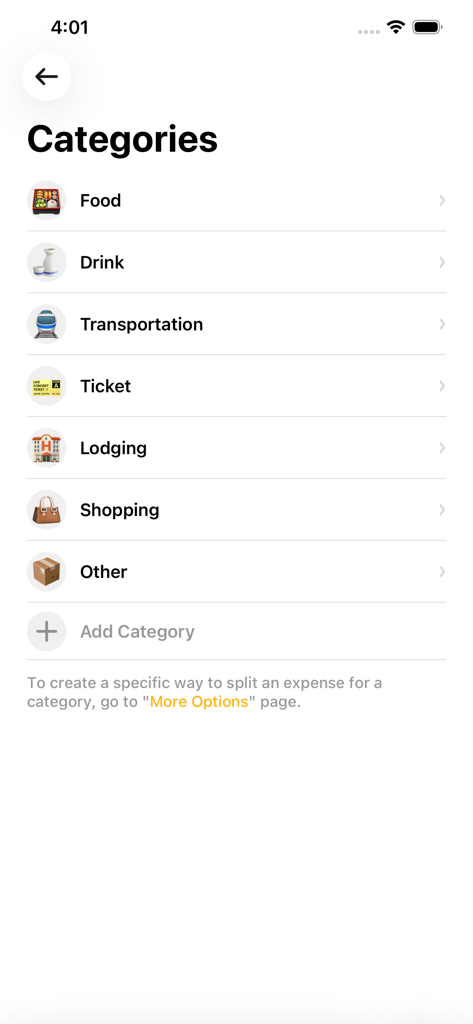
Interface of the Bill Bear app showing various expense categories like food, drink, and transportation for splitting bills.
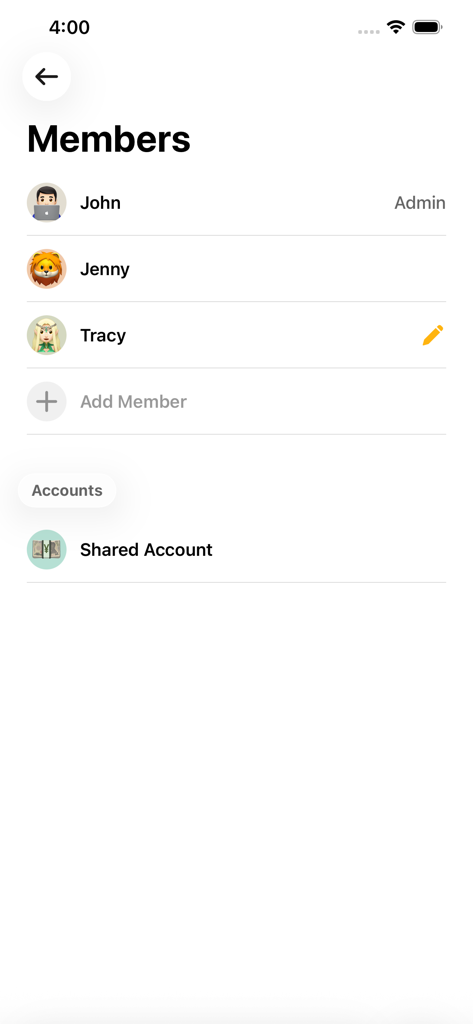
Interface showing a list of group members and shared account settings in the Bill Bear app
Description
Download
More Like This
Apps with similar features and user experience

tricount: Split & Settle Bills
Tricount SA

Splid – Split group bills
Nicolas Jersch

Settle Up - Group Expenses
Step Up Labs, Inc.

Splitser - WieBetaaltWat
Splitser BV

BestTracker - 百事AA记账
Beijing BaiShiChuangYi Technology Co., Ltd.

Splittr - Expense Splitting
RWichmann GmbH

割り勘 レコペイ- 共有家計簿・旅行計画・レシート読み取り
Ryo Iida

Cost Split
Jacob Ivstam

Who Owes Me - IOU Tracker
Roman Voglhuber
This page is not an official page of the app or its developer, but an independent editorial publication created for informational and commentary purposes. Unless expressly stated otherwise, neither the app nor its developer is affiliated with, endorsed by, sponsored by, authorized by, or otherwise officially connected with MWM, Apple, Google Play, the app publisher, or the app's developer, and nothing on this page implies that the app was developed using MWM's services. Any trademarks, logos, screenshots, and other content remain the property of their respective owners.