
This page is not an official page of the app or its developer, but an independent editorial publication created for informational and commentary purposes. Unless expressly stated otherwise, neither the app nor its developer is affiliated with, endorsed by, sponsored by, authorized by, or otherwise officially connected with MWM, Apple, Google Play, the app publisher, or the app's developer, and nothing on this page implies that the app was developed using MWM's services. Any trademarks, logos, screenshots, and other content remain the property of their respective owners.


Splid – Split group bills
No more financial squabbles. The app grants users total command over shared expenses, eliminating awkward money talks.
Downloads
2.5M+User Rating
Total Ratings
72.7KPublisher
Category
FinanceLocales
5Latest Version
1.8.3Size
10.6 MBFirst Released
May 14, 2016An evaluation of key functionalities for seamless group expense management.
Splid: Core Feature Analysis
Smart Expense Settlement
The app efficiently tracks all group expenses and automatically calculates who owes whom, simplifying financial reconciliation among participants.
Flexible Expense Allocation
This tool features advanced options for splitting bills unevenly, accommodating situations with multiple payees or variable contributions per individual.
Offline Access & Real-time Sync
It allows users to manage expenses both offline and online, with an option to synchronize data for collaborative tracking in real-time without requiring a user account.
Multi-Currency Conversion
The app supports over 150 currencies, offering automatic conversion for international groups or trips, ensuring accurate financial settlements regardless of origin.
Minimized Payments Strategy
This tool optimizes payment flows, intelligently determining the fewest transactions required to settle all debts within a group.
Comprehensive Expense Reports
It allows users to generate and download detailed summaries of group spending in easy-to-understand PDF or Excel formats.
Intuitive User Interface
The app provides a clean and straightforward interface, ensuring ease of use for all group members, regardless of their tech proficiency.
Group Spending Overview
This tool provides a clear overview of the total amount spent by the entire group, fostering transparency and financial awareness.
Frequently Asked Questions
Everything you need to know about Splid – Split group bills
What is Splid and how does it help with group expenses?
Splid is an app that simplifies splitting group expenses for holidays, housemates, or relationships. It tracks all costs and calculates who owes whom, ensuring easy settlement without lost receipts or disagreements.
Does Splid require an internet connection to function?
No, Splid works both on and offline. Users can create an offline group for immediate expense tracking or activate online sync to collaborate on expenses with others.
Is a sign-up or account creation necessary to use Splid?
No, Splid does not require sign-up. Users can create and share groups online without needing to create an account, making the process quick and anonymous.
Can Splid handle complex bill splitting scenarios?
Yes, Splid handles complex transactions, such as uneven splits or multiple payees. It allows users to manage detailed scenarios, like one person contributing part of a bill paid by another.
Can I export expense summaries from the Splid app?
Yes, Splid allows users to download expense summaries. These summaries are available as easy-to-understand PDF files or as Excel files for more detailed analysis.
Does Splid support multiple currencies and automatic conversion?
Yes, Splid supports over 150 currencies. It automatically converts amounts, allowing users to enter expenses in one currency and settle up in another without manual calculations.
Is Excel export a free feature in Splid?
No, the Excel export feature in Splid is not free. It is specifically mentioned as an available option via an in-app purchase.
The following screenshots and description are sourced directly from the app's official store listing and are the property of the app developer.
App Store
Screenshots
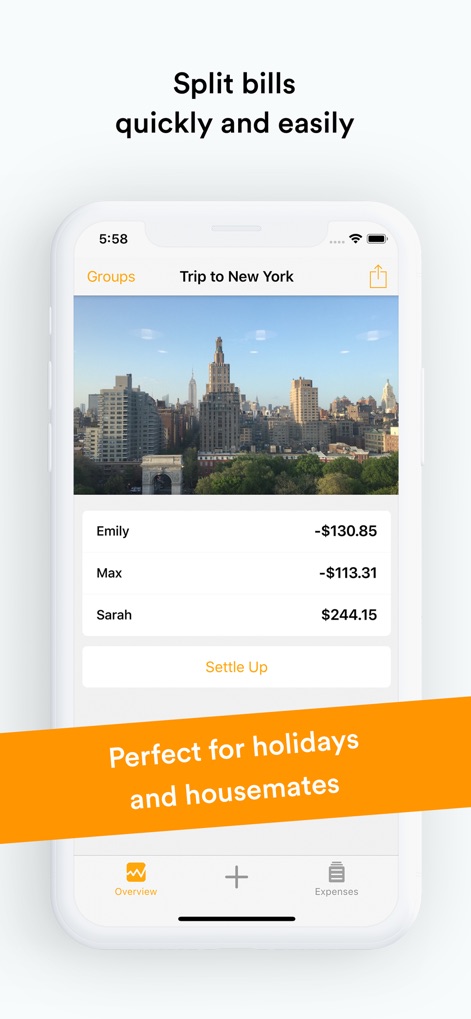
This screen reveals how users can quickly view individual group balances like Emily's -$130.85 and access the clear "Settle Up" button for efficient debt resolution.
Group Balance Overview
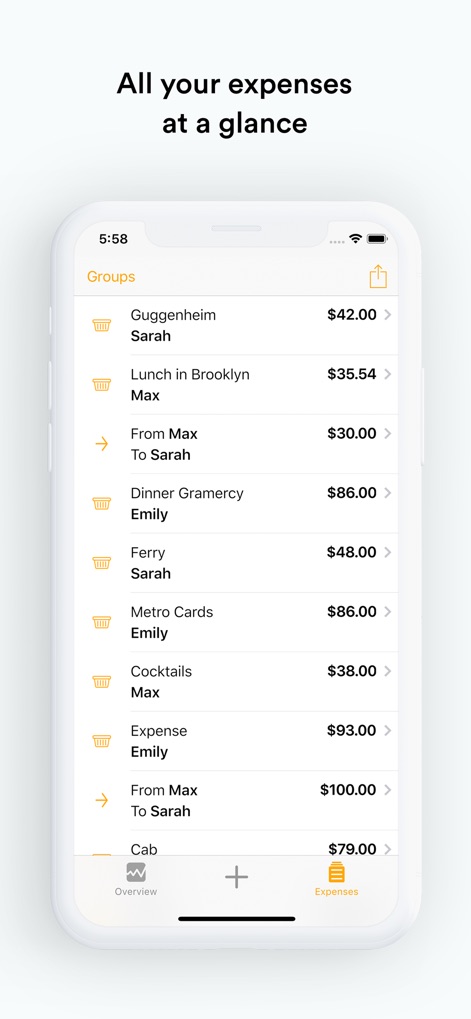
The app offers a comprehensive view of all shared expenditures, clearly listing each item with its amount like "Guggenheim $42.00", easily accessible via the dedicated "Expenses" tab.
Detailed Expense Tracking
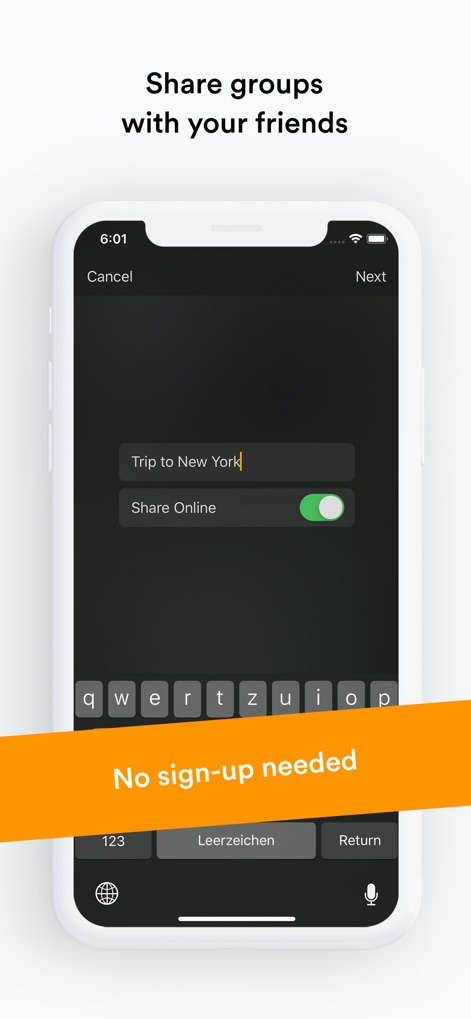
Users can effortlessly create new groups by naming them in the input field, such as "Trip to New York", and activate the "Share Online" toggle to invite others for collaborative expense tracking.
Collaborative Group Setup
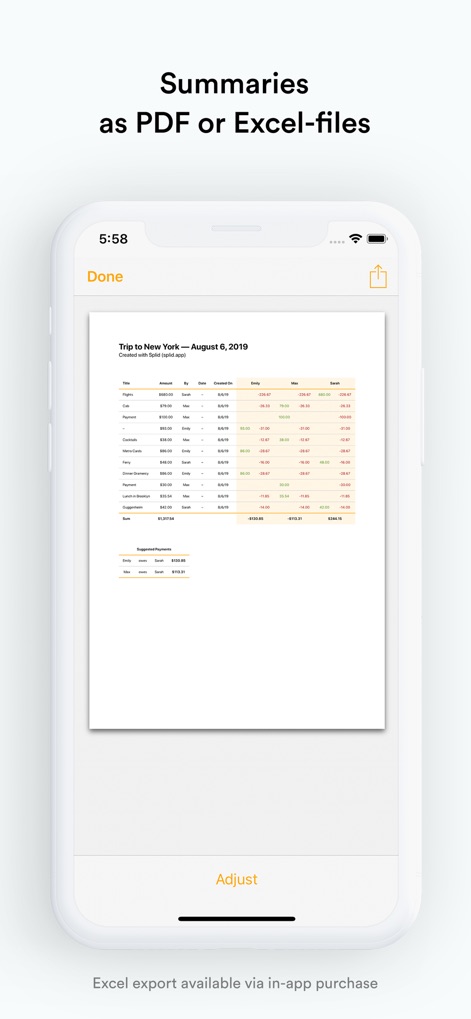
This tool generates comprehensive financial reports, showcasing a detailed summary of transactions and presenting "Suggested Payments" to streamline the settlement process.
Exportable Financial Reports
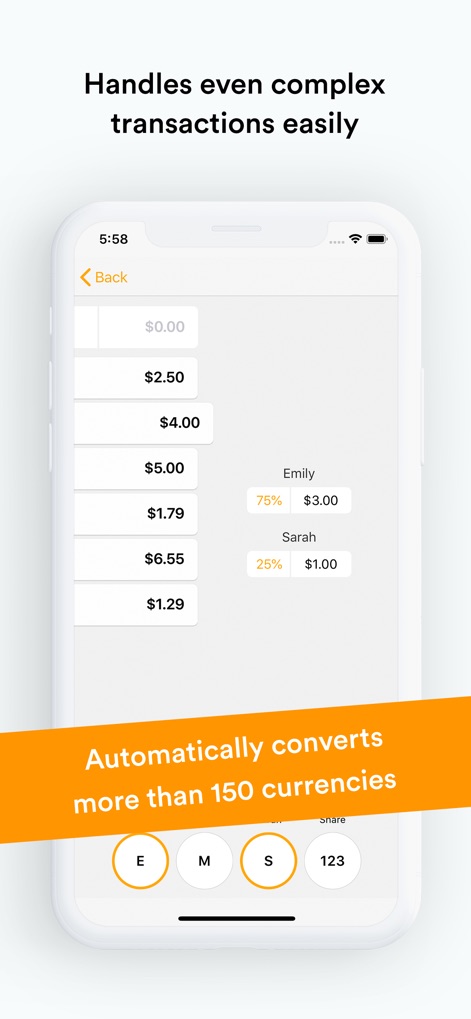
The app allows for flexible expense allocation through features like unequal splits for individuals (e.g., Emily 75%, Sarah 25%) and effortlessly handles conversions across "more than 150 currencies".
Advanced Split Customization
Description
Download
More Like This
Apps with similar features and user experience

tricount: Split & Settle Bills
Tricount SA

Settle Up - Group Expenses
Step Up Labs, Inc.

Splitser - WieBetaaltWat
Splitser BV

BestTracker - 百事AA记账
Beijing BaiShiChuangYi Technology Co., Ltd.

Bill Bear
XING YU SU

Splittr - Expense Splitting
RWichmann GmbH

割り勘 レコペイ- 共有家計簿・旅行計画・レシート読み取り
Ryo Iida

Cost Split
Jacob Ivstam

Who Owes Me - IOU Tracker
Roman Voglhuber
This page is not an official page of the app or its developer, but an independent editorial publication created for informational and commentary purposes. Unless expressly stated otherwise, neither the app nor its developer is affiliated with, endorsed by, sponsored by, authorized by, or otherwise officially connected with MWM, Apple, Google Play, the app publisher, or the app's developer, and nothing on this page implies that the app was developed using MWM's services. Any trademarks, logos, screenshots, and other content remain the property of their respective owners.