
This page is not an official page of the app or its developer, but an independent editorial publication created for informational and commentary purposes. Unless expressly stated otherwise, neither the app nor its developer is affiliated with, endorsed by, sponsored by, authorized by, or otherwise officially connected with MWM, Apple, Google Play, the app publisher, or the app's developer, and nothing on this page implies that the app was developed using MWM's services. Any trademarks, logos, screenshots, and other content remain the property of their respective owners.


Splittr - Expense Splitting
Stop the awkward money talk. Effortlessly track shared costs, handle uneven splits, and settle up with fewer transactions—even offline and with no registration required.
Downloads
445K+User Rating
Total Ratings
3K+Publisher
Category
FinanceLocales
2Latest Version
2.14.2Size
30.2 MBFirst Released
Mar 18, 2013Expense Management Made Effortless
Whether you're traveling the world or sharing an apartment, Splittr handles the math so you can focus on the memories.
Fair and Flexible Splitting
Go beyond simple 50/50 splits. Handle uneven bills easily based on who actually enjoyed the steak or just had the salad.
Zero-Friction Tracking
Start instantly with no registration required. Works perfectly offline, making it the ideal companion for international travel.
The following screenshots and description are sourced directly from the app's official store listing and are the property of the app developer.
App Store
Screenshots
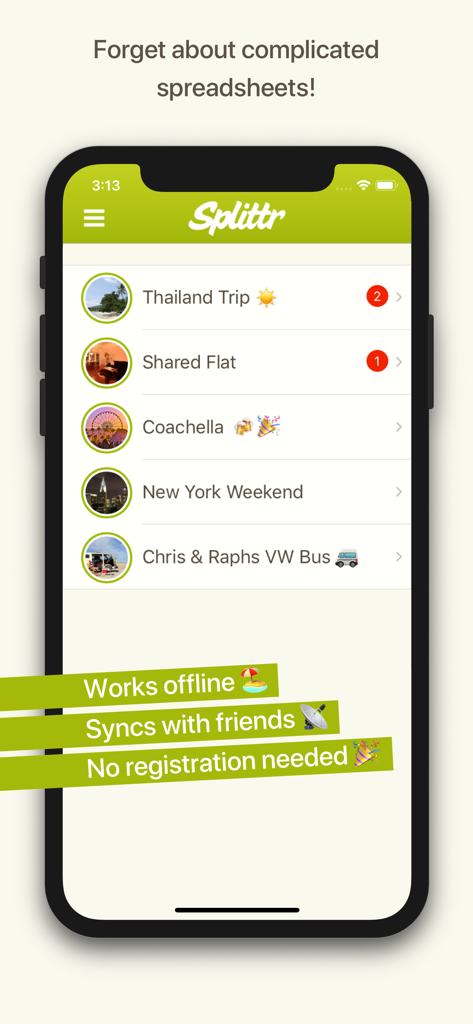
Splittr app interface showing a list of group expenses and key features like offline work and syncing.
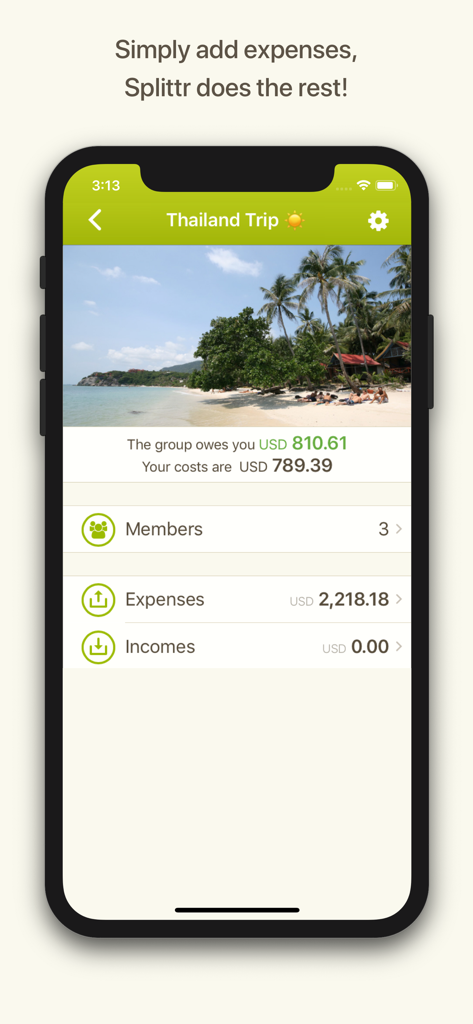
Splittr app interface showing a Thailand trip expense summary with three members and group debt calculations.
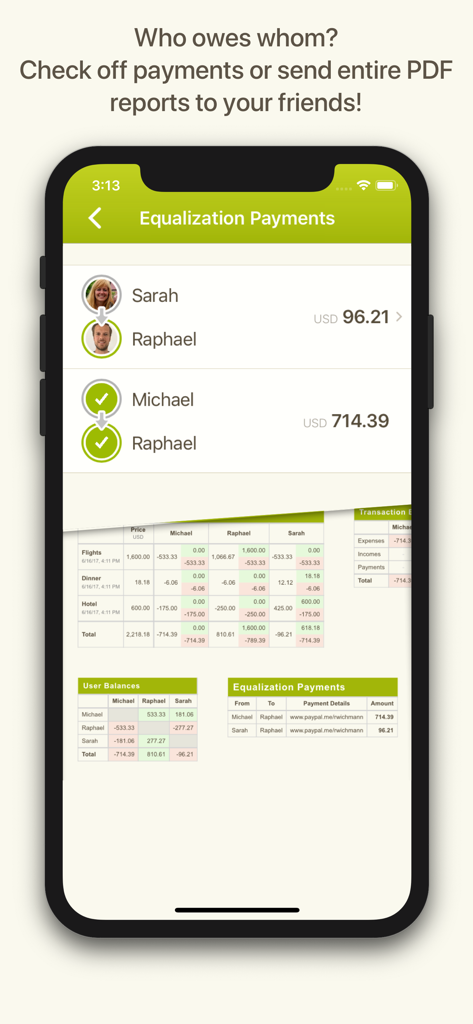
iPhone screenshot showing Splittr app equalization payments screen and expense reports.
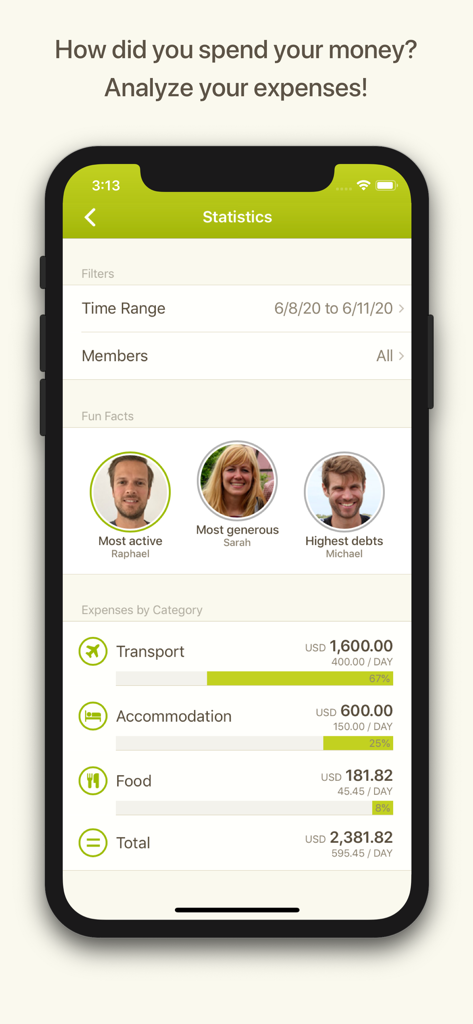
A mobile screen from the Splittr app showing group expense statistics by category and member highlights
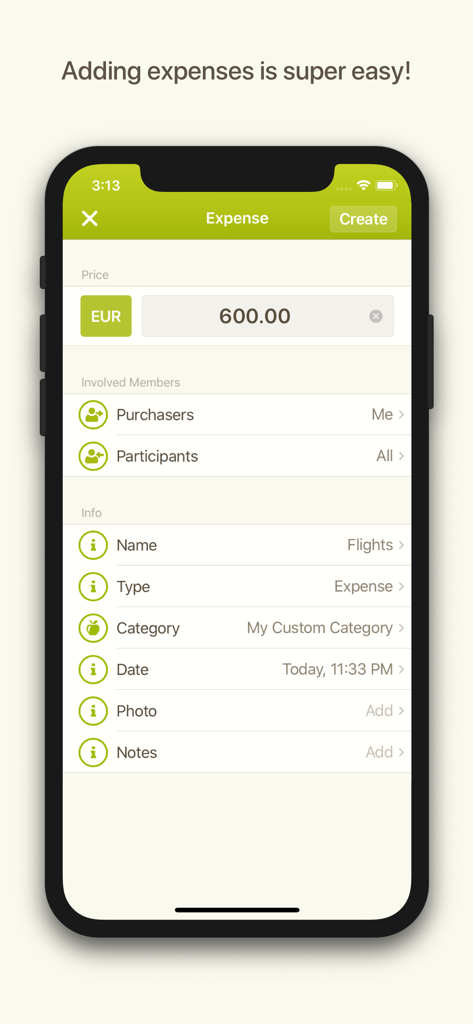
Interface of Splittr app for adding a new expense with details like price and category.
Description
Download
More Like This
Apps with similar features and user experience

tricount: Split & Settle Bills
Tricount SA

Splid – Split group bills
Nicolas Jersch

Settle Up - Group Expenses
Step Up Labs, Inc.

Splitser - WieBetaaltWat
Splitser BV

BestTracker - 百事AA记账
Beijing BaiShiChuangYi Technology Co., Ltd.

Bill Bear
XING YU SU

割り勘 レコペイ- 共有家計簿・旅行計画・レシート読み取り
Ryo Iida

Cost Split
Jacob Ivstam

Who Owes Me - IOU Tracker
Roman Voglhuber
This page is not an official page of the app or its developer, but an independent editorial publication created for informational and commentary purposes. Unless expressly stated otherwise, neither the app nor its developer is affiliated with, endorsed by, sponsored by, authorized by, or otherwise officially connected with MWM, Apple, Google Play, the app publisher, or the app's developer, and nothing on this page implies that the app was developed using MWM's services. Any trademarks, logos, screenshots, and other content remain the property of their respective owners.