Big Keys Keyboard
Big Keys Keyboard
Download on App Store

This page is not an official page of the app or its developer, but an independent editorial publication created for informational and commentary purposes. Unless expressly stated otherwise, neither the app nor its developer is affiliated with, endorsed by, sponsored by, authorized by, or otherwise officially connected with MWM, Apple, Google Play, the app publisher, or the app's developer, and nothing on this page implies that the app was developed using MWM's services. Any trademarks, logos, screenshots, and other content remain the property of their respective owners.

Logo of Big Keys Keyboard
Download on App Store

Big Keys Keyboard

Stop struggling with tiny buttons and eye strain. Designed for seniors and low vision users, our high-contrast keyboard makes it easy to message loved ones with total confidence.

Key Figures

Downloads

71K+

User Rating

3.7/5

Total Ratings

1K+

Publisher

Hassan Hattab

Category

Productivity

Locales

11

Latest Version

4.2

Size

88.2 MB

First Released

Mar 7, 2017
Features

Designed for Clarity and Confidence

Stop struggling with tiny buttons. Big Keys Keyboard transforms your typing experience into something clear, calm, and effortless.

Extra Large Keys & Text

Eliminate eye strain by scaling letters and typing text to your preferred size for perfect visibility.

High-Contrast Themes

Choose from bold, high-visibility layouts that make letters stand out and reduce visual clutter.

The following screenshots and description are sourced directly from the app's official store listing and are the property of the app developer.

App Store

Screenshots
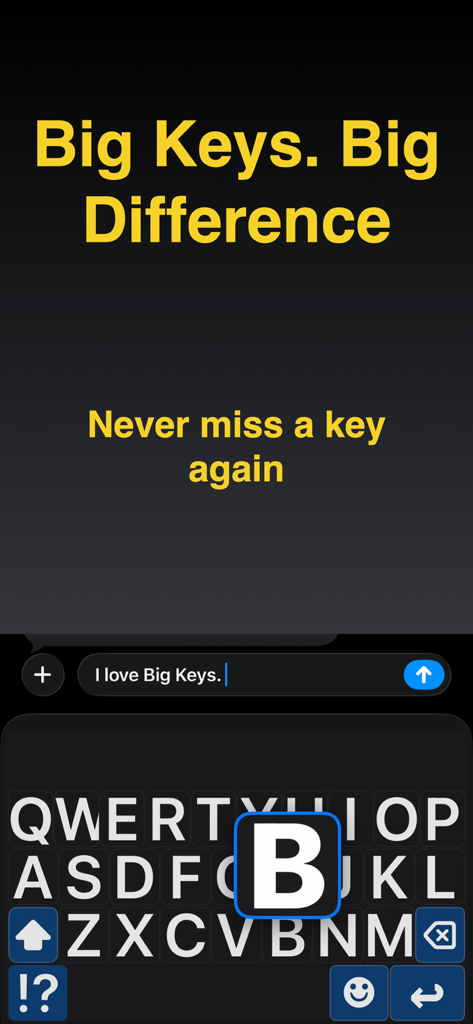
Big Keys Keyboard - High contrast keyboard with large letters and a magnified letter preview for easy typing
High contrast keyboard with large letters and a magnified letter preview for easy typing

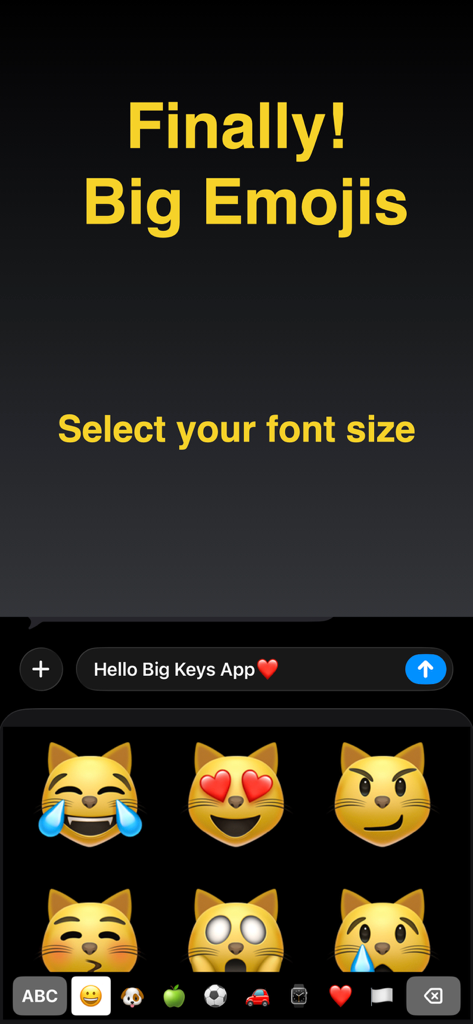
Big Keys Keyboard - A mobile screen showing large cat emojis and text indicating adjustable font sizes for better visibility.
A mobile screen showing large cat emojis and text indicating adjustable font sizes for better visibility.

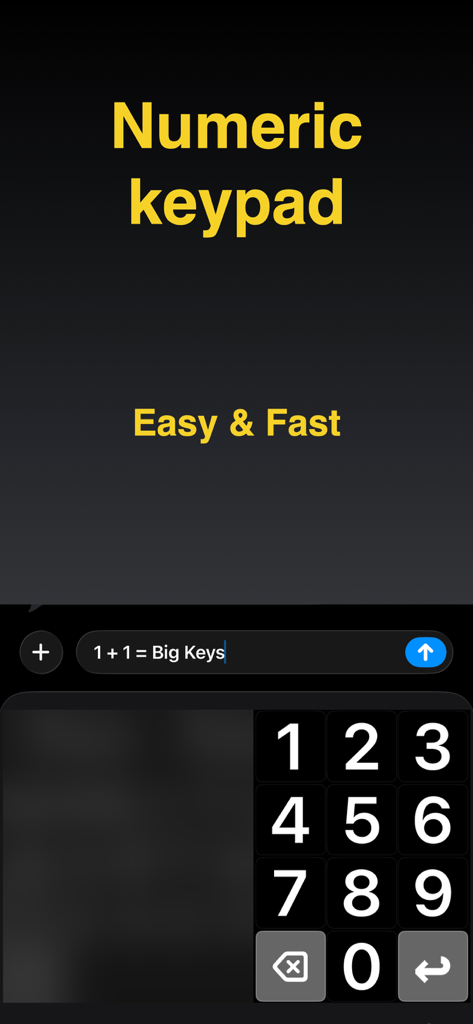
Big Keys Keyboard - A screenshot of the Big Keys Keyboard app featuring a large and clear numeric keypad for easy typing on iPhone
A screenshot of the Big Keys Keyboard app featuring a large and clear numeric keypad for easy typing on iPhone

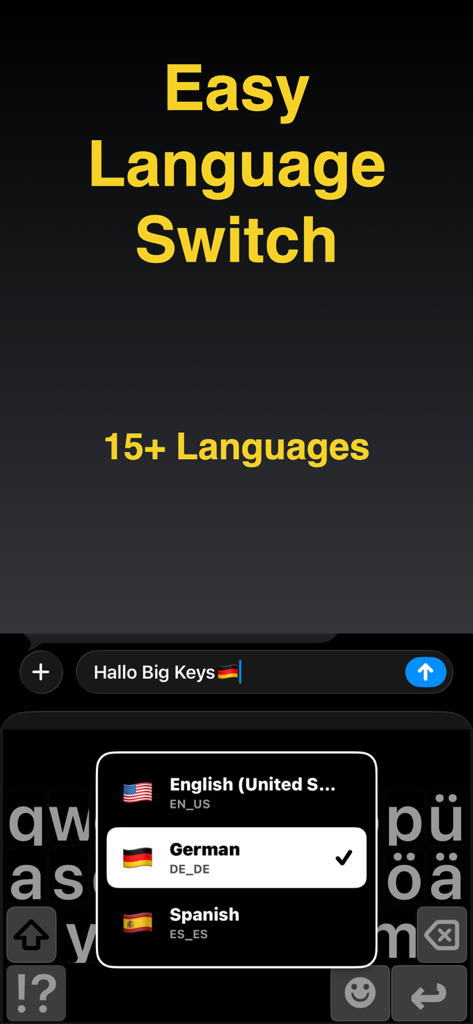
Big Keys Keyboard - A high contrast mobile keyboard with large keys showing a language selection menu for English German and Spanish
A high contrast mobile keyboard with large keys showing a language selection menu for English German and Spanish

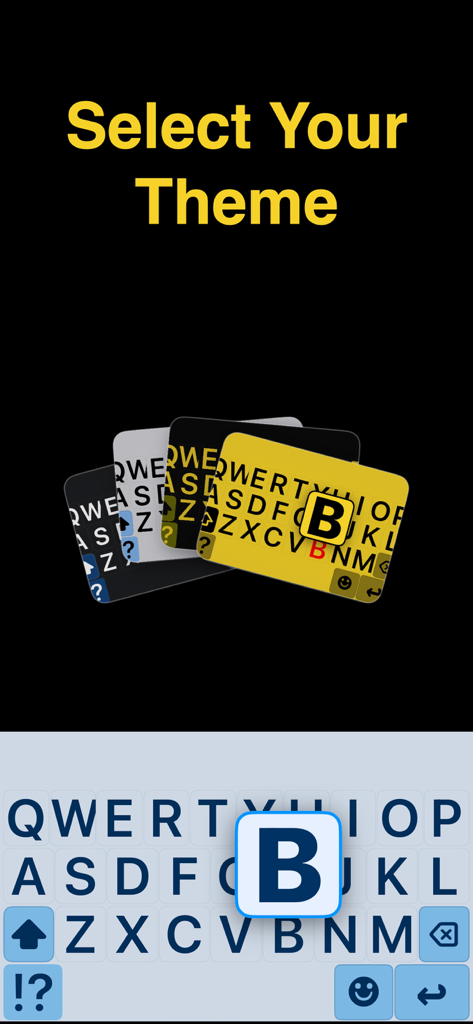
Big Keys Keyboard - High contrast keyboard themes with large letter keys for better visibility
High contrast keyboard themes with large letter keys for better visibility

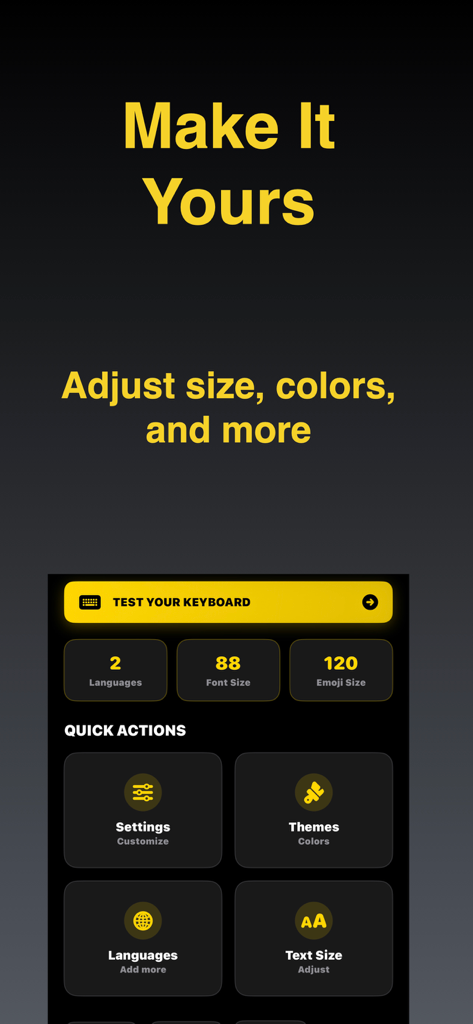
Big Keys Keyboard - Customization menu for Big Keys Keyboard showing options to adjust font size, emoji size, and themes.

Customization menu for Big Keys Keyboard showing options to adjust font size, emoji size, and themes.

Description

Big Keys Keyboard helps you type with large keys, large text, and an accessible keypad on iPhone. It is built for low vision, seniors, and anyone who wants a clearer, calmer keyboard. Make your next message easier to write and easier to trust, starting now! Built for visibility Most keyboards assume perfect vision and tiny, precise taps. Big Keys Keyboard focuses on clarity with bigger letters, clearer spacing, and layouts that feel easier to follow so you can type with less strain. A calmer keyboard experience Some people find standard keyboards visually noisy or overwhelming. This keyboard aims to feel more predictable by keeping things clear and reducing unnecessary clutter, which may help support focused typing for users who prefer a calmer layout. Helpful for caregivers If you are setting up a phone for a parent, child, or someone who needs accessibility support, Big Keys Keyboard can be a simple helper to get them typing comfortably faster. Keys, text, and emojis Adjust key size to reduce mistaps and make each tap feel more accurate. Make the typing text larger so you can confirm words faster before you hit send. And if emojis look tiny, scale them up so your favorites are easier to see and select. Dedicated keypad Need to type digits fast? The built-in keypad is there for PINs and codes, but also for phone numbers, prices, and addresses. High contrast themes Choose a look that keeps the keyboard clear and readable. Bright light can wash things out, so stronger contrast often helps. At night, a calmer theme can feel better while the letters stay easy to see. Language support If you type in more than one language, switching should not feel like work. Use the language options in the keyboard so you can keep your flow across messages, email, and search. Less retyping Gesture shortcuts can help you reach the keypad or special characters faster. If enabled, haptic feedback can make key presses feel more certain, and a last key indicator can make quick corrections easier. Quick answers - Can I really make the keys bigger? Yes, you can adjust key size to match your comfort. - Does it help with low vision? Yes, the design focuses on large letters, clear spacing, and contrast. - Is there a number pad? Yes, there is a dedicated keypad for fast digits and codes. - Can I make emojis bigger? Yes, emoji size can be increased too. - Is setup complicated? No. Enable the keyboard once in iPhone Settings and then use it anywhere you type. - Is there an upgrade? Big Keys Keyboard may offer optional upgrades that unlock additional options. Download our app and start typing with less strain and more confidence. Set your ideal key size, pick a high contrast theme, and keep the keypad ready for numbers whenever you need it. Enable Big Keys Keyboard in minutes and enjoy a clearer keyboard every day! Terms of Use: https://www.youapps.co/privacypolicy

Download

Download on App Store

This page is not an official page of the app or its developer, but an independent editorial publication created for informational and commentary purposes. Unless expressly stated otherwise, neither the app nor its developer is affiliated with, endorsed by, sponsored by, authorized by, or otherwise officially connected with MWM, Apple, Google Play, the app publisher, or the app's developer, and nothing on this page implies that the app was developed using MWM's services. Any trademarks, logos, screenshots, and other content remain the property of their respective owners.








