
This page is not an official page of the app or its developer, but an independent editorial publication created for informational and commentary purposes. Unless expressly stated otherwise, neither the app nor its developer is affiliated with, endorsed by, sponsored by, authorized by, or otherwise officially connected with MWM, Apple, Google Play, the app publisher, or the app's developer, and nothing on this page implies that the app was developed using MWM's services. Any trademarks, logos, screenshots, and other content remain the property of their respective owners.


BlackVue
Your car’s digital watchdog. The app delivers unwavering vehicle surveillance, transforming your smartphone into a remote command center for security on wheels.
Downloads
750k+User Rating
Total Ratings
12.5KPublisher
Category
LifestyleLocales
18Latest Version
4.19Size
157.4 MBFirst Released
Nov 10, 2015An Analytical Overview of Key Features for Advanced Vehicle Monitoring
BlackVue App: Core Capabilities & User Benefits
Remote Live View & Monitoring
The app provides real-time access to the dashcam's view, allowing users to monitor their vehicle's surroundings from any location via BlackVue Cloud. This is crucial for fleet management, parental oversight, and general security awareness.
Cloud-Based Video Backup & Event Upload
It allows users to automatically or manually upload critical video footage to the cloud, ensuring important event recordings are securely stored off the device and accessible even if the dashcam is tampered with or stolen.
GPS Tracking & Incident Location
This tool features accurate GPS tracking, enabling users to pinpoint their vehicle's location in real-time and view incident locations on a map, which is vital for security and recovery purposes.
Remote Video Playback & Download
The app enables users to remotely play back recorded videos stored on the dashcam's microSD card or downloaded from the cloud, offering convenient access to historical footage for review or evidence.
Over-the-Air Firmware Updates (FOTA)
It allows users to update their dashcam's firmware wirelessly, ensuring the device remains up-to-date with the latest features, security patches, and performance improvements without requiring physical access or manual intervention.
Local Wi-Fi Access & Settings Management
The app provides a direct Wi-Fi connection to the dashcam, allowing users to access stored videos, adjust camera settings, and manage device configurations when within proximity of the vehicle.
Frequently Asked Questions
Everything you need to know about BlackVue
What is the BlackVue Cloud service?
The BlackVue Cloud is a dedicated service connecting your BlackVue dashcam to your car via the internet. It enables real-time monitoring and remote access to your dashcam from anywhere.
Can I view my car's surroundings in real-time with the BlackVue app?
Yes, the BlackVue app provides a Live View feature. This allows you to see in real-time what is happening around your car using your BlackVue dashcam.
How does the BlackVue app connect to my dashcam?
The BlackVue app connects via Wi-Fi for direct local access to the microSD card. It also uses BlackVue Cloud via a mobile or car-embedded Internet connection for remote access.
Is creating a BlackVue Cloud account free?
Yes, creating a BlackVue Cloud account is simple and free. After creation, you can register your Cloud-compatible BlackVue dashcam within the app.
Can I remotely play back videos from my BlackVue dashcam?
Yes, the BlackVue app supports Remote Playback. You can seamlessly play Cloud or dashcam videos on your smartphone anytime, utilizing previous/next playback features.
Does the BlackVue app automatically save incident videos?
Yes, the BlackVue app automatically uploads video footage, including pre-accident footage and live video, to BlackVue Cloud Storage during events. This ensures your videos are safe.
Where can I find troubleshooting help for the BlackVue app?
You can find troubleshooting help at the BlackVue Help Center (helpcenter.blackvue.com) or by emailing Customer Support at cs@pittasoft.com.
Can I update my BlackVue dashcam's firmware wirelessly?
Yes, the BlackVue app allows you to apply firmware updates wirelessly, known as FOTA (Firmware Over-The-Air), for your BlackVue dashcam.
Does the BlackVue app offer two-way communication?
Yes, the BlackVue app features two-way voice communication. This allows you to talk to people in your car in real-time while using Remote Live View with your BlackVue dashcam.
Does the BlackVue app provide emergency notifications?
Yes, the BlackVue app provides emergency alarms. It sends notifications whenever something happens to your car, allowing instant access to Live View via the BlackVue Cloud.
Can I use the BlackVue app without an internet connection?
Yes, the BlackVue app supports an Offline Mode. You can directly access and use camera functions seamlessly via Wi-Fi without an active internet connection.
The following screenshots and description are sourced directly from the app's official store listing and are the property of the app developer.
App Store
Screenshots
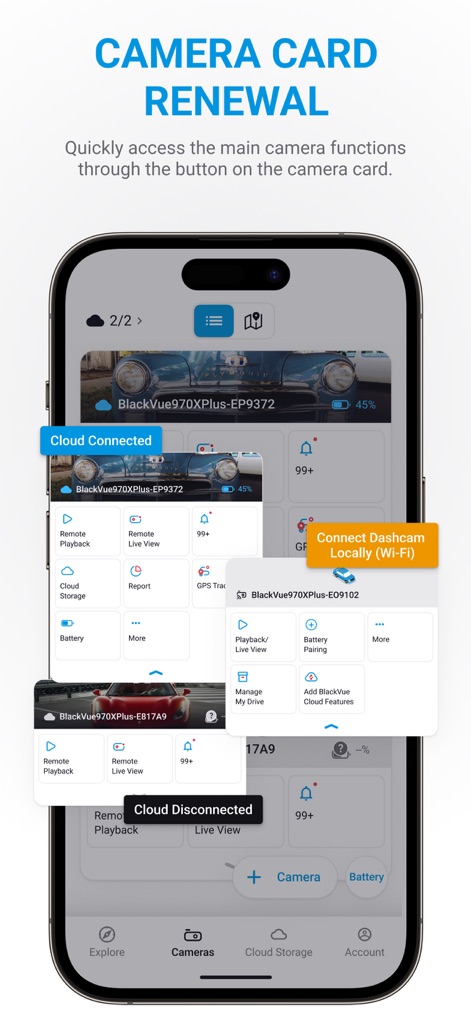
Discover the central camera controls, featuring distinct "Cloud Connected" and "Cloud Disconnected" statuses, along with options to "Connect Dashcam Locally (Wi-Fi)" for direct management.
Camera Controls Hub
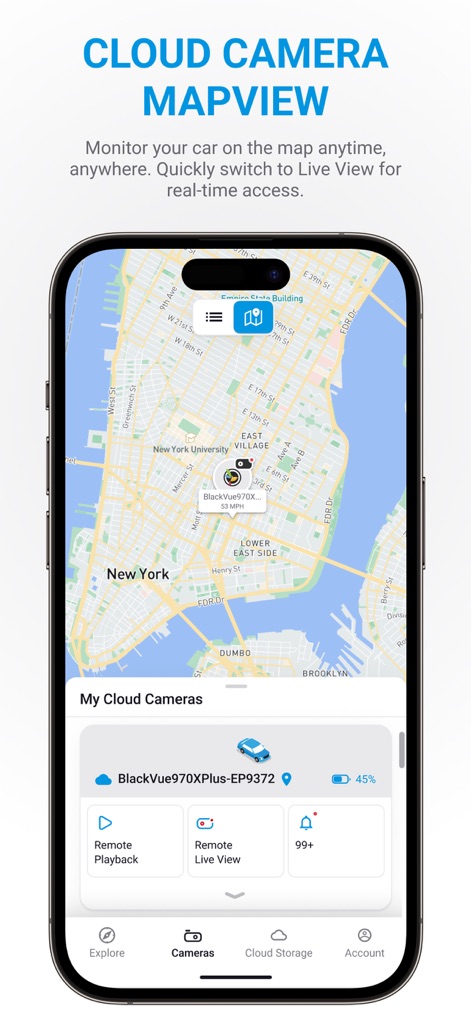
Monitor your vehicle's precise location on the interactive "Mapview" while accessing "Remote Live View" for real-time surveillance of its surroundings.
Real-Time Tracking
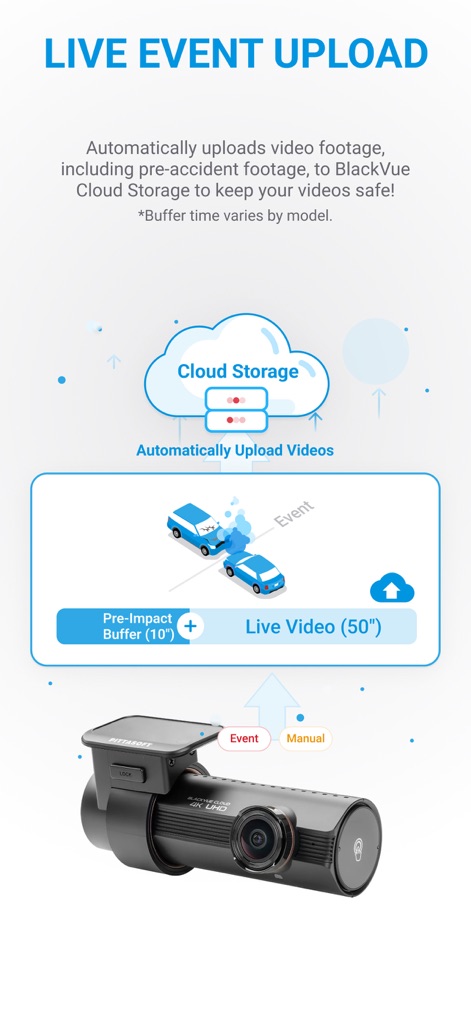
Understand how the app ensures critical footage is saved, showcasing the "Pre-Impact Buffer (10s)" for crucial lead-up and the "Automatically Upload Videos" feature to Cloud Storage.
Automatic Video Backup
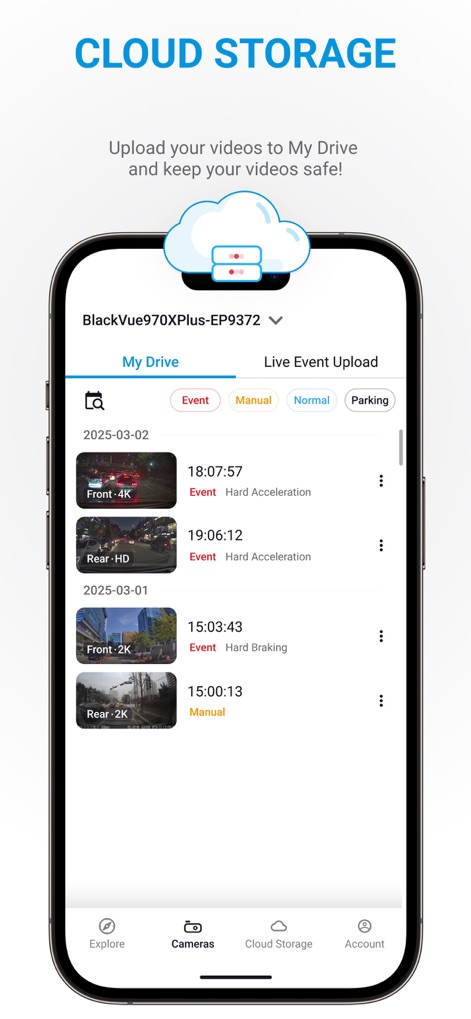
Browse your comprehensive video library in "Cloud Storage," easily filtering clips by "Event" or "Manual" recordings and reviewing detailed entries like "Front - 4K" footage.
Stored Footage Access

Experience seamless "Remote Playback" of recorded footage, featuring intuitive video controls and an integrated "Mapbox" map for contextual vehicle speed and location data.
On-Demand Video Review
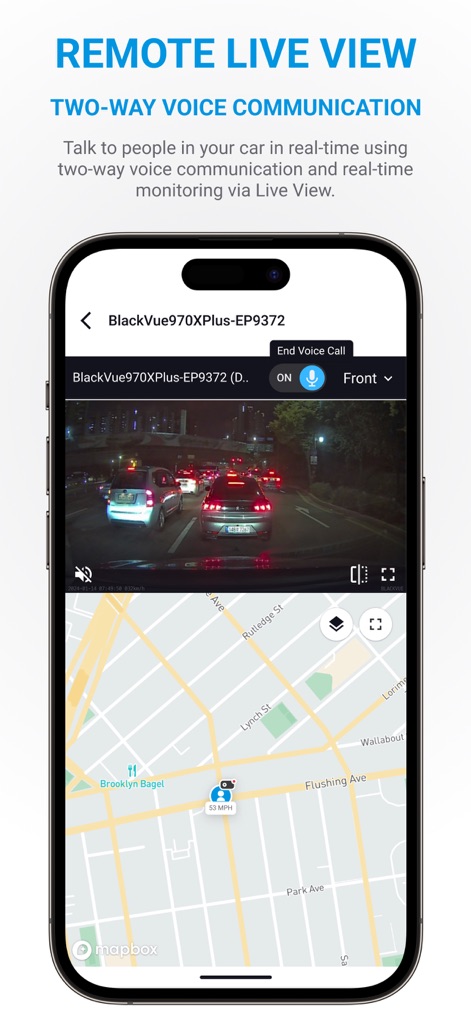
Access "Remote Live View" to monitor your car in real-time, complete with a "microphone icon" for two-way voice communication and front/rear camera switching.
Live Monitoring & Talk
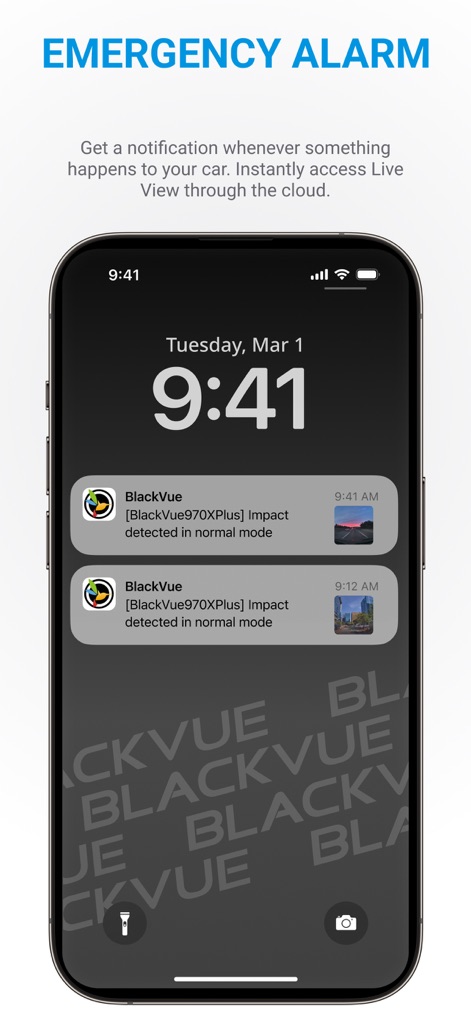
Receive critical "Emergency Alarms" directly on your device, showing "Impact detected" notifications with precise timestamps for immediate awareness.
Instant Incident Alerts

The app allows direct access to dashcam functions even in "Offline Mode," clearly indicating "Only Wi-Fi connection is available" for local "Playback/Live View" and settings adjustments.
Direct Camera Access
Description
Download
More Like This
Apps with similar features and user experience

PAPAGO Focus
PAPAGO INC.

GKU GO
Shenzhen Yutu Technology Co., Ltd.

Nice DVR
Shenzhen Xiaozhen Technology Co.,Ltd.

Wolfbox
WOLFBOX TECH, INC.
Garmin Drive™
Garmin International

360 Dash Cam
Beijing Qihoo Technology Co Ltd

Drive Smarter
CEDAR ELECTRONICS HOLDINGS CORP.

TERUNSOUL
chimo inc

MiVue Pro
MiTAC International Corp.
This page is not an official page of the app or its developer, but an independent editorial publication created for informational and commentary purposes. Unless expressly stated otherwise, neither the app nor its developer is affiliated with, endorsed by, sponsored by, authorized by, or otherwise officially connected with MWM, Apple, Google Play, the app publisher, or the app's developer, and nothing on this page implies that the app was developed using MWM's services. Any trademarks, logos, screenshots, and other content remain the property of their respective owners.