Book Writer One
Book Writer One
Download on App Store

This page is not an official page of the app or its developer, but an independent editorial publication created for informational and commentary purposes. Unless expressly stated otherwise, neither the app nor its developer is affiliated with, endorsed by, sponsored by, authorized by, or otherwise officially connected with MWM, Apple, Google Play, the app publisher, or the app's developer, and nothing on this page implies that the app was developed using MWM's services. Any trademarks, logos, screenshots, and other content remain the property of their respective owners.


Logo of Book Writer One
Download on App Store

Book Writer One

The ultimate storytelling tool for students, educators, and creators. Drag-and-drop photos, videos, and voice recordings to build professional e-books and paperbacks in minutes.

Key Figures

Downloads

37K+

User Rating

3.1/5

Total Ratings

100

Publisher

Good Effect

Category

Productivity

Locales

5

Latest Version

4.924

Size

72.7 MB

First Released

Oct 21, 2014
Features

Turn Your Ideas into Professional Books

The all-in-one creative studio for students, teachers, and hobbyists to design, narrate, and publish interactive stories with ease.

Intuitive Multimedia Builder

Drag and drop photos, videos, and sketches to build rich, interactive pages without needing any professional design skills.

Interactive Voice & Audio

Bring your stories to life by recording narration or adding music, making books more accessible and engaging for young learners.

The following screenshots and description are sourced directly from the app's official store listing and are the property of the app developer.

App Store

Screenshots
Book Writer One - Welcome screen for the Book Writer One app featuring a pink and white logo and an introductory greeting
Welcome screen for the Book Writer One app featuring a pink and white logo and an introductory greeting

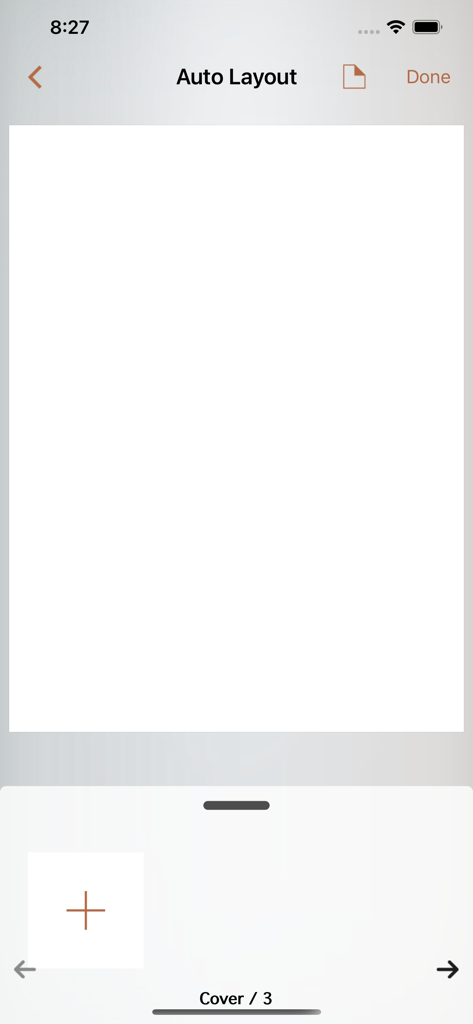
Book Writer One - Book Writer One app auto layout interface showing a blank book cover and page navigation
Book Writer One app auto layout interface showing a blank book cover and page navigation

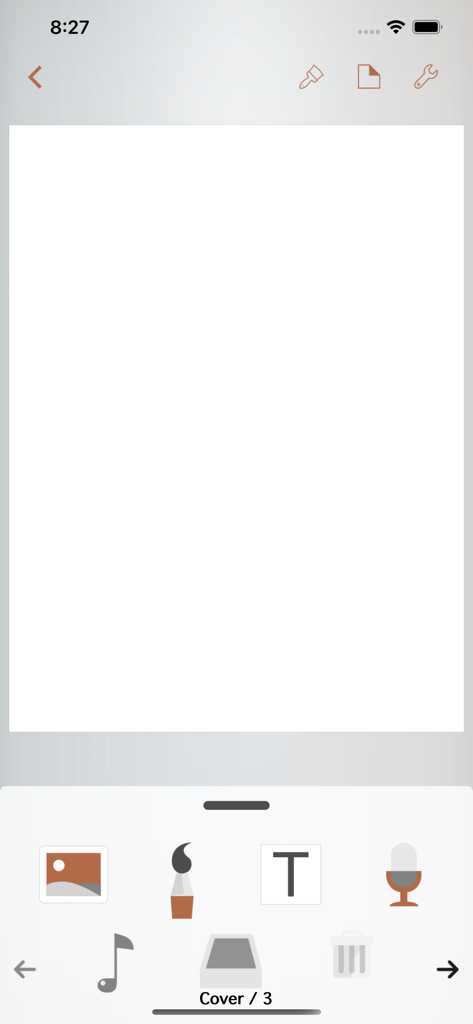
Book Writer One - Interface of Book Writer One showing a blank book cover with drag and drop icons for text image and audio

Interface of Book Writer One showing a blank book cover with drag and drop icons for text image and audio

Description

Take Note, Organize Thoughts, Make a Book. Share with the World. Make your own book with Book Writer. Anyone can easily make a book. Make an interactive book and enjoy making and reading the books you made! You can use it in school, work, and at home to make all types of books such as photo book, recipe book, diary, PR booklet, PDF documents, and etc. Making a multimedia book You can add pictures, text, voice recordings, songs, and videos on the page. You can use the camera to take pictures or videos and add them right on to the book. You can draw image and edit image using Pen Tool. Provides interactive functions such as item connection and auto play to make your book more fun. Easy and intuitive interface Children of all ages can easily use the interface. Use the Item Bar to add items to the page by drag&drop. All text are shown on the page in real time with the In-Page text editor that is provided. Use the Undo function to return to the previous work. Share your books You can share your book with others using Book World. Join the Book World and upload your book to Book World, and follow your favorite author. Books in Book World can be read on diverse smartphone, PC and Mac. You can share your book with Book Writer on Dropbox, iTunes or via E-mail. Read through iBooks The books made with Book Writer can be read through iBooks. You can read your book in Book Writer directly, or Book World web reader. Paperbook publish service You can publish your book to paperbook using Paperbook publish service. Published books can also be seen in Book World via smartphone, PC, Mac. In Class Book Writer is being used in many countries by thousands of people for educational use. Book Writer helps students to make a book by organizing their thoughts. With an intuitive interface, anyone can easily express and organize their thoughts. Book Writer One is limited version. You can release limit by upgrade to unlimited using in-app purchase or purchase paid version of Book Writer. The paid version is available with a 50% discount under App Store Volume Purchase Program. Main Functions Templates are provided to make books of different styles and formats. Choosing a layout style automatically relocates your items. Use drag & drop to easily add items. You can use the photos from Photo Library to add to the book, or can add pictures taken directly from camera. Pictures can be moved, the size can be adjusted, and you can rotate or crop the pictures by touching. Supports fonts and styles of various types. You can draw image and edit image using Pen Tool. You can add videos from your album or you can directly record videos with your camera to add them. Use recorder to record your voice and add to the book, or add music from Music Library to your book. Bring any music from Music Library to add as your background music. Use the auto play function to automatically play the media at the time you want. Item connection function is provided to connect your pictures or text to sound items. The Undo function allows you to return to your previous work. Use the Page Editor to add or delete pages or change the order of the page by using drag & drop. You can combine two books together. The completed book can be read in ‘Reading Mode’. Books that have been created can be shared via Book World, iTunes, E-mail, Dropbox, etc. Share your book with others using Book World. And can be read on many smartphone, PC, Mac. You can publish your book to paperbook using Paperbook publish service. Save your book as a PDF document or you can use AirPrint or use Export to print the books The standard E-book format, epub, is supported to read the made books with iBooks and you can register your books on iBookstore. Book Writer supports the fixed-layout format of iBooks. The fixed-layout format is not ideal for books with long text like novels. Online support is included. Please visit our homepage - http://goodeffect.com

Download

Download on App Store

This page is not an official page of the app or its developer, but an independent editorial publication created for informational and commentary purposes. Unless expressly stated otherwise, neither the app nor its developer is affiliated with, endorsed by, sponsored by, authorized by, or otherwise officially connected with MWM, Apple, Google Play, the app publisher, or the app's developer, and nothing on this page implies that the app was developed using MWM's services. Any trademarks, logos, screenshots, and other content remain the property of their respective owners.








