
This page is not an official page of the app or its developer, but an independent editorial publication created for informational and commentary purposes. Unless expressly stated otherwise, neither the app nor its developer is affiliated with, endorsed by, sponsored by, authorized by, or otherwise officially connected with MWM, Apple, Google Play, the app publisher, or the app's developer, and nothing on this page implies that the app was developed using MWM's services. Any trademarks, logos, screenshots, and other content remain the property of their respective owners.

Bookends
Streamline your academic workflow by searching, organizing, and annotating your library in one place. From JSTOR to PubMed, automate your citations and sync across all your Apple devices.
Downloads
3K+User Rating
Total Ratings
1K+Publisher
Category
ProductivityLocales
1Latest Version
4.2.2Size
78.2 MBFirst Released
Nov 13, 2013Master Your Academic Library
Streamline your research process with a professional reference manager built for high-performance scholarly workflows.
Automated Metadata Retrieval
Search top databases like PubMed and JSTOR directly or use DOI/ISBN scanning to eliminate manual data entry.
Precision PDF Markup
Annotate papers with a powerful engine and extract deep links that jump directly to specific insights within your documents.
Frequently Asked Questions
Everything you need to know about Bookends
What is Bookends?
Bookends is a reference management app designed for discovering, organizing, and utilizing reference information. It allows users to search online sites, download metadata and PDFs, and manage their personal research databases.
What online sites can Bookends search for references?
Bookends can directly search online sites including arXiv, Google Books, Google Scholar, JSTOR, the Library of Congress, PubMed, PubMed Central, and Semantic Scholar. It also includes an EZProxy-compliant browser.
Can Bookends manage PDF annotations?
Yes, Bookends features a powerful PDF markup engine to create annotations. Users can view the text of PDF annotations in a note stream and extract them with deep links in the Premium version.
How does Bookends autofill reference information?
Bookends can autofill references using unique identifiers like DOI, PMID, ISBN, or arXiv ID. It also supports barcode scanning for adding references, with unlimited scans in the Premium version.
How much does the Bookends Standard version cost?
The Bookends Standard version is a one-time purchase priced at $14.99. This version removes limits on searches and importing references, enhancing user capability beyond the basic offering.
What additional features does Bookends Premium provide?
Bookends Premium offers cloud sync, online library sharing, document scanning, multiple libraries, unlimited barcode scanning, and advanced PDF annotation extraction with deep links. It requires a Standard purchase.
Is Bookends Premium a subscription service?
Yes, Bookends Premium is a yearly subscription costing $14.99. It has an auto-renew option which users can manage in their iOS settings. A Standard purchase is required first.
Does Bookends support cloud synchronization across devices?
Yes, Bookends Premium provides cloud sync functionality. This allows synchronization with all your iOS devices and Bookends for Mac, which is a separate purchase, ensuring data consistency across platforms.
Can I share reference libraries with colleagues in Bookends?
Yes, Bookends Premium enables users to share online libraries with colleagues. This feature facilitates collaborative research efforts and seamless information exchange within teams.
Does Bookends integrate with Shortcuts?
Yes, Bookends Premium allows users to automate their actions using Shortcuts. This provides enhanced workflow customization and efficiency for managing research and references.
The following screenshots and description are sourced directly from the app's official store listing and are the property of the app developer.
App Store
Screenshots
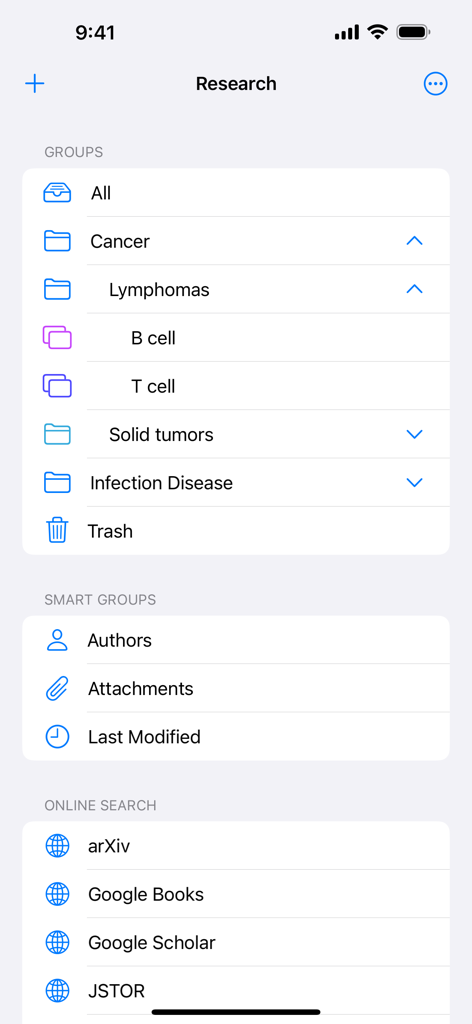
Interface of the Bookends app showing organized research groups for medical topics and online search integrations.
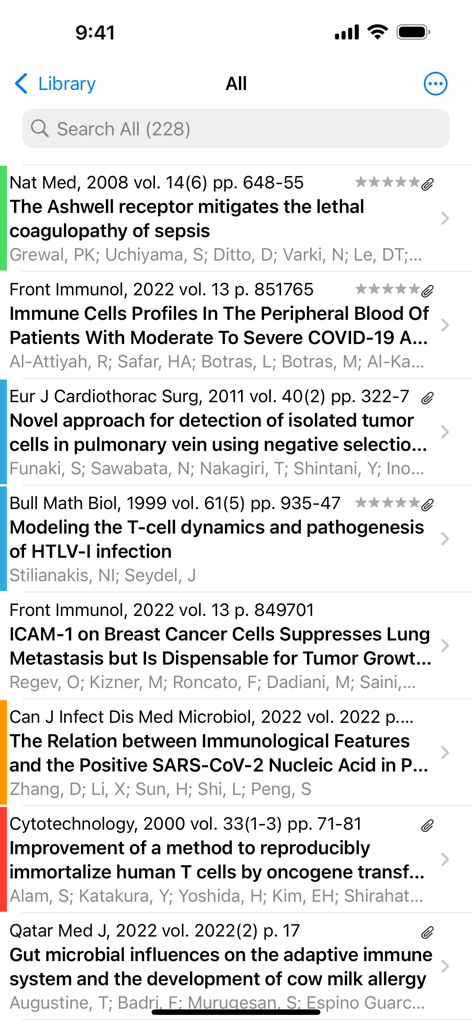
A list of academic research articles and references in the Bookends app
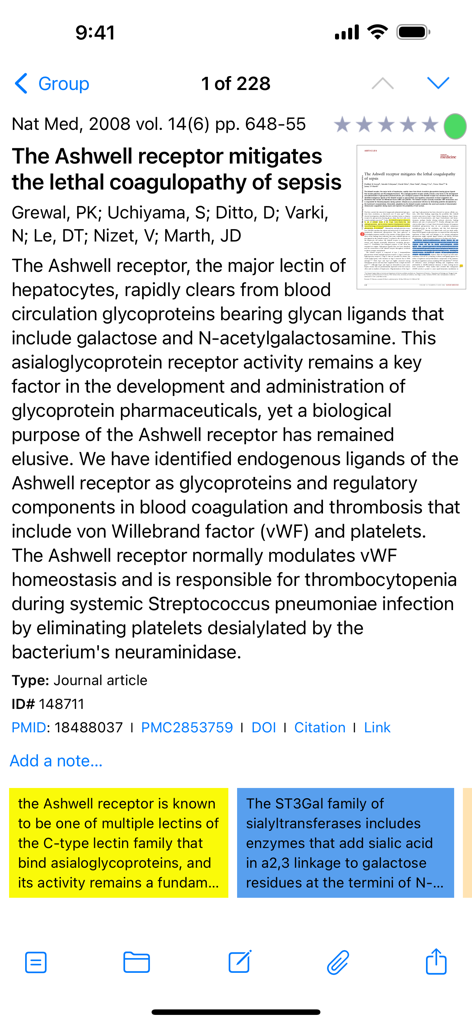
Scientific article metadata and research highlights in Bookends mobile app
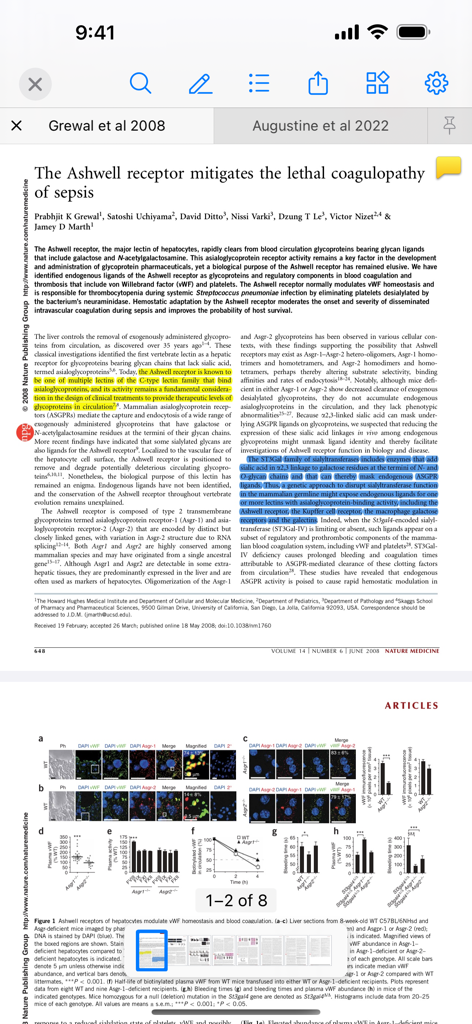
Research paper with yellow and blue highlights in the Bookends mobile app interface
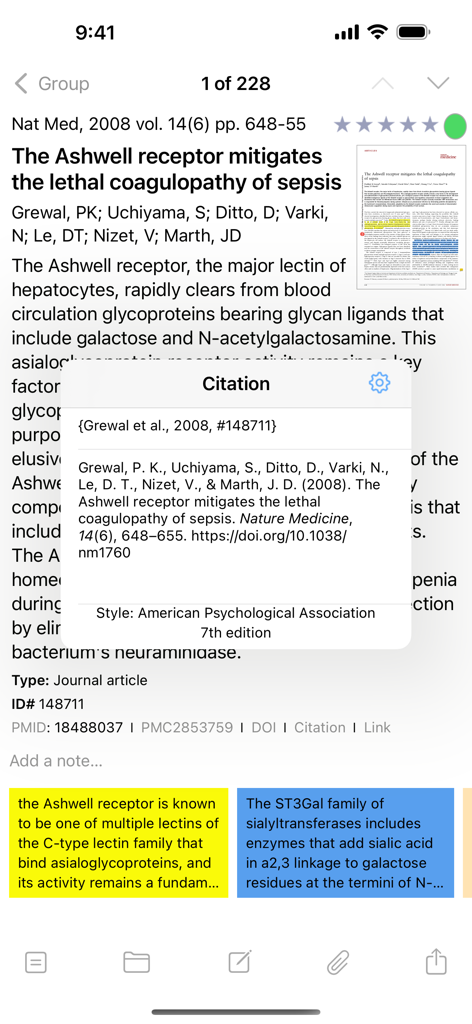
Screenshot of the Bookends app showing a journal article reference with an APA 7th edition citation popup.
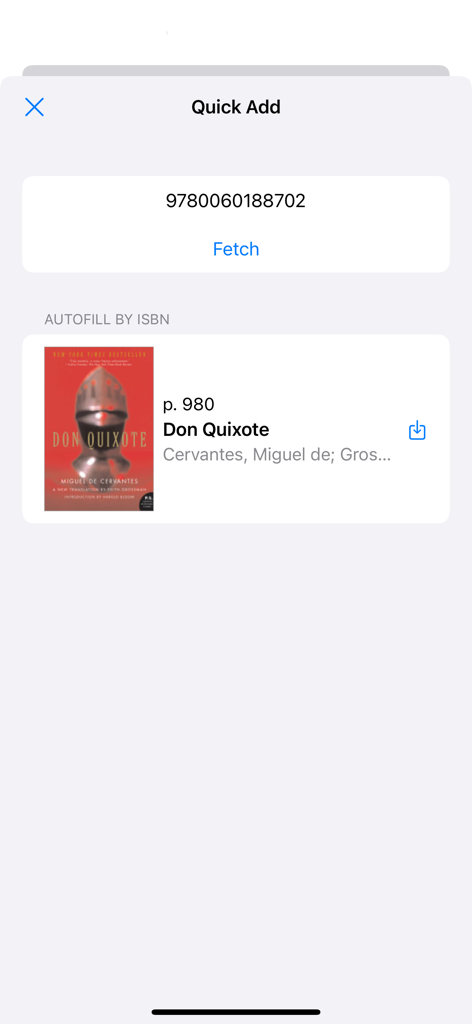
Bookends app Quick Add screen showing a book reference fetched by ISBN autofill
Description
Download
More Like This
Top-ranked apps in the same category

ChatGPT
OpenAI OpCo, LLC

Google Gemini
Google LLC

Grok
X.AI Corporation

Gmail - Email by Google
Google LLC

千问 - 阿里最强大模型官方AI助手
Shanghai Zhixin Puhui Technology Co., Ltd.

Google Drive
Google LLC

Microsoft Authenticator
Microsoft Corporation

Google Sheets
Google LLC

Google Docs
Google LLC
This page is not an official page of the app or its developer, but an independent editorial publication created for informational and commentary purposes. Unless expressly stated otherwise, neither the app nor its developer is affiliated with, endorsed by, sponsored by, authorized by, or otherwise officially connected with MWM, Apple, Google Play, the app publisher, or the app's developer, and nothing on this page implies that the app was developed using MWM's services. Any trademarks, logos, screenshots, and other content remain the property of their respective owners.