Brother iPrint&Scan

Brother iPrint&Scan

Download on App StoreDownload on Google Play
Logo of Brother iPrint&Scan

Brother iPrint&Scan: Wireless Printing and Scanning Made Simple

Print documents, scan to the cloud, and send faxes directly from your mobile device. Eliminate the computer middleman with the ultimate productivity tool for your Brother printer.

Publisher

Brother Industries, LTD.

Category

Utilities

Downloads

16M+

User Rating

2.7/5

Total Ratings

16K+

Locales

21

Efficiency in Motion

Discover the interface used by 16M+ users.
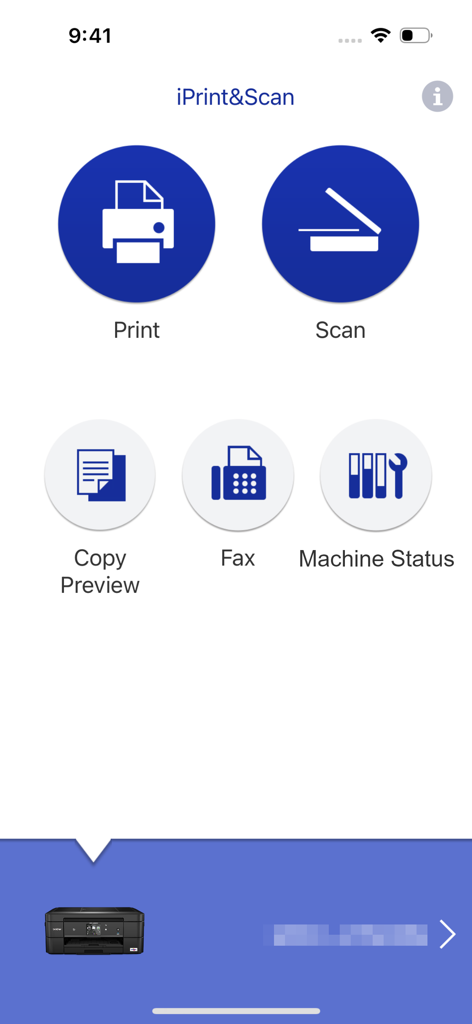
Main interface of Brother iPrint and Scan app featuring print and scan options

Main interface of Brother iPrint and Scan app featuring print and scan options

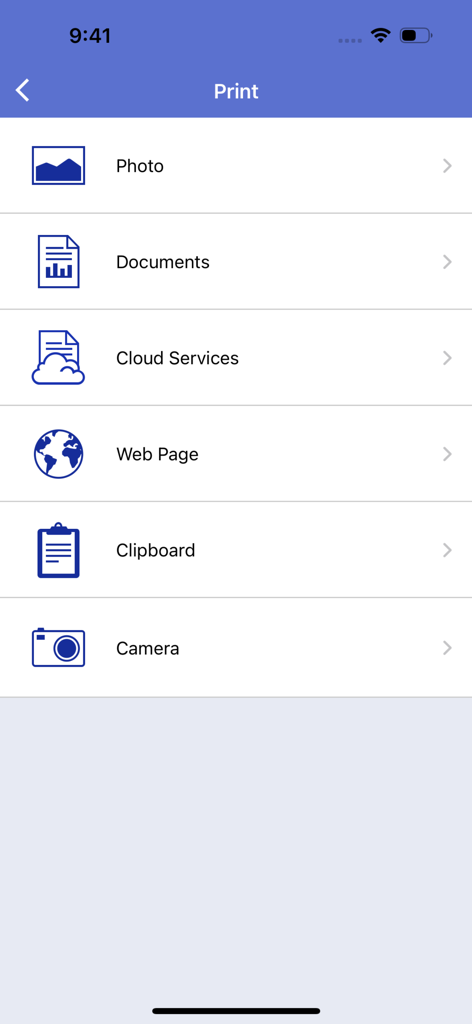
Main print menu screen of the Brother iPrint and Scan app showing options to print photos, documents, cloud files, web pages, and more.

Main print menu screen of the Brother iPrint and Scan app showing options to print photos, documents, cloud files, web pages, and more.

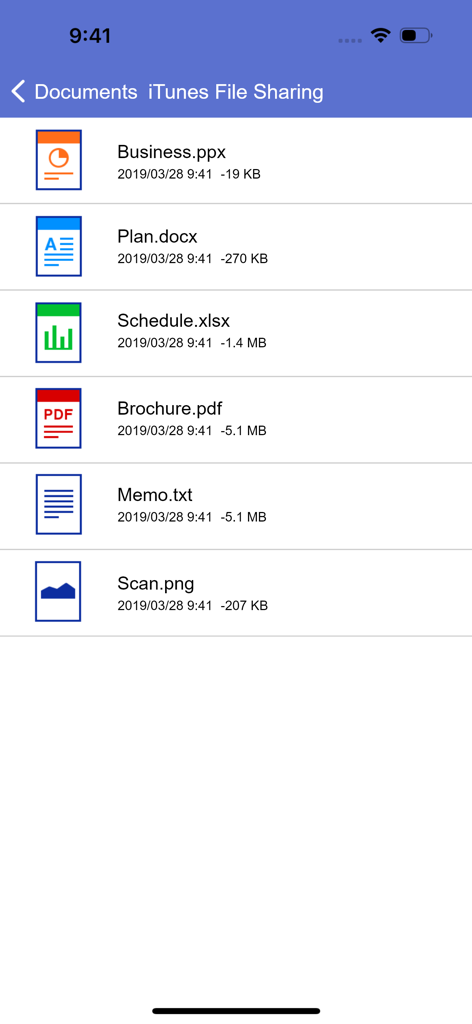
Document list in Brother iPrint and Scan app showing PDF Word and Excel files for mobile printing

Document list in Brother iPrint and Scan app showing PDF Word and Excel files for mobile printing

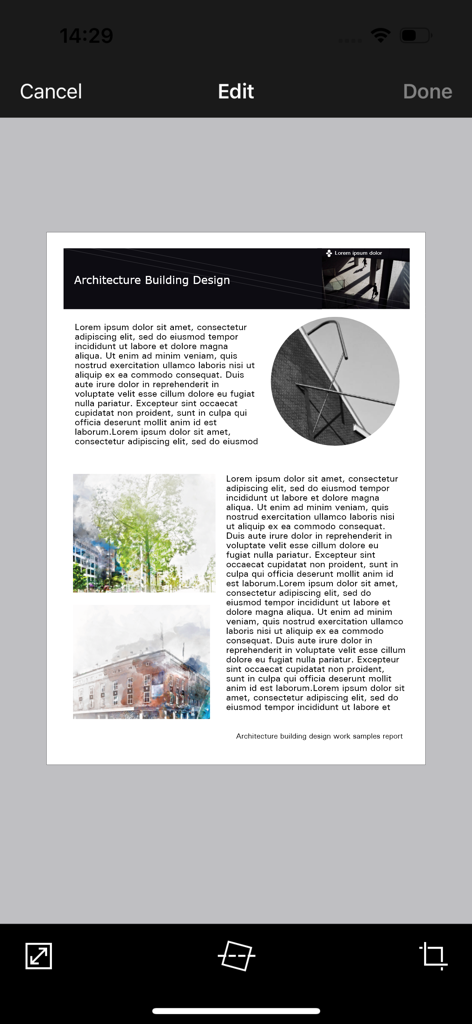
Brother iPrint and Scan mobile app interface showing a document being edited with tools for cropping and straightening

Brother iPrint and Scan mobile app interface showing a document being edited with tools for cropping and straightening

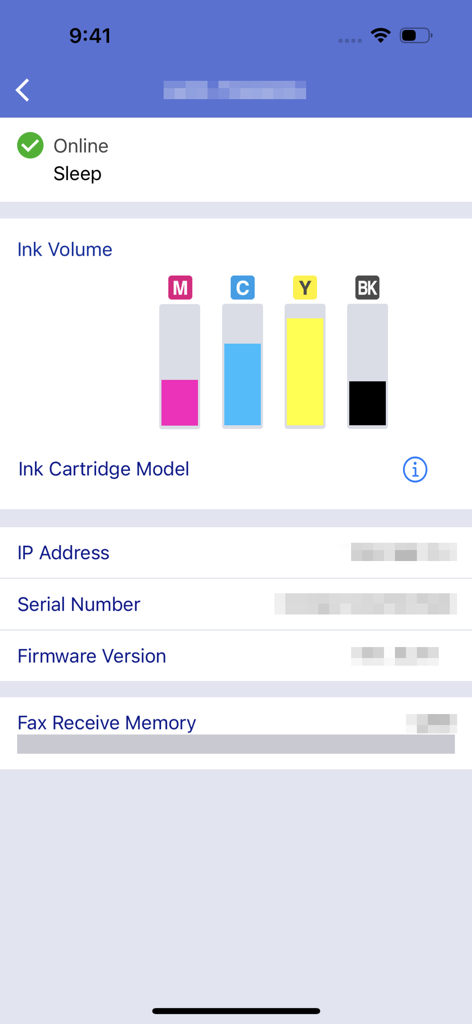
Brother iPrint and Scan app interface displaying ink volume levels and machine status

Brother iPrint and Scan app interface displaying ink volume levels and machine status

Master Your Office from Your Pocket

The tools that make this app stand out, trusted by 16M+ users.

📲

One-Touch Cloud Printing

Print contracts, shipping labels, and documents directly from iCloud, Dropbox, or OneDrive in seconds.

📄

Smart Mobile Scanning

Digitize paperwork on the go. Scan directly to your phone, edit for clarity, and email as PDF without a computer.

📠

Remote Fax & Maintenance

Handle legal faxes and monitor ink levels remotely so you are always ready for your next big project.

Review Analysis

Insights from user reviews.

Sentiment Score

31%
Negative

Summary

The app receives mixed feedback, with users often praising its ease of use, simple setup, and effective wireless printing capabilities for various document and image types. Many find it convenient for printing remotely, even with older printers. However, a significant number of users report persistent connectivity issues, particularly following iOS updates (e.g., iOS 26), and general unreliability. Frustrations also stem from perceived missing features like comprehensive paper size options, consistent double-sided printing controls, and limitations in scanning functionality, alongside reports of app crashes and version-specific bugs on devices like iPhone 17.

Common Themes

Connectivity(4)
Ease of Use & Setup(3)
Wireless Printing(3)
Image Manipulation(2)
Paper Size Options(1)
iOS Compatibility & Bugs(1)

About the app

Everything you need to know about Brother iPrint&Scan.

Description

Brother iPrint&Scan is a free app that enables you to print from and scan to your iOS device (iPhone / iPod touch / iPad). Use your local wireless network to connect your iOS device to your Brother printer or all-in-one. Some new advanced functions have been added, including edit, fax send, fax preview, copy preview, and machine status. Visit your local Brother website for a list of supported models. [Key Features] - Easy to use menu. - Simple steps to print your favorite photos, web pages and documents (PDF, Word, Excel®, PowerPoint®, Text). - Print photos directly from your iPhone camera. - Print PDF files or Microsoft® Office documents or Text files by starting the app from "Open in..." - Print your documents and photos directly from the following cloud services: Dropbox™, OneDrive, Evernote®. - Print what you copied to the clipboard. - Use iTunes File Sharing to send compatible files (PDF, Word, Excel®, PowerPoint®, Text, JPEG, PNG, TIFF) to iPrint&Scan for convenient printing at a later time. - Scan directly to your iPhone/iPod touch/iPad. - Save scanned images to your photo album, iCloud or Facebook / X / Flickr accounts or send them in an E-mail (PDF, JPEG). - Print scanned images saved to iCloud from this app. - Automatically search for supported devices on a local wireless network. - No computer and no driver required. *To save scanned images directly to Facebook / X / Flickr, you must first register your accounts on your mobile device. [Advanced Functions] (Only available on new models.) - Edit previewed images using the editing tools (scale, straighten, crop) if necessary. - Send a fax directly from your mobile device. (This app feature requires access to the address book of your mobile device.) - View received faxes stored on your machine on your mobile device. - The copy preview function enables you to preview an image and edit it if necessary before copying to avoid copy errors. - View the machine’s status such as ink/toner volume and error messages on your mobile device. *Compatible functions will depend on the selected device. [Compatible Print Settings] - Paper Size - 4" x 6" (10 x 15cm) Photo L (3.5" x 5" / 9 x 13 cm) Photo 2L (5" x 7" / 13 x 18 cm) A4 Letter Legal A3 Ledger - Media Type - Glossy Paper Plain Paper - Copies - Up to 5 [Compatible Scan Settings] - Document Size - A4 Letter 4" x 6" (10 x 15cm) Photo L (3.5" x 5" / 9 x 13 cm) Card (2.4" x 3.5" / 60 x 90 mm) Legal A3 Ledger - Scan Type - Color Color (Fast) Black & White [Access Permission Information] You must check and allow the essential access permissions below to use Brother iPrint&Scan service. Essential Permission • Contact information: access to your contact numbers is needed when you use functions like fax, but you can limit access to the specific contact necessary for the service. Optional Permission • Location information: It is requested only when you use device search features like Wi-Fi Direct, Bluetooth, or NFC. Optional data is required to use the corresponding function, and even if permission is not granted, services other than the corresponding function can be used. *Compatible settings will depend on the selected device and function. *Evernote is a trademark of Evernote Corporation and used under a license. *Microsoft, Excel, and PowerPoint are either registered trademarks or trademarks of Microsoft Corporation in the United States and/or other countries. *To help us improve the application, send your feedback to Feedback-mobile-apps-ps@brother.com. Please note that we may not be able to respond to individual emails.

Latest Version

6.15.4

Size

37.4 MB

First Released

Jul 29, 2010

Take Full Control of Your Brother Printer Anywhere

Join over 16 million professionals and families who have ditched the computer. Print documents, scan to the cloud, and send faxes directly from your phone for a seamless, mobile-first workflow.

Download on App StoreDownload on Google Play
FAQ

Frequently Asked Questions

Everything you need to know about Brother iPrint&Scan

What is Brother iPrint&Scan?

Brother iPrint&Scan is a free application that enables users to print from and scan to their iOS devices. It connects to compatible Brother printers and all-in-one machines via a local wireless network.

How do I print documents using Brother iPrint&Scan?

Yes, Brother iPrint&Scan allows printing of photos, web pages, and documents such as PDF, Word, Excel, PowerPoint, and Text files. Users can also print from cloud services like Dropbox.

Can Brother iPrint&Scan scan images to my iOS device?

Yes, Brother iPrint&Scan allows direct scanning to iPhone, iPod touch, or iPad. Scanned images can be saved to the photo album, iCloud, or shared via email, Facebook, X, or Flickr accounts.

Does Brother iPrint&Scan support cloud printing?

Yes, Brother iPrint&Scan supports printing documents and photos directly from cloud services. Compatible services include Dropbox, OneDrive, and Evernote.

What file formats are compatible with Brother iPrint&Scan for printing via iTunes File Sharing?

Brother iPrint&Scan supports compatible files such as PDF, Word, Excel, PowerPoint, Text, JPEG, PNG, and TIFF for printing via iTunes File Sharing.

Can I check my Brother printer's status with iPrint&Scan?

Yes, Brother iPrint&Scan allows users to view the machine's status, including ink or toner volume levels and error messages, directly on their mobile device.

Is the Brother iPrint&Scan app free to download and use?

Yes, Brother iPrint&Scan is a free application. It enables printing from and scanning to iOS devices without any cost.

Does Brother iPrint&Scan require a computer or driver for operation?

No, Brother iPrint&Scan does not require a computer or any drivers for its operation. It connects directly to compatible Brother devices via a local wireless network.

Can I send faxes using the Brother iPrint&Scan mobile app?

Yes, users can send faxes directly from their mobile device using Brother iPrint&Scan. This feature is available on new models and requires access to the device's address book.

What advanced editing features are available in Brother iPrint&Scan?

Brother iPrint&Scan offers advanced editing tools for previewed images. Users can scale, straighten, and crop images as needed, ensuring optimal output before printing or copying.

What access permissions does Brother iPrint&Scan request?

Brother iPrint&Scan requires essential contact information access for fax functions and optional location information for device search features like Wi-Fi Direct or Bluetooth.

How does Brother iPrint&Scan connect to a Brother printer?

Brother iPrint&Scan connects to a Brother printer or all-in-one device using the local wireless network. The app automatically searches for supported devices on the network.

App information, icons, screenshots, and descriptions displayed on this page are sourced from the Apple App Store and are the property of their respective developers. Download estimates and rankings are based on MWM's proprietary models and may not reflect actual figures. This page is provided for informational and analytical purposes only.

Believe this page infringes your intellectual property? File a dispute