
This page is not an official page of the app or its developer, but an independent editorial publication created for informational and commentary purposes. Unless expressly stated otherwise, neither the app nor its developer is affiliated with, endorsed by, sponsored by, authorized by, or otherwise officially connected with MWM, Apple, Google Play, the app publisher, or the app's developer, and nothing on this page implies that the app was developed using MWM's services. Any trademarks, logos, screenshots, and other content remain the property of their respective owners.

BugMe! Stickies
Ditch the paper clutter and capture ideas instantly. Handwrite or type notes, annotate photos, and set custom alarms to stay organized with the familiar feel of sticky notes.
Downloads
290K+User Rating
Total Ratings
1K+Publisher
Category
ProductivityLocales
1Latest Version
1.55Size
32.8 MBFirst Released
Mar 16, 2010Effortless Organization for Your Busy Life
Say goodbye to paper clutter. BugMe! Stickies brings the tactile feel of traditional sticky notes to your digital world, helping you capture thoughts and set reminders in seconds.
Handwrite Your Thoughts
Ditch the keyboard and use your finger or stylus. Handwriting helps you remember better and lets you jot down ideas exactly as they come to mind.
A Familiar Virtual Corkboard
Stop searching through lists. Pin your notes to a visual board where you can drag and drop them, using spatial memory to stay organized and in control.
Frequently Asked Questions
Everything you need to know about BugMe! Stickies
What is BugMe! Stickies?
BugMe! Stickies is an iOS quick note app that replaces paper sticky notes with digital handwritten or text notes. Users can pin notes to a virtual cork board.
What devices does BugMe! Stickies support?
Yes, BugMe! Stickies supports iOS devices, including iPhone, iPad, and iPod touch.
Can I handwrite notes in BugMe! Stickies?
Yes, BugMe! Stickies allows users to write notes in digital ink with their finger or type using the inbuilt keyboard.
Can BugMe! Stickies set alarms and reminders?
Yes, BugMe! Stickies allows users to set alarms and due times on their notes.
How can users customize their notes in BugMe! Stickies?
Users can customize BugMe! Stickies notes by choosing different note colors, fonts, or ink types. They can also use photos as note backgrounds.
Does BugMe! Stickies allow using photos with notes?
Yes, BugMe! Stickies allows users to use their photos as note backgrounds or to make notes and marks directly on their photos.
How do I organize notes in BugMe! Stickies?
Users can organize notes in BugMe! Stickies by dragging and dropping them to rearrange them on the virtual cork board.
Can BugMe! Stickies notes appear on the launcher screen?
Yes, users can "Stick" their BugMe! Stickies notes on their launcher screen for an extra visual reminder.
The following screenshots and description are sourced directly from the app's official store listing and are the property of the app developer.
App Store
Screenshots
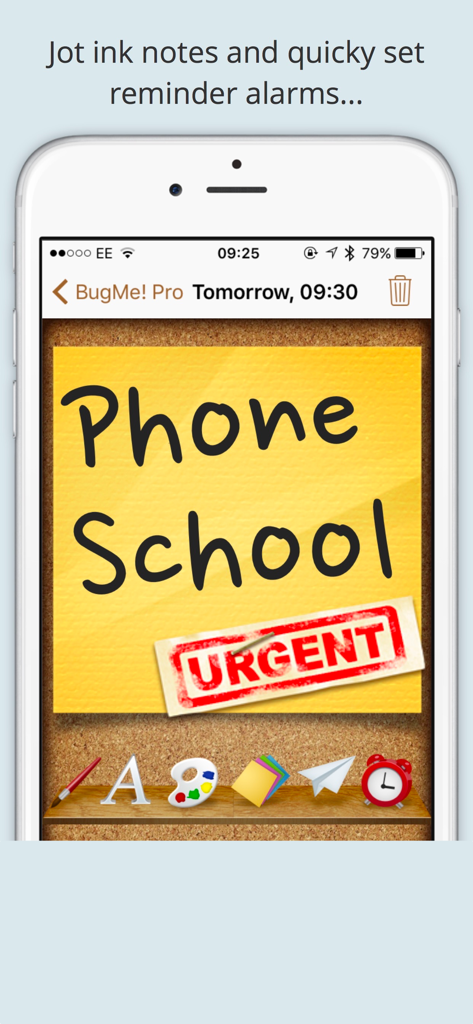
Handwritten sticky note with an urgent stamp pinned to a virtual corkboard in the BugMe Stickies app.
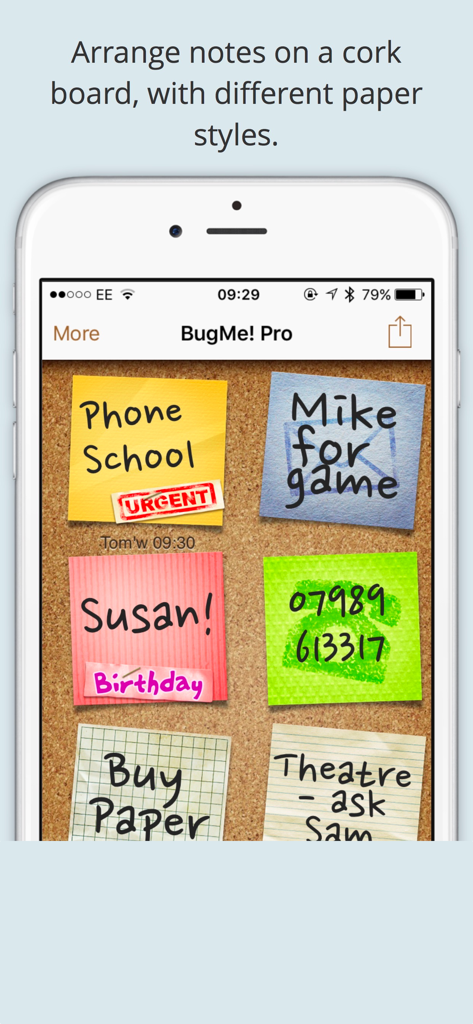
BugMe Stickies app showing colorful digital notes on a virtual corkboard
Description
Download
More Like This
Top-ranked apps in the same category

ChatGPT
OpenAI OpCo, LLC

Google Gemini
Google LLC

Grok
X.AI Corporation

Gmail - Email by Google
Google LLC

千问 - 阿里最强大模型官方AI助手
Shanghai Zhixin Puhui Technology Co., Ltd.

Google Drive
Google LLC

Microsoft Authenticator
Microsoft Corporation

Google Sheets
Google LLC

Google Docs
Google LLC
This page is not an official page of the app or its developer, but an independent editorial publication created for informational and commentary purposes. Unless expressly stated otherwise, neither the app nor its developer is affiliated with, endorsed by, sponsored by, authorized by, or otherwise officially connected with MWM, Apple, Google Play, the app publisher, or the app's developer, and nothing on this page implies that the app was developed using MWM's services. Any trademarks, logos, screenshots, and other content remain the property of their respective owners.