
This page is not an official page of the app or its developer, but an independent editorial publication created for informational and commentary purposes. Unless expressly stated otherwise, neither the app nor its developer is affiliated with, endorsed by, sponsored by, authorized by, or otherwise officially connected with MWM, Apple, Google Play, the app publisher, or the app's developer, and nothing on this page implies that the app was developed using MWM's services. Any trademarks, logos, screenshots, and other content remain the property of their respective owners.

C/C++ LLVM Clang
Master C and C++ with a desktop-grade LLVM compiler in your pocket. Execute code locally, sync projects via Git and iCloud, and transform your iPad into a professional workstation—no internet required.
Downloads
117K+User Rating
Total Ratings
1K+Publisher
Category
Developer ToolsLocales
2Latest Version
3.0Size
137.1 MBFirst Released
Jul 31, 2015Master C/C++ Development Anywhere
The ultimate mobile IDE for CS students and professional engineers, featuring native offline compilation and a full developer toolset designed for your iPhone and iPad.
Native Offline Compilation
Run your code instantly with a local LLVM and Clang compiler. No internet required, no latency—just pure native execution for C and C++ projects.
Professional Git & Cloud Sync
Pull repositories directly from GitHub or Gitee and keep your workspace synchronized across devices via iCloud for a seamless desktop-to-mobile workflow.
Frequently Asked Questions
Everything you need to know about C/C++ LLVM Clang
Does "C/C++ LLVM Clang" support offline compilation?
Yes, C/C++ LLVM Clang supports offline compilation and local execution using LLVM+Clang. This allows users to compile and run C/C++ code without an internet connection.
Can users fetch source code projects from Git repositories in C/C++ LLVM Clang?
Yes, C/C++ LLVM Clang allows users to fetch source code projects from gitee.com and GitHub using Git. This feature facilitates project management and collaboration.
Does "C/C++ LLVM Clang" support iCloud for file synchronization?
Yes, C/C++ LLVM Clang supports easy iCloud storage and multi-device synchronization. This enables efficient collaboration and access to files across multiple Apple devices.
How does C/C++ LLVM Clang facilitate file transfer?
C/C++ LLVM Clang connects to your LAN or Bluetooth for efficient file transfer. It supports multi-point connections via HTTP/FTP protocols, allowing seamless sharing of learning materials and scripts.
What code editing features are available in C/C++ LLVM Clang?
C/C++ LLVM Clang offers features like code templates, autocompletion, auto-indentation, code coloring, symbol completion, symbol keyboard, text search, multi-file search, multi-line indentation, multi-line comments, and code formatting.
Can users customize the appearance of the C/C++ LLVM Clang app?
Yes, users can customize code color, font size, line spacing, background images/colors, text colors, key colors, shadows, text fonts, background animations, interface transition animations, and the number/order of tabs.
What file formats can the C/C++ LLVM Clang app open?
The C/C++ LLVM Clang app can open C, CPP, txt, PDF, CHM, MP3, M4V, zip, GIF, PNG, HTML, PY, and doc files from the file system.
How can users share C/C++ scripts and learning materials from the app?
Users can share C/C++ scripts and learning materials via email, Weibo, Twitter, and Facebook. The app also supports generating QR codes for easy sharing and access.
Does C/C++ LLVM Clang include a built-in browser?
Yes, C/C++ LLVM Clang includes a built-in browser. Users can use it to search for learning materials and select code directly within the browser to run it, facilitating "learn by doing."
The following screenshots and description are sourced directly from the app's official store listing and are the property of the app developer.
App Store
Screenshots
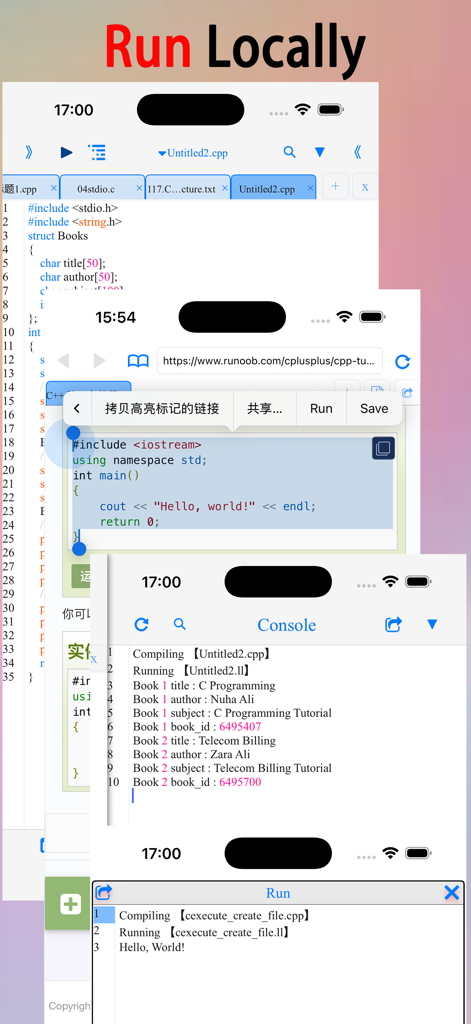
A collage of screenshots from a mobile IDE showing a C and C++ code editor browser based code selection and the local console output for offline execution
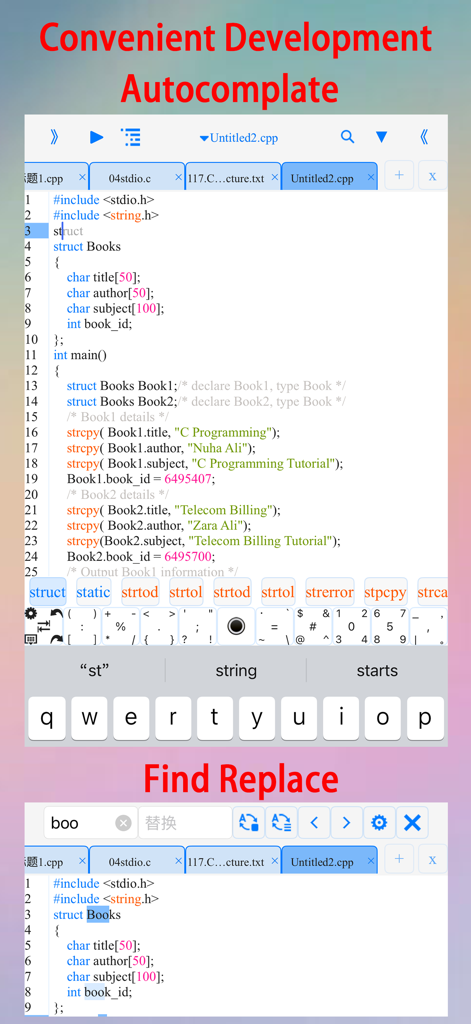
C and C plus plus compiler app interface showing autocomplete and search features
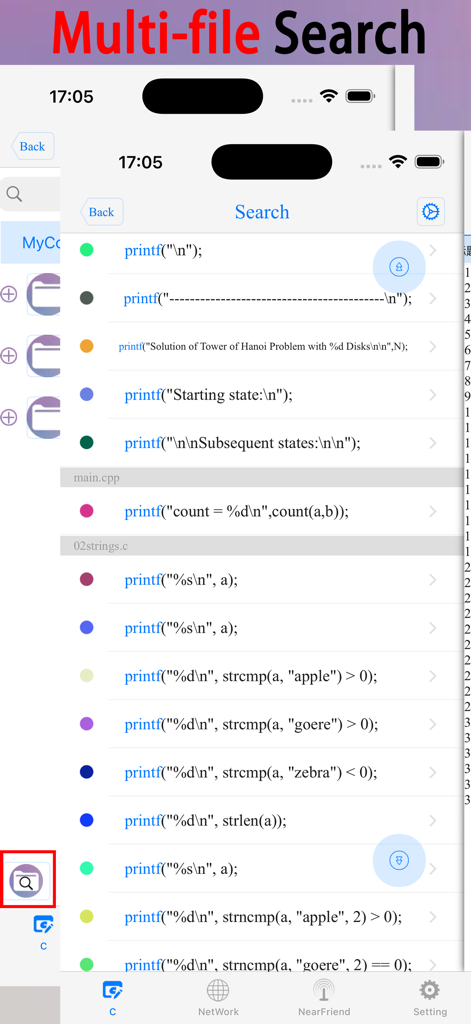
Screenshot of the C/C++ LLVM Clang app showing the multi-file search results across multiple code files.
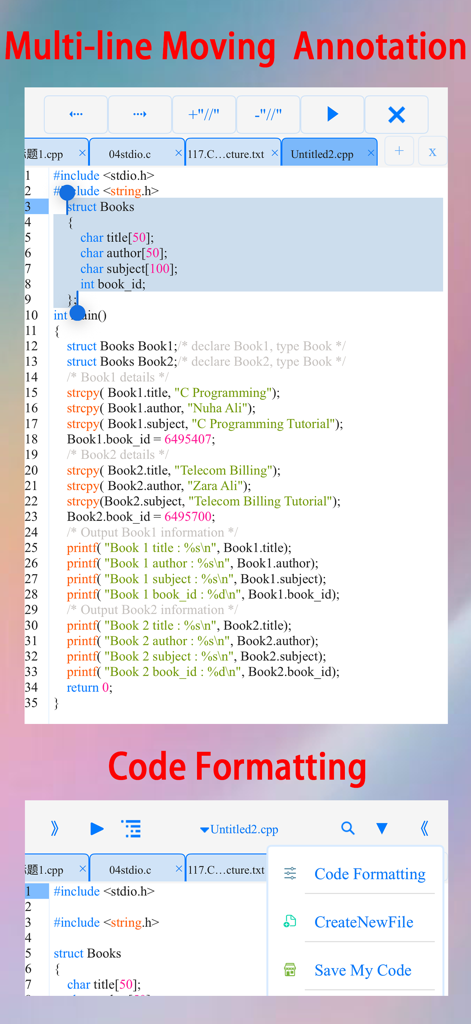
Mobile code editor interface with C plus plus code formatting and multi line selection options
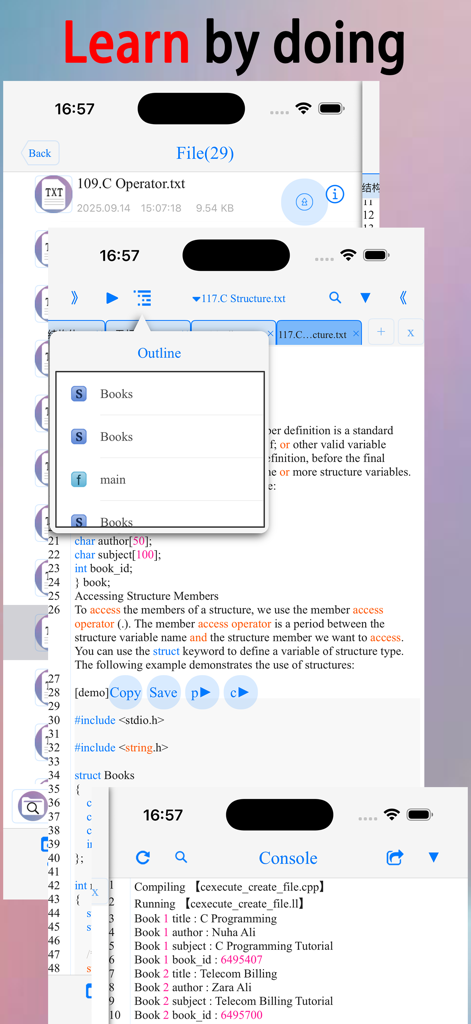
C and C plus plus mobile compiler app showing code editor outline and console output
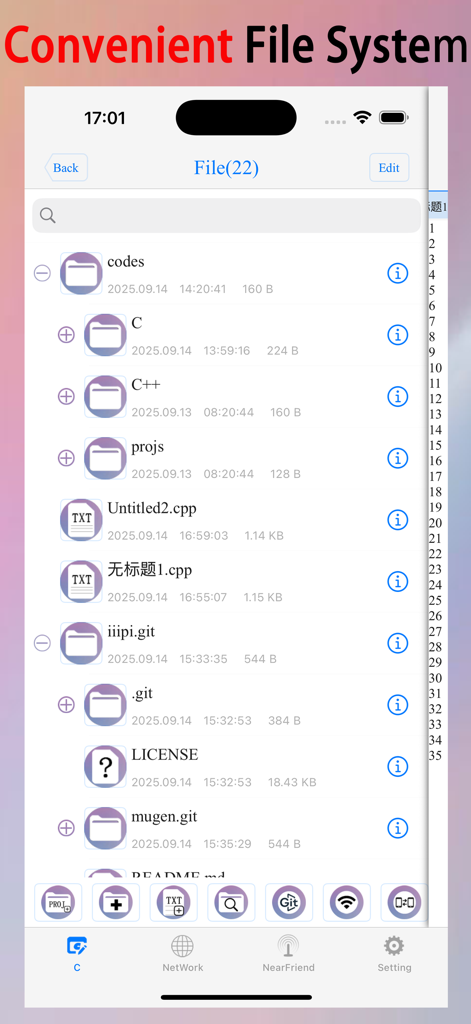
A mobile file manager interface showing folders and source code files for C and C plus plus programming
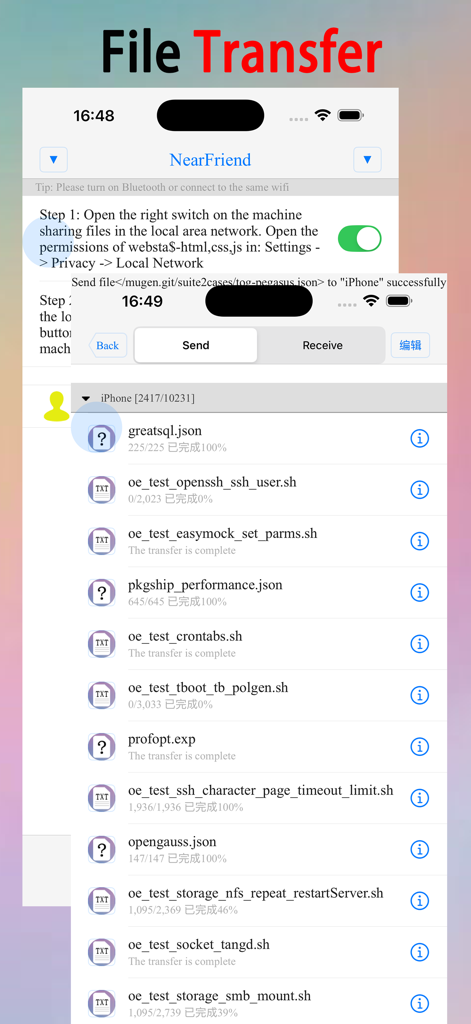
File transfer interface in the C-CPP LLVM Clang mobile app showing file list and transfer status.
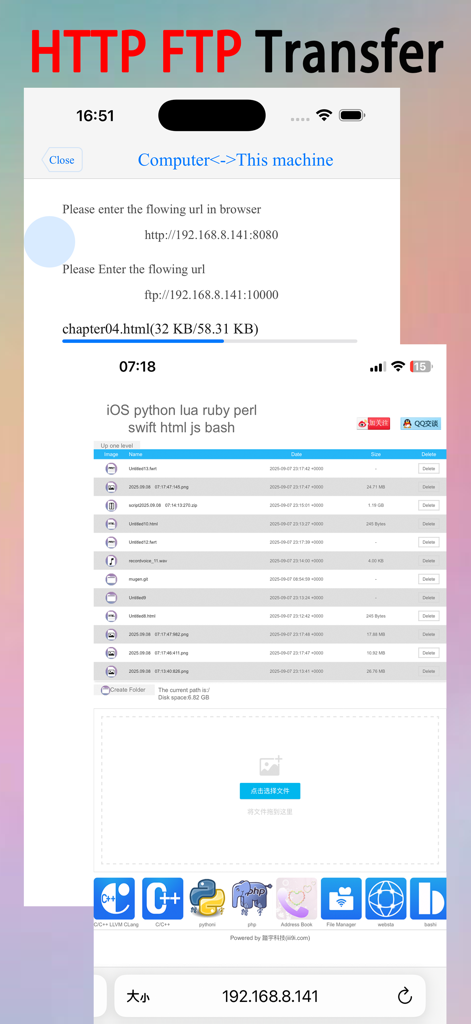
Mobile app interface for HTTP and FTP file transfers between device and computer
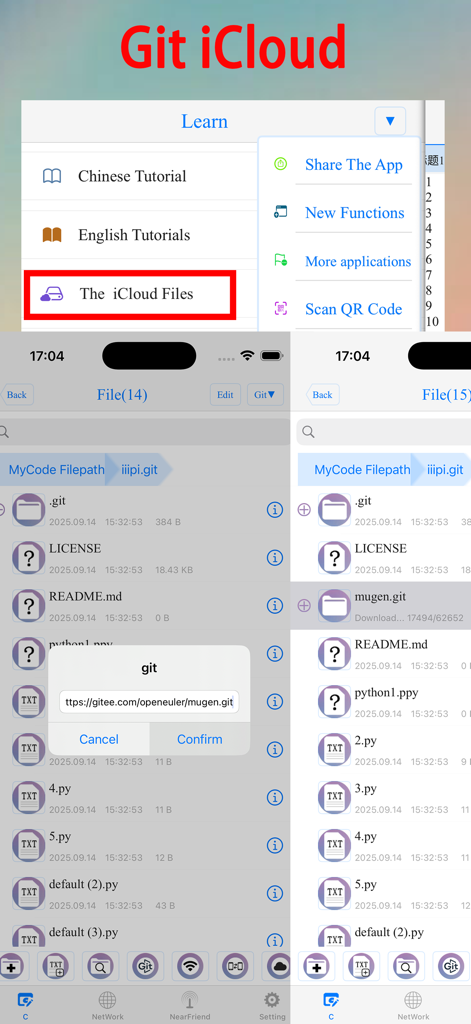
Interface of the C/C++ LLVM Clang app demonstrating Git integration and iCloud file synchronization
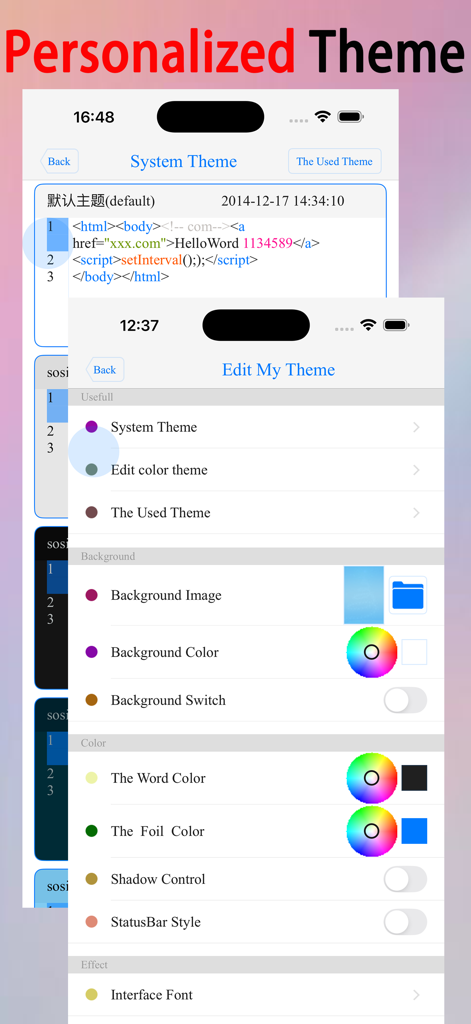
Personalized theme settings for the C/C++ IDE app showing options to edit background colors fonts and text styles
Description
Download
More Like This
Top-ranked apps in the same category

TestFlight
Apple Inc.

Replit: Vibe Code Apps
Replit, Inc

GitHub
GitHub

O-KAM Pro
Shenzhen VeePai IoT Intelligent Technology LLC

Apple Developer
Apple Inc.

Expo Go
650 Industries, Inc.

Scriptable
Simon Stovring

App Store Connect
Apple Inc.

Sekai: Create · Remix · Play
Versa AI, Inc.
This page is not an official page of the app or its developer, but an independent editorial publication created for informational and commentary purposes. Unless expressly stated otherwise, neither the app nor its developer is affiliated with, endorsed by, sponsored by, authorized by, or otherwise officially connected with MWM, Apple, Google Play, the app publisher, or the app's developer, and nothing on this page implies that the app was developed using MWM's services. Any trademarks, logos, screenshots, and other content remain the property of their respective owners.