
This page is not an official page of the app or its developer, but an independent editorial publication created for informational and commentary purposes. Unless expressly stated otherwise, neither the app nor its developer is affiliated with, endorsed by, sponsored by, authorized by, or otherwise officially connected with MWM, Apple, Google Play, the app publisher, or the app's developer, and nothing on this page implies that the app was developed using MWM's services. Any trademarks, logos, screenshots, and other content remain the property of their respective owners.


Calculator AppLock - Lock Apps
Protect your sensitive data behind a discreet calculator icon and manage your family's digital habits with ease. Featuring FaceID unlock, location-based automation, and 100% local storage for ultimate peace of mind.
Downloads
31K+User Rating
Total Ratings
2K+Publisher
Category
UtilitiesLocales
10Latest Version
1.3.8Size
45.1 MBFirst Released
Sep 5, 2023Master Your Mobile Privacy & Safety
From advanced icon masking to automated screen time limits, take full control of how your device is used by yourself and others.
Discreet Icon Masking
Maintain absolute privacy by disguising your secure vault as a fully functional calculator, preventing unwanted curiosity from friends or coworkers.
Smart Screen Time Limits
Protect your children from gaming addiction and inappropriate content with automated usage restrictions that balance learning and play.
Frequently Asked Questions
Everything you need to know about Calculator AppLock - Lock Apps
What is the primary function of Calculator AppLock - Lock Apps?
Calculator AppLock is a screen time management tool. It helps control children's device usage, prevents gaming addiction, and blocks inappropriate content. It also locks photos, videos, applications, and contacts.
Does Calculator AppLock - Lock Apps help prevent gaming addiction?
Yes, Calculator AppLock prevents gaming addiction. It limits the time children spend playing games on mobile devices, promoting a better balance between learning and entertainment.
Can Calculator AppLock - Lock Apps block access to inappropriate content?
Yes, Calculator AppLock blocks inappropriate content. It prevents children from accessing unsuitable material, ensuring their healthy development and protecting them online.
Does Calculator AppLock - Lock Apps contain ads or require user registration?
No, Calculator AppLock is ad-free and registration-free. Users do not encounter disruptive advertisements or require a cumbersome registration process for usage.
How does Calculator AppLock - Lock Apps ensure user privacy?
Calculator AppLock protects privacy through local data storage. All user data is saved exclusively on the user's phone, ensuring better protection and control.
Can I use Face ID to unlock apps with Calculator AppLock - Lock Apps?
Yes, Calculator AppLock supports Face ID one-touch unlock. Users can verify their identity using facial recognition to unlock applications quickly and securely.
Does Calculator AppLock - Lock Apps provide widgets for quick control?
Yes, Calculator AppLock offers homescreen and iOS 16 lock screen widgets. These widgets allow users to easily restrict or restore application usage directly from the home or lock screen.
Can Calculator AppLock - Lock Apps automatically lock apps by time or location?
Yes, Calculator AppLock uses shortcut commands for scheduled locking. It can automatically lock or unlock apps based on specific times or when entering/leaving designated locations.
Is it possible to disguise the icon for Calculator AppLock - Lock Apps?
Yes, Calculator AppLock supports disguising its app icon. It can appear as a functional calculator, effectively hiding its presence on the device to prevent detection.
What are the available subscription options for Calculator AppLock - Lock Apps?
Calculator AppLock offers weekly, monthly, and annual subscription periods. Payments are charged directly to your iTunes account upon purchase confirmation.
Do Calculator AppLock - Lock Apps subscriptions auto-renew?
Yes, subscriptions for Calculator AppLock automatically renew. Auto-renewal must be turned off at least 24 hours prior to the end of the current period to avoid further charges.
Can Calculator AppLock - Lock Apps secure individual applications like Instagram?
Yes, Calculator AppLock can lock specific applications. Screenshot #1 demonstrates its ability to lock Instagram, restricting access until unlocked.
Does Calculator AppLock - Lock Apps support locking all types of applications?
Yes, Calculator AppLock supports all apps for locking. Screenshot #4 illustrates selecting various applications, including social media platforms, for protection.
What are the automatic re-lock intervals available in Calculator AppLock - Lock Apps?
Calculator AppLock can automatically re-lock apps after exiting. Options range from 1 minute to 180 minutes, configurable within the Scheduled Auto Lock settings.
The following screenshots and description are sourced directly from the app's official store listing and are the property of the app developer.
App Store
Screenshots
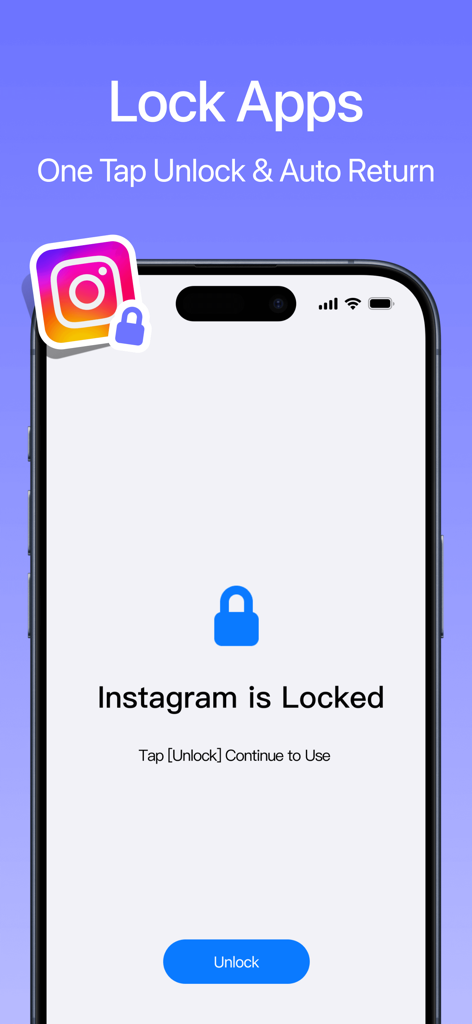
A smartphone screen displaying an app lock interface for Instagram with an unlock button.
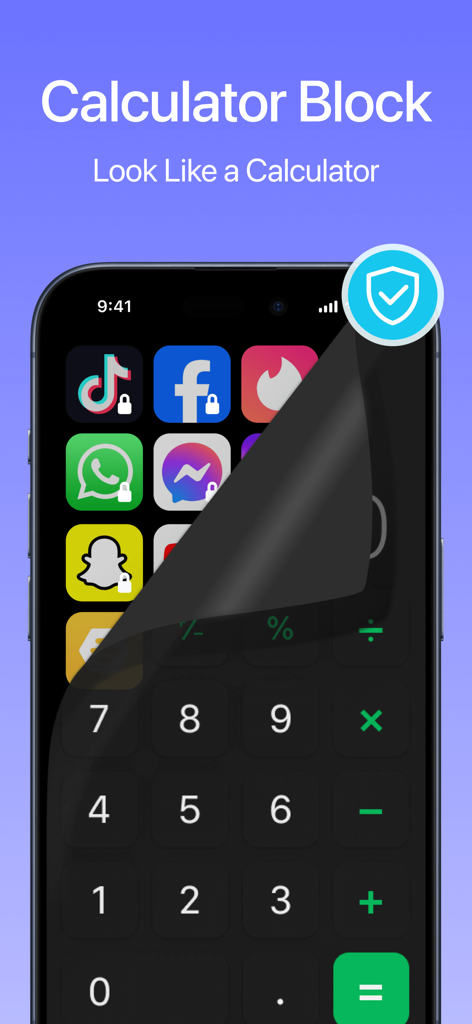
A smartphone screen showing a calculator interface peeling back to reveal hidden locked social media apps
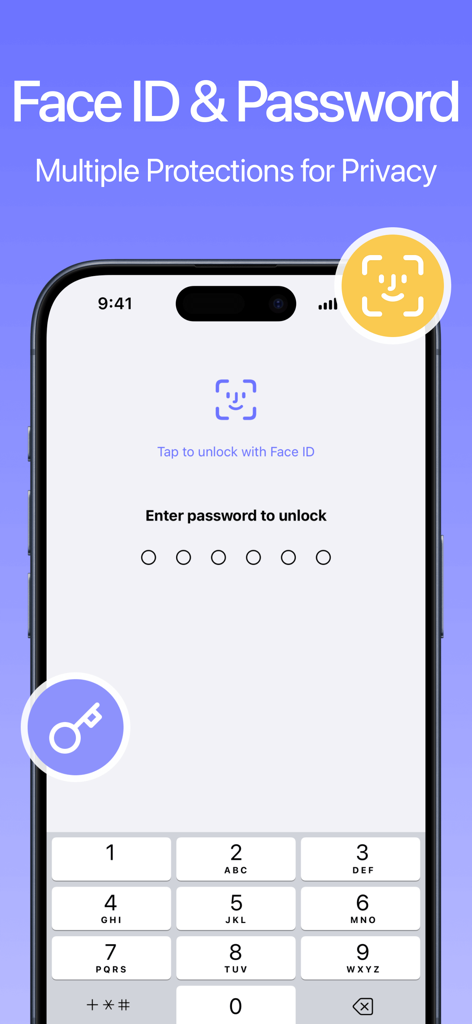
Calculator AppLock interface showing Face ID and numeric password unlock options for enhanced privacy
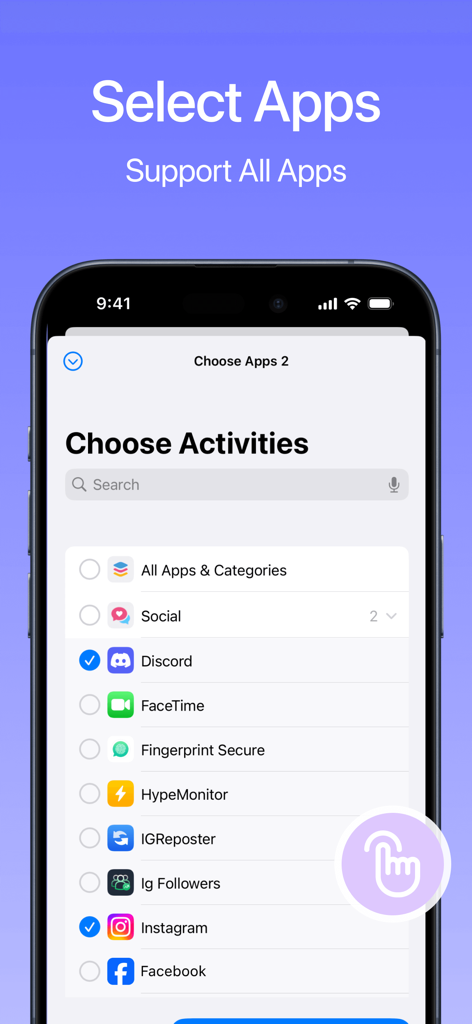
Screen showing a list of mobile apps with selection checkboxes for locking in the Calculator AppLock application
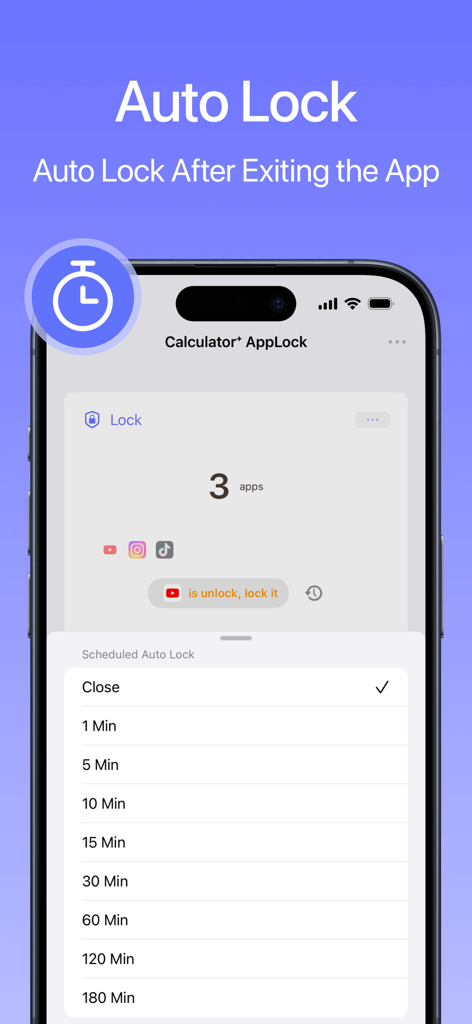
Interface of the Calculator AppLock app showing auto lock time settings for hidden apps.
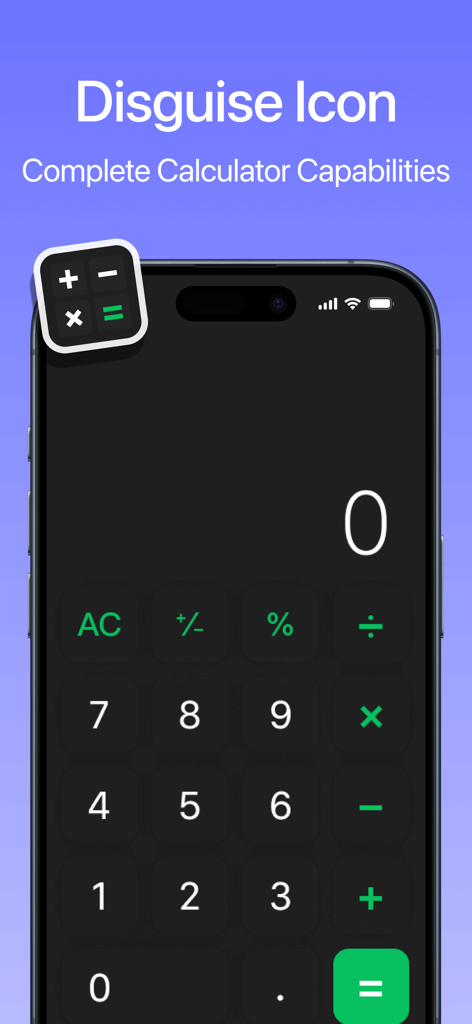
Smartphone screen showing a calculator interface used to disguise the AppLock app icon
Description
Download
More Like This
Top-ranked apps in the same category

Google LLC

Google Chrome
Google LLC

中国移动(手机营业厅)
China Mobile Online Services Co., Ltd.

Google Authenticator
Google LLC

CNH do Brasil
Servicos e Informacoes do Brasil

Cleanup: Phone Storage Cleaner
DEEP FLOW SOFTWARE SERVICES - FZCO

gov.br
Servicos e Informacoes do Brasil

中国电信-全国统一官方服务平台
CHINA TELECOM Corporation Ltd.

Microsoft Edge: AI Browser
Microsoft Corporation
This page is not an official page of the app or its developer, but an independent editorial publication created for informational and commentary purposes. Unless expressly stated otherwise, neither the app nor its developer is affiliated with, endorsed by, sponsored by, authorized by, or otherwise officially connected with MWM, Apple, Google Play, the app publisher, or the app's developer, and nothing on this page implies that the app was developed using MWM's services. Any trademarks, logos, screenshots, and other content remain the property of their respective owners.