CalenGoo Calendar
CalenGoo Calendar
Download on App Store

This page is not an official page of the app or its developer, but an independent editorial publication created for informational and commentary purposes. Unless expressly stated otherwise, neither the app nor its developer is affiliated with, endorsed by, sponsored by, authorized by, or otherwise officially connected with MWM, Apple, Google Play, the app publisher, or the app's developer, and nothing on this page implies that the app was developed using MWM's services. Any trademarks, logos, screenshots, and other content remain the property of their respective owners.

Logo of CalenGoo Calendar
Download on App Store

CalenGoo Calendar

Experience full desktop-level control of your Google and iOS calendars on the go. Designed for high-efficiency pros who need deep customization, integrated tasks, and reliable offline access without compromises.

Key Figures

Downloads

400K+

User Rating

3.7/5

Total Ratings

10K+

Publisher

Gunia UG (haftungsbeschrankt)

Category

Productivity

Locales

9

Latest Version

1.5.103

Size

30.1 MB

First Released

Jan 16, 2009
Features

Professional Calendar Management Without Compromise

Bring the full power of your desktop Google Calendar to your iPhone. Designed for power users who demand precision, deep customization, and seamless task integration.

Desktop-Class Month View

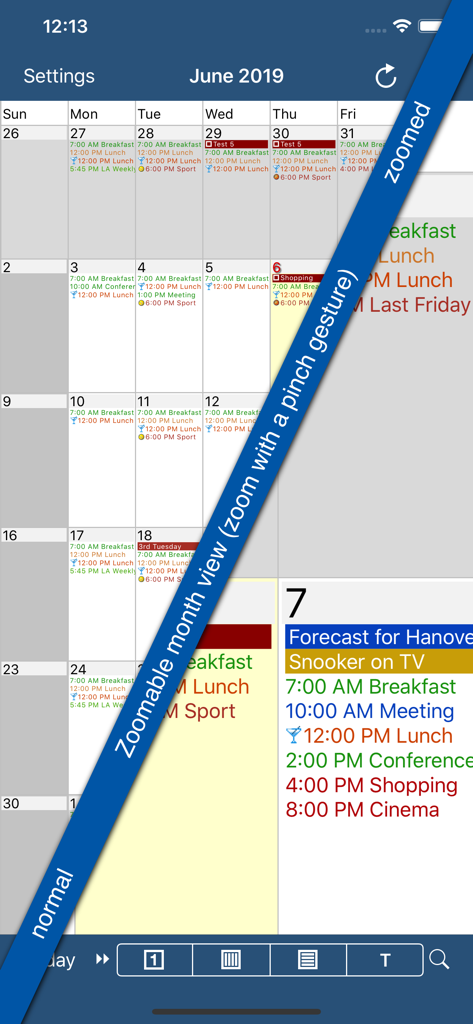
Stop squinting at dots. Get a zoomable, high-detail month view that replicates the desktop experience, complete with your custom Google event colors and icons.

Integrated Task Workflow

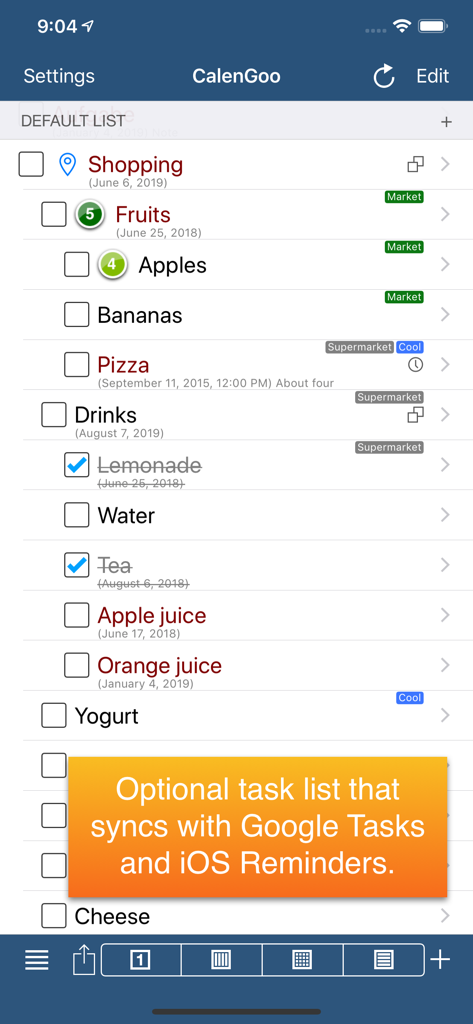
Manage Google Tasks and iOS Reminders directly on your calendar. See your deadlines and appointments in one unified view to streamline your daily planning.

The following screenshots and description are sourced directly from the app's official store listing and are the property of the app developer.

App Store

Screenshots
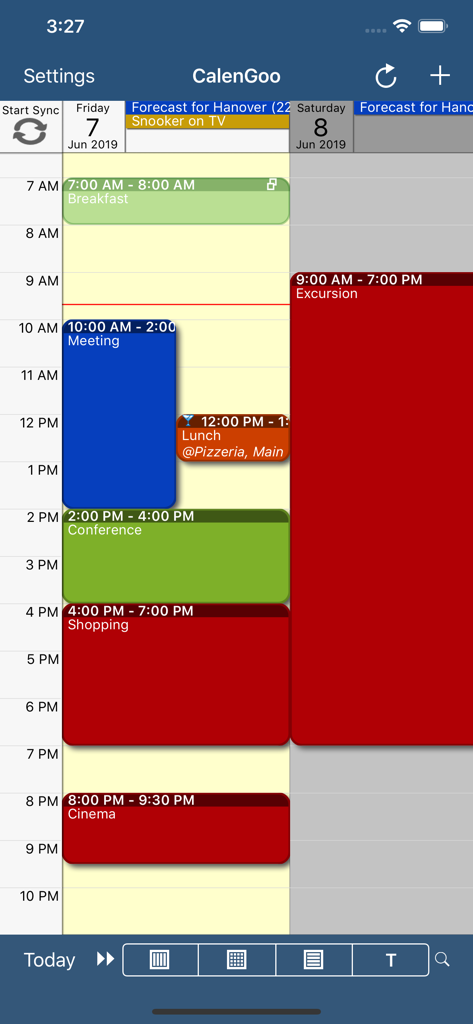
CalenGoo Calendar - CalenGoo Calendar app daily schedule with color coded events
CalenGoo Calendar app daily schedule with color coded events

CalenGoo Calendar - Screenshot of the CalenGoo Calendar app showcasing its zoomable month view feature with color-coded event details
Screenshot of the CalenGoo Calendar app showcasing its zoomable month view feature with color-coded event details

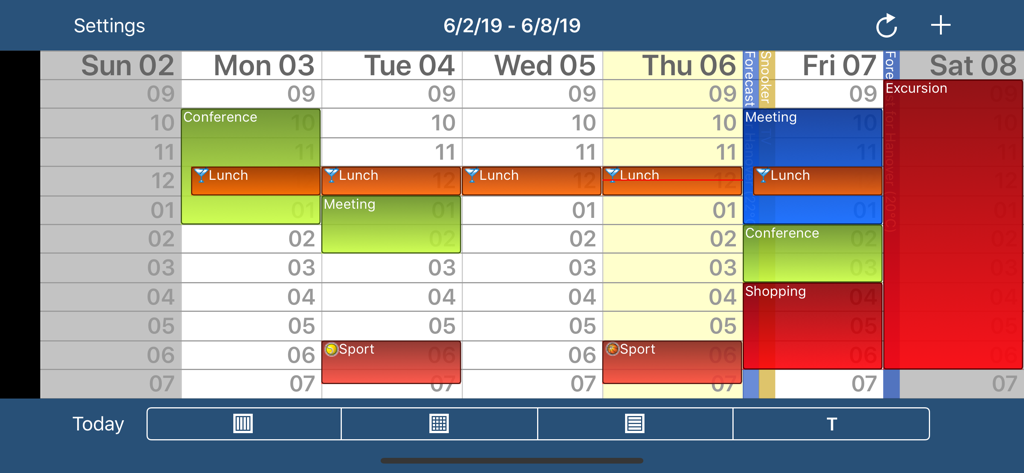
CalenGoo Calendar - Weekly view of the CalenGoo Calendar app with color coded events and time slots
Weekly view of the CalenGoo Calendar app with color coded events and time slots

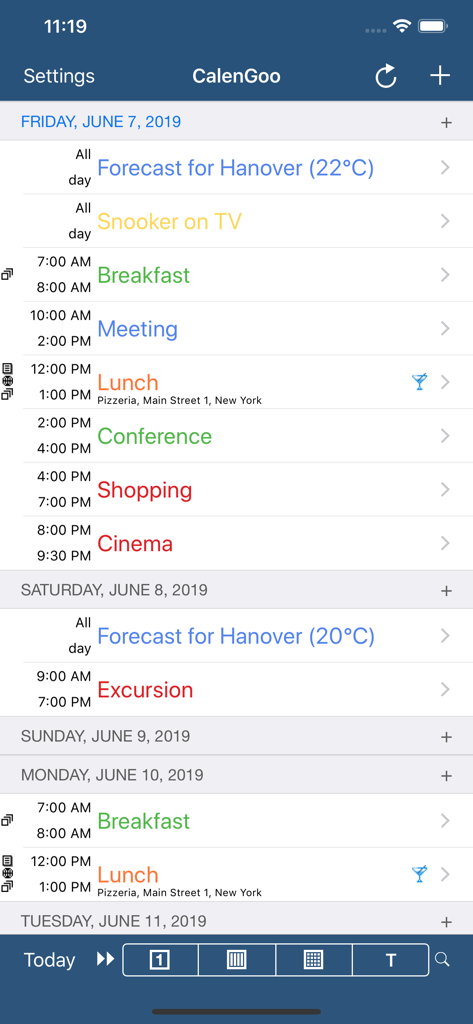
CalenGoo Calendar - CalenGoo Calendar agenda view displaying a color coded daily schedule with events and times
CalenGoo Calendar agenda view displaying a color coded daily schedule with events and times

CalenGoo Calendar - CalenGoo app screenshot showing a shopping task list with Google Tasks and iOS Reminders sync notification

CalenGoo app screenshot showing a shopping task list with Google Tasks and iOS Reminders sync notification

Description

CalenGoo gives you a fast and easy way to access and modify your Google Calendar with your iPhone, iPod Touch or iPad. It can also be used when you have no Internet connection, using the cached data. Changes are saved and uploaded the next time you are connected. The calendar view is similar to the web view of Google Calendar. Events are displayed using the same calendar colors that you use in your Google Calendar, even Google's event colors are supported (please see http://www.calengoo.com/cc ). It also recognizes which calendars are visible and which are hidden. So the view should match the view of your Google Calendar as much as possible. CalenGoo also has a month view similar to that of Google Calendar. It can be zoomed and panned to quickly get an overview over the events of a month. Zooming the month is done by using the two-finger-zoom gesture that you know from Safari and the photo application. A double tap opens the tapped day. It also supports the same kinds of recurrence rules as Google Calendar and displays recurring events correctly even when you are offline or scroll far into the future. You can also use Google Calendar's feature to invite people to events and see their status (accepted, declined, maybe, no answer). They will get an invitation email with links to e.g. accept or decline the invitation. Google Calendar has an integrated task list, called Google Tasks. Tasks with a due date are displayed on the corresponding days of the calendar. CalenGoo can do the same, it can sync this list, display your tasks in the calendar views and in a list view and it even makes your tasks available offline. You can edit and add tasks and the changes will be synced with Google Tasks. You either need a (free) Google Calendar account to use this app or you can use it with your iOS calendars. However using it with Google Calendar has a few advantages. To get more information, screenshots and a tutorial, please go to http://www.calengoo.com If you have any problems or suggestions, please send an email to calengoo@dgunia.de or take a look at CalenGoo's support website to get help. If you think the font is too small and hard to read, you can increase the font size of all calendar views in the settings under "Settings", "Display and Use". Features ( http://www.calengoo.com ): - Drag&drop to quickly copy and move events - Templates to quickly create similar events again. They can even be combined, e.g. one template for the location of an event and another for the attendees - Print/PDF function to print the day, week, month or agenda view via AirPrint or to email it as a PDF file - Supports the same recurrence rules as Google Calendar - Supports Google Calendar's event colors when syncing via OAuth2 - Icons can be assigned to Google Calendar events - Date/time can be entered using the iOS wheels or by using a keypad - Fast search function - Show/edit iOS calendars in addition to Google calendars (or instead of Google calendars) - Sync with Google Tasks and iOS Reminders - Reminders can be snoozed and they can be (optionally) repeated every minute - Birthdays and anniversaries of your contacts can be displayed - Zoomable month view, which can be configured to scroll horizontally (month by month) or vertically (week by week) - Events can be linked to contacts - Floating events and completable events - Photos and PDF files can be created and attached to events (via Google Drive) - Calendar selection bar to quickly show and hide single calendars - The location of an event can be opened with Apple Maps, Google Maps, Navigon, TomTom, Skobbler, Sygic, iGo or Waze - View/edit calendars that are shared with others via Google Calendar - Many configuration options to change the way the app looks and works

Download

Download on App Store

This page is not an official page of the app or its developer, but an independent editorial publication created for informational and commentary purposes. Unless expressly stated otherwise, neither the app nor its developer is affiliated with, endorsed by, sponsored by, authorized by, or otherwise officially connected with MWM, Apple, Google Play, the app publisher, or the app's developer, and nothing on this page implies that the app was developed using MWM's services. Any trademarks, logos, screenshots, and other content remain the property of their respective owners.








