CameraPixels PRO
CameraPixels PRO
Download on App Store

This page is not an official page of the app or its developer, but an independent editorial publication created for informational and commentary purposes. Unless expressly stated otherwise, neither the app nor its developer is affiliated with, endorsed by, sponsored by, authorized by, or otherwise officially connected with MWM, Apple, Google Play, the app publisher, or the app's developer, and nothing on this page implies that the app was developed using MWM's services. Any trademarks, logos, screenshots, and other content remain the property of their respective owners.


Logo of CameraPixels PRO
Download on App Store

CameraPixels PRO

Ditch the AI and reclaim creative control. Unlock the full potential of your iPhone with advanced ProRAW capture, 15-frame exposure bracketing, and precision tools used by experts.

Key Figures

Downloads

120K+

User Rating

4.4/5

Total Ratings

400

Publisher

Natalya Petrenko

Category

Photo & Video

Locales

11

Latest Version

2025.2.2

Size

7.5 MB

First Released

Sep 11, 2016
Features

Professional Precision for Mobile Visionaries

Transform your iPhone into a high-end creative engine with the most advanced manual controls, scientific-grade bracketing, and RAW output capabilities available on iOS.

Total Manual Authority

Master every frame with ISO and Shutter priority modes, real-time clipping warnings, and live histograms for exposure perfection without the guesswork.

Extreme Bracketing Power

Capture up to 15 frames for professional HDR or 100 focus points for macro stacking, providing the high-fidelity data needed for elite post-processing.

The following screenshots and description are sourced directly from the app's official store listing and are the property of the app developer.

App Store

Screenshots
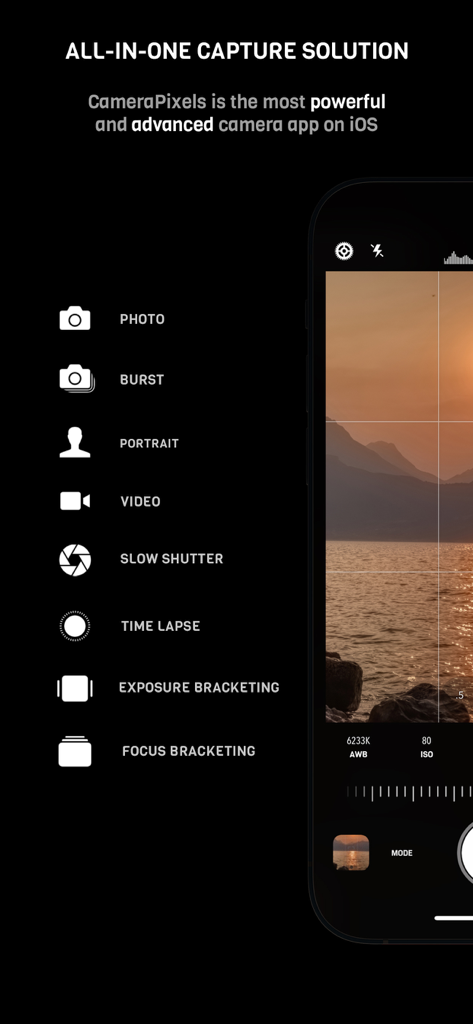
CameraPixels PRO - CameraPixels PRO interface showing manual camera modes like focus and exposure bracketing
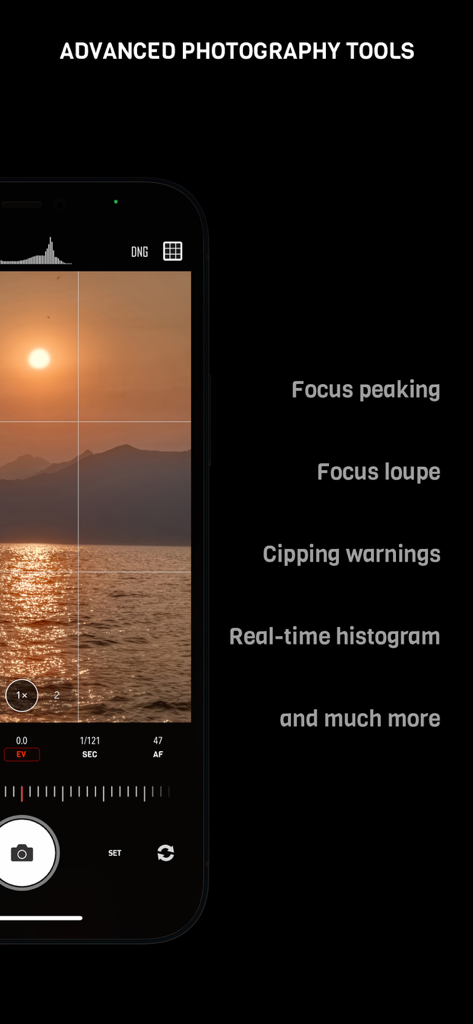
CameraPixels PRO interface showing manual camera modes like focus and exposure bracketing

CameraPixels PRO - CameraPixels PRO manual camera interface with focus peaking and real-time histogram.
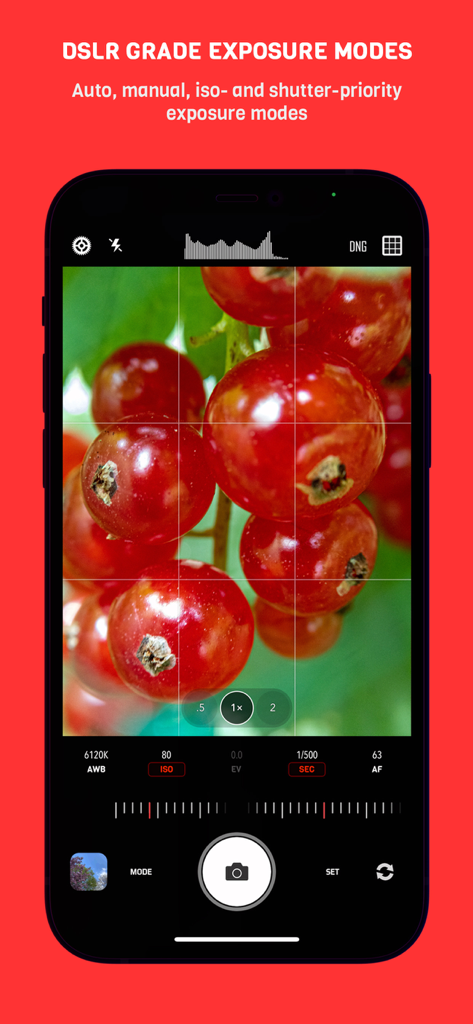
CameraPixels PRO manual camera interface with focus peaking and real-time histogram.

CameraPixels PRO - CameraPixels PRO app interface showing manual DSLR grade exposure modes with a macro photo of red berries
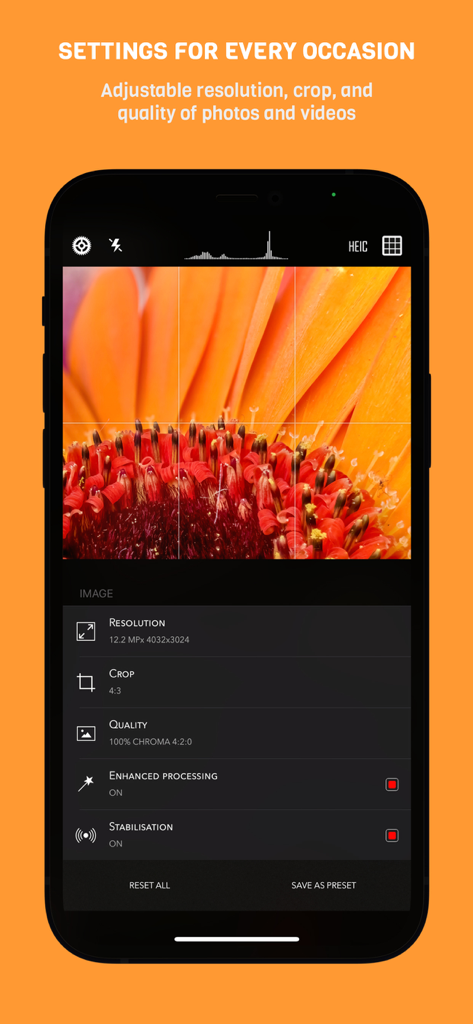
CameraPixels PRO app interface showing manual DSLR grade exposure modes with a macro photo of red berries

CameraPixels PRO - CameraPixels PRO app interface on iPhone showing manual photography settings for resolution crop and quality over a macro flower photo
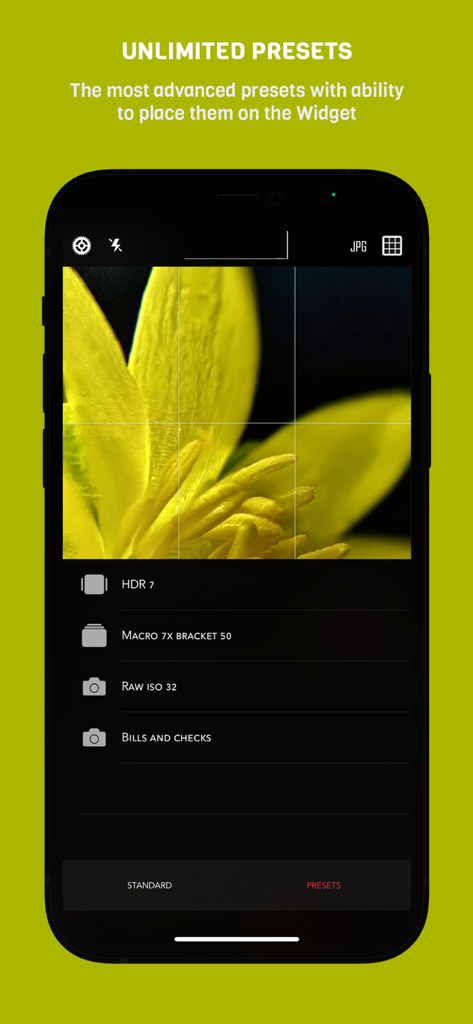
CameraPixels PRO app interface on iPhone showing manual photography settings for resolution crop and quality over a macro flower photo

CameraPixels PRO - Interface of CameraPixels PRO app showing custom photography presets for macro and HDR
Interface of CameraPixels PRO app showing custom photography presets for macro and HDR

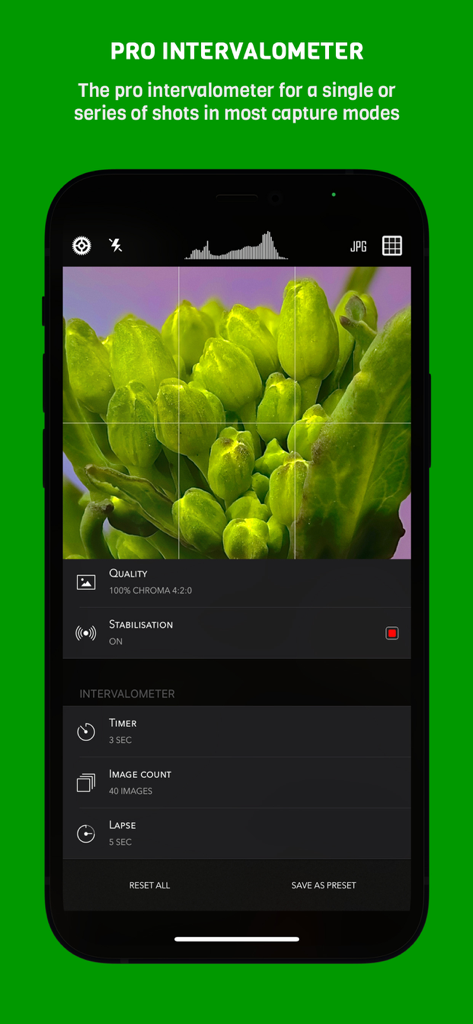
CameraPixels PRO - Professional intervalometer settings in the CameraPixels PRO app showing timer and image count controls for macro photography
Professional intervalometer settings in the CameraPixels PRO app showing timer and image count controls for macro photography

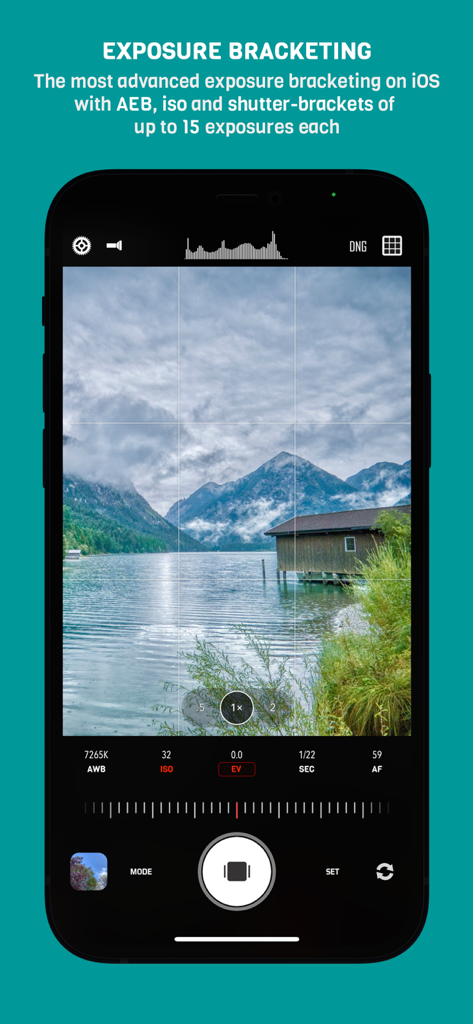
CameraPixels PRO - CameraPixels PRO app showing manual exposure bracketing settings with a mountain lake landscape view
CameraPixels PRO app showing manual exposure bracketing settings with a mountain lake landscape view

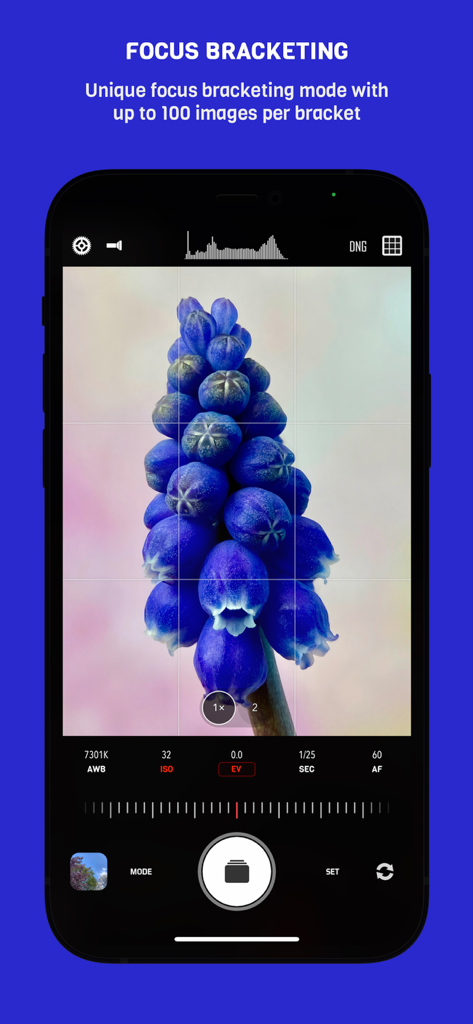
CameraPixels PRO - Focus bracketing interface in CameraPixels PRO app for high-detail macro photography
Focus bracketing interface in CameraPixels PRO app for high-detail macro photography

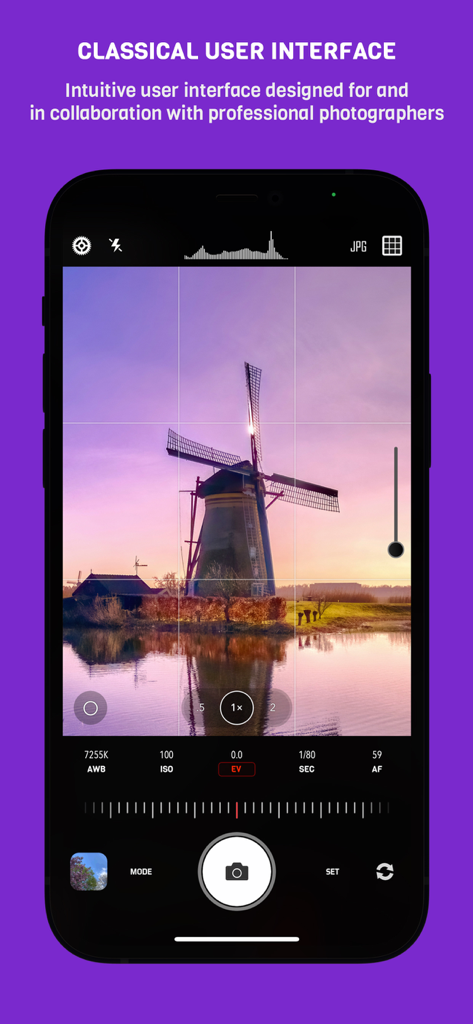
CameraPixels PRO - Manual photography interface of CameraPixels PRO app showing a windmill landscape and professional camera settings
Manual photography interface of CameraPixels PRO app showing a windmill landscape and professional camera settings

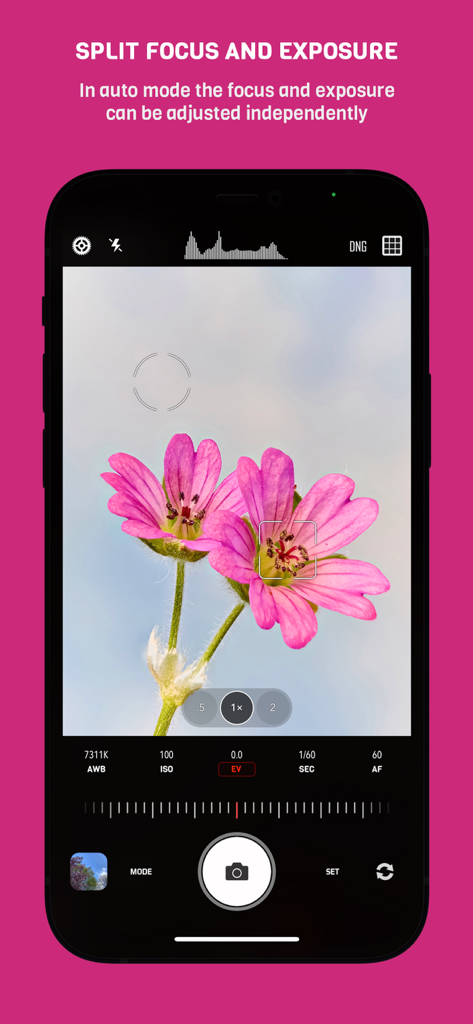
CameraPixels PRO - CameraPixels PRO interface showing independent adjustment of focus and exposure on a macro flower shot

CameraPixels PRO interface showing independent adjustment of focus and exposure on a macro flower shot

Description

CameraPixels is a unique manual photography app. The premium tools and intuitive UI make CameraPixels the best choice for professional mobile photographers. CameraPixels participated in Berkley Eclipse Megamovie 2017 thanks to its extensive raw bracketing. All-in-one ============= CameraPixels is all-in-one capture solution, that supports multiple photo and video capture modes. Among them are Bracketing, Slow Shutter and Time-lapse modes. CameraPixels has the most advanced bracketing available on the iOS platform, which includes exposure and focus bracketing. Best for macro photography ============= With CameraPixels you can capture the best macro shots, be it a single image or a series of images, called focus bracketing, which can later be combined into one all-in-focus photo (requires external app for focus stacking). If you have an external macro lens, let CameraPixels save its name to the EXIF data for you, so later you can always remember which lens was used. Currently CameraPixels supports Olloclip™, Loupe System™ and Moment™ lenses. Best for professional HDR photography ============= CameraPixels has the most advanced exposure bracketing on iOS. With up to 15 images per bracket you can capture even the most difficult lighting situations. CameraPixels support auto-, iso and shutter-brackets, with an optional flash frame. The captured images can be used to create stunning HDR photos using your favorite professional HDR software. Intuitive UI ============= CameraPixels has a simple and efficient UI. The most important information is always in front of your eyes, and this allows you to avoid surprises like an unexpected flash fire or the wrong output photo or video format. Stop being distracted by the uncertainty of the settings, concentrate on your capture! ISO/Shutter priority modes ============= CameraPixels is among a few photography apps that support advanced exposure modes like ISO and Shutter priority. These modes are indispensable during dynamic photography when there is no time for adjusting manual exposure. Histogram and clipping warnings ============= The histogram is a great tool to estimate your exposure. It can show you if the photo has under-exposed or over-exposed areas. Clipping warnings, on the other hand, can show you exactly where those under and over-exposed areas in your photo are. Depth capture ============= On dual/triple-camera devices, CameraPixels can capture depth information alongside the colour photo. If the photo has depth information, in the preview window, two additional buttons appear (depth and portrait) that allow you to inspect the depth of the image and apply it to simulate an aperture. Presets ============= CameraPixels was designed for professional photographers that value efficiency of their workflow. The unlimited presets, including the possibility to expose them to Widget make CameraPixels the ultimate photography tool. Features overview ============= - UI optimized for manual capture - RAW and ProRAW (on supported devices) photo capture - Auto, manual and semi-automatic (ISO- and Shutter-priority) exposure modes - Photo, Burst, Portrait, Slow Shutter, Exposure Bracket, Focus Bracket, Video and Time-lapse - Clipping warnings to highlight under- and over-exposed areas in real time - Focus peaking and loupe during the manual focus adjustments - Single or series of Exposure Brackets with up to 15 images per bracket. AEB, ISO- and Shutter-brackets are available. - Single or series of Focus Brackets with up to 100 images per bracket - Adjustable photo and video resolution - Adjustable photo and video quality - Advanced photo processing (Smart HDR and Deep fusion on supported devices) - Unlimited presets with the possibility of exposing them to the widget - Advanced intervalometer - Multiple framing options

Download

Download on App Store

This page is not an official page of the app or its developer, but an independent editorial publication created for informational and commentary purposes. Unless expressly stated otherwise, neither the app nor its developer is affiliated with, endorsed by, sponsored by, authorized by, or otherwise officially connected with MWM, Apple, Google Play, the app publisher, or the app's developer, and nothing on this page implies that the app was developed using MWM's services. Any trademarks, logos, screenshots, and other content remain the property of their respective owners.








