
This page is not an official page of the app or its developer, but an independent editorial publication created for informational and commentary purposes. Unless expressly stated otherwise, neither the app nor its developer is affiliated with, endorsed by, sponsored by, authorized by, or otherwise officially connected with MWM, Apple, Google Play, the app publisher, or the app's developer, and nothing on this page implies that the app was developed using MWM's services. Any trademarks, logos, screenshots, and other content remain the property of their respective owners.

Camo Studio – Stream & Record
Transform your iPad into a studio-grade command center. Stream console games to Twitch, record in 4K with pro overlays, and go live anywhere with the power of a desktop setup in your backpack.
Downloads
258K+User Rating
Total Ratings
2K+Publisher
Category
Photo & VideoLocales
1Latest Version
2.4.1Size
112.1 MBFirst Released
Sep 18, 2023Everything You Need to Create Like a Pro
Camo Studio brings desktop-class streaming and recording tools to your iPad, allowing you to produce high-end content from anywhere.
The Ultimate Gaming Setup
Connect your console via a capture card to use your iPad as a sharp portable monitor while streaming live to your favorite platforms.
Pro Overlays & Scenes
Elevate your brand with web overlays from StreamElements and customize multiple scenes for a dynamic, interactive viewer experience.
Frequently Asked Questions
Everything you need to know about Camo Studio – Stream & Record
What is Camo Studio for iPad?
Camo Studio for iPad allows users to stream and record video, connect cameras and mics, and manage live content directly from their iPad. It was a 2023 Apple Design Award finalist.
Can Camo Studio record video directly on an iPad?
Yes, Camo Studio simultaneously records video to the iPad's built-in storage or a connected SD card while streaming. This enables high-quality content editing later.
Which platforms does Camo Studio support for streaming console games?
Camo Studio supports streaming console games to platforms including Twitch, YouTube, and Trovo. Users configure scenes with multi-feed and picture-in-picture options for their streams.
Can I use my iPad as a monitor with Camo Studio?
Yes, Camo Studio transforms your iPad into a portable monitor. Connect it to consoles like Nintendo Switch for a larger screen or to DSLR/mirrorless cameras for a better viewfinder.
Does Camo Studio support custom web overlays for streams?
Yes, Camo Studio supports web overlays from services such as StreamElements, Stream Labs, and Uno Overlays. Users import custom or template overlays with live content, alerts, and widgets.
What video enhancements are available in Camo Studio?
Camo Studio offers powerful video enhancements like 'Bokeh' background effect, background replacement or removal, and framing adjustments. It also includes auto-framing modes to keep subjects in shot.
Is my data private when using Camo Studio for streaming and recording?
Yes, Camo Studio prioritizes user privacy. It transmits video directly to selected streaming services, and all recordings remain local to the iPad or connected storage. Your data is not collected.
What video resolutions does Camo Studio support?
Camo Studio supports pro-quality video resolutions including 4K UHD, 1080p HD, and 720p. It also accommodates both landscape and portrait orientations for diverse content creation.
Can Camo Studio for iPad run in the background?
Yes, M1 and M2 powered iPads enable Camo Studio to run in the background during streaming or recording. This functionality also supports simultaneous screen capture from the device.
Does Camo Studio include ads?
No, Camo Studio for iPad does not feature any advertisements within the application, ensuring an uninterrupted user experience.
The following screenshots and description are sourced directly from the app's official store listing and are the property of the app developer.
App Store
Screenshots
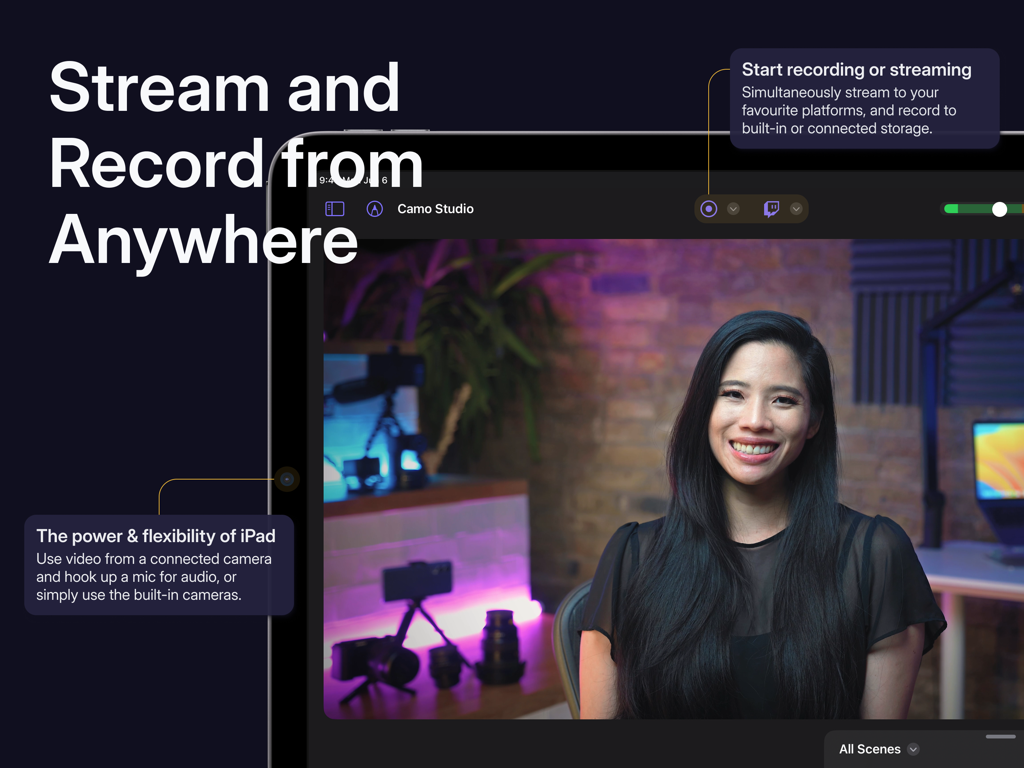
Camo Studio app interface on iPad showing live video stream and recording controls
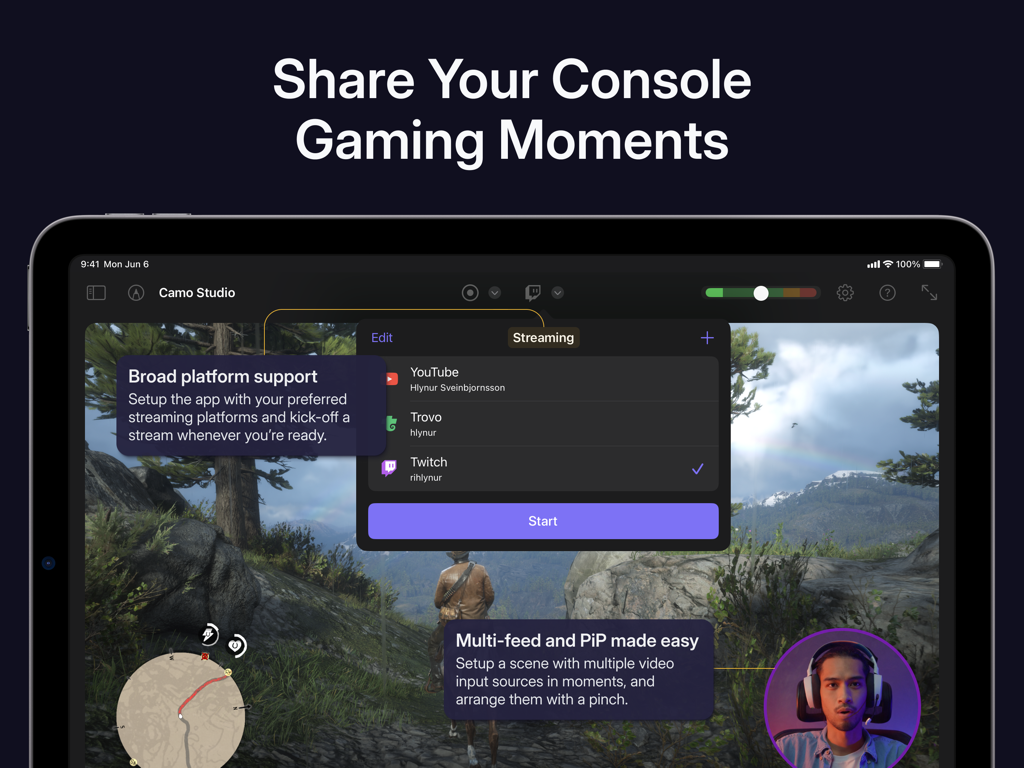
iPad interface of Camo Studio showing console gaming stream setup with platform options and picture-in-picture
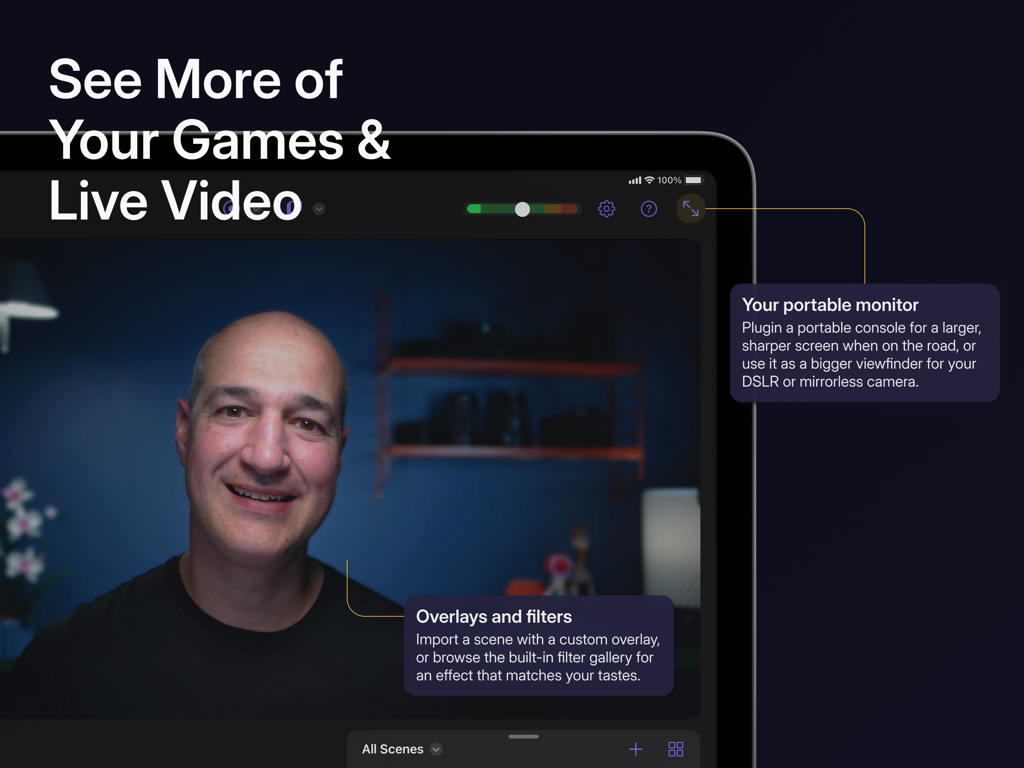
A person using Camo Studio on an iPad as a portable monitor for live video and gaming with custom overlays and filters.
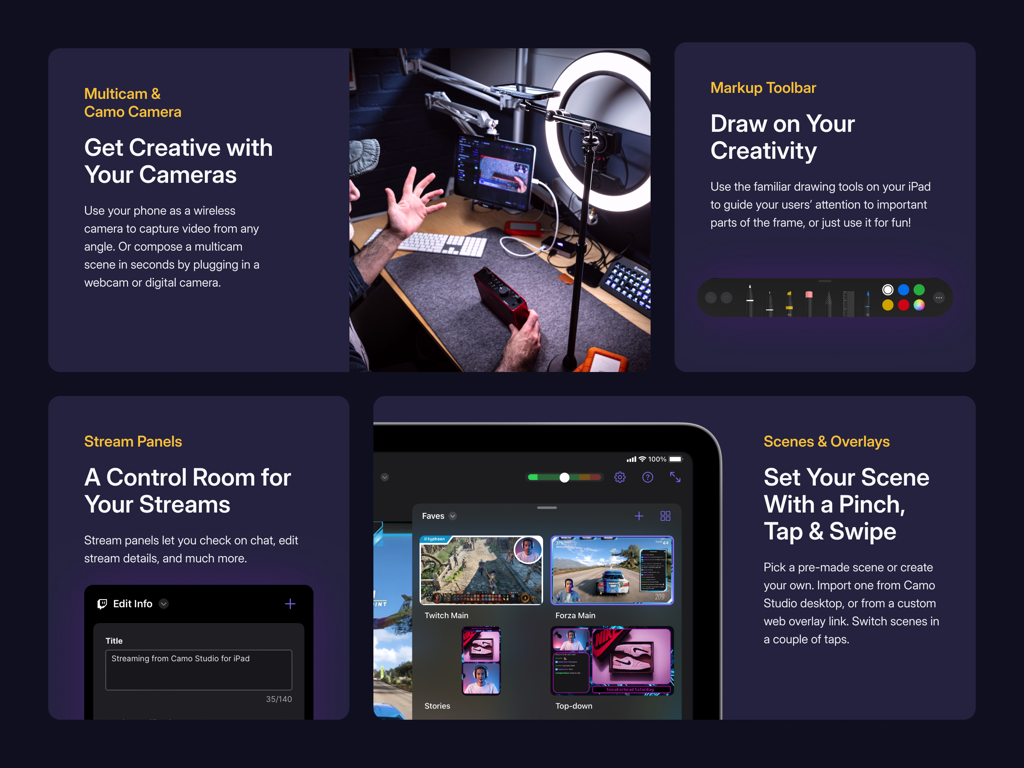
Camo Studio app interface showcasing multicam support stream panels and scene overlays
Description
Download
More Like This
Apps with similar features and user experience

Switcher: Live Streaming App
Switcher Inc.
Logitech Mevo Multicam
Logitech Inc.
Logitech Mevo
Logitech Inc.

CameraFi Live
Vault Micro Inc.

Lazy Lighting
AUDITY APPS LLC

Larix Broadcaster: Live Stream
Furtree Systems, Inc.

ManyCam - Easy live streaming.
AVM Software, Inc
RTMP Live Streaming Publisher
WarthogLab
This page is not an official page of the app or its developer, but an independent editorial publication created for informational and commentary purposes. Unless expressly stated otherwise, neither the app nor its developer is affiliated with, endorsed by, sponsored by, authorized by, or otherwise officially connected with MWM, Apple, Google Play, the app publisher, or the app's developer, and nothing on this page implies that the app was developed using MWM's services. Any trademarks, logos, screenshots, and other content remain the property of their respective owners.