Switcher: Live Streaming App
Download on App Store

This page is not an official page of the app or its developer, but an independent editorial publication created for informational and commentary purposes. Unless expressly stated otherwise, neither the app nor its developer is affiliated with, endorsed by, sponsored by, authorized by, or otherwise officially connected with MWM, Apple, Google Play, the app publisher, or the app's developer, and nothing on this page implies that the app was developed using MWM's services. Any trademarks, logos, screenshots, and other content remain the property of their respective owners.


Logo of Switcher: Live Streaming App
Download on App Store

Switcher: Live Streaming App

Empower your organization with professional-grade live streams. Connect multiple iOS devices, stream to every platform at once, and grow your community without the need for expensive equipment or a tech crew.

Key Figures

Downloads

546K+

User Rating

4.5/5

Total Ratings

4K+

Publisher

Switcher Inc.

Category

Photo & Video

Locales

3

Latest Version

13.12.3

Size

212.6 MB

First Released

Sep 25, 2014
Features

Elevate Your Content without the Complexity

Everything you need to create professional-grade live streams and video catalogs using the devices you already own. No technical degree required.

Multi-Camera Magic

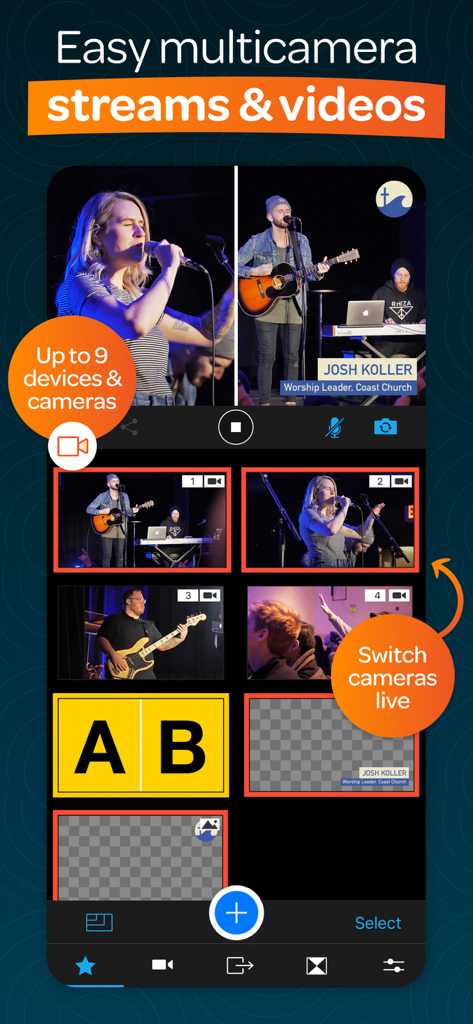
Connect up to 9 iPhones or iPads to capture every angle. Switch shots in real-time for a broadcast-quality feel that engages your viewers.

Reach Everyone, Everywhere

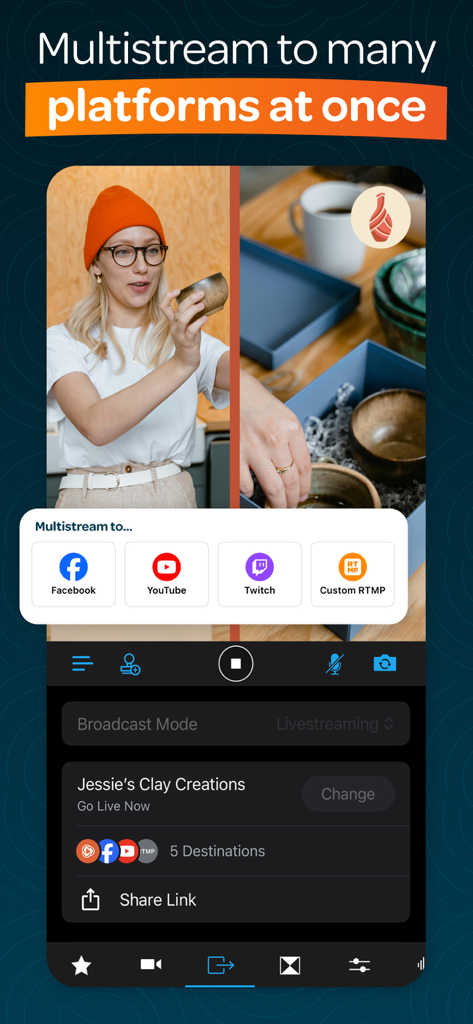
Go live on Facebook, YouTube, and Instagram at once. Maximize your visibility and grow your community without doubling your workload.

The following screenshots and description are sourced directly from the app's official store listing and are the property of the app developer.

App Store

Screenshots
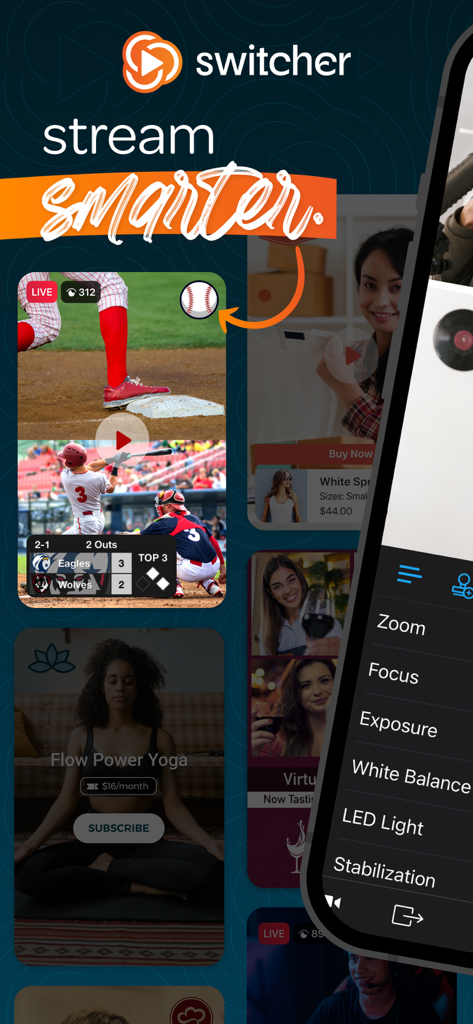
Switcher: Live Streaming App - Interface of Switcher live streaming app showing multi-camera views for sports business and yoga with professional manual camera controls
Interface of Switcher live streaming app showing multi-camera views for sports business and yoga with professional manual camera controls

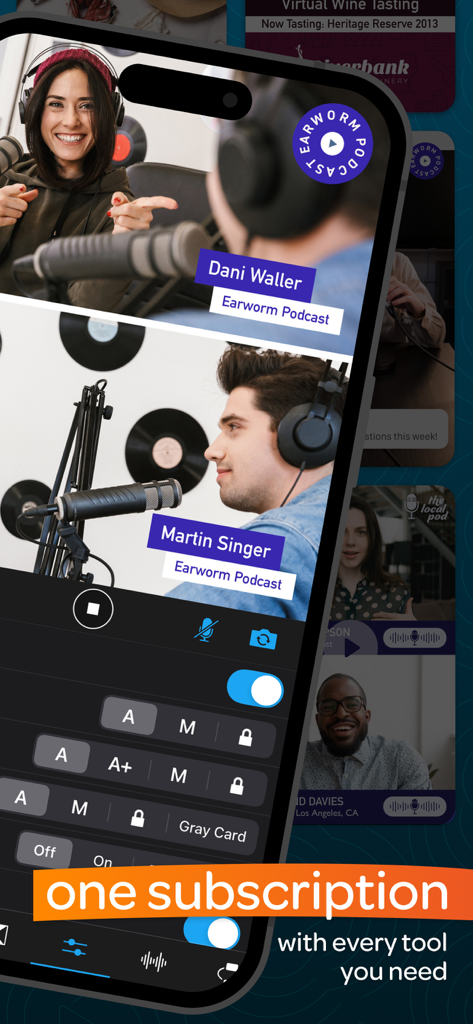
Switcher: Live Streaming App - A split-screen podcast recording interface on a mobile device showing two hosts with names and audio control settings.
A split-screen podcast recording interface on a mobile device showing two hosts with names and audio control settings.

Switcher: Live Streaming App - A mobile app interface showing multiple camera angles of a live music performance with options to switch between them for a professional broadcast.
A mobile app interface showing multiple camera angles of a live music performance with options to switch between them for a professional broadcast.

Switcher: Live Streaming App - Live stream interface of Switcher app displaying multistreaming options for Facebook and YouTube
Live stream interface of Switcher app displaying multistreaming options for Facebook and YouTube

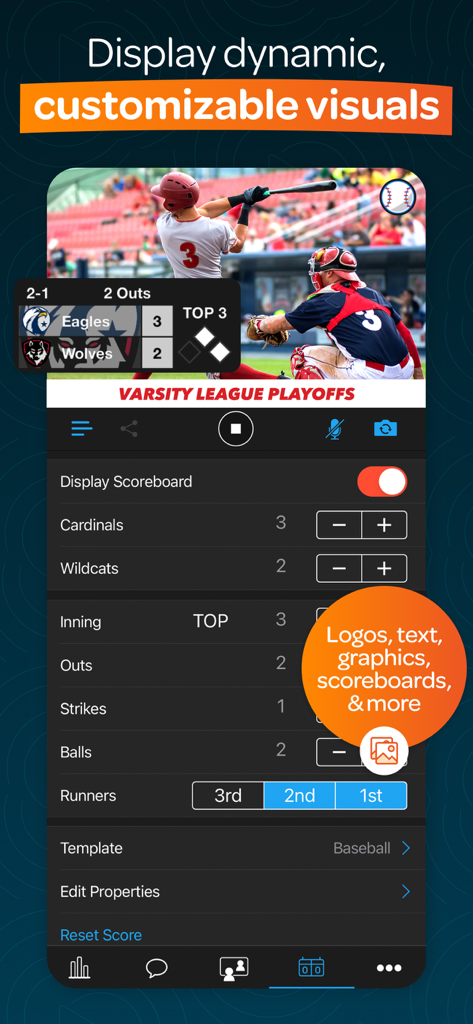
Switcher: Live Streaming App - Switcher app interface showing a live baseball stream with dynamic graphics and a customizable scoreboard
Switcher app interface showing a live baseball stream with dynamic graphics and a customizable scoreboard

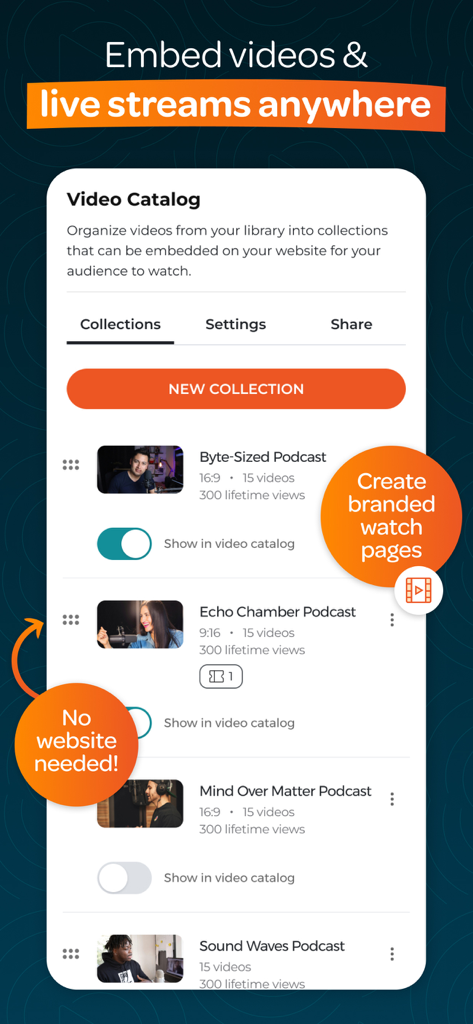
Switcher: Live Streaming App - A mobile app interface displaying a video catalog with options to organize and embed live streams.

A mobile app interface displaying a video catalog with options to organize and embed live streams.
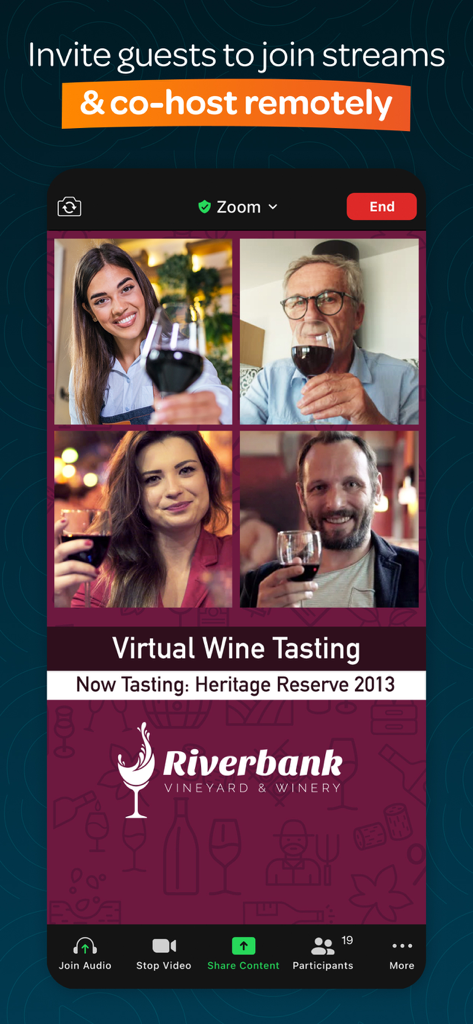
Switcher: Live Streaming App - A split screen view of four remote guests co-hosting a virtual wine tasting live stream
A split screen view of four remote guests co-hosting a virtual wine tasting live stream

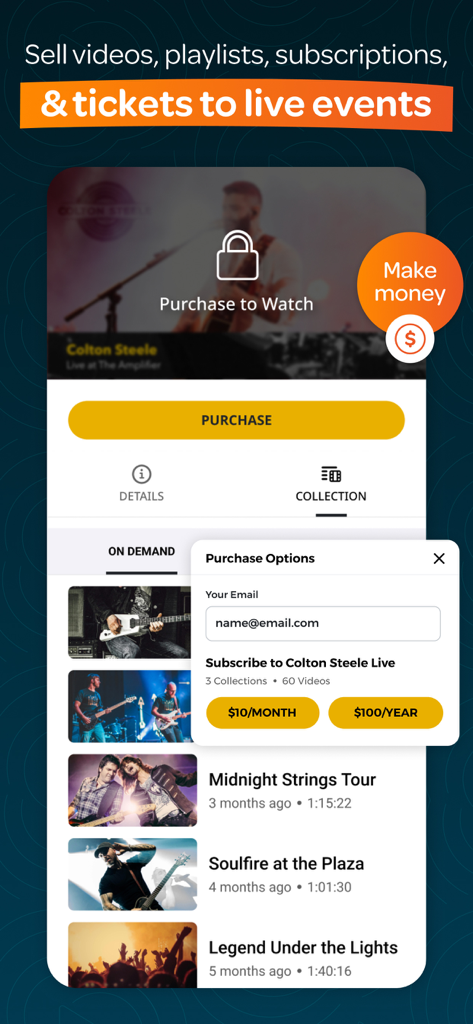
Switcher: Live Streaming App - A mobile app interface showing how to sell videos playlists and tickets to live events with purchase and subscription options
A mobile app interface showing how to sell videos playlists and tickets to live events with purchase and subscription options

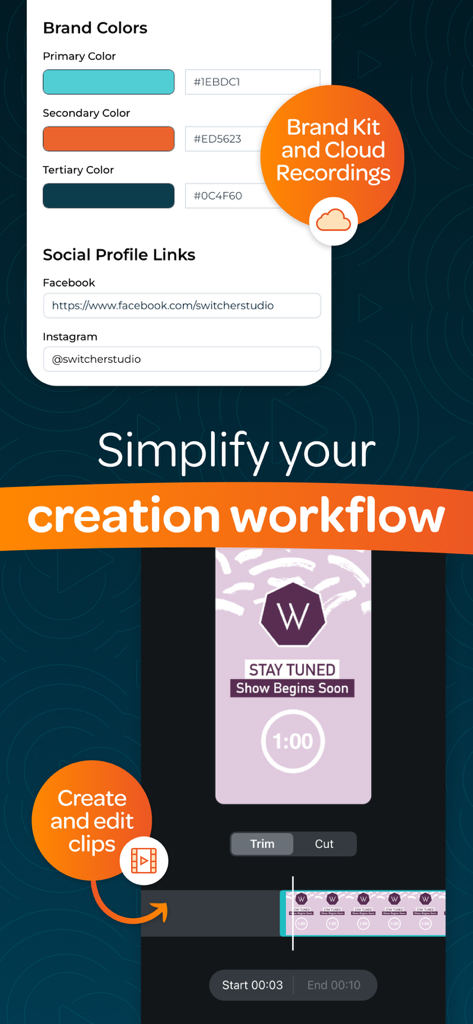
Switcher: Live Streaming App - Switcher Studio app interface showing brand kit customization for colors and social links alongside mobile video clip editing tools
Switcher Studio app interface showing brand kit customization for colors and social links alongside mobile video clip editing tools

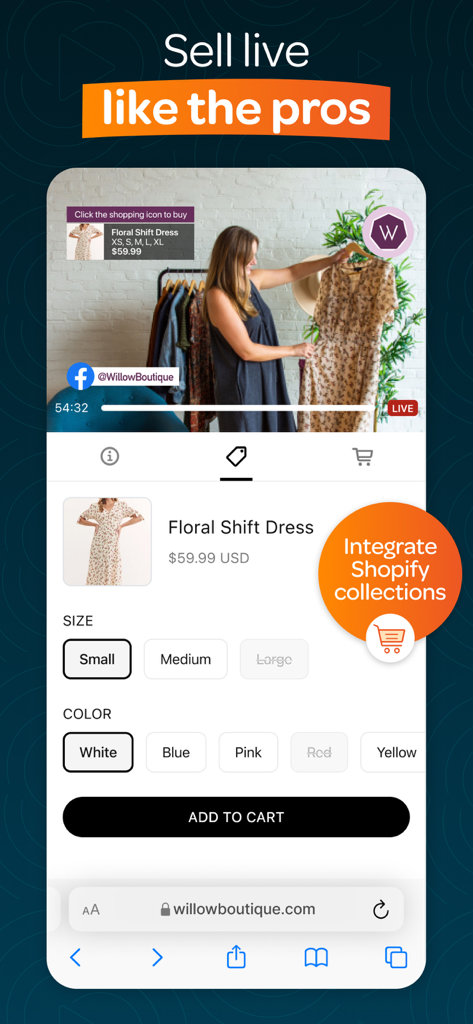
Switcher: Live Streaming App - A mobile interface for live selling featuring Shopify integration and product checkout options

A mobile interface for live selling featuring Shopify integration and product checkout options

Description

Switcher is an all-in-one multi-streaming & video platform built to fuel your growth. It’s a simple way to create professional multi-camera content and live stream to many social platforms at once—no pro equipment or tech skills needed. Whether you’re a church looking to grow, a sports team celebrating every moment, or a creator sharing your passion, Switcher has everything you need to level-up your live streams. ▶ “We saw our online giving increase, which allowed us to maintain our church expenses.” — Natalie June | New Greater Love Church ▶ “One or two people can manage a Switcher shoot versus a full 5- to 10-person team.” — Sarah Kelsey | Senior Manager, Smart Living ▶ “We can create quality content with Switcher that's on par with content people are making with these several-thousand-dollar setups.” — Alexander Sosa | Associate Pastor and Worship Leader, Life Church ▶ MULTI-STREAM LIVE TO EVERY PLATFORM AT ONCE – Go live on Facebook, YouTube, Instagram, and more—simultaneously – Live stream on your website and in private online groups – Display live comments, slides, scoreboards, and more – Invite up to five remote guests or collaborators to join your streams ▶ CREATE MULTI-CAMERA VIDEOS & STREAMS EFFORTLESSLY – Connect up to 9 devices (like iPhones, webcams, or cameras) to capture different angles – Switch between angles and edit your streams in real-time – Use the Auto-Switching tool to automatically rotate between angles – Display logos, graphics, text, photos, pre-recorded video, and more in real-time – Use your graphics or customize pre-made templates – Share multiple camera angles at once with split-screen, picture-in-picture, & grid layouts – Share your screen and webcam at the same time – Create multi-camera video clips in seconds and share them directly to social platforms – Use the ChromaKey/green screen tool to replace backgrounds with custom images or videos ▶ EMBED VIDEOS & STREAMS ANYWHERE – Transform your website with video players, playlists, & Netflix-style video catalogs – Host ad-free, branded video content—no competitor recommendations – Host up to 100 videos with no limits on length – Brand your videos and player with your logo, colors, and graphics – No website? Create a customized Netflix-style video watch page – Track your growth with built-in video analytics ▶ GET HANDS ON SUPPORT FROM FRIENDLY EXPERTS – Reach a real person on our US-based support team whenever you need help – Get one-on-one setup support to hit the ground running – Use our help center to find answers to your questions fast ▶ “We quickly realized the ease of using—and teaching others to use—Switcher for our church services and other events.” — Cherilyn Uthe | Faith Productions ▶ “I saw a 10% increase in subscribers almost immediately after I started using Switcher.” — Jon McLeod | Video Producer In-app purchases: ▶ STUDIO SUBSCRIPTION Includes the Switcher Studio iOS app for multi-camera production, multi-streaming, and social media clip creation and publishing. ▶ BUSINESS SUBSCRIPTION Includes the Switcher Studio iOS app, PLUS browser-based features to host, embed, manage, and monetize your videos and streams. To explore Switcher’s full suite of tools, visit switcherstudio.com Have questions? Drop us a line! support@switcherstudio.com Privacy Policy: switcherstudio.com/privacy-policy Terms of Use: switcherstudio.com/terms-of-use Compatible Devices: switcherstudio.com/compatible-devices

Download

Download on App Store

This page is not an official page of the app or its developer, but an independent editorial publication created for informational and commentary purposes. Unless expressly stated otherwise, neither the app nor its developer is affiliated with, endorsed by, sponsored by, authorized by, or otherwise officially connected with MWM, Apple, Google Play, the app publisher, or the app's developer, and nothing on this page implies that the app was developed using MWM's services. Any trademarks, logos, screenshots, and other content remain the property of their respective owners.