
This page is not an official page of the app or its developer, but an independent editorial publication created for informational and commentary purposes. Unless expressly stated otherwise, neither the app nor its developer is affiliated with, endorsed by, sponsored by, authorized by, or otherwise officially connected with MWM, Apple, Google Play, the app publisher, or the app's developer, and nothing on this page implies that the app was developed using MWM's services. Any trademarks, logos, screenshots, and other content remain the property of their respective owners.


Lazy Lighting
Transform any surface into a digital canvas in minutes. Pro-grade warping, masking, and real-time visuals for artists, DJs, and creators—no laptop required.
Downloads
49K+User Rating
Total Ratings
100Publisher
Category
Graphics & DesignLocales
6Latest Version
2.6Size
44.1 MBFirst Released
Sep 21, 2025Professional Mapping Made Simple
Ditch the bulky laptops and expensive software. Lazy Lighting brings pro-grade projection mapping to your iPhone and iPad, allowing you to transform any surface in minutes.
Intuitive Touch Mapping
No more complex workflows. Use your fingers to warp, mask, and fit visuals perfectly onto irregular surfaces or objects with surgical precision.
Live Performance Control
Mix dual channels, layer real-time effects, and crossfade like a pro. Perfect for DJs and VJs who need high-impact visuals without the technical headache.
Frequently Asked Questions
Everything you need to know about Lazy Lighting
What is Lazy Lighting?
Lazy Lighting is an iPhone and iPad app that reinvents projection mapping, making it simple and accessible. It allows users to map visuals onto any surface using their device and a projector, without needing a computer.
How does Lazy Lighting connect to a projector?
Lazy Lighting connects to projectors via HDMI, USB-C, Lightning cables, or wirelessly through AirPlay. This provides flexible options for various projector setups.
Can I use my own videos with Lazy Lighting?
Yes, Lazy Lighting allows users to import and map their own videos directly from their device’s library. This feature integrates personal content into projection mapping projects.
What surfaces can Lazy Lighting project onto?
Lazy Lighting can project onto various surfaces including walls, stages, sculptures, irregular surfaces, objects, or multiple panels. It allows precise mapping for any environment.
Does Lazy Lighting offer built-in visual effects?
Yes, Lazy Lighting includes a library of built-in real-time visual effects. These effects feature kaleidoscopes, tunnels, color morphs, and distortions to enhance projections dynamically.
Can Lazy Lighting be used for live performances?
Yes, Lazy Lighting is designed for live performances. It offers real-time controls, dual channels for mixing visuals, and smooth playback optimized for Apple's graphics hardware, making it ideal for dynamic shows.
What are the key features of Lazy Lighting's mapping tools?
Lazy Lighting’s mapping tools allow users to cut, mask, and warp visuals. This enables precise adjustments to perfectly match any surface or object, guided by direct touch interaction.
Does Lazy Lighting require a laptop for projection mapping?
No, Lazy Lighting does not require a laptop for projection mapping. It allows users to perform all mapping tasks directly from their iPhone or iPad, replacing complex desktop workflows.
The following screenshots and description are sourced directly from the app's official store listing and are the property of the app developer.
App Store
Screenshots
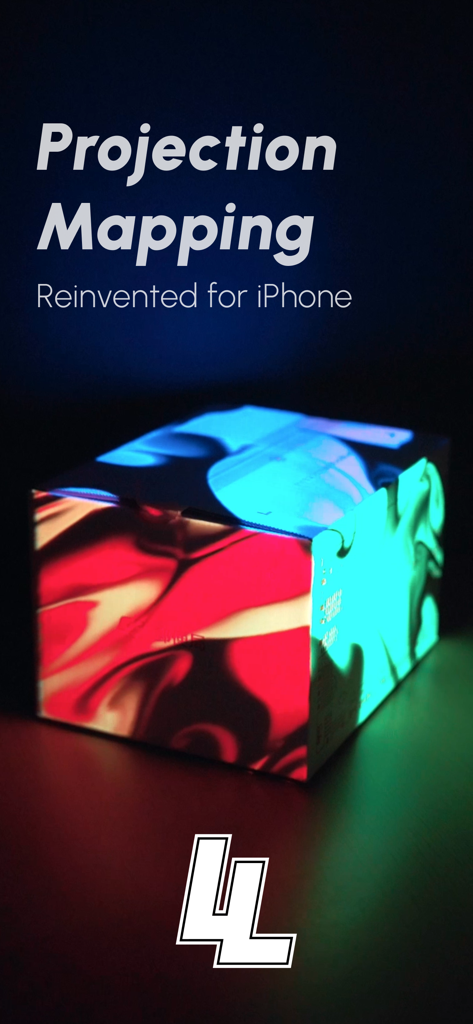
A box with colorful projected light patterns using the Lazy Lighting app
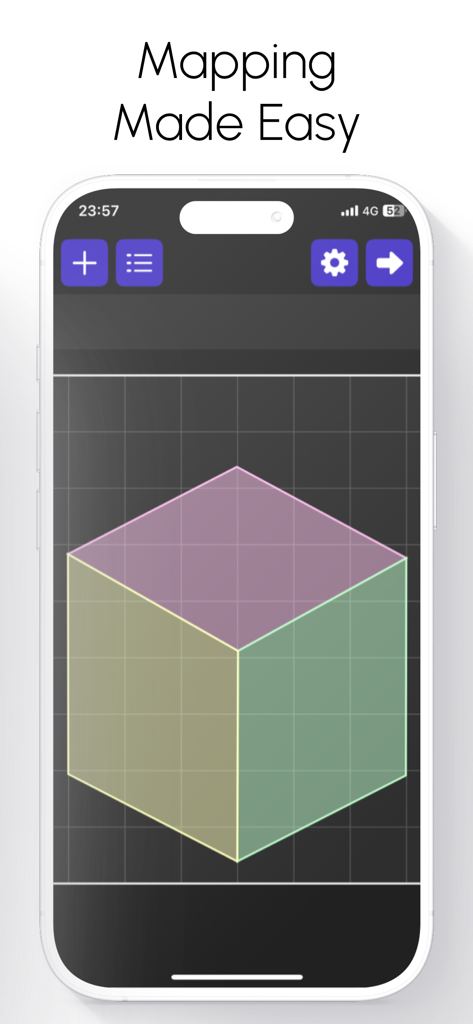
Lazy Lighting app interface on an iPhone showing a 3D cube grid for easy projection mapping
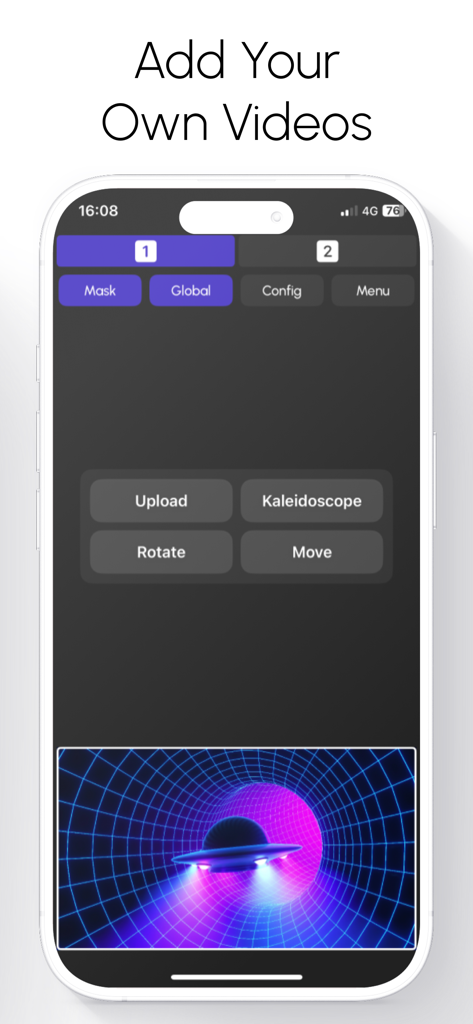
Smartphone screen showing Lazy Lighting app interface for adding and editing custom videos for projection mapping
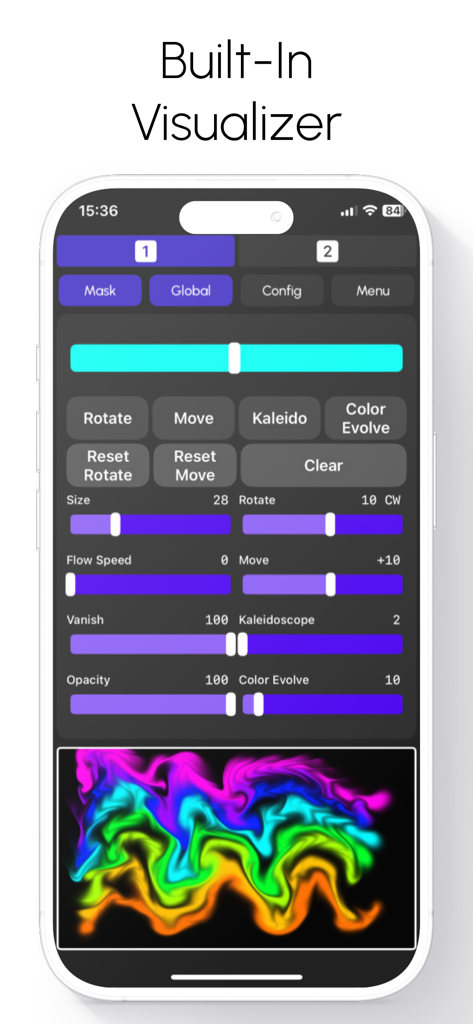
Lazy Lighting app interface showing the built-in visualizer with adjustable sliders for flow speed, kaleidoscope effects, and a colorful neon wave preview
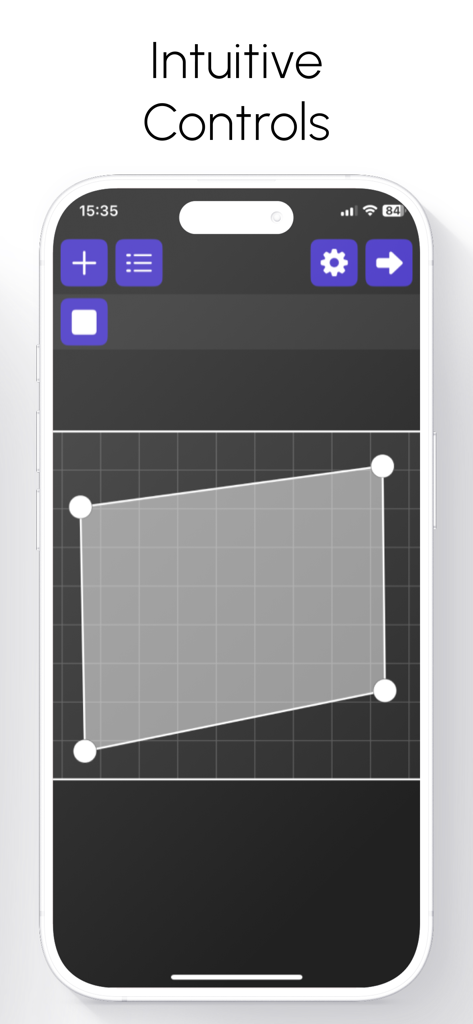
Interface of Lazy Lighting app showing intuitive projection mapping controls on an iPhone
Description
Download
More Like This
Apps with similar features and user experience
Camo Studio – Stream & Record
Reincubate Ltd

Switcher: Live Streaming App
Switcher Inc.
Logitech Mevo Multicam
Logitech Inc.
Logitech Mevo
Logitech Inc.

CameraFi Live
Vault Micro Inc.

Larix Broadcaster: Live Stream
Furtree Systems, Inc.

ManyCam - Easy live streaming.
AVM Software, Inc
RTMP Live Streaming Publisher
WarthogLab
This page is not an official page of the app or its developer, but an independent editorial publication created for informational and commentary purposes. Unless expressly stated otherwise, neither the app nor its developer is affiliated with, endorsed by, sponsored by, authorized by, or otherwise officially connected with MWM, Apple, Google Play, the app publisher, or the app's developer, and nothing on this page implies that the app was developed using MWM's services. Any trademarks, logos, screenshots, and other content remain the property of their respective owners.