Claude Counter
Claude Counter

This page is not an official page of the app or its developer, but an independent editorial publication created for informational and commentary purposes. Unless expressly stated otherwise, neither the app nor its developer is affiliated with, endorsed by, sponsored by, authorized by, or otherwise officially connected with MWM, Apple, Google Play, the app publisher, or the app's developer, and nothing on this page implies that the app was developed using MWM's services. Any trademarks, logos, screenshots, and other content remain the property of their respective owners.

Logo of Claude Counter

Claude Counter

The essential productivity companion for Claude Code and Cowork users. Track sessions in real-time, automate client billing with CSV exports, and monitor limits directly from your lock screen—all with 100% on-device privacy.

Key Figures

Downloads

100+

User Rating

1.0/5

Total Ratings

0

Publisher

Robert OConnell

Category

Developer Tools

Locales

1

Latest Version

26.2.0

Size

11.3 MB

First Released

Jan 16, 2026
Features

Master Your Claude Workflow

Stop guessing your usage and start optimizing your sessions with professional tools designed for developers and power users.

Precision Session Control

Eliminate accidental starts and budget-blowing sessions with one-tap tracking and visual countdowns of your remaining limits.

Automated Billing & Reports

Transform your session history into professional CSV or text exports, making client invoicing and management reviews effortless.

The following screenshots and description are sourced directly from the app's official store listing and are the property of the app developer.

App Store

Screenshots
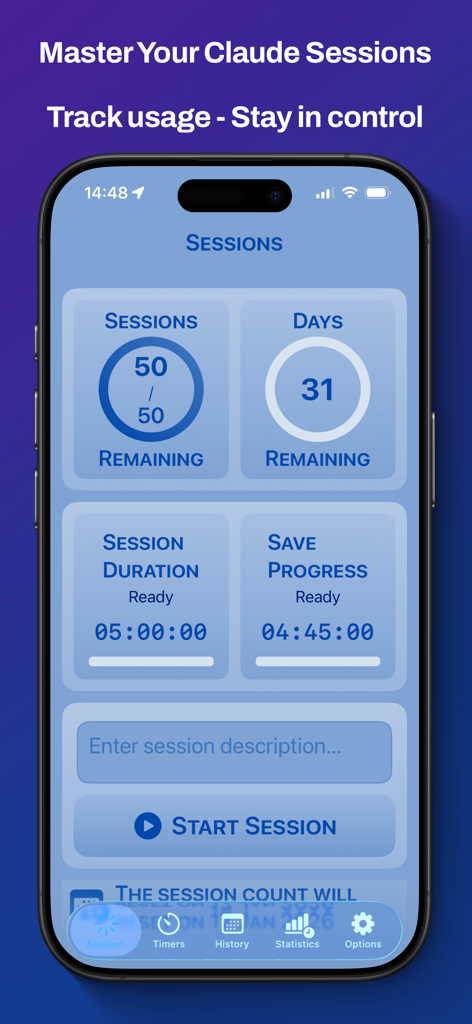
Claude Counter - Claude Counter mobile app dashboard showing sessions remaining days left and session timers
Claude Counter mobile app dashboard showing sessions remaining days left and session timers

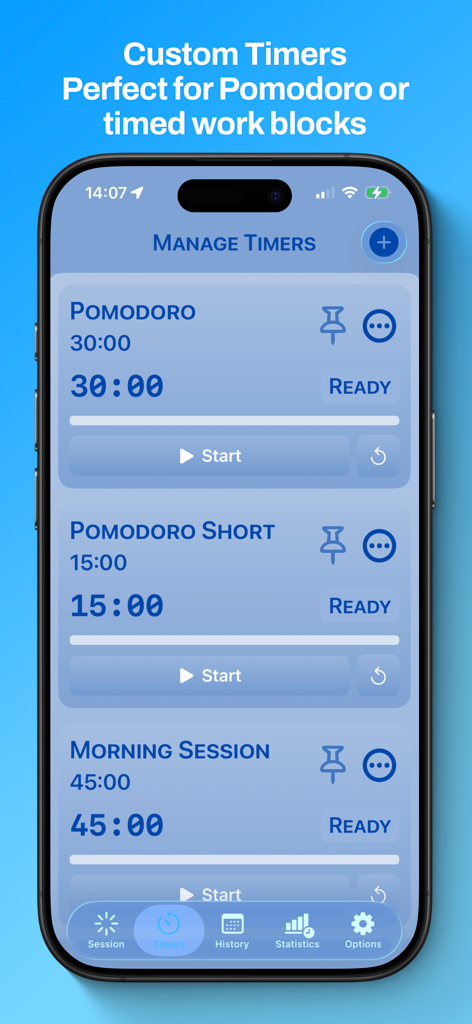
Claude Counter - Claude Counter app interface displaying custom timers for Pomodoro and work sessions
Claude Counter app interface displaying custom timers for Pomodoro and work sessions

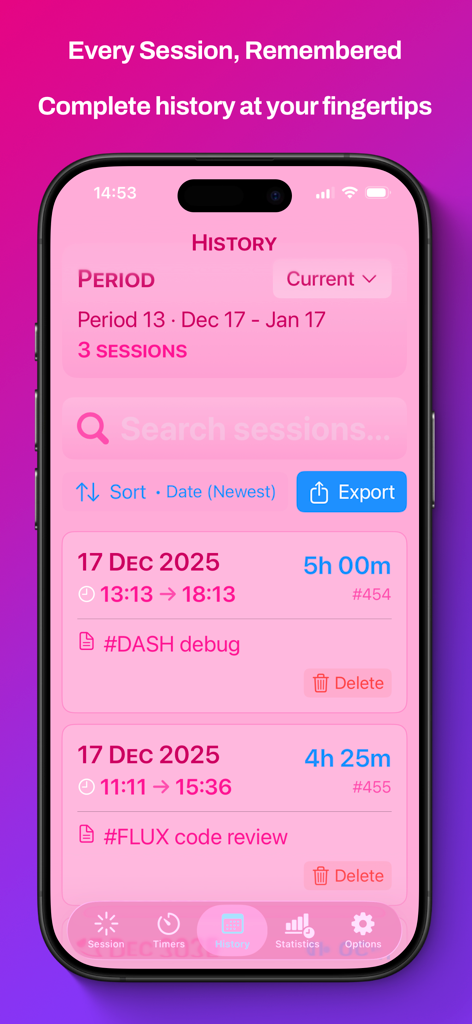
Claude Counter - Screenshot of the Claude Counter app showing a detailed session history log with project descriptions and time tracking for AI sessions.
Screenshot of the Claude Counter app showing a detailed session history log with project descriptions and time tracking for AI sessions.

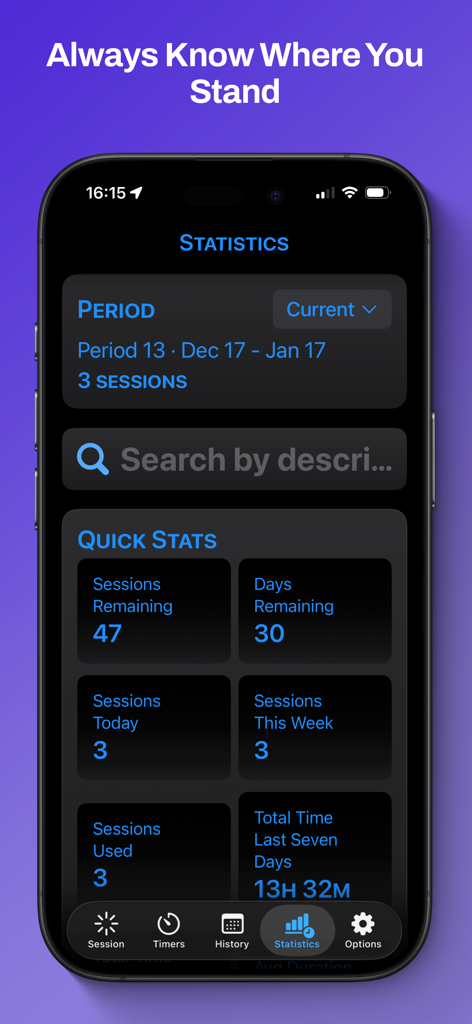
Claude Counter - The statistics dashboard of the Claude Counter app displaying session usage data and time tracking stats.
The statistics dashboard of the Claude Counter app displaying session usage data and time tracking stats.

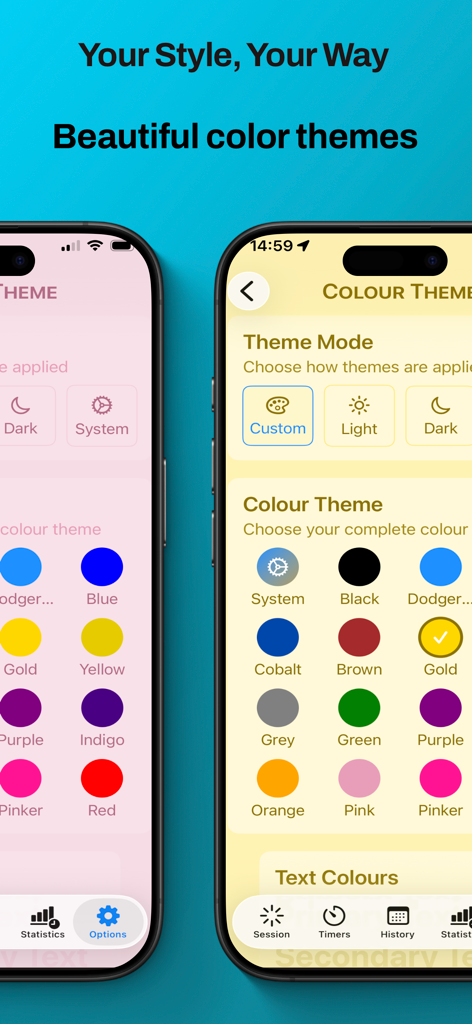
Claude Counter - Claude Counter app screen showing color theme selection and dark mode settings
Claude Counter app screen showing color theme selection and dark mode settings

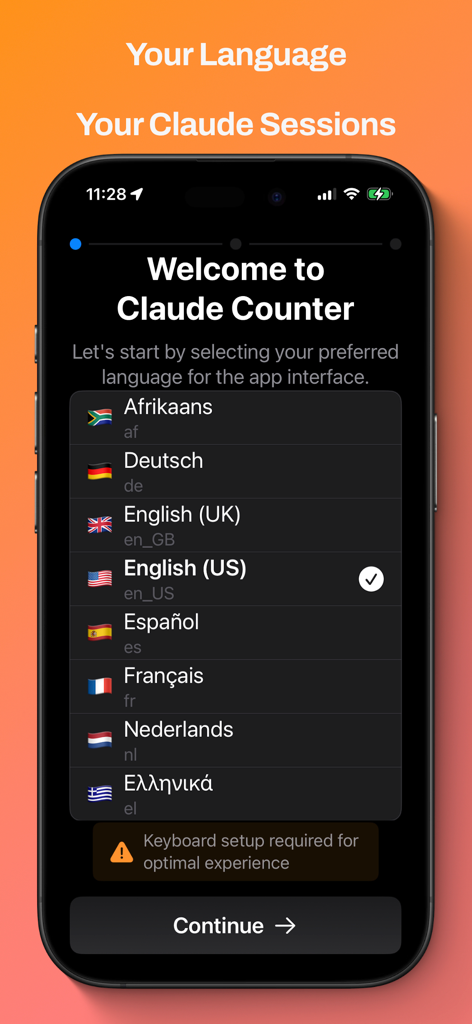
Claude Counter - Claude Counter app onboarding screen showing language selection options for English US Spanish and French
Claude Counter app onboarding screen showing language selection options for English US Spanish and French

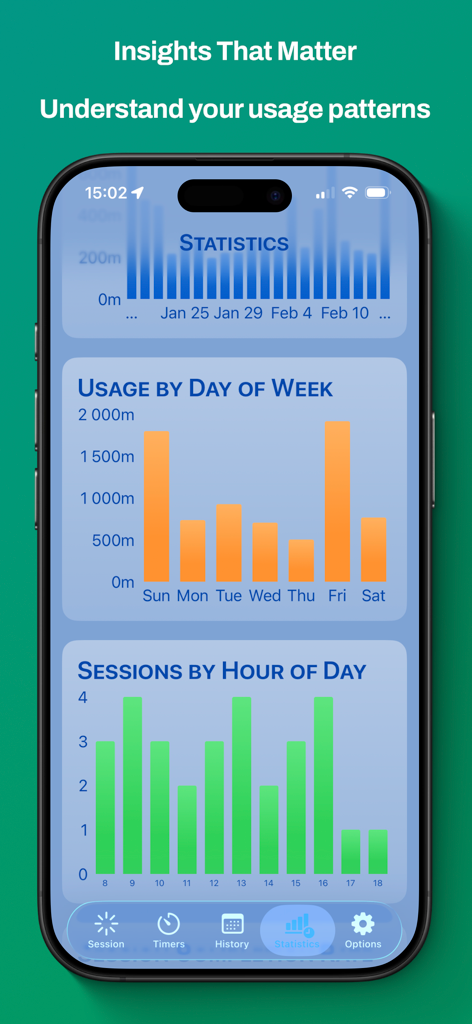
Claude Counter - Claude Counter app statistics screen with charts showing session usage patterns by day and hour.
Claude Counter app statistics screen with charts showing session usage patterns by day and hour.

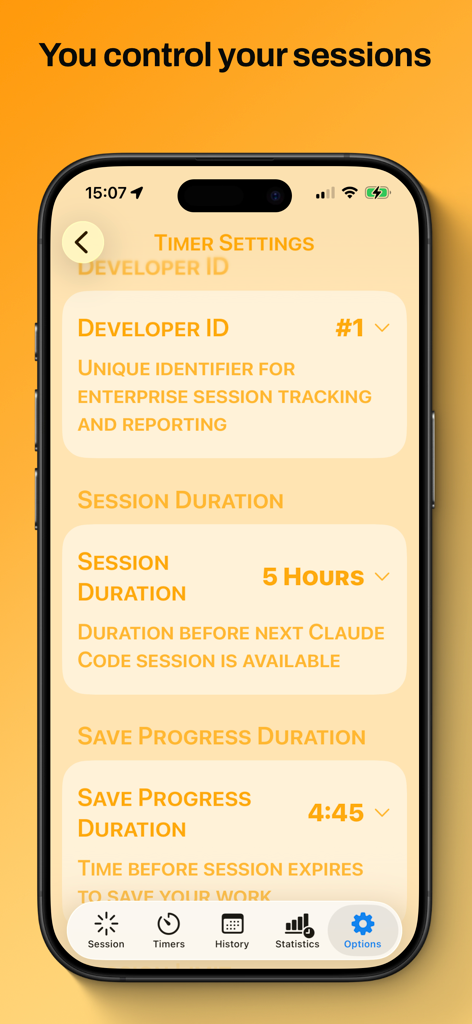
Claude Counter - Interface of the Claude Counter app showing settings for session duration and save progress timers for tracking AI coding sessions.

Interface of the Claude Counter app showing settings for session duration and save progress timers for tracking AI coding sessions.

Description

Claude Counter helps users take control of their Claude Code and Cowork sessions with smart tracking, custom timers, and detailed statistics. THE PROBLEM Claude’s session-based pricing means every session counts. Start one accidentally? That's money wasted. Lose track of your usage? Budget blown. Need to report hours to your manager or bill a client? Good luck piecing it together from memory. THE SOLUTION Claude Counter puts you in control with: SESSION TRACKING - One-tap session start/stop with confirmation alerts - Visual countdown showing sessions remaining - Grace session warning before you hit your limit - Project descriptions to track what you worked on CUSTOM TIMERS (Pro) - Auto-save progress reminders - Create custom timers for your workflow - Perfect for Pomodoro or timed work blocks HISTORY (Pro) - Complete session log with dates, durations, and descriptions - Search by keyword to find specific projects - Filter by time period (today, week, month, all time) - Export to text or CSV for expense reports and client billing - Perfect for contractors and employees who need usage records STATISTICS & INSIGHTS (Pro) - Usage trends - Session analysis - Average session length tracking - Export to clipboard or share as CSV LOCK SCREEN WIDGETS - Sessions remaining at a glance - Days until reset countdown - Active timer display - Save progress reminder - Quick access without opening the app WHO IT'S FOR Anyone who wants to optimise their usage of Claude’s sessions: Track session usage and stay within budget. Employees: Generate reports showing Claude Code usage for management review. Contractors: Log sessions by project for accurate client billing. PRIVACY FIRST All data stays on your device. No cloud sync, no accounts, no tracking. Your usage data is yours alone. AVAILABLE IN 8 LANGUAGES Use Claude Counter in your preferred language: English (UK), English (US), Afrikaans, Greek (Ελληνικά), French (Français), Spanish (Español), German (Deutsch), Dutch (Nederlands). Switch languages anytime from Settings. FREE VS PRO Free: 5 sessions with basic tracking Pro: Unlimited sessions, custom timers, full statistics, export features Start free and upgrade when you need more. Claude Counter offers a generous free tier to give you an opportunity to see how beneficial it is to manage your Claude (Anthropic) sessions with Claude Counter. The Free Tier Includes * 5 sessions * 1 grace session * Basic session tracking * Session timers * 30 days of history * 30 days of statistics The Pro Tier Includes * 50 (Unlimited) sessions per month * Unlimited custom timers * Lock screen widgets * Full history (unlimited) * Full statistics (unlimited) * Data export (text & CSV) * All future Pro features The Pro Tier has two subscription options. Claude Counter Pro Monthly at $1.99. Claude Counter Pro Annual at $9.99 is a 58% saving. You control your subscriptions through the App Store subscription settings. Your use of Claude Counter is governed by Apple's standard Licensed Application End User License Agreement. Terms of Service (EULA): https://www.apple.com/legal/internet-services/itunes/dev/stdeula/ Privacy Policy: https://solosoftware.app/claude-counter/Claude_C_Privacy_Policy.html Claude Code and Claude Cowork are products of Anthropic. Anthropic is an AI safety and research company. https://www.anthropic.com/company

Download

This page is not an official page of the app or its developer, but an independent editorial publication created for informational and commentary purposes. Unless expressly stated otherwise, neither the app nor its developer is affiliated with, endorsed by, sponsored by, authorized by, or otherwise officially connected with MWM, Apple, Google Play, the app publisher, or the app's developer, and nothing on this page implies that the app was developed using MWM's services. Any trademarks, logos, screenshots, and other content remain the property of their respective owners.