
This page is not an official page of the app or its developer, but an independent editorial publication created for informational and commentary purposes. Unless expressly stated otherwise, neither the app nor its developer is affiliated with, endorsed by, sponsored by, authorized by, or otherwise officially connected with MWM, Apple, Google Play, the app publisher, or the app's developer, and nothing on this page implies that the app was developed using MWM's services. Any trademarks, logos, screenshots, and other content remain the property of their respective owners.


Clideo: Video Editor for Reels
Creators get an arsenal for conquering short-form video. The app offers robust, cross-platform editing, putting a studio in users' pockets.
Downloads
500k+User Rating
Total Ratings
1.8KPublisher
Category
Photo & VideoLocales
17Latest Version
1.9.24Size
100.8 MBFirst Released
Oct 16, 2023An Analytical Review of Key Features for Social Media Content Creation
Clideo: Video Editor for Reels - Core Capabilities
Optimized Output for Social Media Platforms
The app provides the flexibility to create videos in square, vertical, or landscape orientations, ensuring content is perfectly optimized for platforms like Instagram Reels, TikTok, and YouTube Shorts.
Multi-Track Timeline for Layered Content
This tool enables users to combine multiple media types—videos, images, text, stickers, shapes, and music—within a multi-track timeline, offering extensive creative control for dynamic content.
High-Resolution Video Export (FHD/4K)
It allows users to save their final videos in high-definition (FHD) or 4K resolution, catering to professional quality output requirements essential for engaging social media content.
Comprehensive Basic Editing Tools
The app provides essential editing functionalities such as trimming, splitting, duplicating clips, along with adjustments for volume, speed, brightness, contrast, and blur, enabling precise control over video aesthetics.
Rich Text, Sticker, GIF, and Emoji Overlays
It allows users to add and customize text, along with overlaying stickers, GIFs, emojis, and shapes, crucial for creating visually engaging and expressive social media content.
Picture-in-Picture and Split-Screen
This tool facilitates the creation of picture-in-picture and split-screen videos, enabling dynamic visual layouts ideal for comparisons, reactions, or multi-content presentations.
Cross-Platform Online & Offline Editing
The app provides cross-platform functionality and supports both offline and online editing, ensuring users can work seamlessly across devices and locations without interruption.
Precise Element Positioning and Sizing
The app provides granular control over element positioning and sizing, allowing users to precisely arrange all visual components within their video frames for optimal composition.
Access to Free Stock Media Library
The app offers a collection of free stock videos, images, and music, empowering creators to enhance their content without the need for external asset libraries or copyright concerns.
Audio Noise Reduction
It allows users to clean up audio by reducing background noise, significantly improving the overall sound quality of their video projects for a more professional finish.
Frequently Asked Questions
Everything you need to know about Clideo: Video Editor for Reels
Does Clideo Video Editor allow offline video editing?
Yes, Clideo Video Editor works both offline and online, making it an all-in-one cross-platform app for editing videos.
Can I synchronize Clideo Video Editor projects across different devices?
Yes, Clideo Video Editor synchronizes your projects, allowing access from both the app and web version. This enables seamless work across devices.
Does Clideo Video Editor provide free stock media for use?
Yes, Clideo Video Editor offers a collection of free stock videos, images, and music. This provides extensive resources for your projects.
How can I add and customize text in Clideo Video Editor?
Clideo Video Editor allows you to add text to your video and customize its appearance. Tools are available to adjust fonts, colors, and other text properties.
Does Clideo Video Editor support picture-in-picture video creation?
Yes, Clideo Video Editor enables users to create picture-in-picture and split-screen videos. This feature allows for complex visual compositions.
Can I add stickers and emojis to my videos using Clideo Video Editor?
Yes, Clideo Video Editor allows you to overlay stickers, GIFs, and emojis onto your videos. A collection of "Funny Stickers, Emoji" is available.
Is Clideo Video Editor free to use or does it require a subscription?
Clideo Video Editor is completely free to use. A Clideo Pro subscription is optional, offering benefits like removing watermarks, larger file uploads, and 4K/FHD saving.
What features does a Clideo Pro subscription unlock?
Clideo Pro subscription removes watermarks, allows uploading files larger than 500 MB, and enables saving videos in FHD or 4K resolution. It enhances professional capabilities.
Does a Clideo Pro subscription automatically renew?
Yes, your Clideo Pro subscription will renew automatically. Users can disable auto-renewal through their iTunes account settings to prevent future charges.
What audio editing capabilities does Clideo Video Editor offer?
Clideo Video Editor allows users to record their voice, use text-to-speech for AI voiceovers, change volume, slow down/speed up audio, and clean up audio by reducing background noise.
The following screenshots and description are sourced directly from the app's official store listing and are the property of the app developer.
App Store
Screenshots

Experience seamless video creation as the app organizes clips and audio on its multi-track timeline, easily accessible through the intuitive bottom navigation bar.
Intuitive Multi-Track Editing
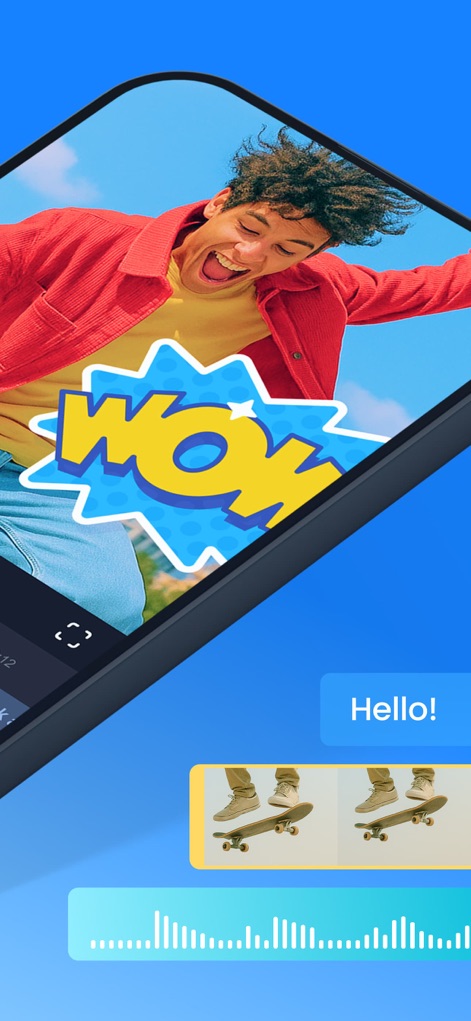
Enhance visual narratives with dynamic elements like the interactive 'WOW' sticker, while monitoring sound levels with clear audio waveform visualization.
Dynamic Sticker Overlays

Gain full creative control over your messaging with the flexible text editor and explore a detailed color palette to match your brand or mood.
Text Customization Options
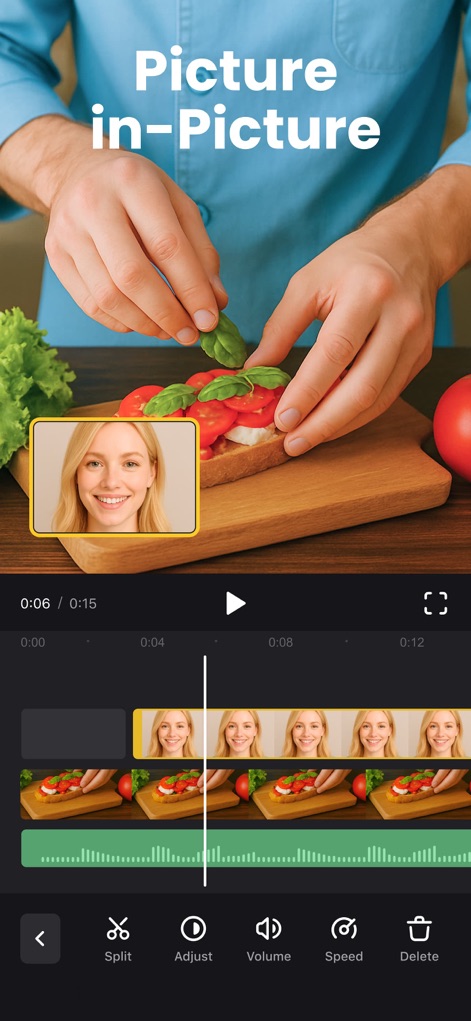
Craft compelling visual stories using advanced picture-in-picture layering, complemented by precise clip adjustment tools for perfect integration.
Advanced PIP Functionality
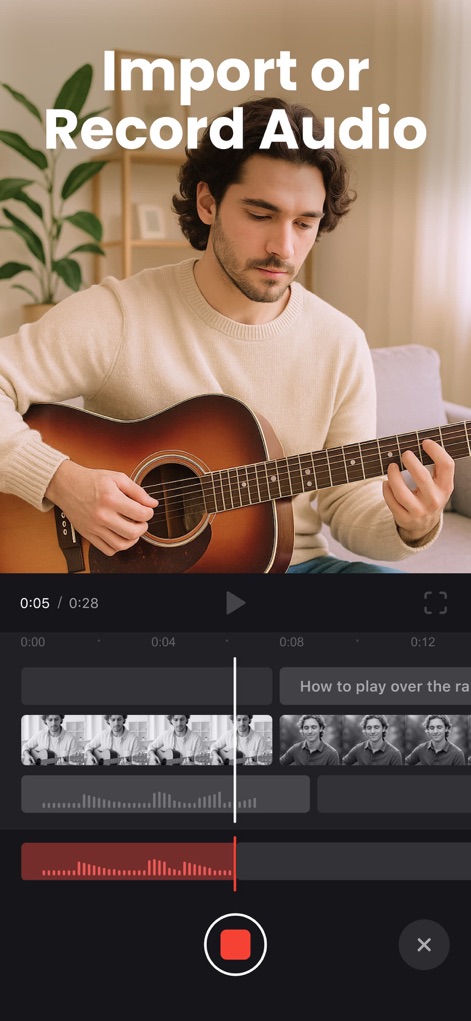
Easily add your voice or custom sounds with the integrated audio recording feature, visualizing sound levels directly on the intuitive audio tracks.
Voiceover & Audio Recording

Elevate content with a diverse stock video collection, readily available and discoverable through the convenient search bar for quick access.
Extensive Stock Library
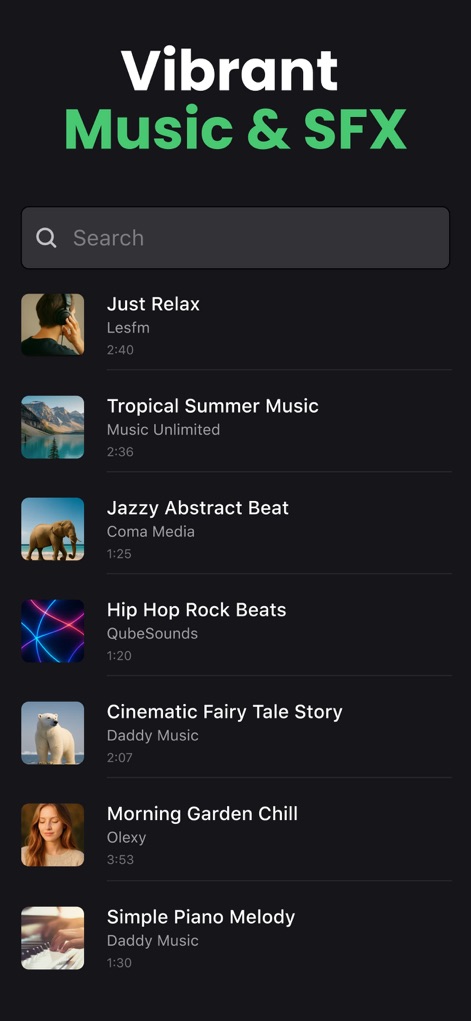
Set the perfect mood for videos by exploring the vibrant music and SFX library, featuring clear track duration information for precise timing.
Curated Audio Library
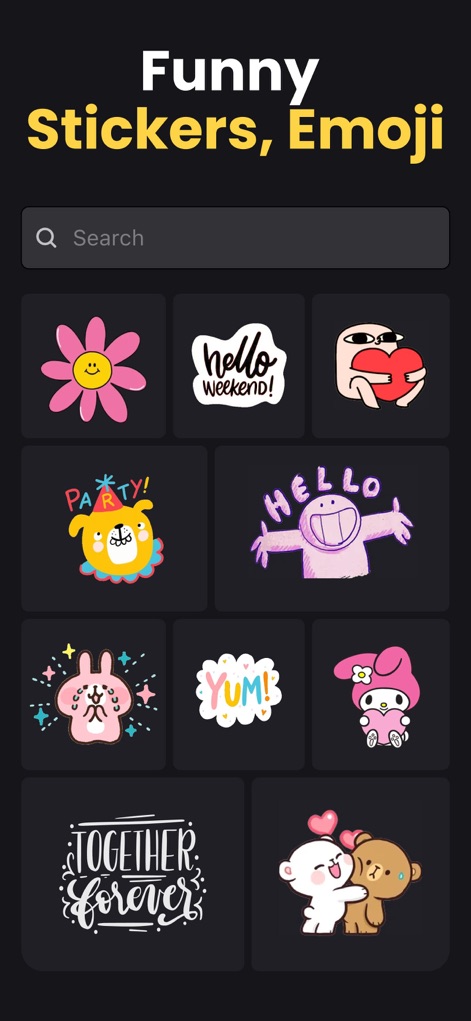
Inject personality into every video with the extensive sticker and emoji library, enhanced by intuitive search functionality for effortless discovery.
Expressive Element Collection
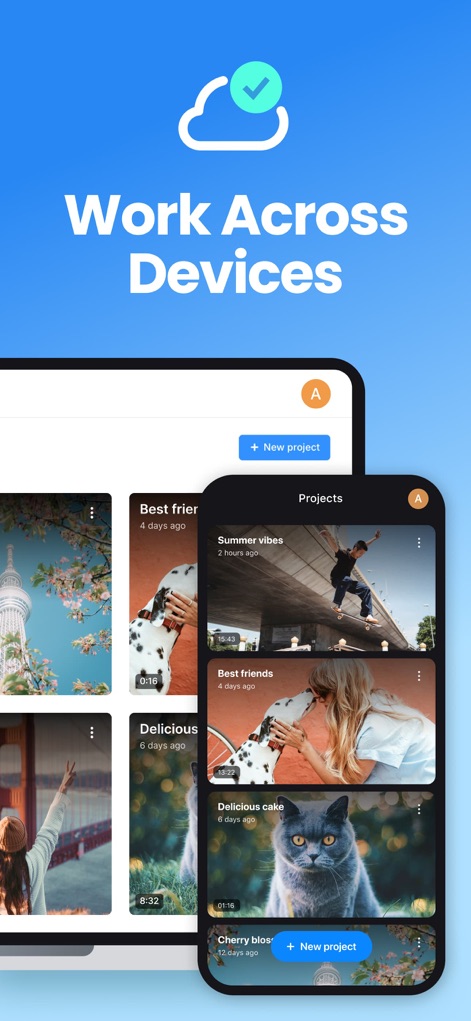
Experience uninterrupted workflow with seamless project synchronization across devices, managed effortlessly through a user-friendly project management interface.
Seamless Cross-Device Sync
Description
Download
More Like This
Apps with similar features and user experience

Edits: Video Editor
Instagram, Inc.

VLLO- Video Editor, Vlog Edits
vimosoft

YouCut - AI Video Editor
SHANTANU PTE. LTD.

必剪-B站官方出品
Shanghai Bilibili Animation Co.,Ltd

剪影 - 视频剪辑 & 卡点影集制作
Shanghai Jian Ji Software Technology Co., Ltd

Videoshop - Video Editor
Jajijujejo Inc.

VDIT - Video Maker & Editor
ImgBase, Inc.

Video Editor with Music・VidLab
Onelight Apps CY Ltd

Video Maker-movie maker&Editor
Changsha Fugui Bamboo Network Technology Co., Ltd.
This page is not an official page of the app or its developer, but an independent editorial publication created for informational and commentary purposes. Unless expressly stated otherwise, neither the app nor its developer is affiliated with, endorsed by, sponsored by, authorized by, or otherwise officially connected with MWM, Apple, Google Play, the app publisher, or the app's developer, and nothing on this page implies that the app was developed using MWM's services. Any trademarks, logos, screenshots, and other content remain the property of their respective owners.