
This page is not an official page of the app or its developer, but an independent editorial publication created for informational and commentary purposes. Unless expressly stated otherwise, neither the app nor its developer is affiliated with, endorsed by, sponsored by, authorized by, or otherwise officially connected with MWM, Apple, Google Play, the app publisher, or the app's developer, and nothing on this page implies that the app was developed using MWM's services. Any trademarks, logos, screenshots, and other content remain the property of their respective owners.

Clock - Wake Up Gently
Say goodbye to jarring alarms. Experience a peaceful morning with gradual volume fades and a minimalist design crafted for your daily wellness.
Downloads
12K+User Rating
Total Ratings
300Publisher
Category
UtilitiesLocales
16Latest Version
1.7Size
53.8 MBFirst Released
Aug 30, 2024Master Your Morning Routine
Designed for wellness-seekers and high achievers, our features transform your bedside experience from a stressful necessity into a peaceful morning ritual.
Gentle Fade-In Alarms
Avoid the morning shock. Gradually increasing volume and screen brightness mimic a natural sunrise for a stress-free, mindful awakening.
Intelligent Snooze Control
Tailored for your sleep rhythm. Customize snooze durations and use the oversized button to enjoy extra rest without the usual alarm fatigue.
Frequently Asked Questions
Everything you need to know about Clock - Wake Up Gently
How do I set an alarm in the Clock - Wake Up Gently app?
Users set alarms in the Clock - Wake Up Gently app by inputting a time and selecting options like repeat days, sound, vibration, and snooze duration. The app allows for specific date alarms or weekly repetitions.
Does the Clock - Wake Up Gently app offer a world clock feature?
Yes, the Clock - Wake Up Gently app includes a World Clock feature. It allows users to track the current time in various cities globally and locate cities using a globe feature.
Is the Clock - Wake Up Gently app free to download?
Yes, the Clock - Wake Up Gently app is a free download for iPhone and iPad. It offers "Alarm Clock Free features" with optional subscription details for additional functionality.
How does the Fade Effects feature work in Clock - Wake Up Gently?
The Clock - Wake Up Gently app's Fade Effects feature gradually increases the alarm volume or screen brightness. This function aims to provide a peaceful and gentle start to the user's day.
Can I customize the snooze duration in Clock - Wake Up Gently?
Yes, the Clock - Wake Up Gently app allows users to customize the snooze duration. This setting is available within the app's snooze control features, along with other alarm configurations.
What are the subscription terms for Clock - Wake Up Gently?
Clock - Wake Up Gently subscriptions renew automatically unless canceled 24 hours prior to the period end. Payment occurs at purchase confirmation, charged to the iTunes Account. Cancellations are not allowed during the active period.
Where can I find the privacy policy for Clock - Wake Up Gently?
The privacy policy for the Clock - Wake Up Gently app is available at the provided URL: https://privacypolicycenter.com/new/view/id6636471837. Users access this link for detailed information.
The following screenshots and description are sourced directly from the app's official store listing and are the property of the app developer.
App Store
Screenshots
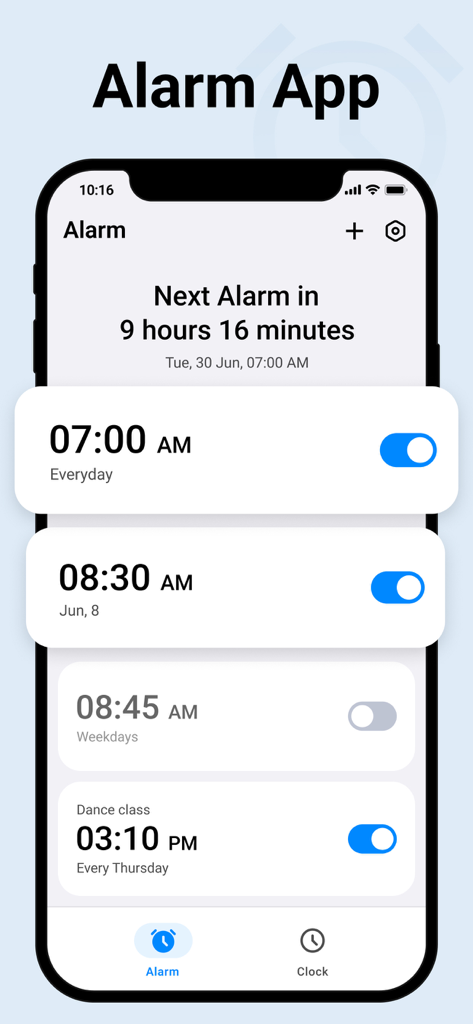
Interface of the Clock app showing multiple scheduled alarms and a countdown to the next wake-up time
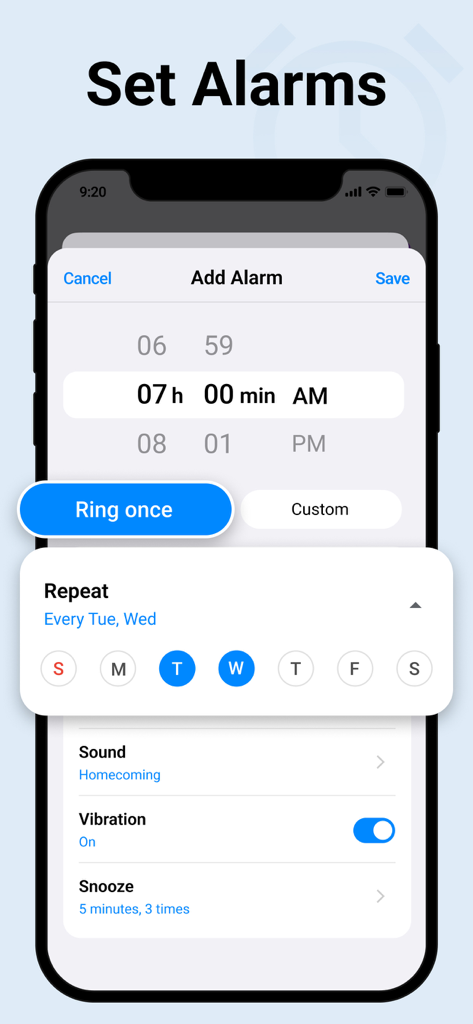
Smartphone screen showing the add alarm interface with customizable repeat and snooze settings
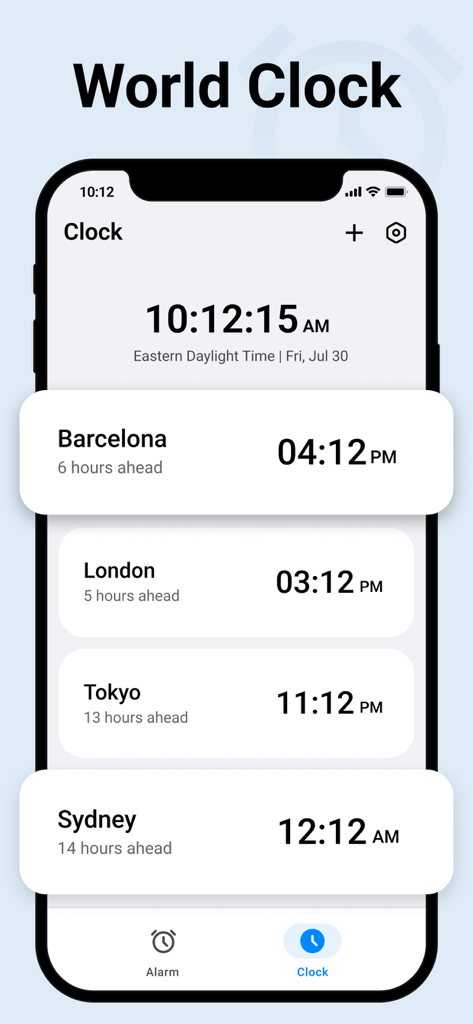
Minimalist world clock interface displaying local times for various global cities including Barcelona, London, Tokyo, and Sydney.
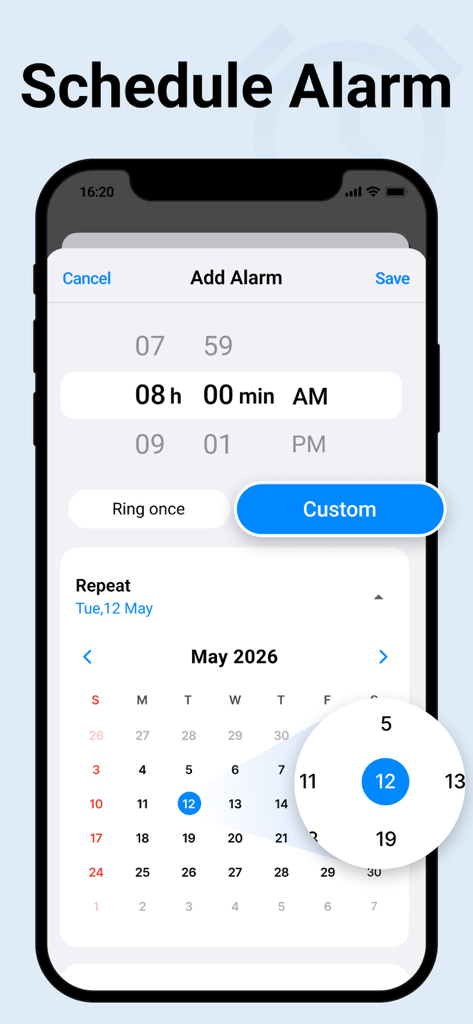
iPhone screen showing the interface to schedule a custom alarm with a calendar date picker.
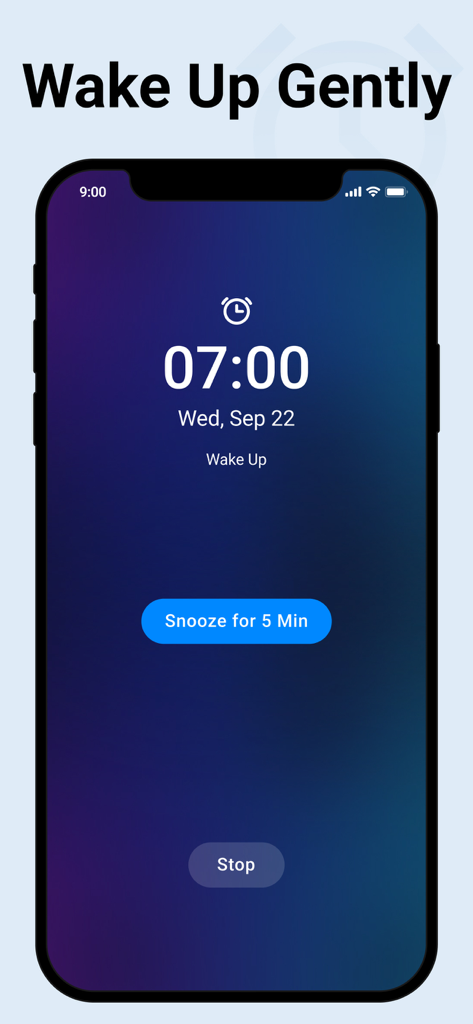
An iPhone screen displaying a minimalist alarm interface at 07:00 with a large blue snooze button and a dark gradient background
Description
Download
More Like This
Top-ranked apps in the same category

Google LLC

Google Chrome
Google LLC

中国移动(手机营业厅)
China Mobile Online Services Co., Ltd.

Google Authenticator
Google LLC

CNH do Brasil
Servicos e Informacoes do Brasil

Cleanup: Phone Storage Cleaner
DEEP FLOW SOFTWARE SERVICES - FZCO

gov.br
Servicos e Informacoes do Brasil

中国电信-全国统一官方服务平台
CHINA TELECOM Corporation Ltd.

Microsoft Edge: AI Browser
Microsoft Corporation
This page is not an official page of the app or its developer, but an independent editorial publication created for informational and commentary purposes. Unless expressly stated otherwise, neither the app nor its developer is affiliated with, endorsed by, sponsored by, authorized by, or otherwise officially connected with MWM, Apple, Google Play, the app publisher, or the app's developer, and nothing on this page implies that the app was developed using MWM's services. Any trademarks, logos, screenshots, and other content remain the property of their respective owners.