Clone Phone - Smart Switch
Download on App Store

This page is not an official page of the app or its developer, but an independent editorial publication created for informational and commentary purposes. Unless expressly stated otherwise, neither the app nor its developer is affiliated with, endorsed by, sponsored by, authorized by, or otherwise officially connected with MWM, Apple, Google Play, the app publisher, or the app's developer, and nothing on this page implies that the app was developed using MWM's services. Any trademarks, logos, screenshots, and other content remain the property of their respective owners.

Logo of Clone Phone - Smart Switch
Download on App Store

Clone Phone - Smart Switch

Effortlessly migrate photos, contacts, and messages between Android and iOS. No cables or internet required—just a secure, lightning-fast transfer to your new device.

Key Figures

Downloads

156K+

User Rating

4.2/5

Total Ratings

200

Publisher

Rajeev kumar

Category

Utilities

Locales

11

Latest Version

13

Size

73.4 MB

First Released

Aug 4, 2022
Features

Your Entire Digital Life, Seamlessly Transferred

Moving to a new phone shouldn't be a headache. Whether you are switching to iOS or Android, transfer your photos, contacts, and memories in minutes without cables, internet, or data loss.

Cross-Platform Freedom

The ultimate bridge between Android and iOS. Effortlessly migrate your entire history to your new device with a reliable connection that native tools often miss.

Lightning-Fast & Offline

Skip the slow cloud backups. By creating a secure personal hotspot, we transfer huge photo galleries and 4K videos at maximum speed without requiring an internet connection.

The following screenshots and description are sourced directly from the app's official store listing and are the property of the app developer.

App Store

Screenshots
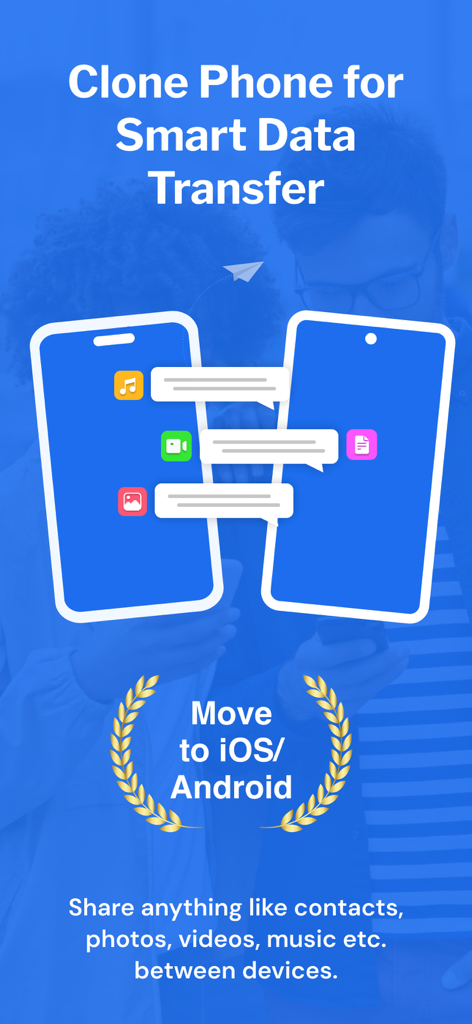
Clone Phone - Smart Switch - Graphic showing mobile data transfer between two smartphones for switching to iOS or Android
Graphic showing mobile data transfer between two smartphones for switching to iOS or Android

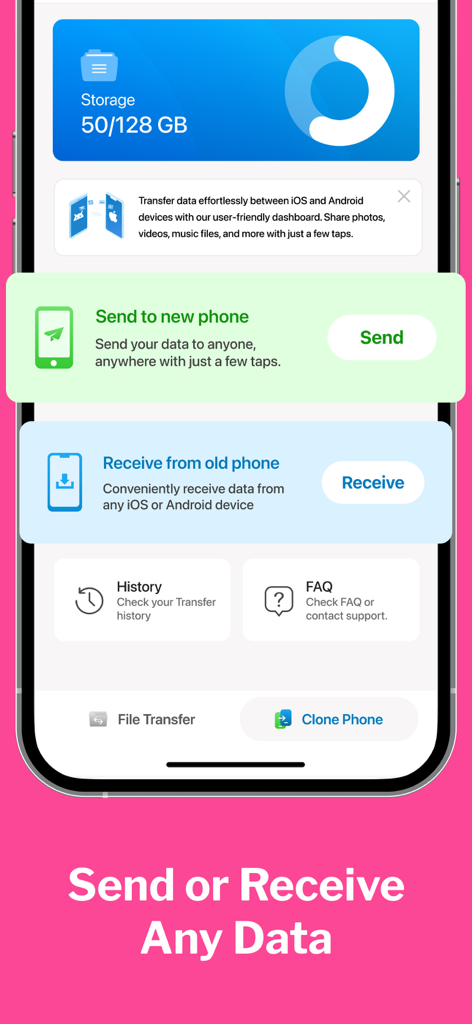
Clone Phone - Smart Switch - Dashboard of Clone Phone Smart Switch app showing send and receive options for mobile data transfer.
Dashboard of Clone Phone Smart Switch app showing send and receive options for mobile data transfer.

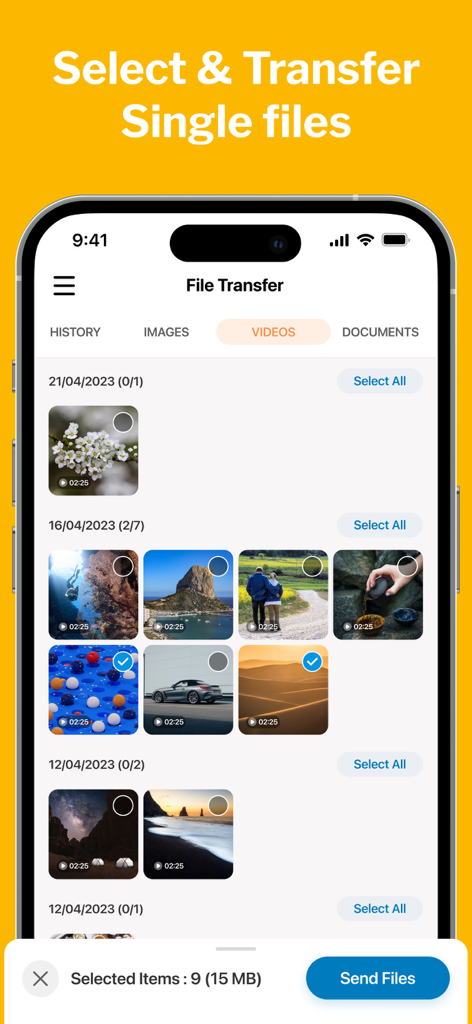
Clone Phone - Smart Switch - User interface showing selective video file transfer in the Clone Phone app
User interface showing selective video file transfer in the Clone Phone app

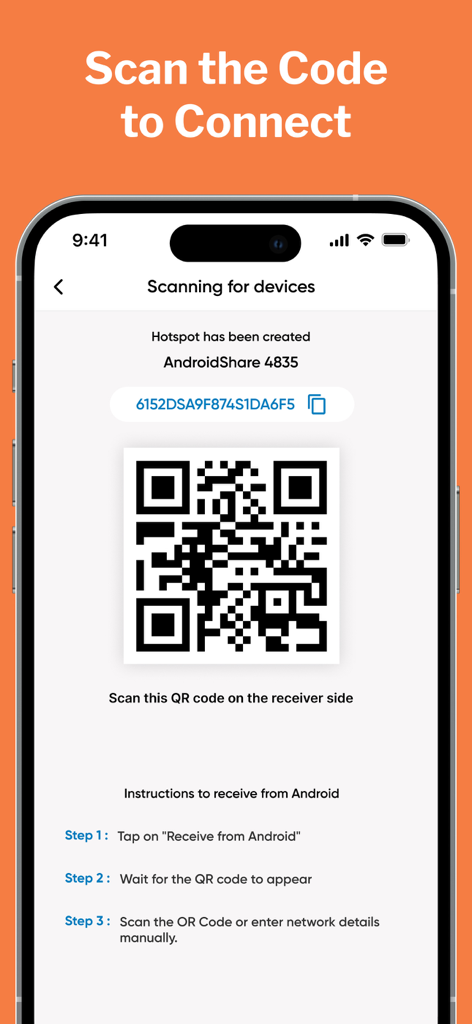
Clone Phone - Smart Switch - Smartphone screen showing a QR code to connect devices for data transfer in the Clone Phone app

Smartphone screen showing a QR code to connect devices for data transfer in the Clone Phone app
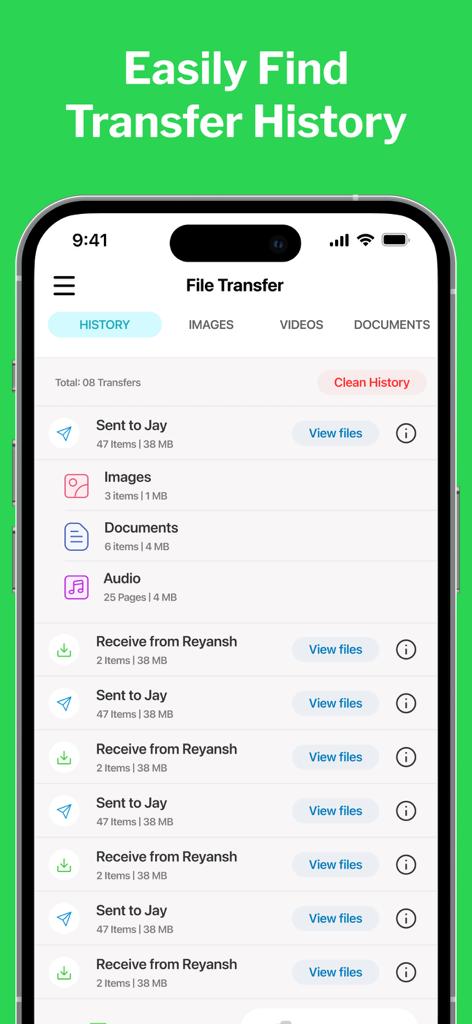
Clone Phone - Smart Switch - Interface of Clone Phone app displaying a list of completed data transfers with file counts and sizes
Interface of Clone Phone app displaying a list of completed data transfers with file counts and sizes

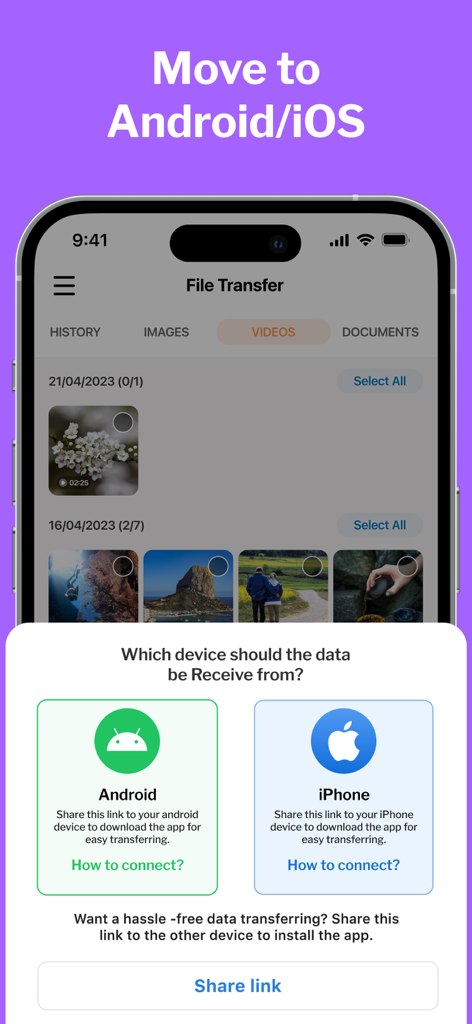
Clone Phone - Smart Switch - Clone Phone app interface showing options to transfer data from Android or iPhone

Clone Phone app interface showing options to transfer data from Android or iPhone

Description

CLONE your PHONE & SWITCH DATA between android & iOS. Phone Clone is a highly convenient file sharing app that enables seamless transfer of data between devices and allows users to effortlessly migrate their data to their new phones. It offers a hassle-free way to move contacts, photos, videos, messages, music, and more with just a few taps. Unlike other data transfer methods, Clone Phone doesn't require the internet, Bluetooth, or cables. Instead, it creates a personal hotspot to connect the two devices and transfer the data securely and efficiently. New Features MOVE to iOS Make Your Move Effortless with the Move to iOS feature. The Move to iOS feature is here to ensure a smooth and hassle-free transition between your android & iOS devices. SINGLE FILE TRANSFER Only want to transfer specific files only? With our File Transfer feature, whether it's photos, videos, documents, music, or any other file type, our app supports a wide range of file formats for seamless transfer. Why CLONE PHONE? Clone Phone is a smart data transfer and clone that allows easy migration of data to new phones. You can now clone your phone between from Android to iPhone. * It can move contacts, photos, videos, messages, and music between devices. * This app doesn't need the internet, Bluetooth, or cables to transfer data * It uses a personal hotspot to securely and efficiently switch data. * This app is free to use and offers lightning-fast transfer speeds * It allows users to select the data they want to clone. * Phone Switch has a move to iPhone File Sharing feature to smart switch data between Android and iPhone. Move to iOS phone from Android. * The user interface is well-designed and user-friendly. * The app displays free and used space on your phone and your clone history. Whether you're switching from Android to iOS or vice versa, this app makes it a breeze. You can easily copy all your data from your old phone and transfer it to your new phone using this app. The transfer speeds are lightning-fast, and the app even lets you select the data you need to switch. Plus, the app is completely free to use. How to USE: 1. After installation, the user must give the Smart Switch my Phone app all permissions it requires. 2. As a sender, simply select the files you wish to transfer and hit "Share". 3. The app will create a personal hotspot, and a QR code will be shown on the screen. 4. To start the transfer by creating a connection, the receiver must scan the QR code. 5. The user can find all his transferred files on the transfer history page. Some of the data we collect - Device-specific information such as device model, OS version being used. This provides knowledge of how our application is being used so we can improve the user experience and the app itself. - We collect anonymized data such as statistics, analytics, insights about your activity in order to provide you a reliable and high-quality experience. - Payment data & an optional Email (if using paid Services). Premium Plans Monthly - $2.99 Yearly - $5.99 Subscription Info - The user can cancel his/her subscription at any time by going into iTunes and App Store Apple ID Settings. - All prices include applicable local sales taxes. - Payment will be charged to your iTunes Account after confirmation of purchase. - Subscription automatically renews at least 24-hours before the end of the current period. - The user's account will be charged for renewal within 24-hours before the end of the current period. Privacy policy: https://m24apps.com/web/phoneclone/privacy-policy Terms of use: https://m24apps.com/web/phoneclone/tandc EULA: https://m24apps.com/web/phoneclone/eula

Download

Download on App Store

This page is not an official page of the app or its developer, but an independent editorial publication created for informational and commentary purposes. Unless expressly stated otherwise, neither the app nor its developer is affiliated with, endorsed by, sponsored by, authorized by, or otherwise officially connected with MWM, Apple, Google Play, the app publisher, or the app's developer, and nothing on this page implies that the app was developed using MWM's services. Any trademarks, logos, screenshots, and other content remain the property of their respective owners.








