
This page is not an official page of the app or its developer, but an independent editorial publication created for informational and commentary purposes. Unless expressly stated otherwise, neither the app nor its developer is affiliated with, endorsed by, sponsored by, authorized by, or otherwise officially connected with MWM, Apple, Google Play, the app publisher, or the app's developer, and nothing on this page implies that the app was developed using MWM's services. Any trademarks, logos, screenshots, and other content remain the property of their respective owners.
CMD: SSH, Terminal, DOS, Ping
Turn your iPhone or iPad into a high-performance terminal. Manage servers via SSH, audit network security, and run diagnostics with a privacy-focused, native mobile experience.
Downloads
100+User Rating
Total Ratings
0Publisher
Category
Developer ToolsLocales
1Latest Version
2Size
17.3 MBFirst Released
Feb 3, 2026A Professional Command Center in Your Pocket
Equip yourself with an elite suite of network diagnostic and server management tools designed for system administrators and power users who demand precision without the laptop.
Secure SSH Terminal
Manage remote servers with full interactive support, saved connection profiles, and command history for seamless DevOps workflows on the go.
Advanced Network Diagnostics
Execute high-precision Ping, Traceroute, and Port Scans to triage network bottlenecks and security vulnerabilities in seconds with real-time feedback.
The following screenshots and description are sourced directly from the app's official store listing and are the property of the app developer.
App Store
Screenshots
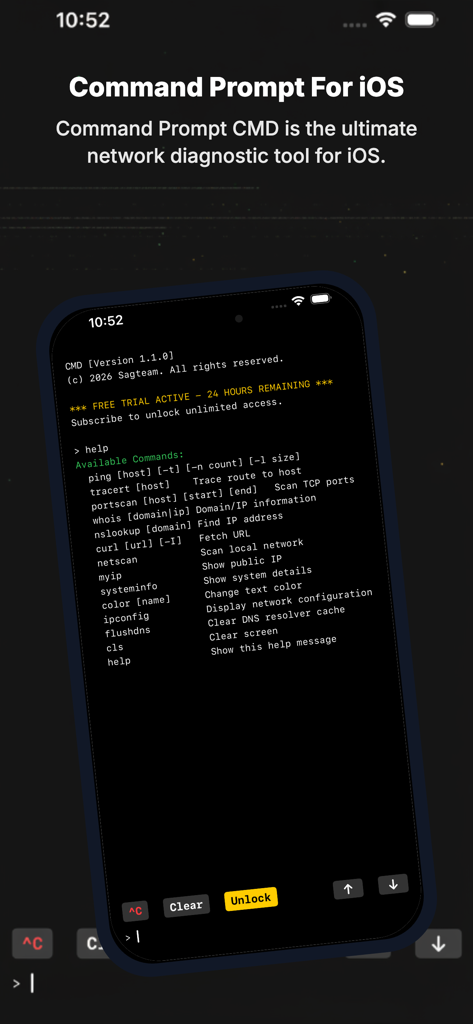
Smartphone screen displaying a retro terminal interface for network diagnostics with commands like ping and traceroute
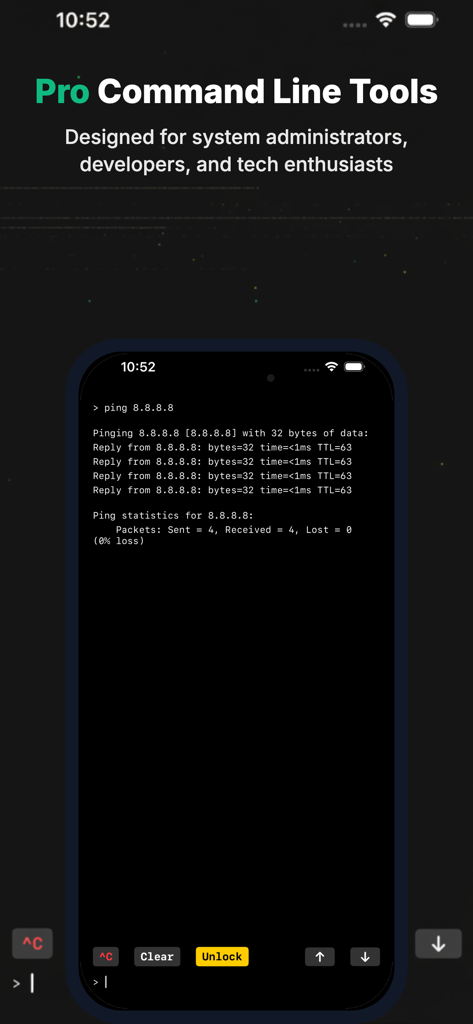
iPhone screenshot showing the CMD app terminal interface with a ping command result
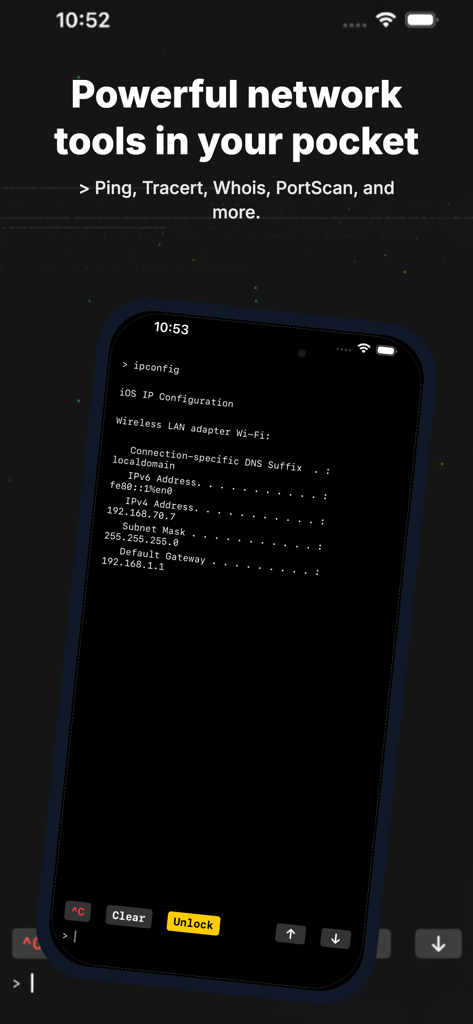
CMD app terminal interface displaying ipconfig network configuration results on an iPhone screen.
Description
Download
More Like This
Top-ranked apps in the same category

TestFlight
Apple Inc.

Replit: Vibe Code Apps
Replit, Inc

GitHub
GitHub

O-KAM Pro
Shenzhen VeePai IoT Intelligent Technology LLC

Apple Developer
Apple Inc.

Expo Go
650 Industries, Inc.

Emergent AI: Vibe Code Apps
Emergent Labs Inc

Scriptable
Simon Stovring

ProxyPin - Open Source Capture
Minimalist Network Co., Ltd.
This page is not an official page of the app or its developer, but an independent editorial publication created for informational and commentary purposes. Unless expressly stated otherwise, neither the app nor its developer is affiliated with, endorsed by, sponsored by, authorized by, or otherwise officially connected with MWM, Apple, Google Play, the app publisher, or the app's developer, and nothing on this page implies that the app was developed using MWM's services. Any trademarks, logos, screenshots, and other content remain the property of their respective owners.