CodeSnack IDE
CodeSnack IDE
Download on App Store

This page is not an official page of the app or its developer, but an independent editorial publication created for informational and commentary purposes. Unless expressly stated otherwise, neither the app nor its developer is affiliated with, endorsed by, sponsored by, authorized by, or otherwise officially connected with MWM, Apple, Google Play, the app publisher, or the app's developer, and nothing on this page implies that the app was developed using MWM's services. Any trademarks, logos, screenshots, and other content remain the property of their respective owners.


Logo of CodeSnack IDE
Download on App Store

CodeSnack IDE

Harness the power of a desktop-class IDE on your iPhone or iPad. From AI-assisted debugging to full-stack deployment, write and run code in 18+ languages anywhere your inspiration strikes.

Key Figures

Downloads

247K+

User Rating

4.6/5

Total Ratings

100

Publisher

Mobibean, LLC

Category

Developer Tools

Locales

1

Latest Version

5.9.11

Size

59.6 MB

First Released

Jul 30, 2018
Features

Desktop Power in Your Pocket

The first professional mobile IDE designed for high-performance engineering. CodeSnack combines AI-powered intelligence with a full Linux environment to turn your mobile device into a portable workstation.

AI-Powered Intelligence

Accelerate your workflow with AI-generated projects, instant bug detection, and smart code explanations tailored to your specific logic.

Pro-Level Environment

Access a real Linux terminal, install dependencies, and manage Docker containers with the same control you expect on a PC or Mac.

The following screenshots and description are sourced directly from the app's official store listing and are the property of the app developer.

App Store

Screenshots
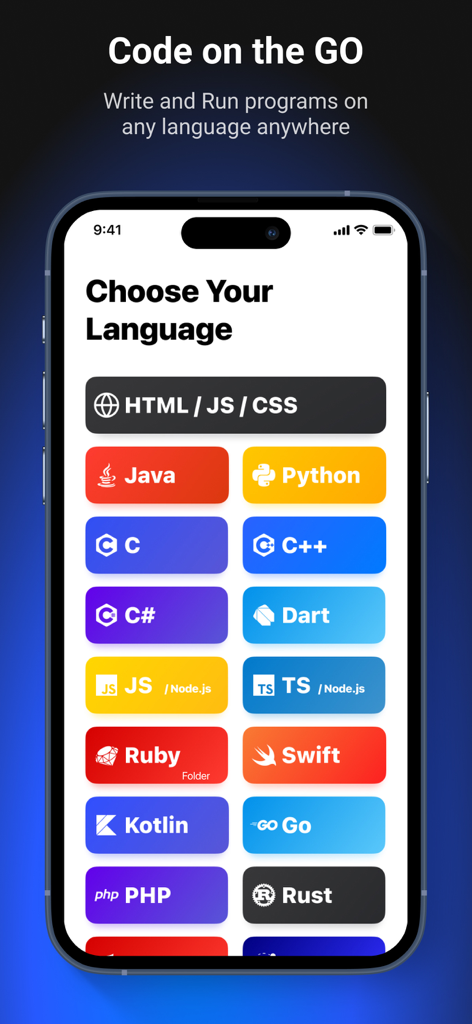
CodeSnack IDE - CodeSnack IDE mobile interface showing a variety of supported programming languages like Python, Java, and Swift for coding on the go.
CodeSnack IDE mobile interface showing a variety of supported programming languages like Python, Java, and Swift for coding on the go.

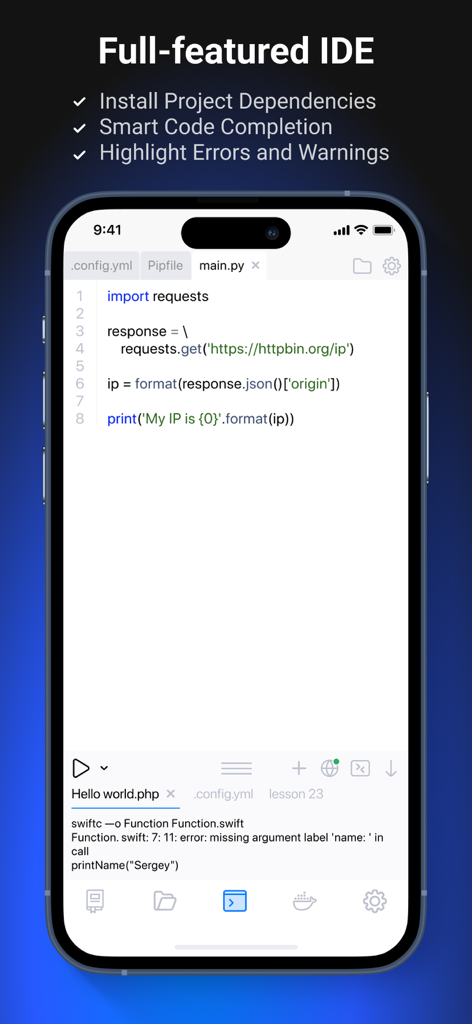
CodeSnack IDE - CodeSnack IDE mobile app interface with Python code editor and terminal
CodeSnack IDE mobile app interface with Python code editor and terminal

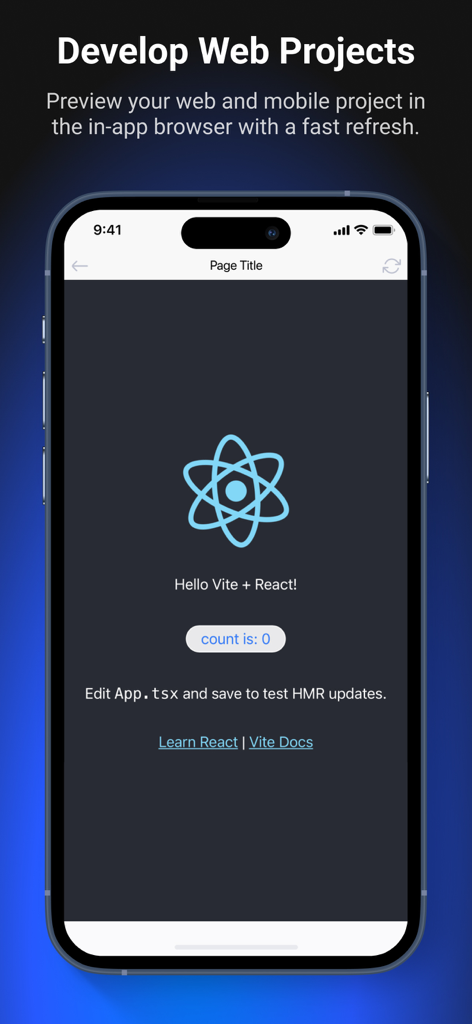
CodeSnack IDE - CodeSnack IDE interface showing a React web project preview on a mobile device
CodeSnack IDE interface showing a React web project preview on a mobile device

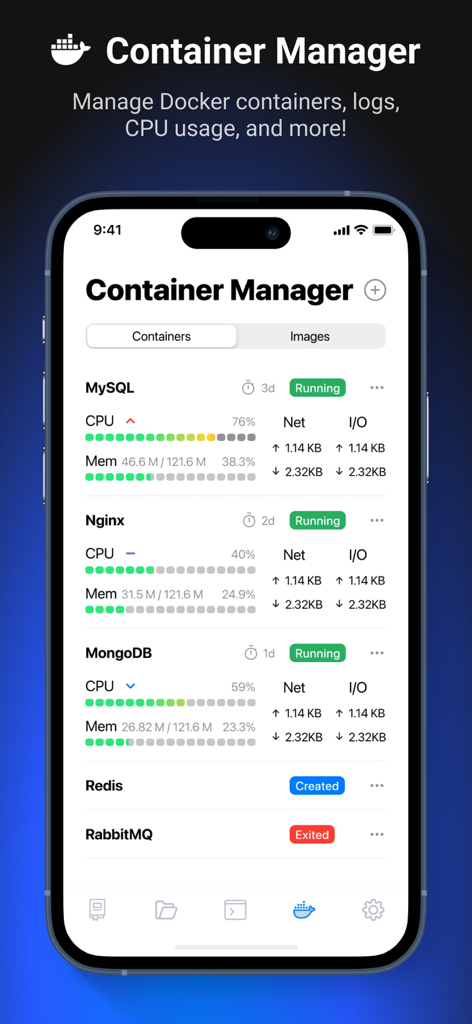
CodeSnack IDE - CodeSnack IDE Container Manager interface showing real-time CPU and memory monitoring for Docker containers like MySQL and Nginx.
CodeSnack IDE Container Manager interface showing real-time CPU and memory monitoring for Docker containers like MySQL and Nginx.

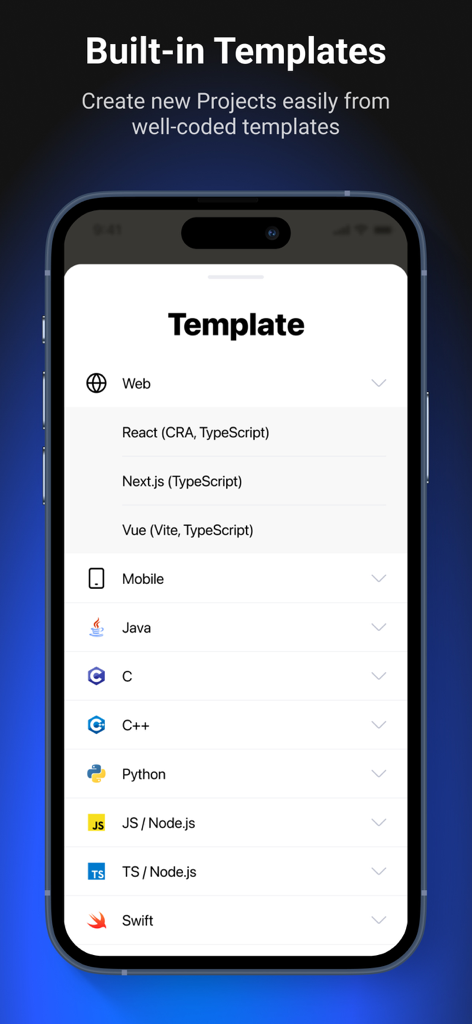
CodeSnack IDE - Interface of CodeSnack IDE displaying built-in templates for web, mobile, and various programming languages.
Interface of CodeSnack IDE displaying built-in templates for web, mobile, and various programming languages.

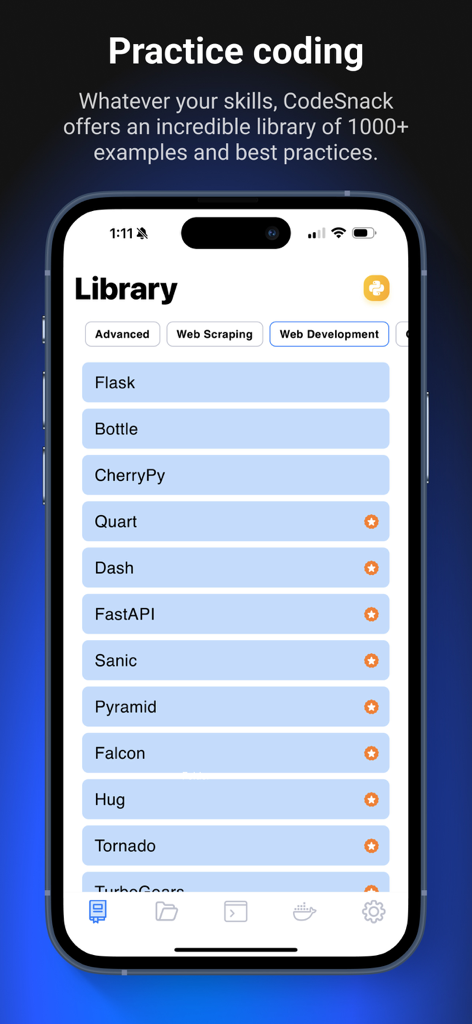
CodeSnack IDE - CodeSnack IDE mobile interface showing a library of over 1000 coding examples for web development and practice
CodeSnack IDE mobile interface showing a library of over 1000 coding examples for web development and practice

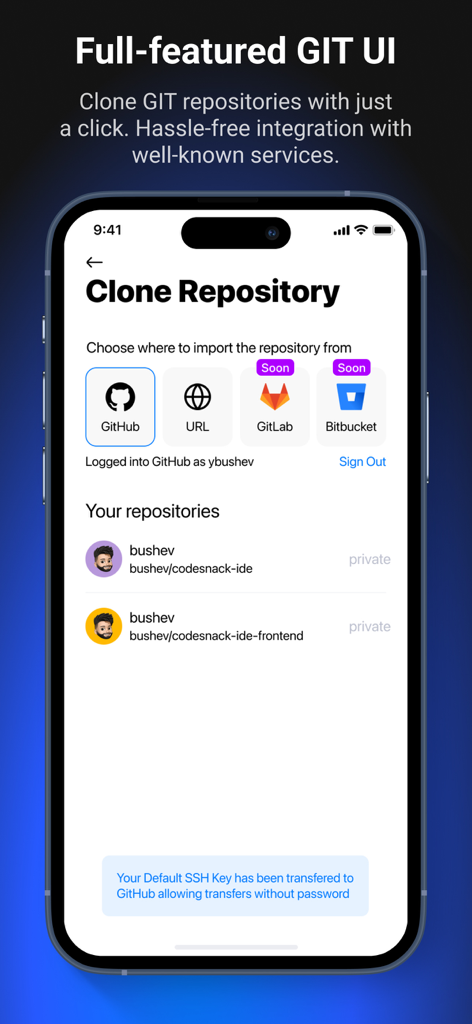
CodeSnack IDE - CodeSnack IDE mobile interface for cloning Git repositories from GitHub and other services
CodeSnack IDE mobile interface for cloning Git repositories from GitHub and other services

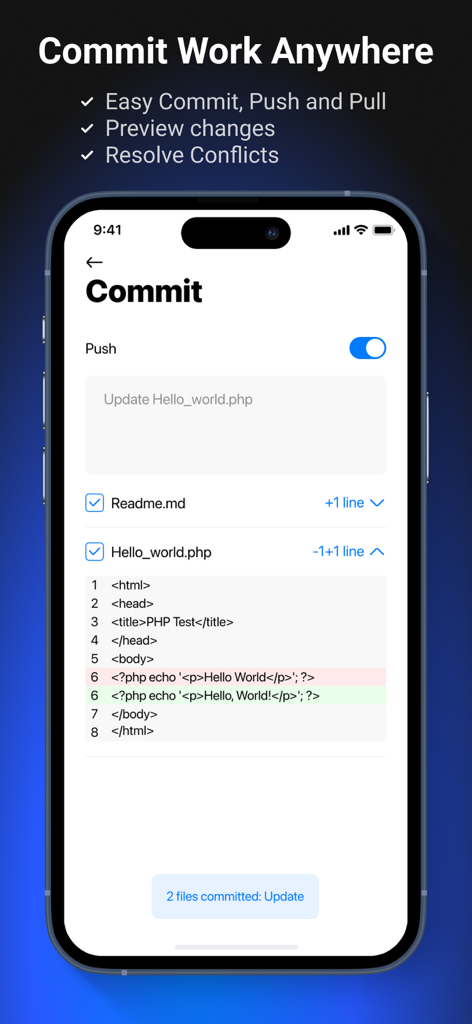
CodeSnack IDE - Mobile app screen showing the Git commit and push interface with a code diff preview for a PHP file in CodeSnack IDE
Mobile app screen showing the Git commit and push interface with a code diff preview for a PHP file in CodeSnack IDE

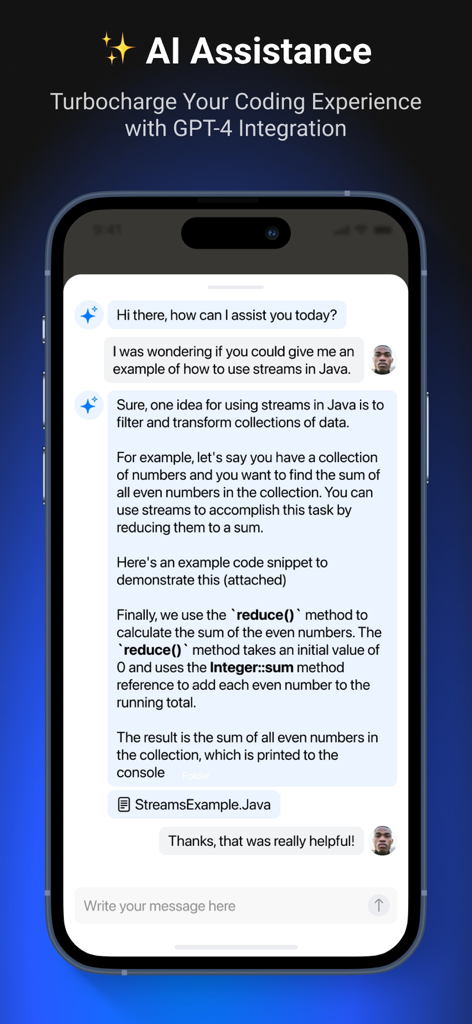
CodeSnack IDE - Mobile interface of CodeSnack IDE showing an AI assistant providing a Java code example.
Mobile interface of CodeSnack IDE showing an AI assistant providing a Java code example.

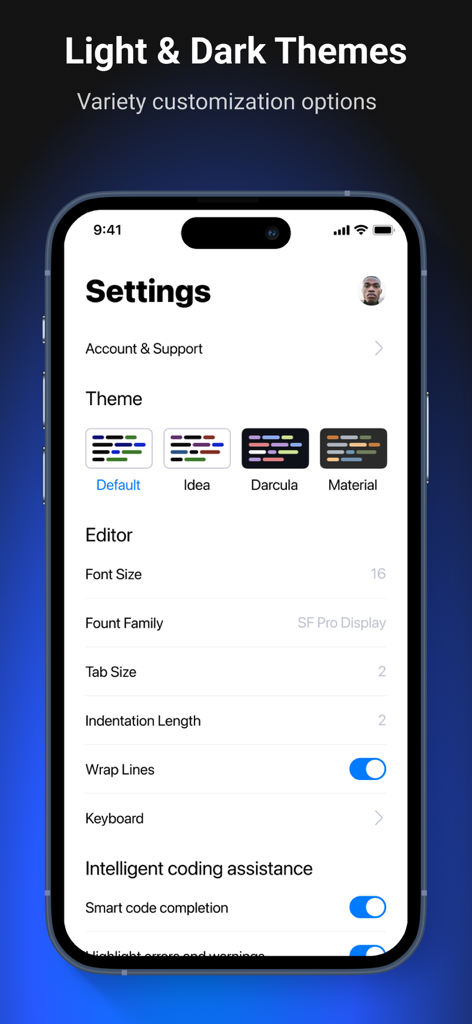
CodeSnack IDE - Settings screen for CodeSnack IDE showing theme and editor options

Settings screen for CodeSnack IDE showing theme and editor options

Description

CodeSnack IDE is the first mobile IDE crafted specifically for mobile devices and tablets, unlocking the power of coding right at your fingertips. With fast and intuitive tools, CodeSnack IDE empowers you to create amazing programs, learn from a vast library of samples, and deploy real-world back-end and front-end apps within minutes — all for free. Whether you're an experienced coder or just starting out, CodeSnack IDE offers all the control and flexibility you need to create and customize projects without any compromise. Now powered by advanced AI, CodeSnack IDE delivers cutting-edge development features straight to your mobile device: • AI-Generated Project Creation: Generate projects from text prompts • Smart Bug Detection & Fix Proposals: Find and fix issues effortlessly • Code Explanation: Understand the purpose and logic behind your code • Code-Specific Question Answering: Get answers to your coding queries Everything you can do with CodeSnack IDE: * Write & run code like on a PC or Mac * Develop real Web and Mobile apps with React, Ionic, Capacitor, and React Native * Install dependencies using Linux terminal * Intelligent coding assistance, autocompletion, linting * Use any programming language * Utilize your favorite hardware keyboard and shortcuts * Debug program output, and see detailed error logs (in real-time) * Practice coding with 1000+ examples in our library * Sync your projects across all your devices * Deploy projects through SFTP And so much more! CodeSnack IDE supports 18 programming languages for versatile coding: - Java - Python - C - C++ - C# - Dart - JavaScript - TypeScript - PHP - Shell - Swift - Ruby - Go - Kotlin - Lua - Haskell - Rust - Scala Quick project templates to jumpstart your development: • React (Vite, TypeScript) • Vue (Vite, TypeScript) • Vanilla (Vite, TypeScript) • Preact (Vite, TypeScript) • Lit (Vite, TypeScript) • Svelte (Vite, TypeScript) • Ionic (React, Capacitor) • Ionic (React, Cordova) • Ionic (Angular, Capacitor) • Ionic (Angular, Cordova) • Ionic (Vue, Capacitor) • React Native (Expo) • Express (Node.js, TypeScript) • Express (Node.js, JavaScript) • Simple HTTP server (Python) • Django Web App (Python) • Simple HTTP server (Java) • Gradle (Java) • Blazor (C#) • Laravel (PHP) • Simple HTTP server (PHP) • WebSockets • WebAssembly (AssemblyScript) Pro Subscription benefits: * Compile and Run code up to 8x faster (2 vCPU, 1 GB Memory, 8 GB SSD, 3,000 Mbps Network) * Docker Container Manager * Gain access to up to 500 AI assistant requests per month * Unlock in-app browser for Web and Mobile projects * Virtual keyboard customization * Upload code to your server using SFTP * Access all Examples in the Library * Access all Project Templates * Unlock 2 more color schemas for the code editor Important Links: Terms Of Service: https://www.codesnack-ide.com/terms-of-services.html Privacy Policy: https://www.codesnack-ide.com/privacy-policy.html Connect with the CodeSnack IDE community: Join our Discord Community server: https://discord.gg/FKmzpuqUnZ

Download

Download on App Store

This page is not an official page of the app or its developer, but an independent editorial publication created for informational and commentary purposes. Unless expressly stated otherwise, neither the app nor its developer is affiliated with, endorsed by, sponsored by, authorized by, or otherwise officially connected with MWM, Apple, Google Play, the app publisher, or the app's developer, and nothing on this page implies that the app was developed using MWM's services. Any trademarks, logos, screenshots, and other content remain the property of their respective owners.








