Combine - Code Editor & Git
Download on App Store

This page is not an official page of the app or its developer, but an independent editorial publication created for informational and commentary purposes. Unless expressly stated otherwise, neither the app nor its developer is affiliated with, endorsed by, sponsored by, authorized by, or otherwise officially connected with MWM, Apple, Google Play, the app publisher, or the app's developer, and nothing on this page implies that the app was developed using MWM's services. Any trademarks, logos, screenshots, and other content remain the property of their respective owners.


Logo of Combine - Code Editor & Git
Download on App Store

Combine - Code Editor & Git

Code offline with zero compromises. Experience a desktop-class environment with full Git integration, live web previews, and intelligent syntax highlighting for 85+ languages.

Key Figures

Downloads

2K+

User Rating

1.0/5

Total Ratings

0

Publisher

Margins Technologies LLC

Category

Developer Tools

Locales

1

Latest Version

1.4.12

Size

29.3 MB

First Released

Jul 3, 2025
Features

Desktop Power for Mobile Developers

Experience a zero-compromise coding environment with professional-grade tools, full Git integration, and complete offline privacy.

Elite Syntax & Theming

Write code in 85+ languages with 70+ premium themes and 90 font families designed for professional readability and style.

Professional Git Client

Handle your entire workflow: clone, merge, rebase, and stash with secure SSH authentication and iCloud Keychain encryption.

The following screenshots and description are sourced directly from the app's official store listing and are the property of the app developer.

App Store

Screenshots
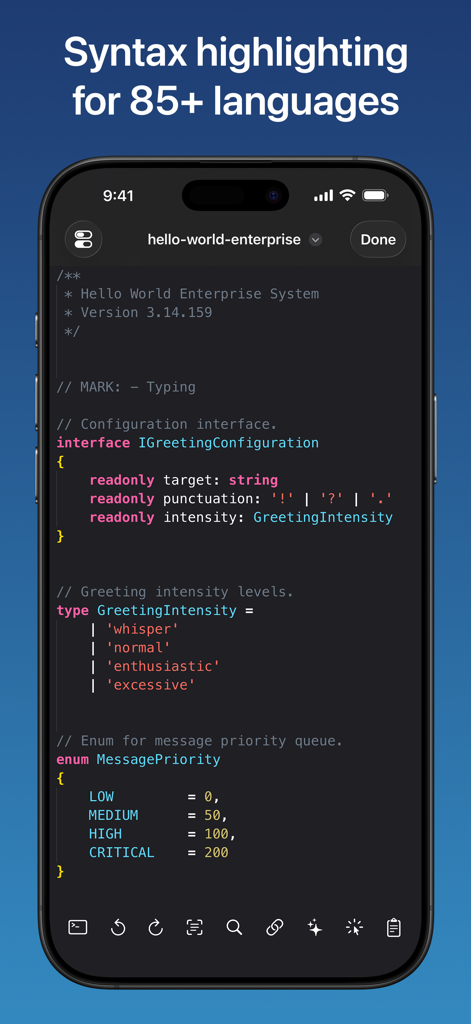
Combine - Code Editor & Git - Mobile screen showing syntax highlighting for code in the Combine editor app.
Mobile screen showing syntax highlighting for code in the Combine editor app.

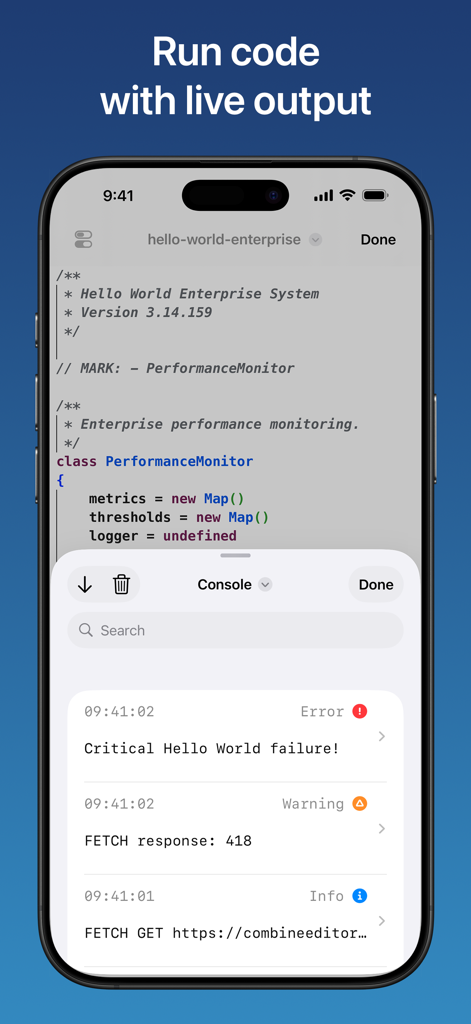
Combine - Code Editor & Git - Combine mobile app interface showing a code editor with JavaScript and a live console displaying errors warnings and logs on an iPhone
Combine mobile app interface showing a code editor with JavaScript and a live console displaying errors warnings and logs on an iPhone

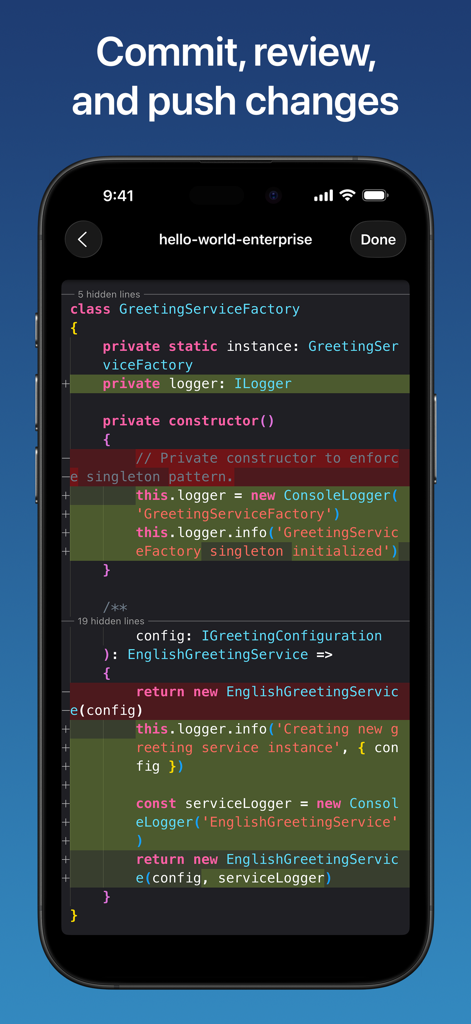
Combine - Code Editor & Git - Screenshot of the Combine code editor showing a Git diff view with code additions and deletions highlighted on an iPhone.
Screenshot of the Combine code editor showing a Git diff view with code additions and deletions highlighted on an iPhone.

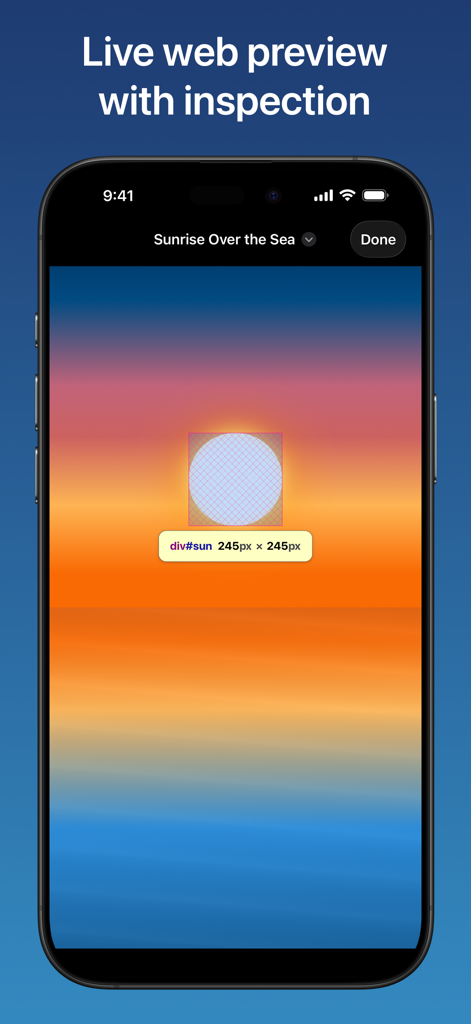
Combine - Code Editor & Git - Live web preview with element inspection in the Combine Code Editor app on iPhone.
Live web preview with element inspection in the Combine Code Editor app on iPhone.

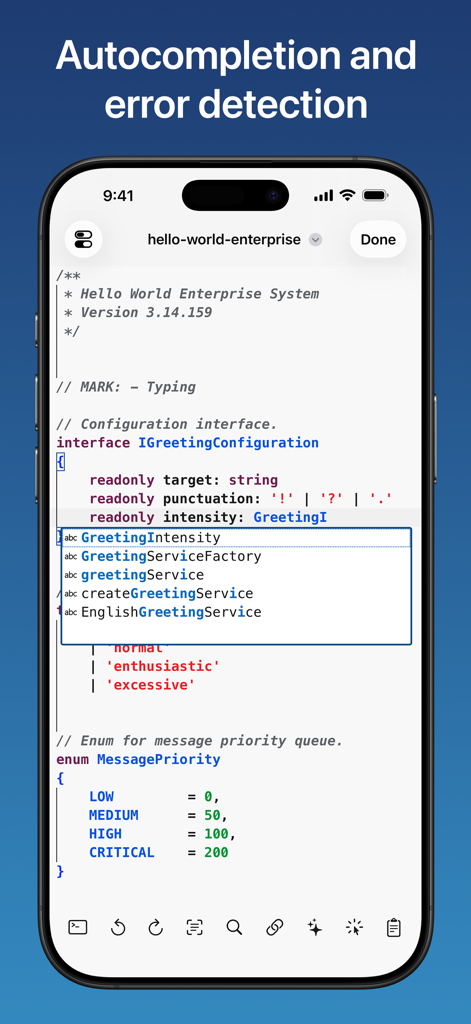
Combine - Code Editor & Git - Combine code editor showing autocompletion and error detection for TypeScript code on an iPhone
Combine code editor showing autocompletion and error detection for TypeScript code on an iPhone

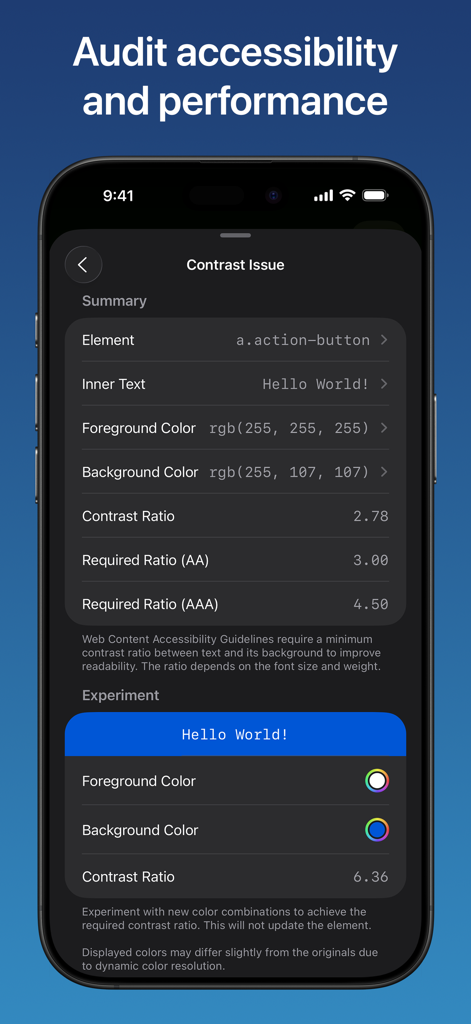
Combine - Code Editor & Git - A screenshot of the Combine app showing an accessibility audit for web element contrast ratios.
A screenshot of the Combine app showing an accessibility audit for web element contrast ratios.

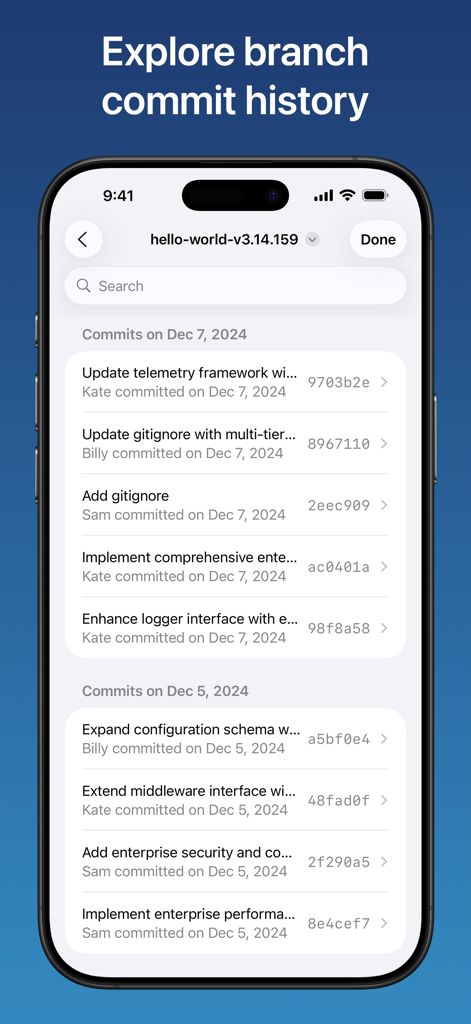
Combine - Code Editor & Git - Git branch commit history interface in the Combine app
Git branch commit history interface in the Combine app

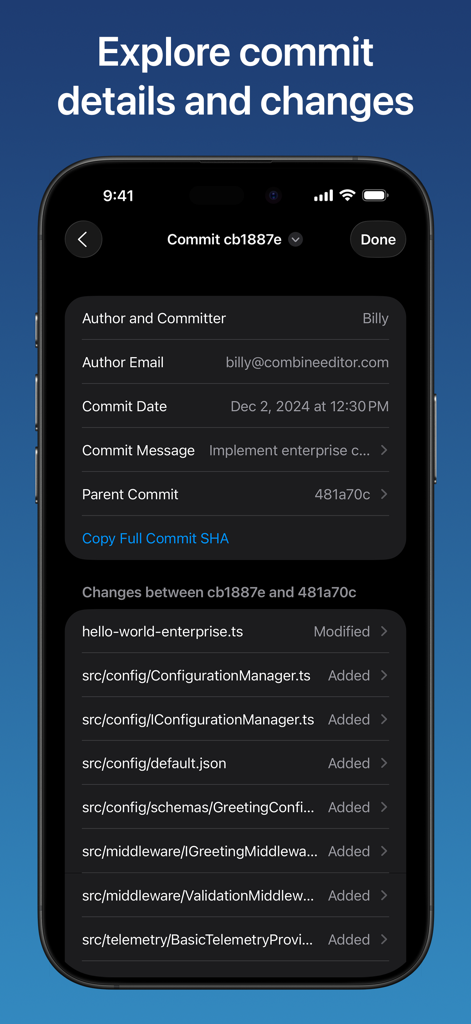
Combine - Code Editor & Git - Interface of the Combine app showing Git commit author information and a list of changed files on an iPhone screen.
Interface of the Combine app showing Git commit author information and a list of changed files on an iPhone screen.

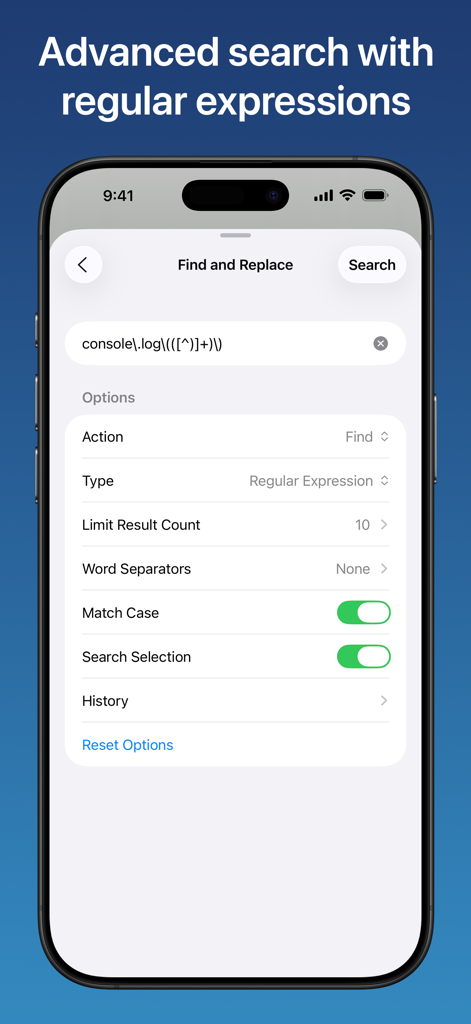
Combine - Code Editor & Git - Interface of the Combine code editor showing advanced find and replace options with regular expressions on an iPhone
Interface of the Combine code editor showing advanced find and replace options with regular expressions on an iPhone

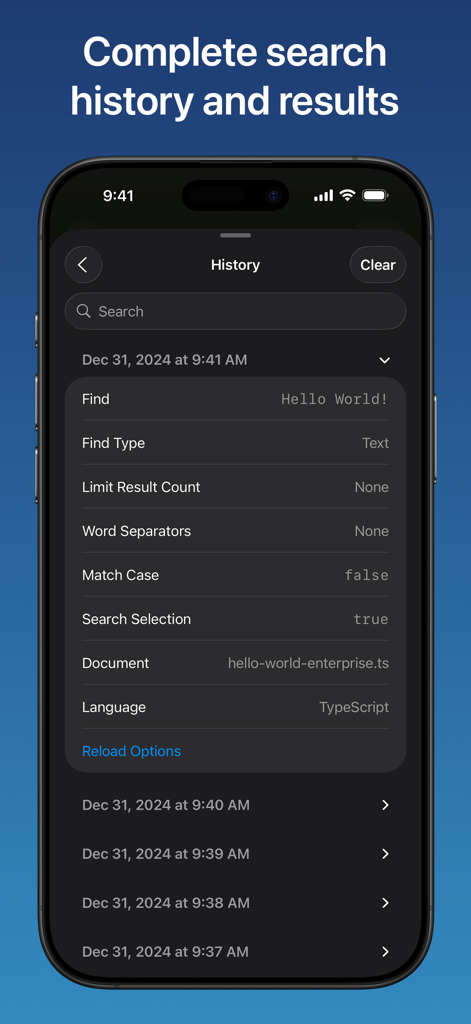
Combine - Code Editor & Git - Search history interface in the Combine code editor app showing detailed query parameters and history logs

Search history interface in the Combine code editor app showing detailed query parameters and history logs

Description

Professional coding with zero compromises. Turn your iPhone or iPad into a professional development studio. Code offline anywhere, run code, preview web projects live, seamlessly manage Git repositories, and use advanced debugging tools to accelerate your workflow. CODE EDITOR • Expert syntax highlighting and intelligent code completion for over 85 programming languages. • Code completely offline: no account or internet connection needed. • Choose from 70 exclusive themes or create your own custom themes with over 200 customizable elements. • Smart auto-completion with auto-closing brackets/quotes/comments, auto-indent, auto-surround, and bracket pair colorization. • Choose from over 160 quick actions for your customizable toolbar including running code, undo, redo, character insertion, text transformation, and so much more. • Live web preview: render HTML, CSS, and Markdown with instant updates. Load CSS files directly from your device to see changes in real-time. • Smart element inspection: tap any element in the live preview for instant highlighting with size, role, and layout details. Long-press to dive deeper and review computed styles, bounding box data, and the complete DOM hierarchy. • Code execution: run JavaScript as a standalone script or within HTML previews for full DOM interactivity. Review real-time console logs, errors, and warnings as they happen. • Comprehensive web audit: get scored reports in live previews across four key categories - accessibility, best practices, PWA readiness, and SEO. • Network monitor: capture all HTTP requests with headers, timing, and response data. Export as Curl commands or HAR files for streamlined collaboration and debugging. • Share live previews as images and PDFs, and instantly transform Markdown to HTML. • Advanced find and replace with regex support, case matching, selection limiting, and search history. • Fully customizable with hundreds of settings synced across all your devices. • Real-time error detection and code validation with on-demand code review. • Multi-cursor support: use up to 100 cursors simultaneously for rapid text editing. • Intelligent code folding with customizable strategies. • Live minimap and slider, with real-time rendering of actual characters or color blocks. • Choose from 90 font families with dynamic sizing and endless colors. • Powerful diff editor with customizable algorithms and conflict resolution. • Use standard, interval, or relative line numbers, or none at all. • Real-time fading of unused code and strikethrough of deprecated code. • Optimized for large documents and high performance. • Advanced features: sticky/smooth scrolling, read-only mode, tab completion and sticky tab stops, and indentation detection. • Professional customization: placeholders, word-wrapping, encoding methods, whitespace rendering, variable line-height, and cursor styling. GIT CLIENT • Complete Git workflow: create, clone, fetch, push, pull, and manage repositories. • Secure authentication: use personal access tokens or SSH keys, securely stored in iCloud Keychain with end-to-end encryption. • Full branch management: view, checkout, merge, rebase, rename, and reset branches. • Advanced operations: stage and commit changes, stash work for later, and resolve conflicts. • Manage commits: view, amend, checkout, cherry-pick, and revert commits. • Powerful comparisons: compare branches, commits, and tags. • Repository insights: browse commit history, view diffs, create and manage tags, and configure multiple remotes. • Performance tools: prune references and view branch reflogs. FILE MANAGER • Native iOS Files integration: your documents and repositories work with any app and sync across all your devices. • Complete file operations: browse, add, delete, move, search, share, sort, and tag documents. Privacy Policy: https://www.combineeditor.com/privacy Terms of Service: https://www.combineeditor.com/terms

Download

Download on App Store

This page is not an official page of the app or its developer, but an independent editorial publication created for informational and commentary purposes. Unless expressly stated otherwise, neither the app nor its developer is affiliated with, endorsed by, sponsored by, authorized by, or otherwise officially connected with MWM, Apple, Google Play, the app publisher, or the app's developer, and nothing on this page implies that the app was developed using MWM's services. Any trademarks, logos, screenshots, and other content remain the property of their respective owners.








