Compass-Altitude&GPS Location
Download on App Store

This page is not an official page of the app or its developer, but an independent editorial publication created for informational and commentary purposes. Unless expressly stated otherwise, neither the app nor its developer is affiliated with, endorsed by, sponsored by, authorized by, or otherwise officially connected with MWM, Apple, Google Play, the app publisher, or the app's developer, and nothing on this page implies that the app was developed using MWM's services. Any trademarks, logos, screenshots, and other content remain the property of their respective owners.

Logo of Compass-Altitude&GPS Location
Download on App Store

Compass-Altitude&GPS Location

Master every peak and trail with real-time altitude, oxygen levels, and barometric data. Engineered for explorers who demand precision when the signal fails.

Key Figures

Downloads

23K+

User Rating

2.5/5

Total Ratings

0

Publisher

STRAXALLIANCE Technology Co., LTD

Category

Utilities

Locales

2

Latest Version

1.0.10

Size

101.1 MB

First Released

Oct 8, 2023
Features

Precision Tools for Every Expedition

Turn your iPhone into a professional-grade survival instrument. Track altitude, oxygen, and direction with precision data designed for the most extreme environments.

Signal-Free Navigation

Navigate with confidence using a high-precision compass and GPS that work offline, ensuring you never lose your way in remote backcountry 'dead zones'.

Real-Time Altitude & Oxygen

Monitor your elevation and thinning oxygen levels in real-time to manage your physical performance and safety during high-altitude mountain climbs.

The following screenshots and description are sourced directly from the app's official store listing and are the property of the app developer.

App Store

Screenshots
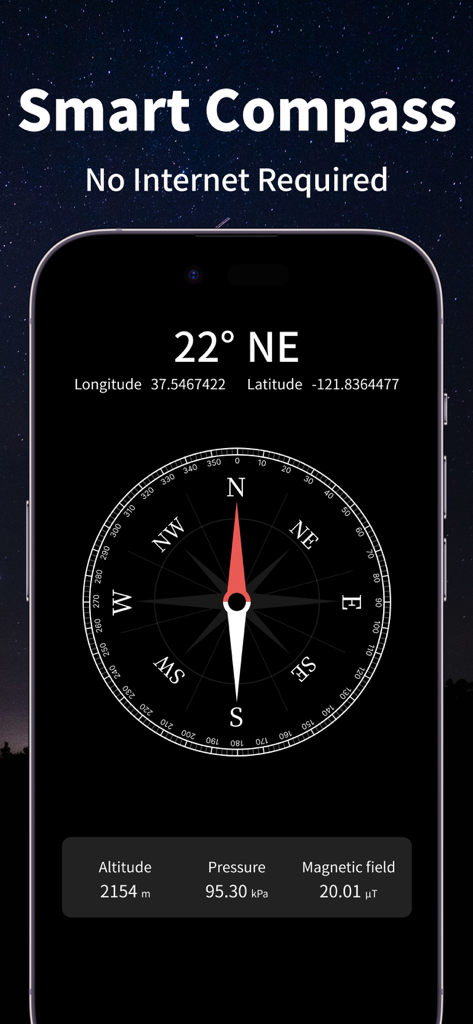
Compass-Altitude&GPS Location - Interface of the Smart Compass app displaying directional heading, GPS coordinates, altitude, and barometric pressure against a starry background.
Interface of the Smart Compass app displaying directional heading, GPS coordinates, altitude, and barometric pressure against a starry background.

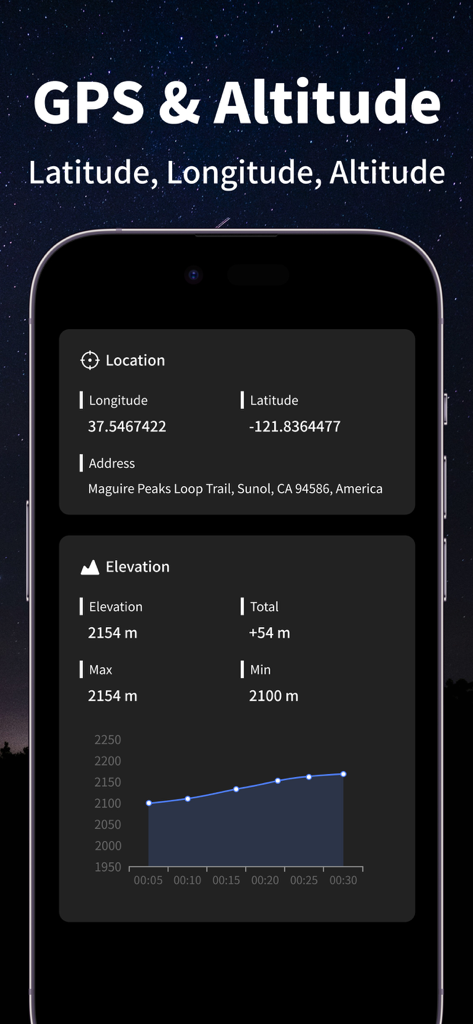
Compass-Altitude&GPS Location - Interface of the Compass-Altitude app displaying GPS coordinates and an elevation profile graph
Interface of the Compass-Altitude app displaying GPS coordinates and an elevation profile graph

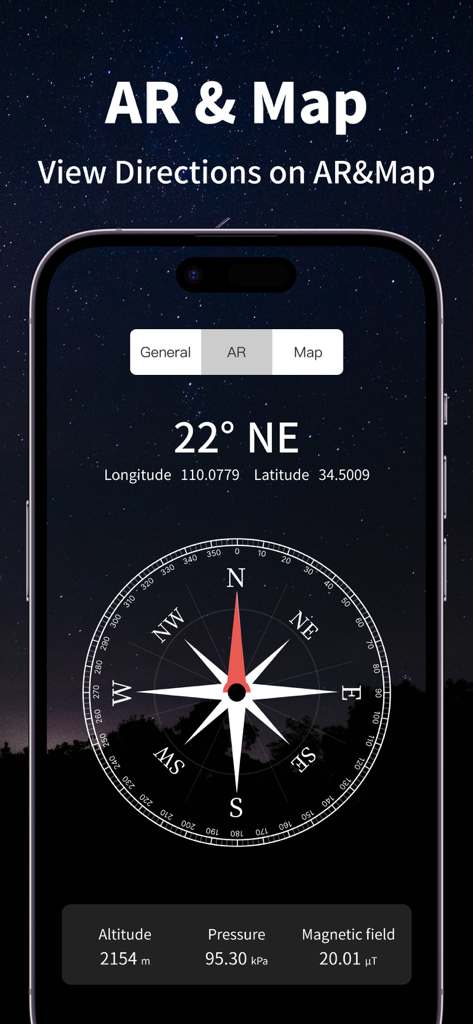
Compass-Altitude&GPS Location - Mobile app interface displaying a digital compass with real-time GPS coordinates altitude and atmospheric pressure data
Mobile app interface displaying a digital compass with real-time GPS coordinates altitude and atmospheric pressure data

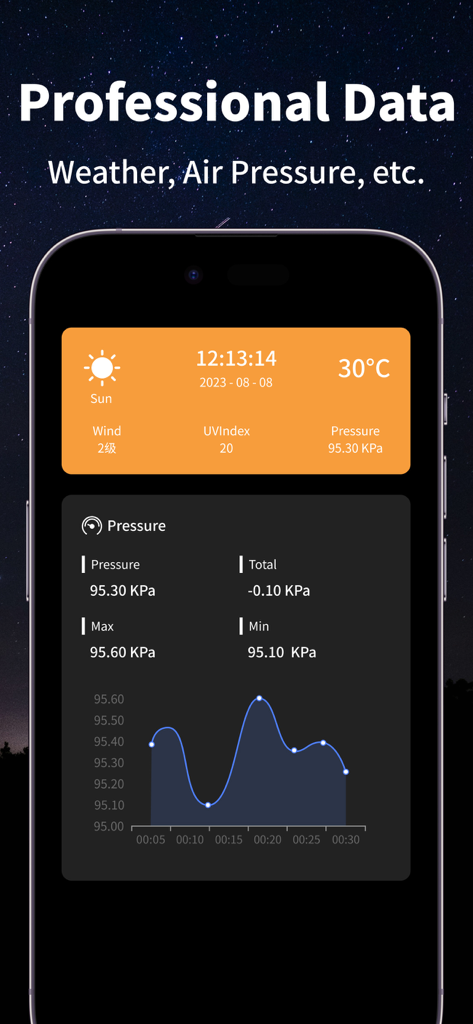
Compass-Altitude&GPS Location - Compass app interface showing professional weather and barometric pressure data with a trend graph

Compass app interface showing professional weather and barometric pressure data with a trend graph
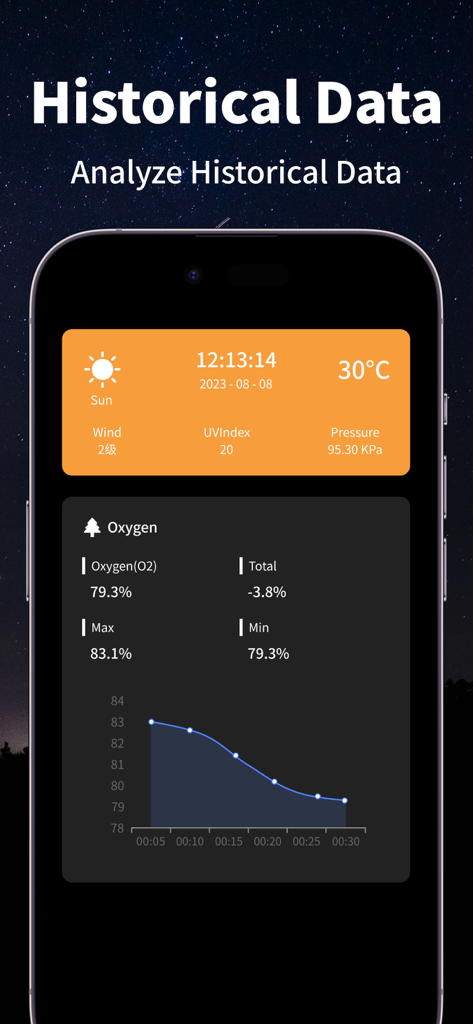
Compass-Altitude&GPS Location - A mobile app screen showing historical oxygen levels and weather data with a line graph.
A mobile app screen showing historical oxygen levels and weather data with a line graph.

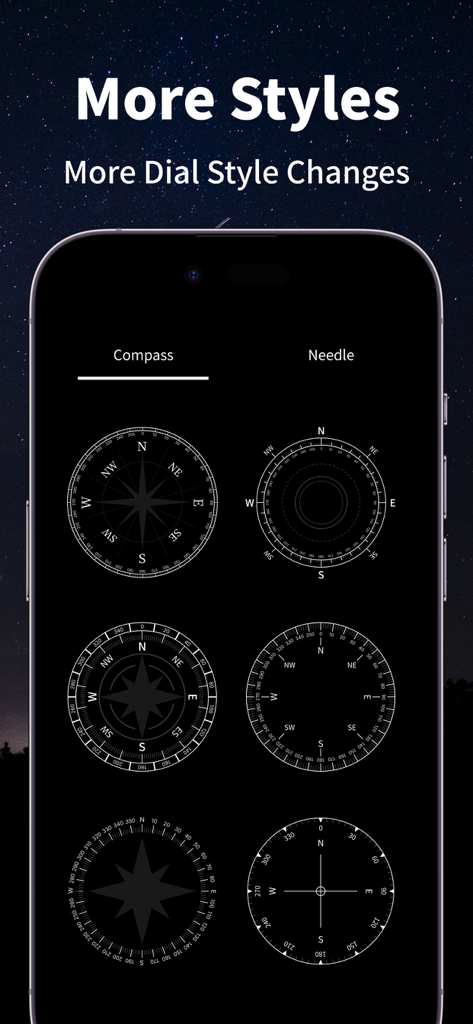
Compass-Altitude&GPS Location - Mobile screen displaying six different compass dial design options

Mobile screen displaying six different compass dial design options

Description

Compass information to more conveniently understand the situation at your current location. [The Main Function] 1. Compass: Instantly obtain directional data without being connected to the Internet, and quickly identify various directions such as guide and north; 2. Altitude: Obtain the altitude data of the current positioning location in real time and save historical data; 3. GPS: Get accurate GPS location, latitude and longitude, and detailed address data in real time; 4. Barometer: obtain current atmospheric pressure data in real time and save historical data; 5. Oxygen: obtain current oxygen content data in real time and save historical data; 6. Weather: Get various weather data such as temperature, body temperature, dew point temperature, precipitation, visibility, humidity, etc. in real time; 7. Wind Power: obtain wind speed, wind direction, and wind direction angle data in real time; 8. Boiling point: Get the boiling point data of water at the current altitude in real time; 9. Sunrise and Sunset: Get the sunrise and sunset data of the current location in real time; 10. Moonrise and Moonset: Get the moonrise and moonset data of the current positioning position in real time; 11. Magnetometer: Get magnetometer data in real time; 12. SOS: Various wilderness survival guides, rescue guides, and rescue telephone numbers. You can view tutorials to quickly seek help; [Main Pain Points] Outdoor travel: Help you quickly find the right direction in unknown places; Wilderness adventure: Keep you from getting lost in unfamiliar places or outdoor activities; Suitable for use during travel, long and short distance hiking, mountain climbing, running, self-driving cross-country, skiing, outdoor photography, wild treasure hunting camping and other outdoor activities; [Disclaimer] 1. Since this software obtains various information through mobile Internet, GPS, mobile phone sensors and other data, there may be certain errors or errors; 2. The information and services of this software are for reference only and do not constitute suggestions or solutions. We do not assume any liability arising from the use of this software. [Continuous Subscription Member Description] - The subscription price is subject to change and is subject to the actual subscription price shown ● Member description of continuous subscription for one month -- Subscription period: 1 Month ● Member description of continuous subscription for one year --Subscription period: 1 Year [Description of Other Subscription Members] --The subscription price may change, subject to the actual displayed subscription price ● Instructions for subscribing to permanent members --Subscription period: Longest ●Other rules --Payment: Debit from the user's iTunes account, and the user confirms the order and makes payment; --Renewal: Apple's iTunes account will be deducted within 24 hours before expiration. After the deduction is successful, the subscription period will be extended by one subscription period; --Cancel subscription: If you need to cancel the renewal, please do so at least 24 hours before the current deduction period. How to do it: Go to [Settings] from the Home page->Click [iTunes Store and App Store]->Click [Apple ID] , select [View Apple ID]->[Account Settings]->click [Subscribe], and click below to cancel the subscription; --User Agreement: http://docs.starxalliance.com/compass/user_agreement_en.html --Continuous Subscription Agreement: http://docs.starxalliance.com/compass/continuous_subscription_agreement_en.html --Privacy Terms: http://docs.starxalliance.com/compass/privacy_policy_en.html [Contact Us] During use, if you have any questions or comments, please contact us and our customer service will give you feedback as soon as possible. Your feedback is our motivation to move forward!

Download

Download on App Store

This page is not an official page of the app or its developer, but an independent editorial publication created for informational and commentary purposes. Unless expressly stated otherwise, neither the app nor its developer is affiliated with, endorsed by, sponsored by, authorized by, or otherwise officially connected with MWM, Apple, Google Play, the app publisher, or the app's developer, and nothing on this page implies that the app was developed using MWM's services. Any trademarks, logos, screenshots, and other content remain the property of their respective owners.








