
This page is not an official page of the app or its developer, but an independent editorial publication created for informational and commentary purposes. Unless expressly stated otherwise, neither the app nor its developer is affiliated with, endorsed by, sponsored by, authorized by, or otherwise officially connected with MWM, Apple, Google Play, the app publisher, or the app's developer, and nothing on this page implies that the app was developed using MWM's services. Any trademarks, logos, screenshots, and other content remain the property of their respective owners.
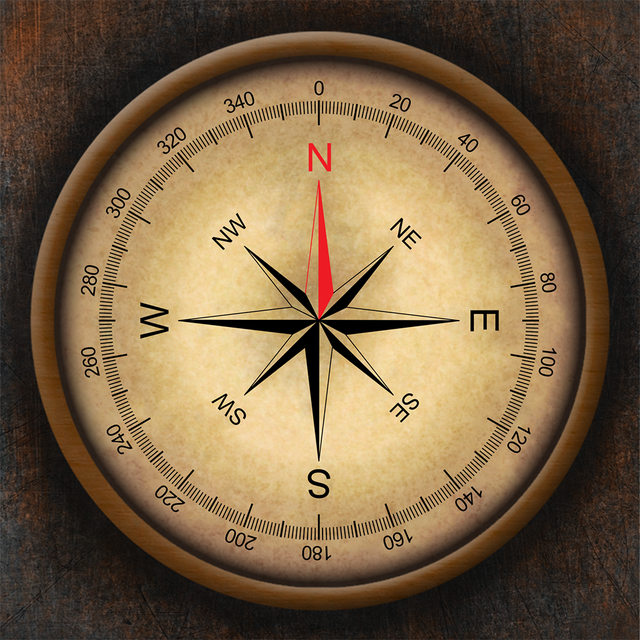

Compass ×
Go beyond basic directions with professional-grade GPS coordinates, altitude tracking, and real-time barometric pressure in one meticulously crafted interface.
Downloads
1M+User Rating
Total Ratings
11K+Publisher
Category
NavigationLocales
30Latest Version
4.8Size
36.9 MBFirst Released
Feb 1, 2011Precision Tools for the Modern Explorer
Step beyond basic navigation with a sophisticated, professional-grade suite of instruments designed for hikers, photographers, and technical professionals.
Advanced GPS & Coordinates
Access precise GPS data in DMS, DDM, or DD formats. Perfect for geocaching, field work, or sharing your exact location in remote areas.
Environmental Intelligence
Monitor your altitude, track real-time barometric pressure, and time your shots perfectly with accurate sunrise and sunset data.
Frequently Asked Questions
Everything you need to know about Compass ×
What is Compass ×?
Compass × is a sophisticated application offering a comprehensive compass experience as an alternative to default iPhone compasses or to fill the void on iPads. It provides navigation capabilities with a user-friendly design.
What key features does the Compass × app provide?
Compass × offers precise GPS coordinates, altitude in feet or meters, accurate sunrise/sunset times, real-time barometric pressure, multiple coordinate formats, coordinate sharing, and distinct magnetic/true north indications.
Does Compass × display GPS coordinates?
Yes, Compass × displays precise GPS coordinates. The app shows latitude and longitude in formats such as DMS, DDM, and DD.
Can users share coordinates from the Compass × app?
Yes, Compass × provides effortless coordinates sharing functionality. Users can share their current latitude and longitude directly from the app.
Does Compass × show elevation or altitude?
Yes, Compass × shows elevation. The app measures altitude in either feet or meters. The current display shows elevation in meters.
What is the accuracy of the Compass × app?
The Compass × app indicates an accuracy of ±10 degrees. This provides users with an understanding of the current measurement precision.
Does the Compass × app show sunrise and sunset times?
Yes, Compass × provides accurate sunrise and sunset times. The app displays the current day's sunrise and sunset times for the user's location.
What coordinate formats does Compass × support?
Compass × supports versatile coordinate formats, including DMS (Degrees, Minutes, Seconds), DDM (Degrees, Decimal Minutes), and DD (Decimal Degrees).
How can users remove ads in Compass ×?
Users can unlock the full potential of Compass × by removing ads. This ensures an uninterrupted and immersive experience within the application.
The following screenshots and description are sourced directly from the app's official store listing and are the property of the app developer.
App Store
Screenshots
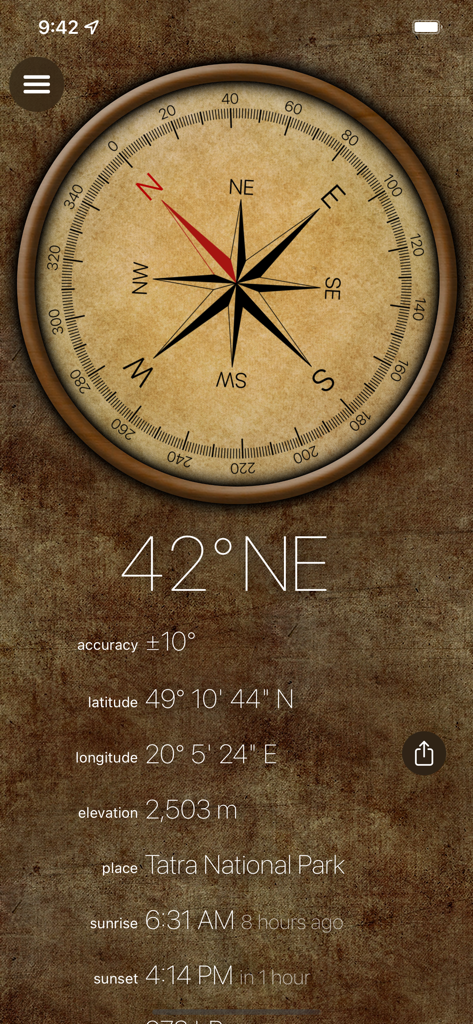
Vintage style digital compass interface showing location coordinates elevation and sunset times
Description
Download
More Like This
Apps with similar features and user experience

Realtime Altimeter
Zhenlai Xia

Travel Camera & Compass
Ha Nguyen
compass-latitude and longitude
美霞 熊

GPS Altitude-海拔表
祥琦 孔
Compass: GPS & Altimeter
Shanghai BRC Internet Technology Co., Ltd.
Compass - GPS positioning
嘉 罗
Compass360X-GPS Speedometer
卫豪 吴

指南针-GPS经纬度海拔定位
Chongqing Xinzhi Space Technology Co., Ltd.

Travel Altimeter & Elevation
BranchenKing Ltd.
This page is not an official page of the app or its developer, but an independent editorial publication created for informational and commentary purposes. Unless expressly stated otherwise, neither the app nor its developer is affiliated with, endorsed by, sponsored by, authorized by, or otherwise officially connected with MWM, Apple, Google Play, the app publisher, or the app's developer, and nothing on this page implies that the app was developed using MWM's services. Any trademarks, logos, screenshots, and other content remain the property of their respective owners.