Control Samsung Smart TV
Download on App Store

This page is not an official page of the app or its developer, but an independent editorial publication created for informational and commentary purposes. Unless expressly stated otherwise, neither the app nor its developer is affiliated with, endorsed by, sponsored by, authorized by, or otherwise officially connected with MWM, Apple, Google Play, the app publisher, or the app's developer, and nothing on this page implies that the app was developed using MWM's services. Any trademarks, logos, screenshots, and other content remain the property of their respective owners.

Logo of Control Samsung Smart TV
Download on App Store

Control Samsung Smart TV

Stop searching for the remote and start controlling your living room. Navigate with a responsive touchpad, launch apps instantly, and cast media to the big screen—no extra hardware required.

Key Figures

Downloads

84K+

User Rating

3.9/5

Total Ratings

100

Publisher

Invikta Technology Ltd

Category

Utilities

Locales

20

Latest Version

1.9

Size

37.6 MB

First Released

Jun 26, 2024
Features

The Ultimate Control Center for Your Samsung TV

Ditch the bulky plastic remote. Navigate, stream, and cast with a sleek, responsive interface designed for the modern smart home and the way you live.

Precision Touch Navigation

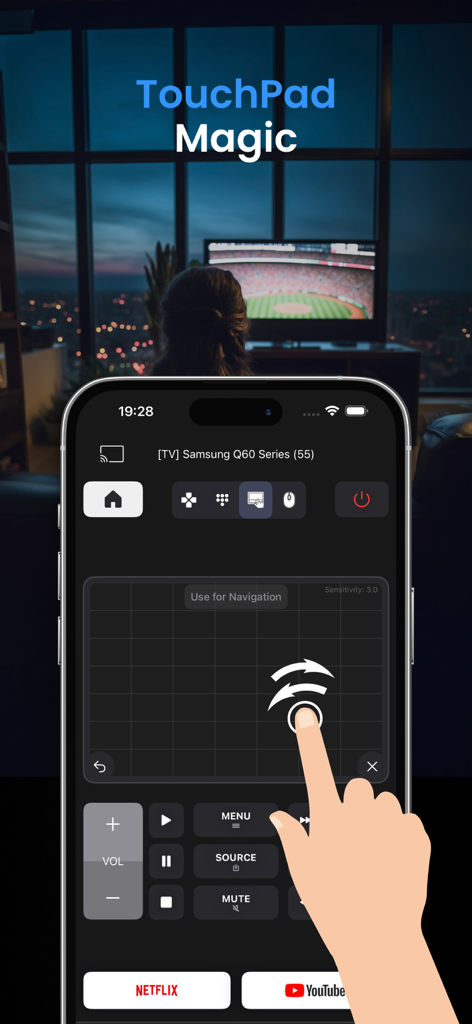
Stop clicking through clunky menus. Use the advanced touchpad and your iPhone keyboard to search for movies and browse the web with total ease.

Instant App Launch Hub

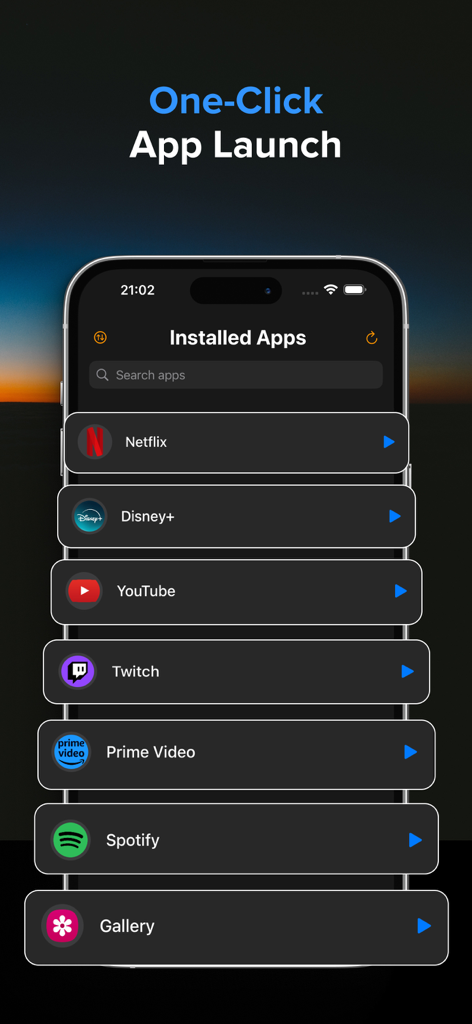
Skip the scrolling. Access your entire library of TV apps like Netflix, YouTube, and Hulu in one place and launch them with a single tap.

The following screenshots and description are sourced directly from the app's official store listing and are the property of the app developer.

App Store

Screenshots
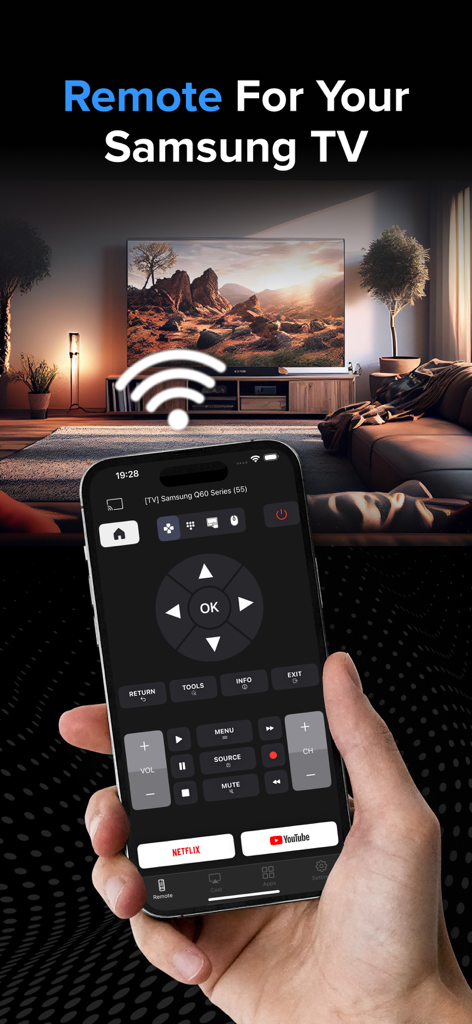
Control Samsung Smart TV - A hand holding an iPhone displaying a Samsung TV remote control app interface in front of a smart TV in a living room.
A hand holding an iPhone displaying a Samsung TV remote control app interface in front of a smart TV in a living room.

Control Samsung Smart TV - iPhone app screen showing the touchpad feature to navigate a Samsung Smart TV
iPhone app screen showing the touchpad feature to navigate a Samsung Smart TV

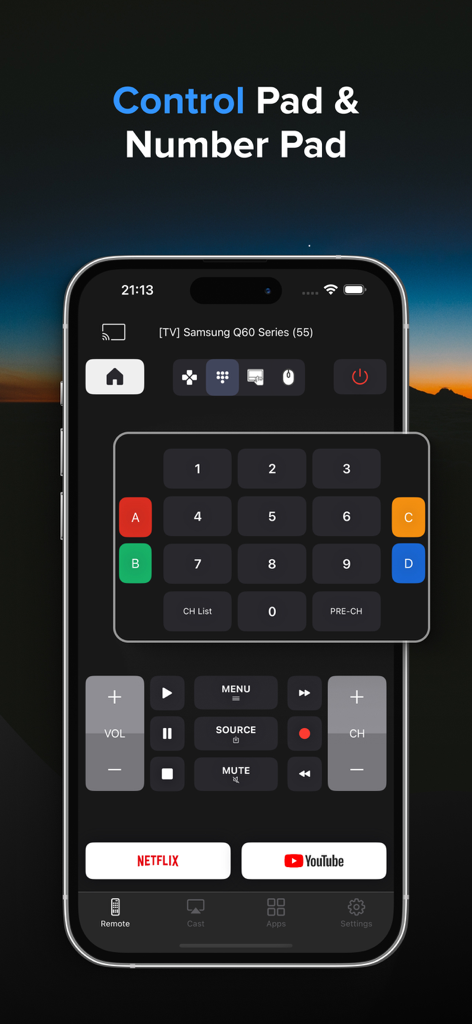
Control Samsung Smart TV - Interface of the Samsung TV remote app showing a numeric keypad and playback controls on a smartphone screen
Interface of the Samsung TV remote app showing a numeric keypad and playback controls on a smartphone screen

Control Samsung Smart TV - Interface of the Samsung TV remote app showing a list of installed streaming apps for one-click launching.
Interface of the Samsung TV remote app showing a list of installed streaming apps for one-click launching.

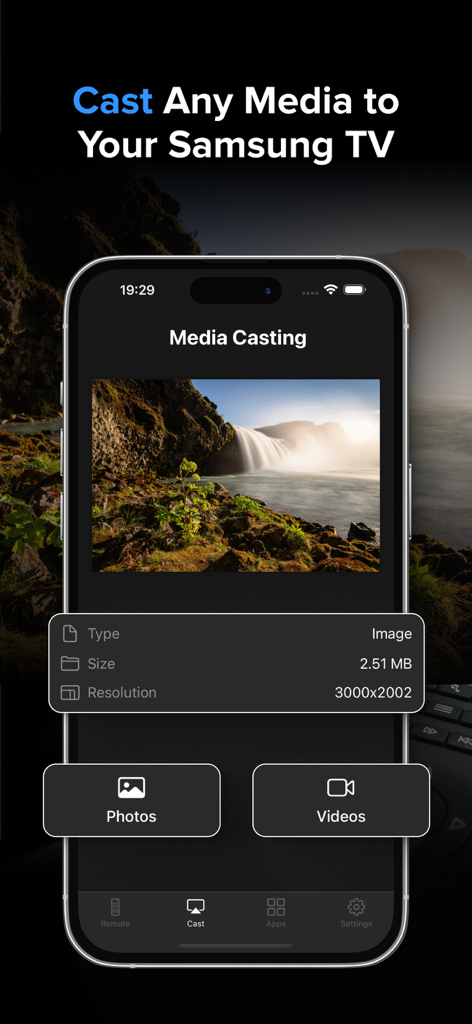
Control Samsung Smart TV - Media casting feature in the Samsung Smart TV remote app showing photo and video options.
Media casting feature in the Samsung Smart TV remote app showing photo and video options.

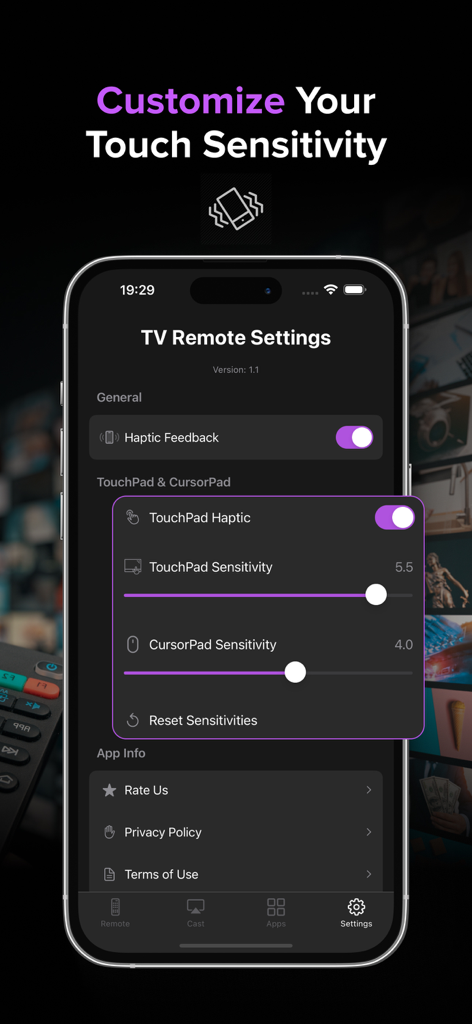
Control Samsung Smart TV - Mobile app settings screen for Samsung Smart TV remote showing touch sensitivity and haptic feedback adjustments
Mobile app settings screen for Samsung Smart TV remote showing touch sensitivity and haptic feedback adjustments

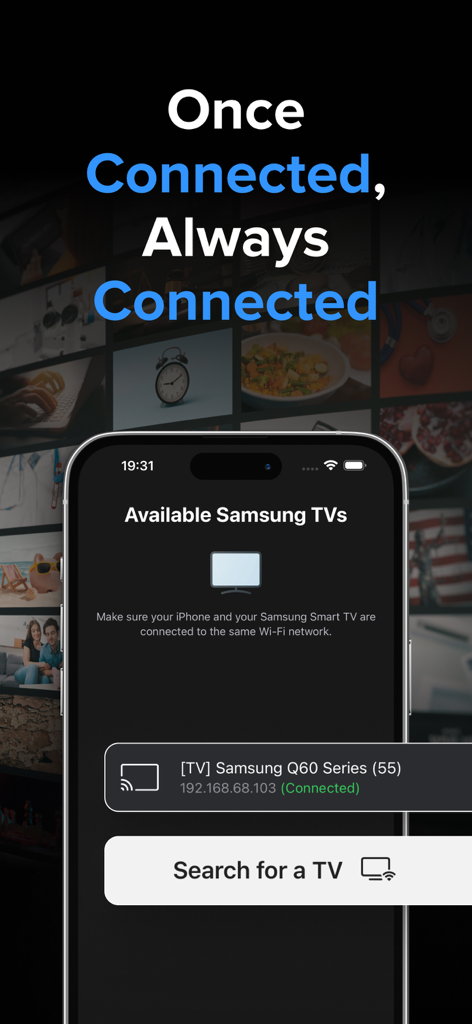
Control Samsung Smart TV - iPhone app displaying available Samsung Smart TVs connected to the same Wi-Fi network

iPhone app displaying available Samsung Smart TVs connected to the same Wi-Fi network

Description

Samsung TV Remote Control: Your Ultimate Smart TV Companion Transform your iPhone into a powerful, intuitive remote for your Samsung Smart TV! Our app brings the convenience of your TV controls right to your fingertips, offering a seamless and enhanced viewing experience. Key Features: - TouchPad: Navigate your TV with precision using our responsive and advanced TouchPad. Works with TV navigation, all apps and web browser. - Precision Control Customization: Adjustable sensitivity settings for both TouchPad and CursorPad for accurate navigation. - Launch App Hub: Access all your TV's installed apps in one place. Launch any app with a single tap, making it easier than ever to start your favorite content. - Remote Control: Navigate your TV with ease using our sleek, user-friendly interface. Control volume, change channels, access menus, and more - all from your iPhone. - Haptic Feedback: Experience satisfying tactile responses with every button press, making navigation more intuitive and engaging. - Multi-TV Support: Easily switch between multiple Samsung TVs in your home. Perfect for households with several smart TVs. - Quick Launch Apps: Start your favorite streaming services like Netflix and YouTube with just one tap. - Media Casting: Share your memories on the big screen! Cast photos and videos directly from your iPhone to your Samsung TV with our simple-to-use interface. - Customizable Interface: Choose between arrow keys or a dial pad for navigation, tailoring the remote to your preference. - Power Control: Turn your TV on and off remotely - perfect for those cozy nights when you don't want to leave your bed. - Advanced Playback Controls: Play, pause, fast-forward, and rewind with dedicated media control buttons. - No Additional Hardware: Works over your home Wi-Fi network - no dongles or additional hardware required! Experience the future of TV control today! Transform now the way you interact with your Samsung Smart TV! Note: Requires your iPhone and your Samsung TV to be connect on the same Wi-Fi network. * Upgrade to Premium to remove ads and unlock all features, including the Launch App Hub, Touchpad & Media Casting. The Premium subscription costs $3.99 per week. Information about the auto-renewable nature of the Premium Subscription: - Your iTunes account will be charged for the subscription, which automatically renews unless auto-renew is turned off at least 24 hours before the current period ends. The cost of renewal will be the same as the original subscription price. - You can manage auto-renewal in your Account Settings at any time. Please note that refunds are not provided for any unused portion of the subscription. Terms of use: https://reportking.app/remotetvapp/terms.html

Download

Download on App Store

This page is not an official page of the app or its developer, but an independent editorial publication created for informational and commentary purposes. Unless expressly stated otherwise, neither the app nor its developer is affiliated with, endorsed by, sponsored by, authorized by, or otherwise officially connected with MWM, Apple, Google Play, the app publisher, or the app's developer, and nothing on this page implies that the app was developed using MWM's services. Any trademarks, logos, screenshots, and other content remain the property of their respective owners.








