Convert Image to PDF :ScanLuxe - Your All-in-One Professional Pocket Scanner
Digitize documents, extract text with OCR, and sign contracts on the go. Transform your iPhone into a high-performance productivity tool for a clutter-free, professional life.
Publisher
Kartik Nakrani
Category
Productivity
Downloads
712K+
User Rating
4.6/5
Total Ratings
16K+
Locales
1
Productivity at a Glance
Discover the interface used by 712K+ users.
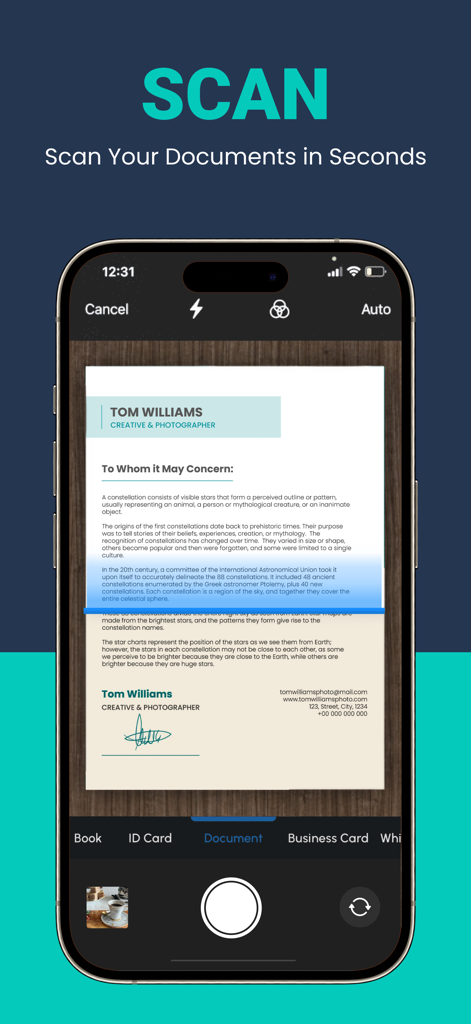
iPhone app interface scanning a document in seconds
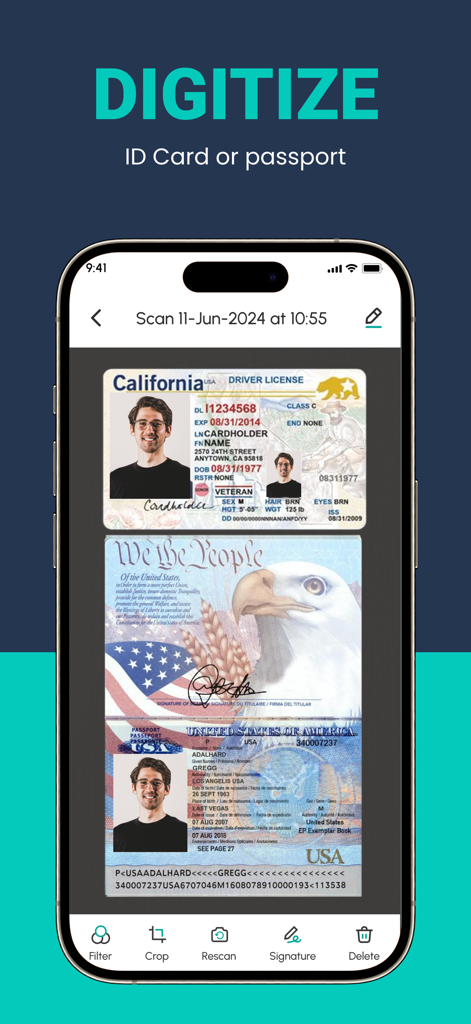
Smartphone screen showing the ScanLuxe app digitizing a California driver license and a US passport with document editing tools
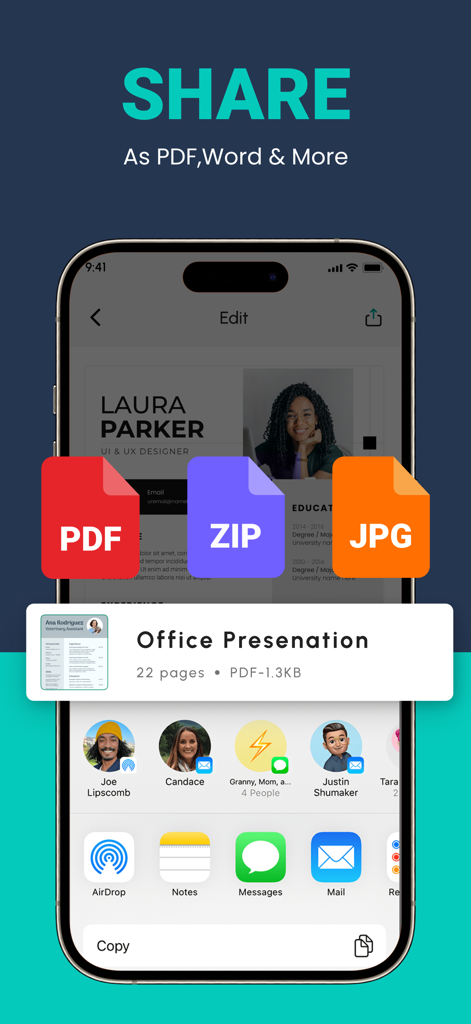
Mobile app interface for sharing scanned documents in PDF ZIP and JPG formats
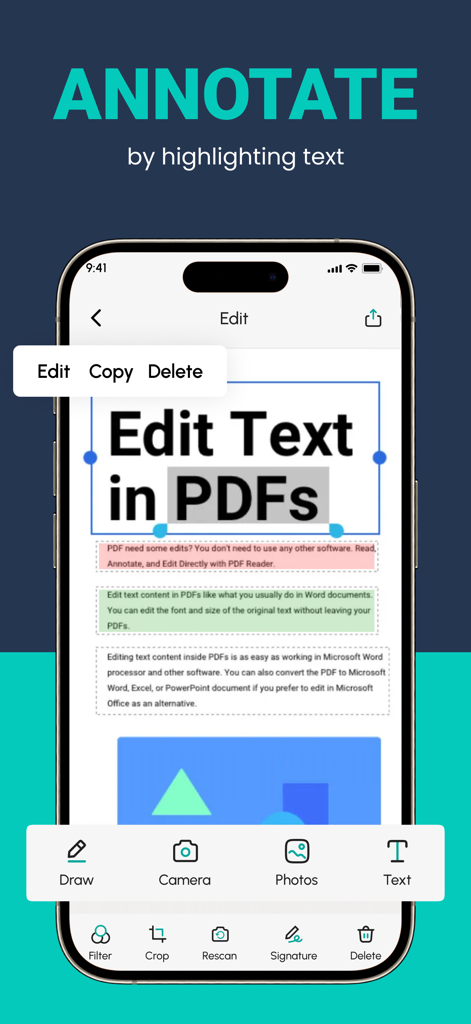
Mobile app interface for annotating and editing text in a PDF document
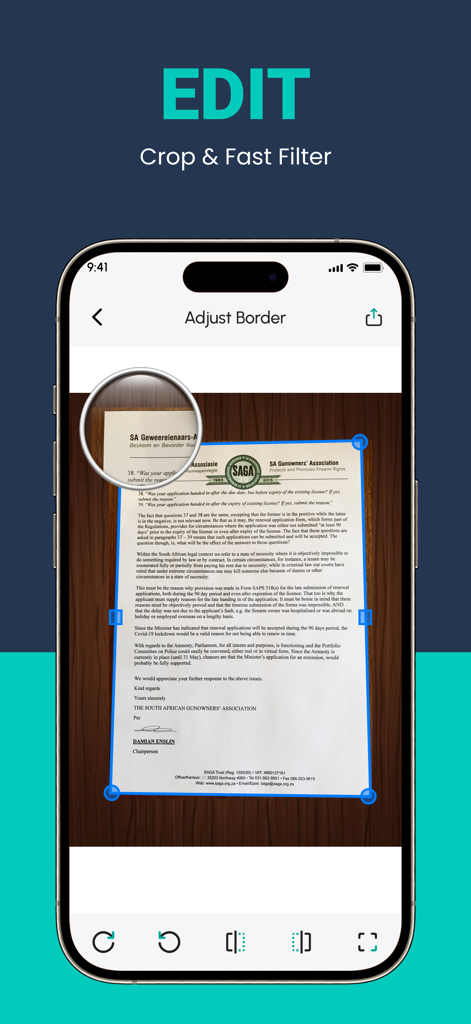
A smartphone screen displaying the ScanLuxe app cropping and border adjustment tool on a scanned document
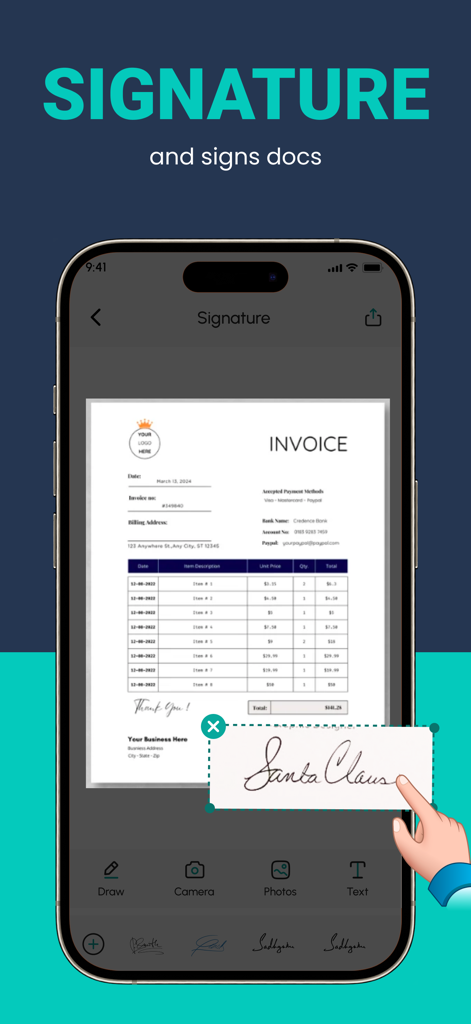
Adding a digital signature to an invoice document using the ScanLuxe PDF scanner app.
The Productivity Powerhouse in Your Pocket
The tools that make this app stand out, trusted by 712K+ users.
📸
Crystal Clear Digitization
Instantly convert paper documents into high-resolution PDFs with smart auto-cropping and professional-grade filters that rival office hardware.
🔍
AI-Powered Text Recognition
Save hours of manual typing. Our advanced OCR technology extracts text from your scans so you can edit, search, and copy data instantly.
🖋️
Sign and Secure On the Go
Finalize business deals instantly by adding digital signatures, custom watermarks, and professional formatting to your most important documents.
About the app
Everything you need to know about Convert Image to PDF :ScanLuxe.
Description
A PDF scanner app is a mobile application designed to convert physical documents, such as papers, receipts, or photographs, into digital PDF files using your smartphone or tablet's camera. Would you like to keep your entire office in your pocket and increase your productivity at work?
Use the PDF Scanner : Photo Editor app to handle your paperwork with ease. Say goodbye to huge and heavy copy machines and get this ultra-fast scanner app now. Among these indispensable tools, the PDF scanner emerges as an invaluable solution, revolutionizing the way we interact with paper documents and ushering in the era of digital transformation.
HOW IT WORKS
• With the PDF scanner : Photo Editor app, you can make anything scannable.
• Use the PDF scanner to quickly create a photo scan or PDF scan.
• Scan any document and convert to PDF.
SCAN ANYTHING, ANYWHERE, ANYTIME
• Capture forms, receipts, notes, and business cards with this mobile PDF scanner.
• The PDF scanner : Photo editor app even lets you scan multi-page documents and save with a single tap.
ENHANCE
• Touch up scans or photos from your camera roll.
• Whether it’s a PDF or photo scan, you can preview, reorder, crop, rotate, and adjust color.
The PDF scanner is engineered to ensure the highest level of accuracy during the document digitization process. Equipped with advanced Optical Character Recognition (OCR) technology, this tool meticulously converts scanned images into editable text & Filters. Furthermore, the PDF scanner can recognize various fonts, filters and layouts, making it adept at transforming diverse documents, such as contracts, invoices, and even handwritten notes, into digital format without compromising accuracy.
FEATURES
* Quickly Digitize Documents
The PDF Scanner : Photo Editor app uses the camera on your mobile device to scan and digitize all kinds of paper documents: receipts, notes, invoices, whiteboard discussions, business cards, certificates, etc.
* Optimize Scan Quality
Smart cropping and auto enhancing ensure the text and graphics in your scans are clear and sharp with premium colors, filters and resolutions.
* Extract Text
The optical character recognition (OCR) feature of this scanner app enables you to recognize text in images or PDFs. You can extract the text for later searching, editing, saving or sharing.
* Share PDF Files
With this PDF scanner, you can easily share documents in PDF or format with friends in multiple ways: share with social media, send attachments or download links through email, etc.
* Advanced Document Editing
Make annotations on documents using a full set of editing tools in this PDF scanner. You can also add a customized watermark to mark your own documents. This feature allows you to search for keywords within the PDF or copy and edit the recognized text.
* PDF Creation and Editing
The scanned images are converted into PDF format, and the app typically provides options to combine multiple scans into a single PDF file. You can also rearrange, rotate, or delete pages within the PDF, as well as add annotations, signatures, Text, Filters or watermarks.
Disclaimer for automatic renewable subscription:-
The payment will be charged to your Apple ID Account at confirmation of purchase.
The subscription renews automatically unless the auto-renew is turned off at least 24 hours before the end of the current billing period.
Your account will be charged for renewal within 24-hours prior to the end of your selected subscription.
Your subscriptions can be managed and auto-renewal can be turned off by going to your App Store Account Settings.
privacy policy :- https://sites.google.com/view/techmediaapp/privacy-policy
terms of service :- https://sites.google.com/view/techmediaapp/terms-conditons
Latest Version
3.8.3
Size
63.2 MB
First Released
Dec 18, 2022
Put a Professional Office in Your Pocket
Join over 712,000+ professionals and students who use ScanLuxe to digitize, sign, and share documents in seconds. Download the top-rated PDF scanner for iPhone today.
FAQ
Frequently Asked Questions
Everything you need to know about Convert Image to PDF :ScanLuxe
What is Convert Image to PDF :ScanLuxe?
Convert Image to PDF :ScanLuxe is a mobile application that converts physical documents, receipts, and photographs into digital PDF files using your smartphone or tablet's camera.
Can Convert Image to PDF :ScanLuxe replace a traditional copy machine?
Yes, Convert Image to PDF :ScanLuxe replaces traditional copy machines by allowing users to scan and digitize paperwork quickly and efficiently using a mobile device's camera.
How do I scan documents using Convert Image to PDF :ScanLuxe?
Convert Image to PDF :ScanLuxe allows users to scan any document by using the mobile device's camera. It quickly creates photo or PDF scans, turning physical items into digital format.
What types of documents can Convert Image to PDF :ScanLuxe digitize?
Convert Image to PDF :ScanLuxe digitizes various documents including receipts, notes, invoices, whiteboard discussions, business cards, and certificates. It also supports scanning ID cards, passports, and multi-page documents.
Does Convert Image to PDF :ScanLuxe include Optical Character Recognition (OCR)?
Yes, Convert Image to PDF :ScanLuxe includes advanced OCR technology. It converts scanned images into editable text, recognizing various fonts and layouts accurately for searching, editing, or sharing.
What editing and enhancement features does Convert Image to PDF :ScanLuxe offer?
Convert Image to PDF :ScanLuxe offers features to preview, reorder, crop, rotate, adjust color, and apply filters. It also provides tools for annotations, adding watermarks, and editing text within PDFs.
Can users add signatures to documents in Convert Image to PDF :ScanLuxe?
Yes, Convert Image to PDF :ScanLuxe enables users to add signatures to documents directly within the app. It provides dedicated tools for drawing or inserting pre-existing signatures.
What file formats are supported for sharing in Convert Image to PDF :ScanLuxe?
Convert Image to PDF :ScanLuxe supports sharing documents in PDF, ZIP, and JPG formats. Users can share files via social media, email attachments, or download links.
How do subscriptions work for Convert Image to PDF :ScanLuxe?
Convert Image to PDF :ScanLuxe subscriptions charge your Apple ID Account upon purchase and auto-renew. Users must turn off auto-renew at least 24 hours before the period ends via App Store Account Settings.
Where can I find the privacy policy for Convert Image to PDF :ScanLuxe?
The privacy policy for Convert Image to PDF :ScanLuxe is located at https://sites.google.com/view/techmediaapp/privacy-policy. This URL is provided in the app's store description.
App information, icons, screenshots, and descriptions displayed on this page are sourced from the Apple App Store and are the property of their respective developers. Download estimates and rankings are based on MWM's proprietary models and may not reflect actual figures. This page is provided for informational and analytical purposes only.
Believe this page infringes your intellectual property? File a dispute