
This page is not an official page of the app or its developer, but an independent editorial publication created for informational and commentary purposes. Unless expressly stated otherwise, neither the app nor its developer is affiliated with, endorsed by, sponsored by, authorized by, or otherwise officially connected with MWM, Apple, Google Play, the app publisher, or the app's developer, and nothing on this page implies that the app was developed using MWM's services. Any trademarks, logos, screenshots, and other content remain the property of their respective owners.


WPS Office: PDF, Docs, Sheets
Digital chaos ends here. This app delivers instant command over every document type, powered by intelligent AI, for work on the move.
Downloads
25M+User Rating
Total Ratings
185.8KPublisher
Category
ProductivityLocales
14Latest Version
11.37.40Size
604.2 MBFirst Released
Dec 13, 2019Key Features of WPS Office: PDF, Docs, Sheets
An analytical overview of the application's core functionalities and their impact on productivity for a diverse user base.
All-in-One Office Suite
The app provides a comprehensive, integrated office suite that combines word processing, spreadsheets, presentations, PDF tools, and memo functions, ensuring full compatibility with major document formats like Microsoft Office and Adobe PDF for seamless cross-platform productivity.
Intelligent PDF Editing & AI Interaction
It allows users to extensively edit PDF text and images, convert PDFs to editable Word, Excel, or PowerPoint files, and securely sign documents. Furthermore, its integrated AI can summarize, outline, translate, and provide insights from PDF content through interactive conversations.
Advanced AI Content Generation & Rewriting
This tool features an advanced WPS AI that can generate instant, high-quality content, provide tailored answers, and offer professional rewriting and polishing services, significantly enhancing productivity for content creation and academic tasks.
Seamless Cloud Integration
The app provides seamless integration with popular cloud storage services like Google Drive and Dropbox, automatically saving documents and ensuring they remain updated and accessible across all devices for efficient remote work and collaboration.
Dynamic Mobile Presentation Tools
This tool features robust presentation capabilities with various layouts, animations, and transitions, enabling users to create and deliver professional presentations directly from their mobile device, complete with touch-controlled laser pointer and digital inking functionality during slideshows.
Broad File Format & Language Compatibility
The app supports over 51 languages and a wide array of office file formats, including all Microsoft Office variations and PDF, ensuring broad compatibility and accessibility for a global user base and diverse document types.
Frequently Asked Questions
Everything you need to know about WPS Office: PDF, Docs, Sheets
What is WPS Office?
WPS Office is a free all-in-one office suite for iPhone and iPad. It integrates Word, Spreadsheet, Powerpoint, PDF, WPS AI, Memo, and Docs Scanner functions in one application.
Is WPS Office compatible with Microsoft Office files?
Yes, WPS Office is fully compatible with Microsoft Office formats including Word, Excel, PowerPoint, Google Docs, and Adobe PDF. It handles various file types for seamless document management.
What AI capabilities are available in WPS Office?
WPS Office includes WPS AI, offering AI-generated content, rewriting, and AI-powered PDF tools. It provides instant content, professional polishing, insights, summaries, and translations for PDFs.
Can WPS Office users edit and sign PDF documents?
Yes, WPS Office allows users to easily edit PDF text and images. It supports signing and filling PDF documents, with e-signatures being legal and secure within the application.
Does WPS Office integrate with cloud storage services?
Yes, WPS Office connects to popular cloud drives such as Dropbox, Google Drive, Box, Evernote, and OneDrive. It automatically saves documents to the cloud for accessibility across devices.
How many languages does WPS Office support for AI translation?
WPS Office supports AI-powered instant translation across more than 50 languages. This feature allows users to translate documents directly within the application.
Is real-time collaboration supported in WPS Office?
Yes, WPS Office supports real-time online collaboration, allowing multiple users to work together on documents simultaneously. This feature enhances team productivity.
Does WPS Office include a comprehensive spreadsheet application?
Yes, WPS Office features a powerful spreadsheet application. It provides complete predefined formulas, making basic data analysis and digital operations convenient for users.
How do I cancel an auto-renewing subscription for WPS Office?
To cancel your WPS Office auto-renewing subscription, turn it off from your iTunes/App Store account settings. You must do this at least 24 hours before the current period ends.
Can WPS Office convert PDF files into editable formats?
Yes, WPS Office can magically convert PDF files into editable Word, Excel, or Powerpoint documents. This feature allows users to modify content from PDFs easily.
Does WPS Office offer document encryption for security?
Yes, WPS Office supports document encryption. This feature helps keep your office documents and data safe and secure within the application.
The following screenshots and description are sourced directly from the app's official store listing and are the property of the app developer.
App Store
Screenshots
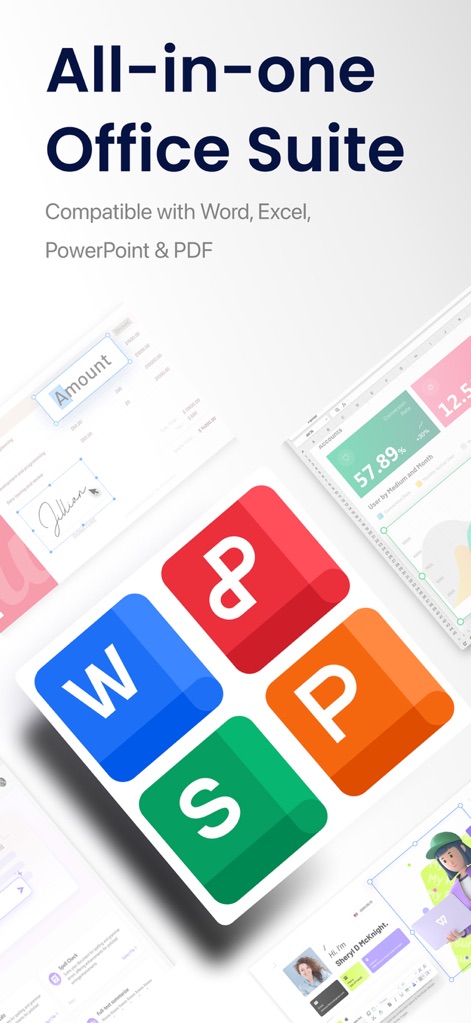
Unified Office Experience
Discover how this comprehensive suite integrates core office functionalities like Word, Excel, and PowerPoint, displayed alongside diverse document previews.

Seamless PDF Control
See how users can directly edit PDF text and securely add digital signatures within documents, complemented by a versatile bottom navigation bar for advanced editing.
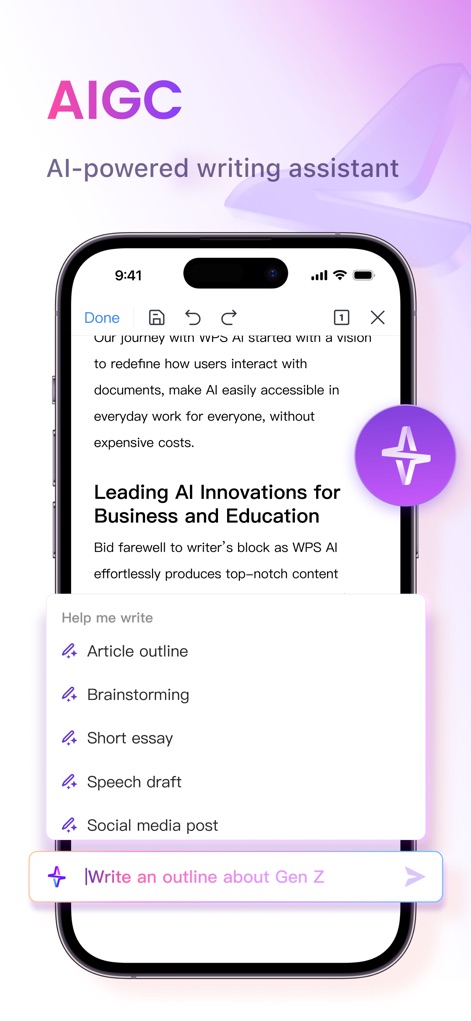
AI Writing Assistant
This tool leverages AI for content creation, offering specific options like article outlines and brainstorming, with a dedicated input field for user prompts.
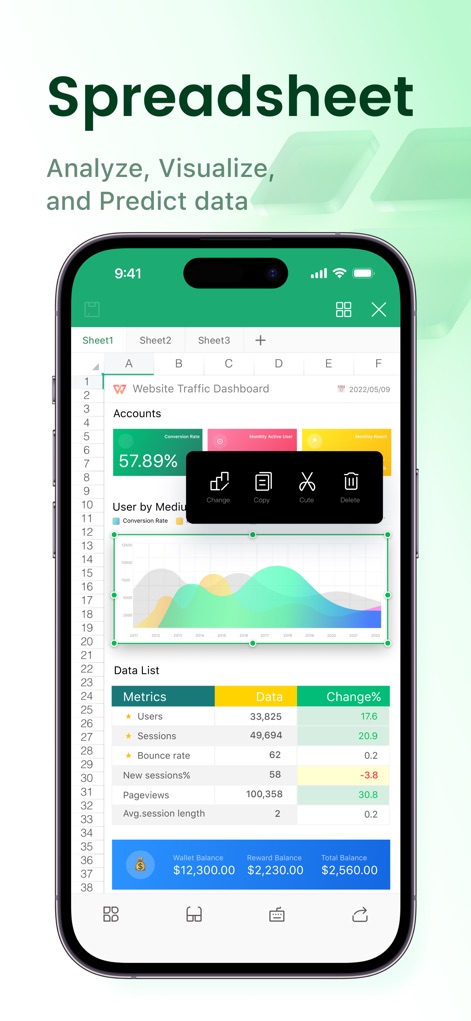
Dynamic Data Sheets
Explore the powerful spreadsheet capabilities, featuring intuitive in-cell editing options and dynamic data visualization graphs to analyze metrics effectively.
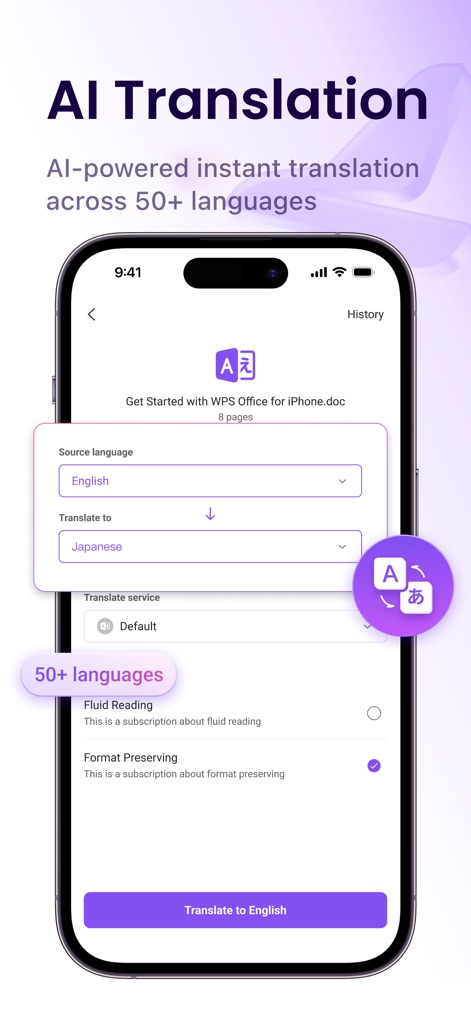
Global AI Translation
Witness the app's AI-powered translation, offering seamless language selection dropdowns for over 50 languages and the critical "Format Preserving" option for professional results.
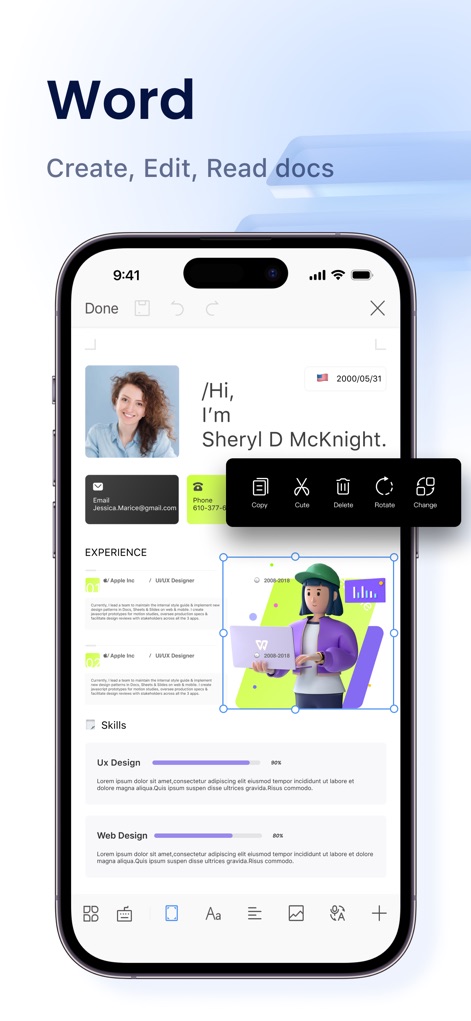
Advanced Document Editor
This powerful document editor provides an intuitive image editing pop-up menu and a comprehensive bottom toolbar for extensive customization of Word files.
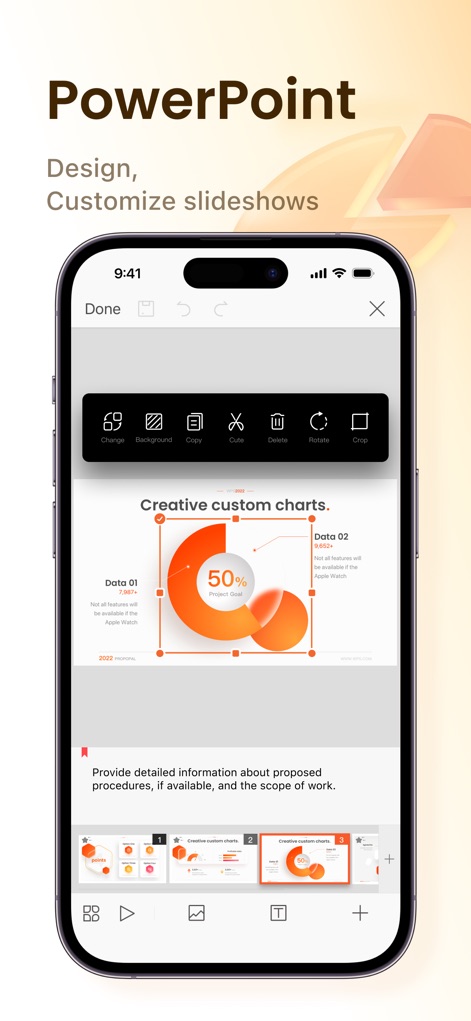
Engaging Presentation Design
Design captivating slideshows with ease, utilizing a versatile graphic editing pop-up menu and a convenient slide thumbnail preview for precise control over your presentations.
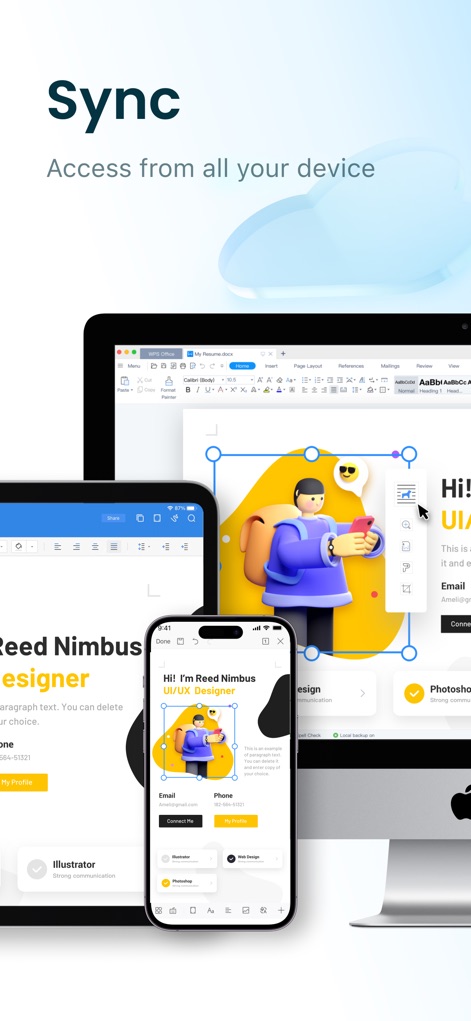
Cross-Device Synchronization
Experience seamless productivity with documents synchronizing across an iPhone, iPad, and desktop monitor, demonstrating consistent interface and accessible content.
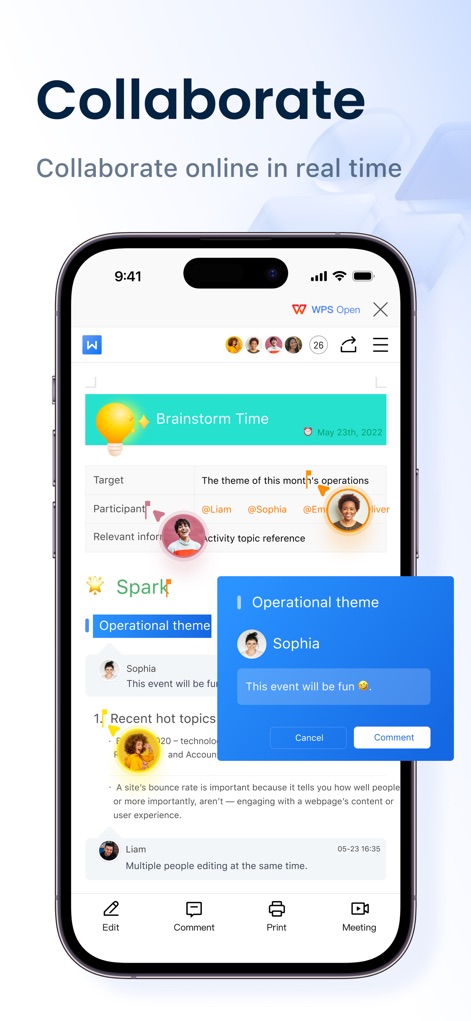
Real-time Collaboration
Facilitate teamwork with real-time user avatars indicating active participants and an interactive comment box for seamless discussions and feedback within documents.
Description
Download
More Like This
Apps with similar features and user experience

PDF PRO Scan Image & Documents
Balzo srl

The PDF Scanner, PDF editor HQ
NEXT K.U.M. LTD

CamScanner - PDF Scanner App
INTSIG Information Co., Ltd

Adobe Scan: PDF & OCR Scanner
Adobe Inc.

iLovePDF - PDF Editor & Scan
ILOVEPDF S.L.

Scanner App: Genius Scan
The Grizzly Labs

Microsoft Lens: PDF Scanner
Microsoft Corporation

Clear Scan: Doc Scanner App
INDY MOBILE APP COMPANY LIMITED

Document Scanner by Lufick
Lufick
This page is not an official page of the app or its developer, but an independent editorial publication created for informational and commentary purposes. Unless expressly stated otherwise, neither the app nor its developer is affiliated with, endorsed by, sponsored by, authorized by, or otherwise officially connected with MWM, Apple, Google Play, the app publisher, or the app's developer, and nothing on this page implies that the app was developed using MWM's services. Any trademarks, logos, screenshots, and other content remain the property of their respective owners.