
This page is not an official page of the app or its developer, but an independent editorial publication created for informational and commentary purposes. Unless expressly stated otherwise, neither the app nor its developer is affiliated with, endorsed by, sponsored by, authorized by, or otherwise officially connected with MWM, Apple, Google Play, the app publisher, or the app's developer, and nothing on this page implies that the app was developed using MWM's services. Any trademarks, logos, screenshots, and other content remain the property of their respective owners.

Document Scanner by Lufick
Transform your mobile device into a powerful, AI-driven portable office. Effortlessly scan, sign, and share high-quality PDFs with intelligent cropping, OCR, and secure cloud integration.
Downloads
2M+User Rating
Total Ratings
100K+Publisher
Category
ProductivityLocales
1Latest Version
3.5.4Size
167.7 MBFirst Released
Mar 30, 2021Professional Scanning Made Simple
Transform your mobile device into a powerful productivity hub. Scan, sign, and organize your documents with AI-driven precision and cloud-ready speed.
AI-Powered Perfection
Achieve professional results with intelligent auto-cropping and enhanced filters that make every scan look like it came from a high-end office scanner.
Digital Signatures & OCR
Stay paperless by adding your official signature and extracting text from images for easy editing—perfect for contracts and lecture notes.
Frequently Asked Questions
Everything you need to know about Document Scanner by Lufick
What is the main purpose of the Document Scanner by Lufick app?
The Document Scanner by Lufick app transforms your mobile device into a portable document scanner, enabling quick and easy scanning of documents using your mobile camera.
Does the Document Scanner by Lufick app offer high-quality scans?
Yes, the Document Scanner by Lufick app captures clear, professional documents with automatic and manual quality enhancements, including AI-based smart cropping.
Can the Document Scanner app convert scans to PDF?
Yes, the Document Scanner app converts scanned images into high-quality PDF files instantly. It also supports batch scanning multiple pages into a single PDF document.
Does the Document Scanner by Lufick app have OCR functionality?
Yes, the Document Scanner by Lufick app includes OCR (Optical Character Recognition) to extract text from images, allowing for easy editing and sharing.
How can I reduce the file size of documents scanned with the Document Scanner app?
The Document Scanner app offers a compress feature to reduce file size without significant loss of quality. Users can adjust compression levels like Low, Good, or High.
Can I add my signature to documents using the Document Scanner by Lufick app?
Yes, the Document Scanner by Lufick app allows users to easily add original signatures to scanned documents, providing a professional touch.
What sharing options are available in the Document Scanner by Lufick app?
The Document Scanner app allows sharing scanned documents as PDF or JPEG via email, cloud services, and social media. It also supports direct printing and faxing.
How does the Document Scanner app help organize scanned documents?
The Document Scanner app helps organize scanned documents by allowing users to arrange them efficiently in easily accessible folders and subfolders for better management.
Does Document Scanner by Lufick offer security for my documents?
Yes, the Document Scanner by Lufick app provides secure scanning by allowing users to password-protect important documents for added security.
What scan modes are available in the Document Scanner by Lufick app?
The Document Scanner by Lufick app offers multiple scan modes, including Magic Color Filter, Black & White, Lighten, Color, and Dark for optimizing scans.
Where can I find the privacy policy for the Document Scanner by Lufick app?
The privacy policy for the Document Scanner by Lufick app is available at the provided URL: https://lufick-dev.github.io/doc-scanner/ios-privacy-policy.html.
The following screenshots and description are sourced directly from the app's official store listing and are the property of the app developer.
App Store
Screenshots
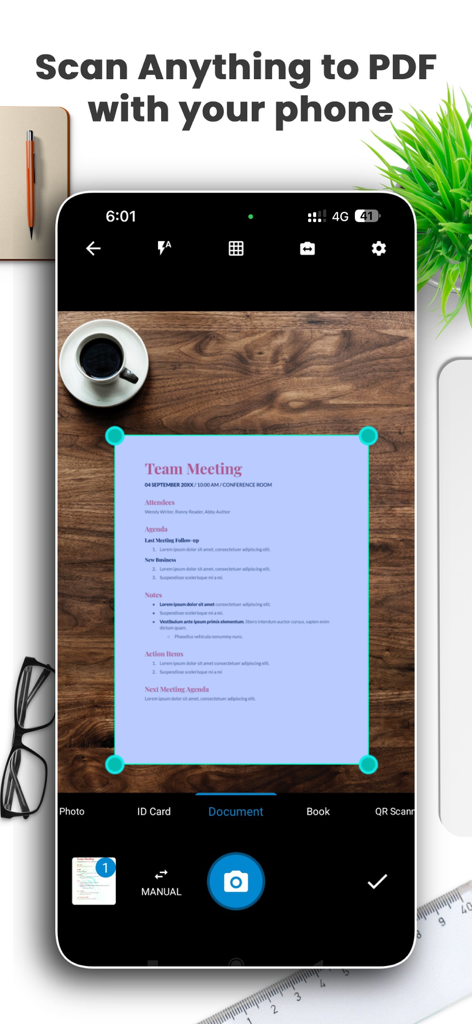
Document scanner app interface showing a smartphone scanning a meeting agenda on a wooden desk.
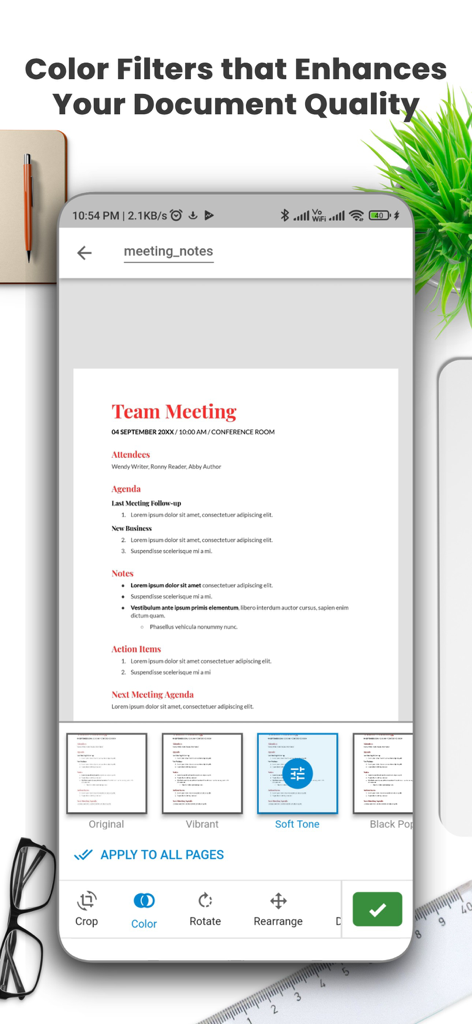
Interface of a document scanner app showing color filters applied to meeting notes to enhance quality.
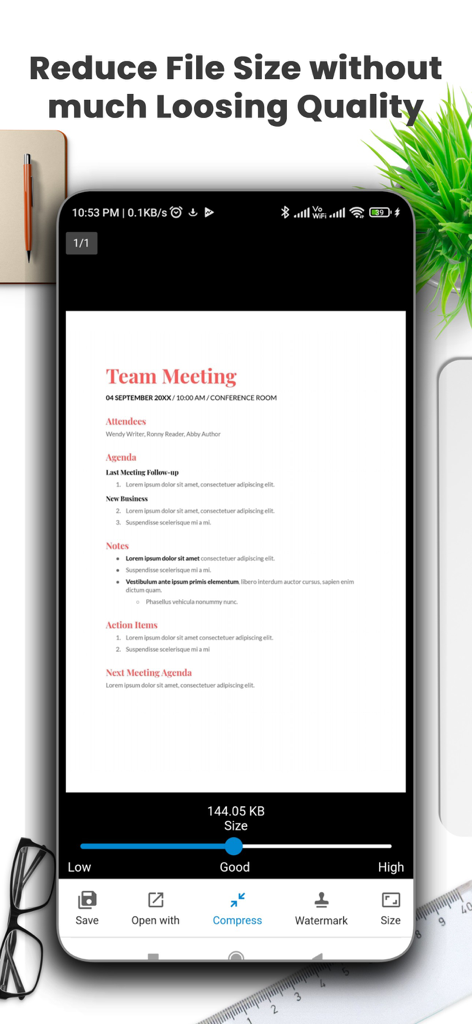
Mobile app interface showing how to reduce scanned document file size using a quality compression slider
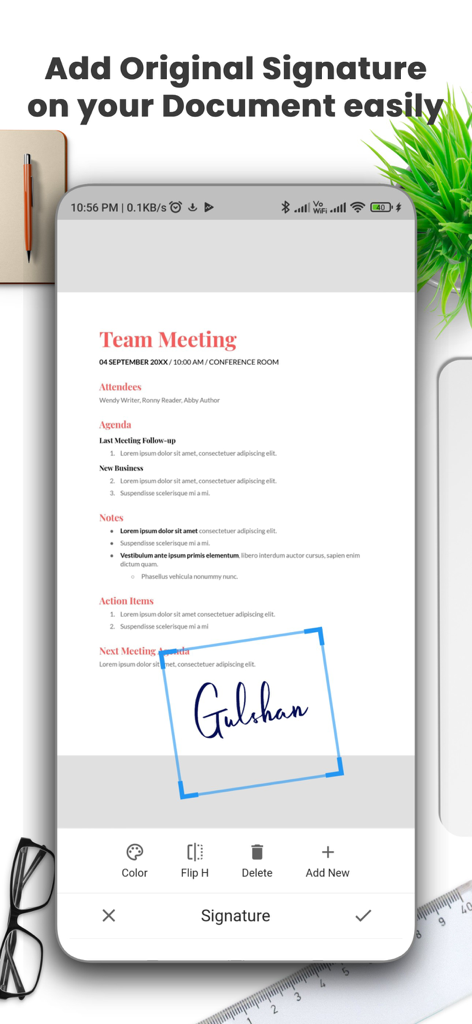
Interface for adding an original digital signature to a document using a mobile scanner app
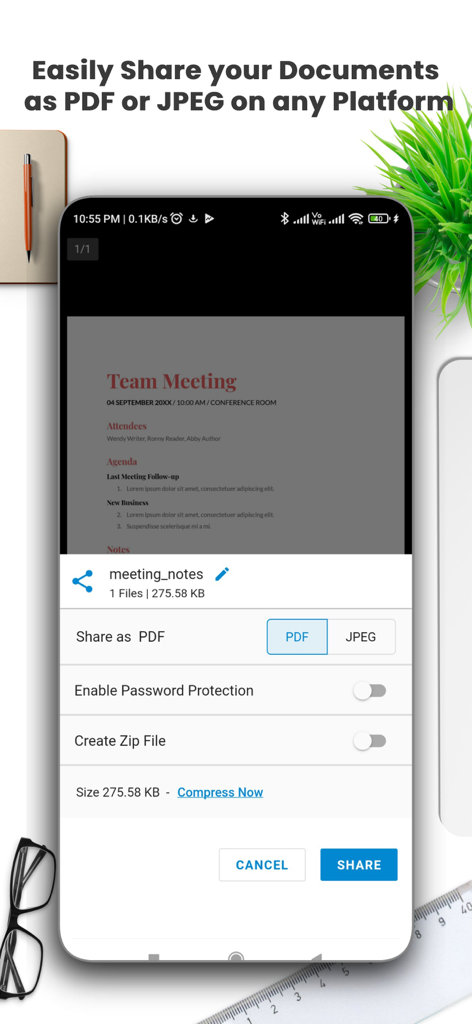
Mobile app screen showing options to share scanned documents as PDF or JPEG with features like password protection and file compression
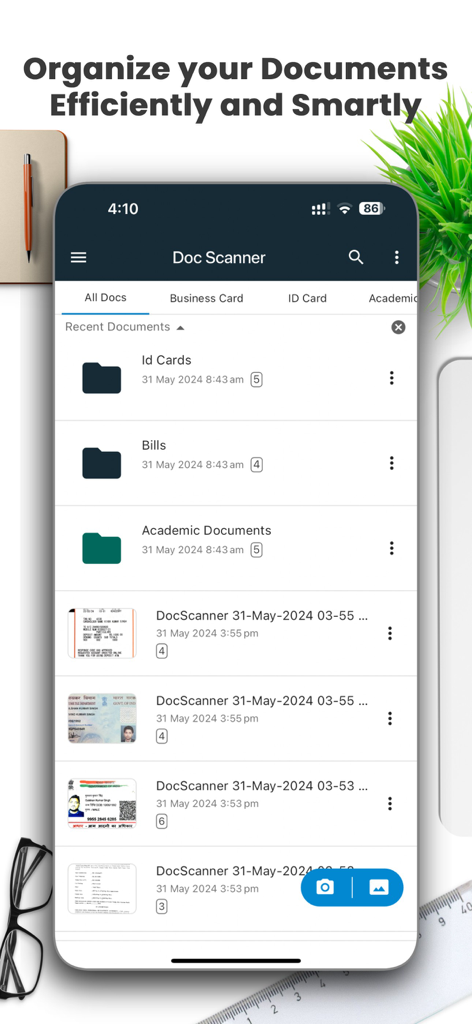
Doc Scanner app interface showing folders for ID cards, bills, and academic documents
Introductory screen for Document Scanner by Lufick showing app icon and PDF creation features
Description
Download
More Like This
Apps with similar features and user experience

PDF PRO Scan Image & Documents
Balzo srl

The PDF Scanner, PDF editor HQ
NEXT K.U.M. LTD

CamScanner - PDF Scanner App
INTSIG Information Co., Ltd

Adobe Scan: PDF & OCR Scanner
Adobe Inc.

WPS Office: PDF, Docs, Sheets
KINGSOFT OFFICE SOFTWARE CORPORATION LIMITED

iLovePDF - PDF Editor & Scan
ILOVEPDF S.L.

Scanner App: Genius Scan
The Grizzly Labs

Microsoft Lens: PDF Scanner
Microsoft Corporation

Clear Scan: Doc Scanner App
INDY MOBILE APP COMPANY LIMITED
This page is not an official page of the app or its developer, but an independent editorial publication created for informational and commentary purposes. Unless expressly stated otherwise, neither the app nor its developer is affiliated with, endorsed by, sponsored by, authorized by, or otherwise officially connected with MWM, Apple, Google Play, the app publisher, or the app's developer, and nothing on this page implies that the app was developed using MWM's services. Any trademarks, logos, screenshots, and other content remain the property of their respective owners.