
This page is not an official page of the app or its developer, but an independent editorial publication created for informational and commentary purposes. Unless expressly stated otherwise, neither the app nor its developer is affiliated with, endorsed by, sponsored by, authorized by, or otherwise officially connected with MWM, Apple, Google Play, the app publisher, or the app's developer, and nothing on this page implies that the app was developed using MWM's services. Any trademarks, logos, screenshots, and other content remain the property of their respective owners.


Microsoft Lens: PDF Scanner
Information shouldn't be trapped. The app liberates data from whiteboards and documents, rendering it searchable, editable, and shareable across platforms.
Downloads
25M+User Rating
Total Ratings
1.1MPublisher
Category
ProductivityLocales
33Latest Version
2.106.1Size
76.1 MBFirst Released
Apr 2, 2015Microsoft Lens: Core Productivity Features
An analytical overview of key functionalities for efficient document management.
Optical Character Recognition (OCR)
The app allows users to convert printed or handwritten text within images into editable and searchable digital content, significantly boosting productivity for document processing.
Multi-Format Document Export
This tool features the ability to convert scanned documents and images into various professional formats, including PDF, Word, PowerPoint, and Excel, enabling versatile use and integration.
Advanced Document Scanning & Enhancement
The app provides advanced image processing to trim, enhance, and ensure the readability of scanned whiteboards, documents, and receipts, delivering crisp and clear digital copies.
Seamless Microsoft 365 & Local Storage Integration
It allows users to save digitized content directly to OneNote, OneDrive, or their local device, ensuring easy access, organization, and collaboration within the Microsoft ecosystem.
Whiteboard & Blackboard Capture
The app facilitates capturing crisp images of whiteboards and blackboards, preserving meeting action items or classroom notes for later reference, even when offline.
Business Card Digitization
This tool enables scanning business cards and automatically saving contact information directly into the user's phone contacts, streamlining professional networking.
Frequently Asked Questions
Everything you need to know about Microsoft Lens: PDF Scanner
What is Microsoft Lens: PDF Scanner used for?
Microsoft Lens is a mobile scanner application that trims, enhances, and makes pictures of whiteboards and documents readable. It converts images into various file formats like PDF, Word, and PowerPoint.
Can Microsoft Lens convert images to PDF documents?
Yes, Microsoft Lens can convert scanned images into PDF files. It also supports conversion to Word, PowerPoint, and Excel formats.
What types of documents can Microsoft Lens: PDF Scanner scan?
Microsoft Lens scans various documents, including notes, receipts, whiteboards, blackboards, classroom handouts, and business cards. It digitizes both printed and handwritten text.
Does Microsoft Lens support converting handwritten notes to digital text?
Yes, Microsoft Lens digitizes handwritten text, allowing users to edit it later. This feature currently works with English language only.
Where can users save files scanned with Microsoft Lens: PDF Scanner?
Users can save scanned documents from Microsoft Lens to OneNote, OneDrive, or their local device. Files can be stored as PDF, Image, Word, or PowerPoint.
Can Microsoft Lens import existing photos from a device's gallery?
Yes, Microsoft Lens allows users to import images that are already present on their device directly from the Gallery, in addition to live scanning.
Does Microsoft Lens: PDF Scanner integrate with other Microsoft services?
Microsoft Lens integrates seamlessly with Microsoft services like OneNote and OneDrive for saving. It also offers sharing options via Outlook, Email, and Immersive Reader, leveraging the Microsoft 365 ecosystem.
Can Microsoft Lens convert tables from images into editable data?
Yes, Microsoft Lens can effortlessly copy text and tables from pictures. This feature converts visual data into an editable table format.
The following screenshots and description are sourced directly from the app's official store listing and are the property of the app developer.
App Store
Screenshots
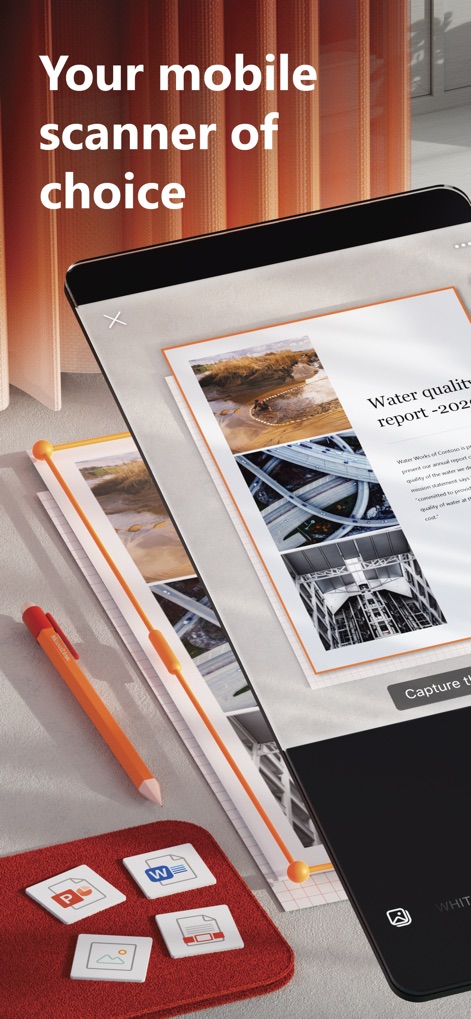
Mobile Scanning Power
The app transforms physical documents into digital files, showcasing a crisp scanned report and intuitive export file type icons.
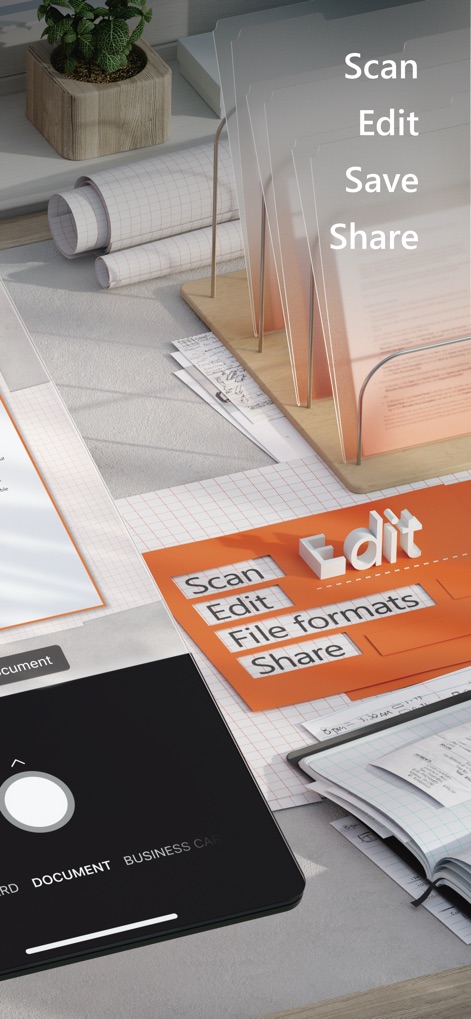
Streamlined Document Workflow
Users can efficiently manage documents through a clear "Scan Edit Save Share" process, choosing from modes like "Document" and various other file format options.

Superior Quality Scans
This visual demonstrates the app's ability to produce "Superior quality scans" of various items, specifically highlighting the precise "Capture the Document" functionality.

Handwriting Recognition
The app effectively converts handwritten notes into editable text, allowing users to "Copy" the digitized content for easy sharing.

Table Data Extraction
Users can leverage the "Image to table" feature to extract structured data, transforming visual tables from pictures into editable formats.

Microsoft 365 Integration
This screenshot reveals robust integration with "Microsoft 365" services, allowing users to "Export to" multiple platforms like OneDrive and Outlook.
Description
Download
More Like This
Apps with similar features and user experience

PDF PRO Scan Image & Documents
Balzo srl

The PDF Scanner, PDF editor HQ
NEXT K.U.M. LTD

CamScanner - PDF Scanner App
INTSIG Information Co., Ltd

Adobe Scan: PDF & OCR Scanner
Adobe Inc.

WPS Office: PDF, Docs, Sheets
KINGSOFT OFFICE SOFTWARE CORPORATION LIMITED

iLovePDF - PDF Editor & Scan
ILOVEPDF S.L.

Scanner App: Genius Scan
The Grizzly Labs

Clear Scan: Doc Scanner App
INDY MOBILE APP COMPANY LIMITED

Document Scanner by Lufick
Lufick
This page is not an official page of the app or its developer, but an independent editorial publication created for informational and commentary purposes. Unless expressly stated otherwise, neither the app nor its developer is affiliated with, endorsed by, sponsored by, authorized by, or otherwise officially connected with MWM, Apple, Google Play, the app publisher, or the app's developer, and nothing on this page implies that the app was developed using MWM's services. Any trademarks, logos, screenshots, and other content remain the property of their respective owners.