
This page is not an official page of the app or its developer, but an independent editorial publication created for informational and commentary purposes. Unless expressly stated otherwise, neither the app nor its developer is affiliated with, endorsed by, sponsored by, authorized by, or otherwise officially connected with MWM, Apple, Google Play, the app publisher, or the app's developer, and nothing on this page implies that the app was developed using MWM's services. Any trademarks, logos, screenshots, and other content remain the property of their respective owners.


Adobe Scan: PDF & OCR Scanner
Physical papers disrupt digital efficiency. The app resolves this, precisely transforming any hard copy into a searchable, editable digital record.
Downloads
75M+User Rating
Total Ratings
6.7MPublisher
Category
BusinessLocales
19Latest Version
26.03.19Size
332.5 MBFirst Released
May 31, 2017Core Capabilities of Adobe Scan: PDF & OCR Scanner
An analytical overview of the key features that drive efficiency and document management for professionals and students.
High-Quality Document Digitization
The app transforms physical documents into high-quality digital PDFs or JPEGs, incorporating automatic straightening and border detection to ensure professional and neat results.
Advanced Optical Character Recognition (OCR)
This tool features advanced OCR technology that converts scanned text into searchable and editable digital content, significantly enhancing document utility and data extraction.
Seamless Cloud Integration
It automatically saves all scanned documents to Adobe Document Cloud, providing instant access, secure storage, and effortless sharing across devices and with collaborators.
Intelligent Scan Enhancement
The app provides intelligent tools such as Magic Eraser to remove imperfections, and offers comprehensive editing options like cropping, rotating, and color adjustments to refine scan quality.
Multi-Format Export & Content Reuse
It allows users to export scans to various formats like Word, Excel, or PowerPoint, and enables the copying and reuse of text from scanned documents, maximizing content utility.
Efficient Document Organization
This tool helps users organize their digital documents efficiently through custom folders and a smart library feature that identifies documents from photo libraries, enhancing accessibility and management.
Frequently Asked Questions
Everything you need to know about Adobe Scan: PDF & OCR Scanner
Is Adobe Scan a free PDF scanner app?
Yes, Adobe Scan is free to download and use on your mobile device. It turns your device into a PDF and document scanner for creating, saving, and organizing digital files.
What types of documents can I scan with Adobe Scan?
Adobe Scan can scan various items, including receipts, IDs, notes, recipes, photos, business cards, whiteboards, and general paper documents. It converts them into PDF or JPEG files.
Does Adobe Scan support OCR for searchable text?
Yes, Adobe Scan includes OCR (Optical Character Recognition) technology. It uses advanced image-to-text features to make words in your scans searchable and editable.
Can I edit text within scanned documents using Adobe Scan?
Yes, Adobe Scan allows you to edit text in scanned documents. Its image-to-text technology makes words and even handwritten text editable.
How do I remove imperfections from my scans in Adobe Scan?
The Magic eraser tool in Adobe Scan removes imperfections like thumbs, stains, and creases from your document scans. This feature helps ensure a clear and professional appearance.
Can Adobe Scan combine several documents into a single PDF?
Yes, Adobe Scan allows you to combine multiple scans into one single file. This feature is available through an in-app purchase subscription.
Does Adobe Scan automatically save my scanned documents?
Yes, Adobe Scan automatically saves all your scans to Adobe Document Cloud. This provides instant access and sharing capabilities across your devices.
Can Adobe Scan convert documents to JPEG format?
Yes, Adobe Scan can convert your scanned documents into JPEG files in addition to PDFs. You can also export scans to Word, Excel, or PowerPoint formats.
What is the Straighten tool in Adobe Scan?
The Straighten tool in Adobe Scan automatically fixes pages that appear curved or tilted during scanning. It lines everything up to produce neat and professional-looking PDFs without manual effort.
Is Adobe Scan compatible with Adobe Acrobat Reader?
Yes, Adobe Scan integrates with Acrobat Reader. You can open your PDF scans directly in Acrobat Reader to comment, highlight, fill forms, and sign documents securely across devices.
The following screenshots and description are sourced directly from the app's official store listing and are the property of the app developer.
App Store
Screenshots

Capture Documents Precisely
The app demonstrates its intelligent border detection and multiple scanning modes, such as "Document" and "ID card", for versatile capture.
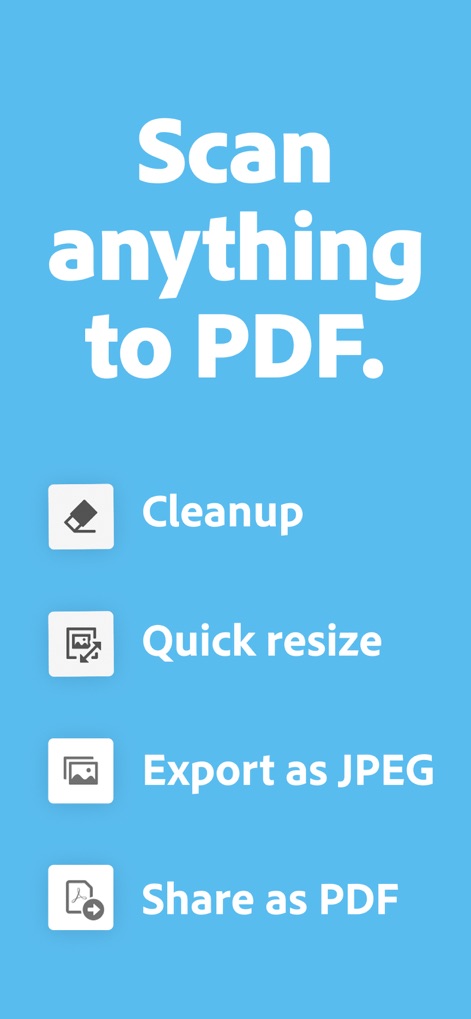
Transform & Share
This tool streamlines the post-scan workflow, offering quick options like "Cleanup" and "Export as JPEG" for user convenience.

Multi-Page Efficiency
Users can efficiently manage multi-page scans, utilizing features like page thumbnails for navigation and a dedicated "Magic eraser" for refinement.

Edit Scanned Text
The app’s OCR technology allows users to directly edit text within scanned documents, with options for font styling and color adjustments visible.

Seamless Sharing
This tool provides diverse sharing capabilities, including generating a "Share link" and sending via "Email", ensuring effortless distribution of documents.

Consolidate Documents
The app enables users to combine multiple scans into a single PDF, as demonstrated by the "Page 1 of 2" indicator and the "Keep scanning" option.

Comprehensive Management
The tool offers extensive document management options, including "Combine files" and "Extract pages", allowing users to precisely control their digitized content.

Refine Scans Effortlessly
The "Magic eraser" functionality allows users to easily remove imperfections, with options to "Fill with surrounding color" or select a custom color for seamless touch-ups.

Customize Layouts
Users can precisely tailor document presentation by adjusting page size and selecting various layout options like "A4 Portrait" or "US Letter Landscape".

Intelligent Text Extraction
This tool leverages OCR to enable searching and highlighting of specific text within scans, such as "brand identity", making document analysis highly efficient.
Description
Download
More Like This
Apps with similar features and user experience

PDF PRO Scan Image & Documents
Balzo srl

The PDF Scanner, PDF editor HQ
NEXT K.U.M. LTD

CamScanner - PDF Scanner App
INTSIG Information Co., Ltd

WPS Office: PDF, Docs, Sheets
KINGSOFT OFFICE SOFTWARE CORPORATION LIMITED

iLovePDF - PDF Editor & Scan
ILOVEPDF S.L.

Scanner App: Genius Scan
The Grizzly Labs

Microsoft Lens: PDF Scanner
Microsoft Corporation

Clear Scan: Doc Scanner App
INDY MOBILE APP COMPANY LIMITED

Document Scanner by Lufick
Lufick
This page is not an official page of the app or its developer, but an independent editorial publication created for informational and commentary purposes. Unless expressly stated otherwise, neither the app nor its developer is affiliated with, endorsed by, sponsored by, authorized by, or otherwise officially connected with MWM, Apple, Google Play, the app publisher, or the app's developer, and nothing on this page implies that the app was developed using MWM's services. Any trademarks, logos, screenshots, and other content remain the property of their respective owners.