
This page is not an official page of the app or its developer, but an independent editorial publication created for informational and commentary purposes. Unless expressly stated otherwise, neither the app nor its developer is affiliated with, endorsed by, sponsored by, authorized by, or otherwise officially connected with MWM, Apple, Google Play, the app publisher, or the app's developer, and nothing on this page implies that the app was developed using MWM's services. Any trademarks, logos, screenshots, and other content remain the property of their respective owners.


Scanner App: Genius Scan
Paper clutter dies here. The app delivers desktop-scanner precision to your pocket, transforming physical documents into clean, searchable digital assets, on demand.
Downloads
12.5M+User Rating
Total Ratings
2.6MPublisher
Category
BusinessLocales
20Latest Version
8.9Size
93.1 MBFirst Released
Jun 22, 2010Key Features Analysis: Scanner App: Genius Scan
An evaluation of core functionalities enabling efficient document digitization for professionals and students.
Smart Document Capture
The app provides advanced image processing, including automatic document detection, background removal, distortion correction, and shadow cleanup, to ensure high-quality, legible scans. Batch scanning significantly increases efficiency for multiple pages.
Optical Character Recognition (OCR)
It allows users to extract text from scanned documents, create searchable PDFs, and convert business cards into contacts, significantly enhancing productivity and information retrieval.
Enhanced Security & Privacy
This tool features on-device processing to protect data privacy and includes options for Face ID locking and PDF password encryption, ensuring sensitive documents remain secure.
Robust PDF Management
It allows users to create multi-page PDFs, merge or split existing documents, and import photos or other PDFs, offering comprehensive control over digital document assembly.
Flexible Document Export & Sharing
The app provides extensive export options, enabling seamless sharing via email and integration with numerous cloud storage services like Dropbox, Google Drive, and OneDrive, supporting automatic background export.
Advanced Document Organization
This tool features tagging, metadata search, and smart renaming capabilities to help users efficiently manage and quickly locate their digitized documents within the app.
Frequently Asked Questions
Everything you need to know about Scanner App: Genius Scan
What is Scanner App: Genius Scan?
Genius Scan is a mobile document scanner app that quickly scans paper documents on the go. It exports them as multi-page PDF files and provides powerful tools for organizing, sharing, and archiving documents directly from your device.
Does Genius Scan offer smart scanning features?
Yes, Genius Scan offers smart scanning features. These include automatic document detection, background removal, distortion correction, shadow removal, and defect cleanup. It also applies various filters such as black & white or photo to the scans.
Can Genius Scan create multi-page PDF documents?
Yes, Genius Scan creates multi-page PDF documents. Users can also merge and split existing documents, as well as import photos and other PDF files directly into the app for editing and organization.
Is Genius Scan free to use?
Yes, Genius Scan is free to use for an unlimited duration. Users can optionally subscribe to the Genius Scan Plus plan for additional premium features or Genius Cloud for backup and synchronization services.
What are the security features of Genius Scan?
Genius Scan ensures security and privacy through on-device document processing, Face ID locking for app access, and PDF password encryption. Documents are processed locally on the user's device.
Does Genius Scan support OCR (Optical Character Recognition)?
Yes, Genius Scan supports OCR (Optical Character Recognition) functionality. It provides text extraction from scans, the creation of searchable PDF documents, and business card scanning to generate new contacts. OCR is a premium feature.
Can I export scanned documents from Genius Scan to cloud services?
Yes, Genius Scan supports exporting scanned documents to various cloud services. These include Box, Dropbox, Evernote, Google Drive, iCloud Drive, OneDrive, OneNote, FTP, SugarSync, and any WebDAV compatible service.
How does Genius Scan help organize documents?
Genius Scan helps organize documents through tagging, metadata and content search. It also features smart document renaming with custom templates and offers backup and multi-device synchronization via Genius Cloud.
Does Genius Scan automatically detect documents for scanning?
Yes, Genius Scan automatically detects paper documents in front of the device’s camera. It then intelligently crops the document, cleans up the scan, and corrects distortion to produce crisp, legible results.
Are there any subscription plans for Scanner App: Genius Scan?
Yes, Genius Scan offers subscription plans. The Genius Scan Plus plan unlocks premium features, and Genius Cloud provides backup and multi-device synchronization. Both subscriptions are optional and auto-renewable.
The following screenshots and description are sourced directly from the app's official store listing and are the property of the app developer.
App Store
Screenshots
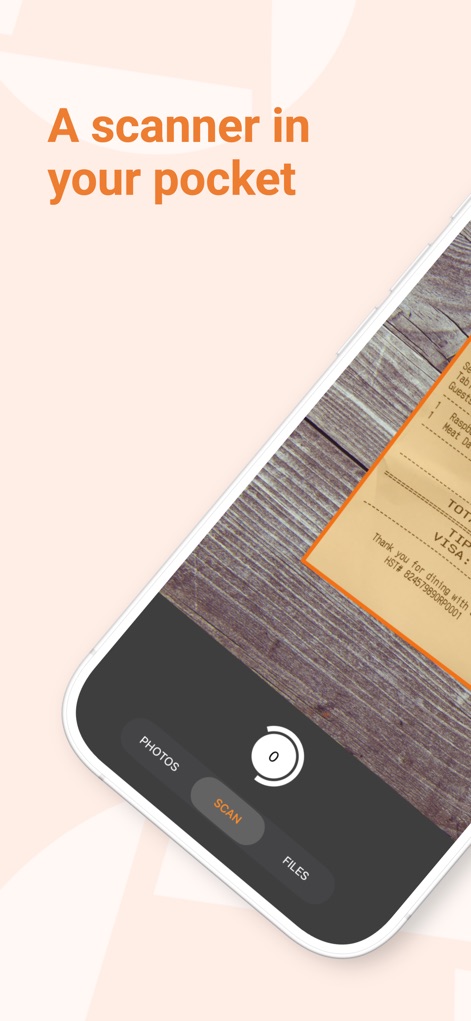
Pocket Scanner Power
See how the app instantly identifies documents like receipts and presents a streamlined "Scan" interface for quick capture.
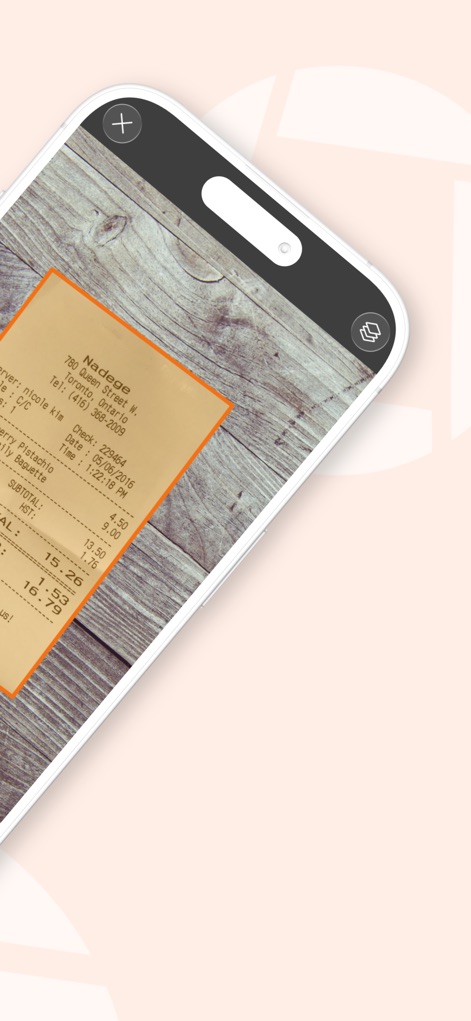
Smart Capture Precision
This tool automatically detects document edges and highlights them with a precise outline, simplifying the scanning process and offering easy navigation controls.
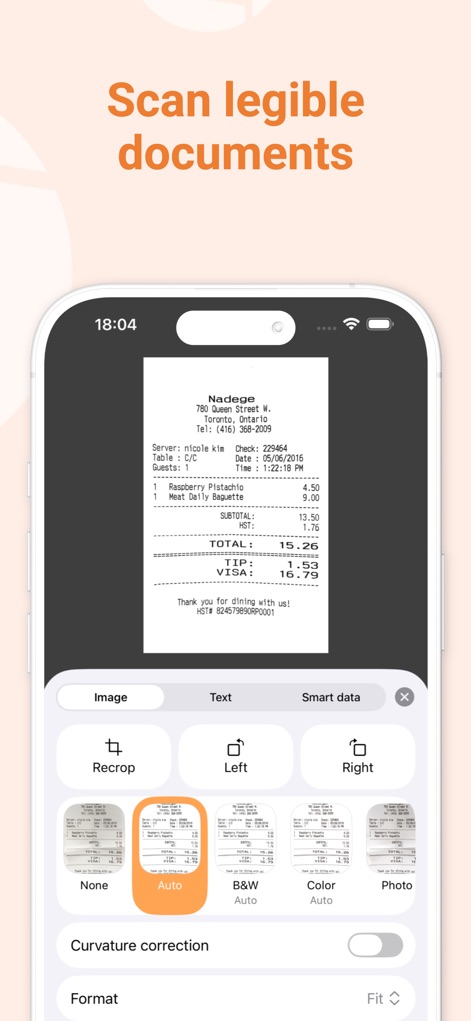
Enhance & Refine
Users can easily enhance scans with various filters like "Auto" and apply advanced adjustments such as "Curvature correction" for pristine document quality.
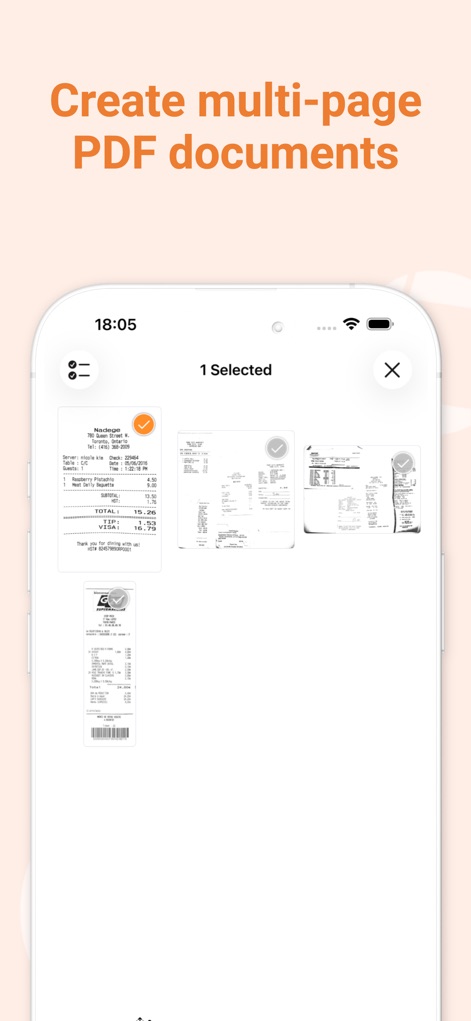
Multi-Page Documents
The app enables the creation of multi-page PDF documents, visually organizing individual scans as clickable thumbnails and indicating selection status.
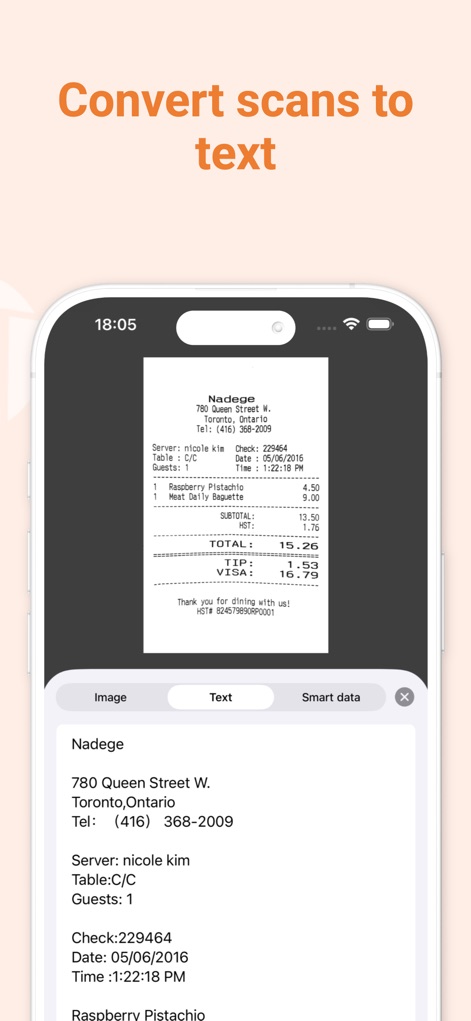
OCR Text Extraction
This tool features robust Optical Character Recognition (OCR), allowing users to view and copy extracted text from scanned documents directly within the dedicated "Text" tab.
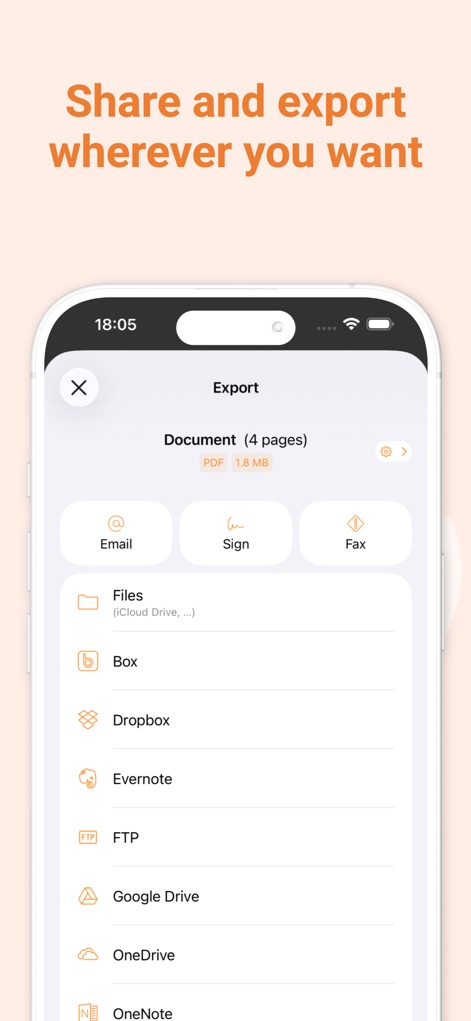
Seamless Export Options
The app provides extensive export capabilities, including direct sharing via "Email" and seamless integration with popular cloud services like "Dropbox" and "Google Drive."
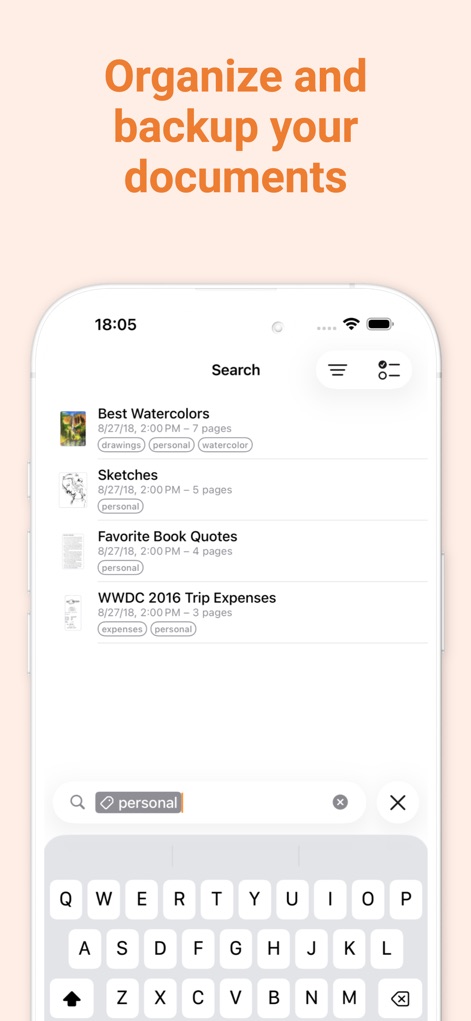
Organize & Search
Users can efficiently organize documents using customizable "tags" and quickly locate specific files with the powerful "search" bar, complete with filtering options.

Secure & Efficient
The app emphasizes its core values of being "Fast, Private, Secure" for user data, proudly highlighting its origin as "Made in France."
Description
Download
More Like This
Apps with similar features and user experience

PDF PRO Scan Image & Documents
Balzo srl

The PDF Scanner, PDF editor HQ
NEXT K.U.M. LTD

CamScanner - PDF Scanner App
INTSIG Information Co., Ltd

Adobe Scan: PDF & OCR Scanner
Adobe Inc.

WPS Office: PDF, Docs, Sheets
KINGSOFT OFFICE SOFTWARE CORPORATION LIMITED

iLovePDF - PDF Editor & Scan
ILOVEPDF S.L.

Microsoft Lens: PDF Scanner
Microsoft Corporation

Clear Scan: Doc Scanner App
INDY MOBILE APP COMPANY LIMITED

Document Scanner by Lufick
Lufick
This page is not an official page of the app or its developer, but an independent editorial publication created for informational and commentary purposes. Unless expressly stated otherwise, neither the app nor its developer is affiliated with, endorsed by, sponsored by, authorized by, or otherwise officially connected with MWM, Apple, Google Play, the app publisher, or the app's developer, and nothing on this page implies that the app was developed using MWM's services. Any trademarks, logos, screenshots, and other content remain the property of their respective owners.